








Guide Index9 sections
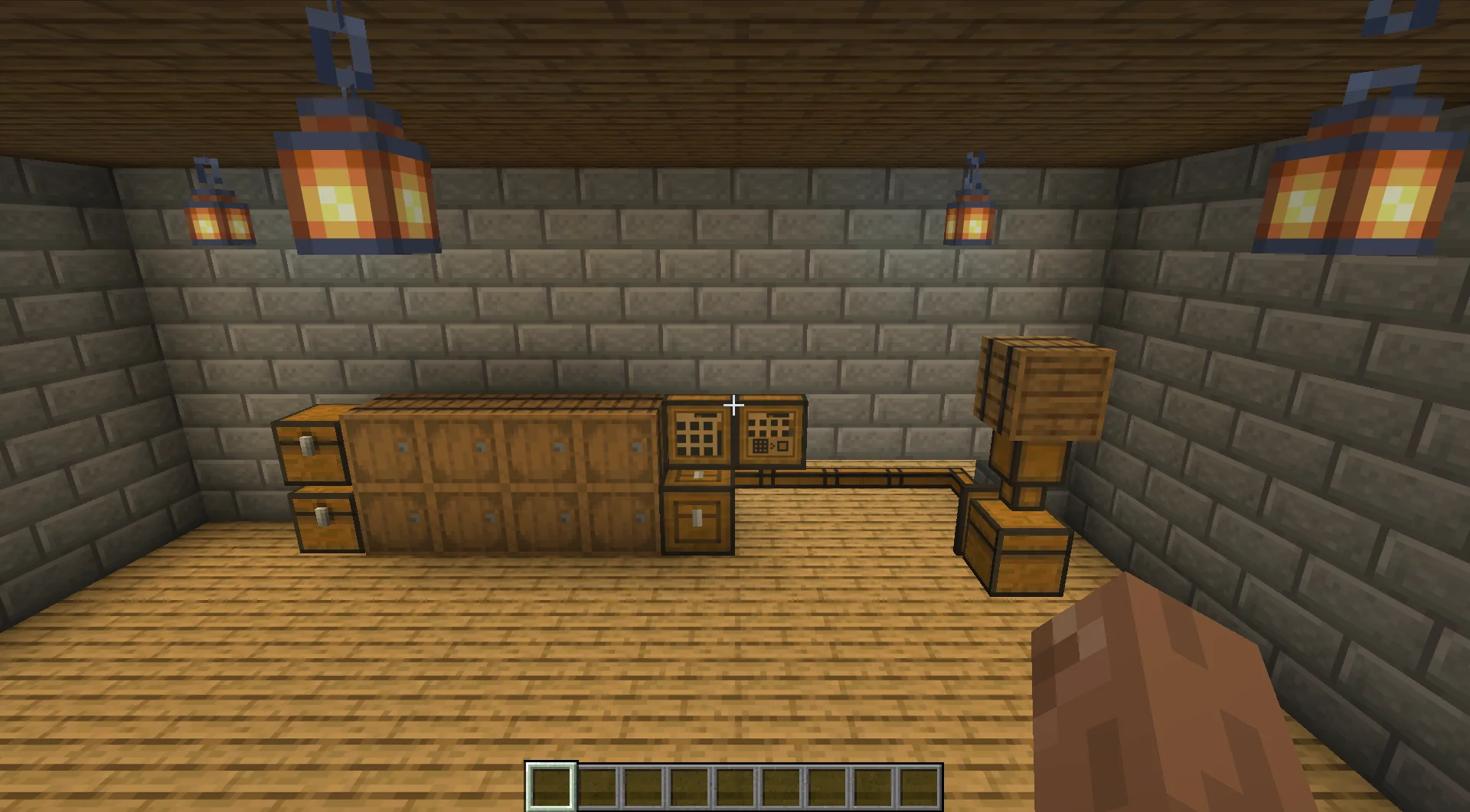
You can turn an entire room of chests and barrels into one unified, searchable storage terminal by placing two blocks: an Inventory Connector touching the containers, and a Storage Terminal mounted directly behind it or connected through cables. The system needs no power grid, no RF or Forge Energy generators, no complex fuel cells, and no channel limits. Items remain stored inside their original physical blocks in the world, while the terminal exposes everything through a single clean interface.
Tom's Simple Storage Mod by tom5454 keeps that vanilla feel. It gives you the convenience of a storage network: search, sorting, crafting from stored items, wireless access and basic item moving. Your items stay inside the chests and barrels where they are. Builds are available for Fabric (requiring Fabric API, plus Indium on older Sodium 0.5 releases), NeoForge, and Forge.
How the network links containers
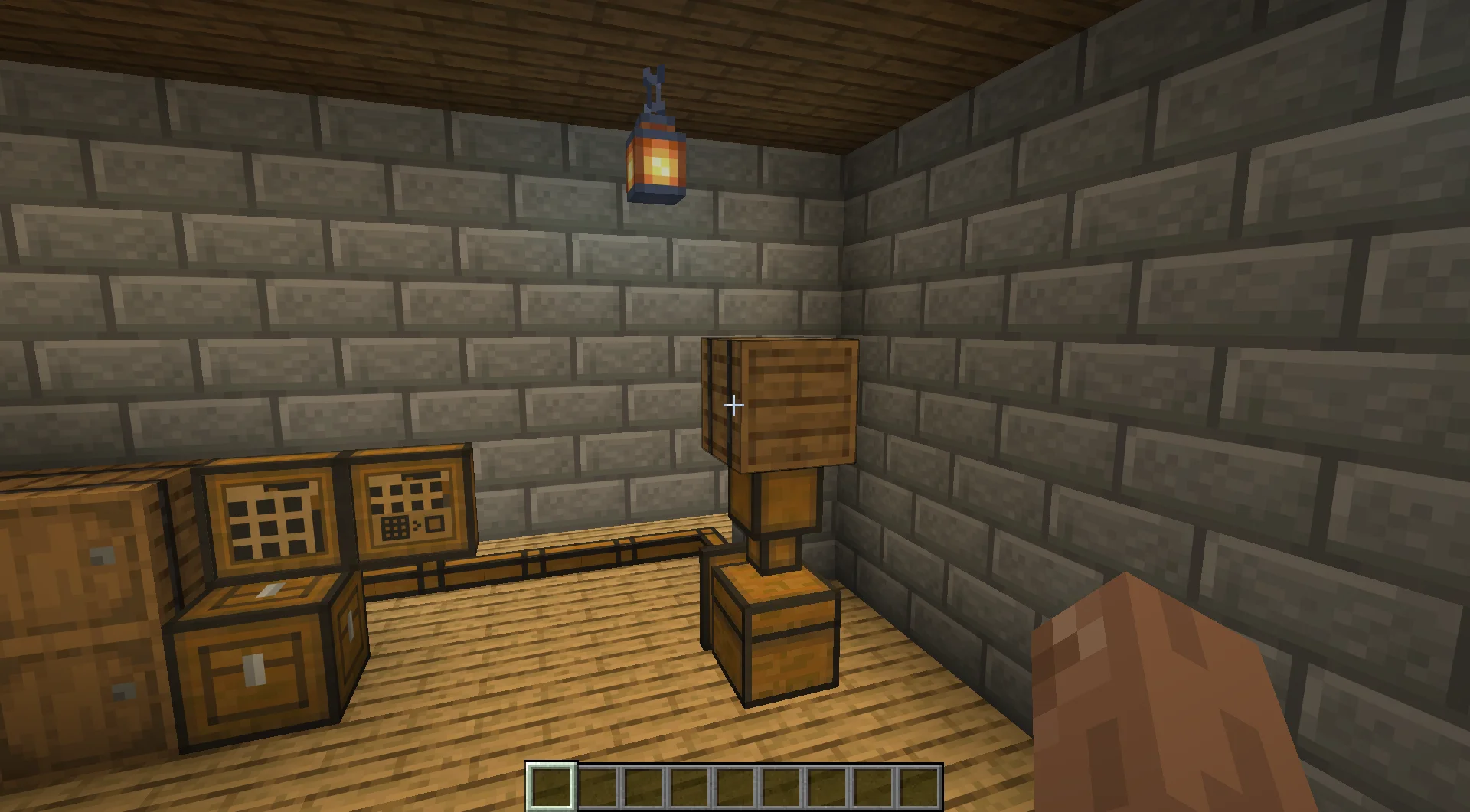
The system relies on clear block roles. Understanding the difference between each connector block prevents common setup errors when wiring a storage room:
- 1
Inventory Connector
This is the brain of the network. It must touch at least one container block. From that contact point, it scans outwards through touching inventories (regular chests, double chests and barrels), up to a default scan range of 16 blocks (
invConnectorScanRange = 16). Any touching container joins the unified pool automatically without running cables between them. - 2
Inventory Cable
When containers are separated by open air, solid stone, or room walls, Inventory Cables bridge the distance. Cables carry data between network components up to a maximum limit of 2,048 cable segments per connector (
invConnectorMaxCables = 2048). - 3
Inventory Cable Connector
An ordinary Inventory Cable cannot extract items from a detached chest by simply running into it. To bring an isolated chest or remote container cluster into the network, you must place an Inventory Cable Connector against that container face, and then run regular cables back to the main Inventory Connector.
- 4
Storage Trim
Storage Trim blocks function as decorative building blocks that also conduct inventory connections. Placing trims between disconnected chest banks lets you expand the touching container boundary without exposing raw wooden cables along floors or ceilings.
Step-by-step setup order
Setting up a working system in survival takes three simple steps once materials are crafted:
- 1
1. Cluster your storage blocks
Group your chests, double chests, or barrels so their faces touch one another in a contiguous block. Touching containers form a single passive cluster.
- 2
2. Place the Inventory Connector
Set the Inventory Connector against any chest or barrel within the cluster. It will immediately register all touching containers within its 16-block scan radius.
- 3
3. Mount your terminal
Mount a Storage Terminal or Crafting Terminal on the front face of the Inventory Connector, or run an Inventory Cable to a preferred workstation wall and mount the terminal on the cable end.
The terminal interface and search
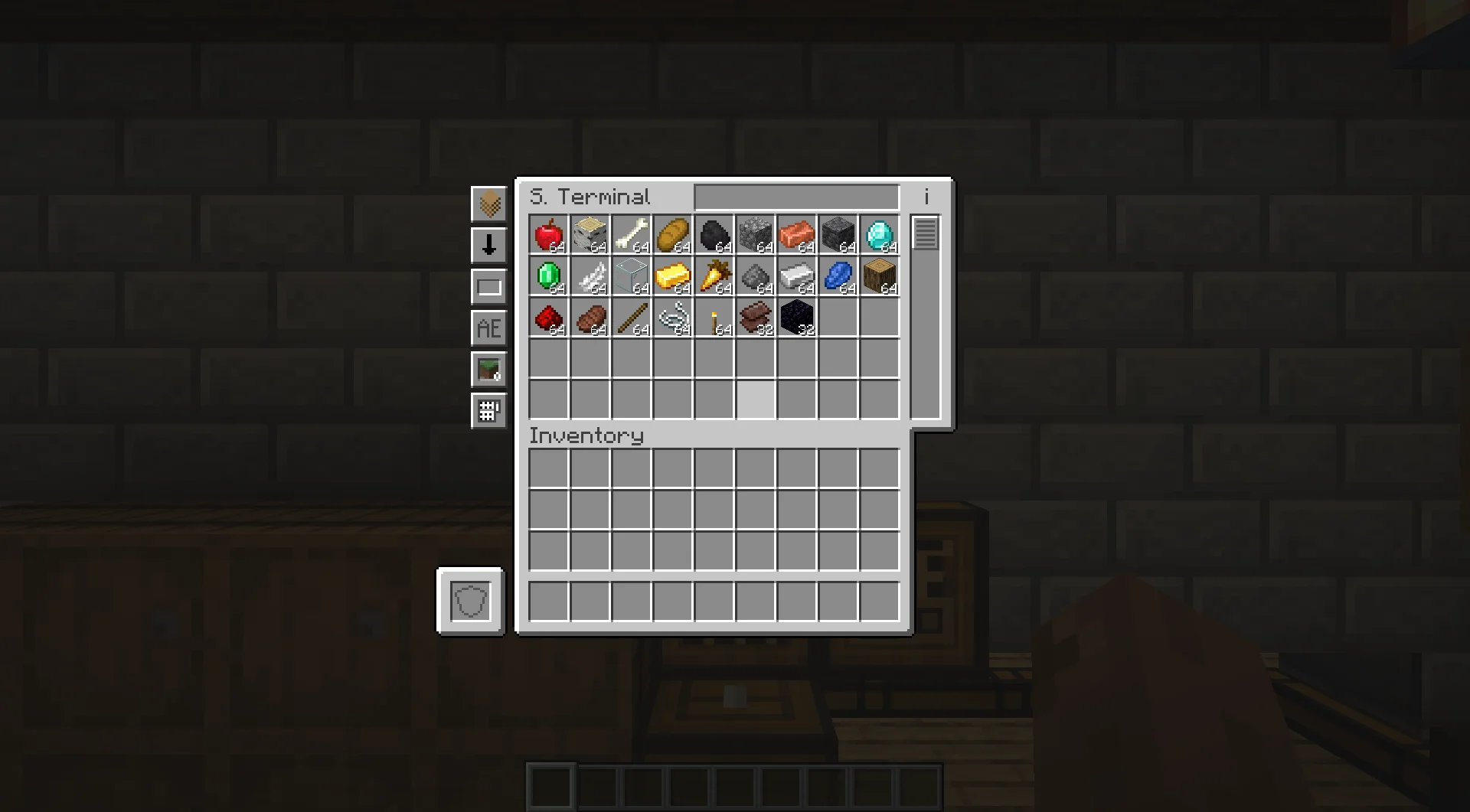
Right-clicking the Storage Terminal opens the unified storage interface. All connected chests and barrels merge into one scrollable inventory grid. Identical items spread across different containers combine into consolidated stacks, displaying total item counts at a glance.
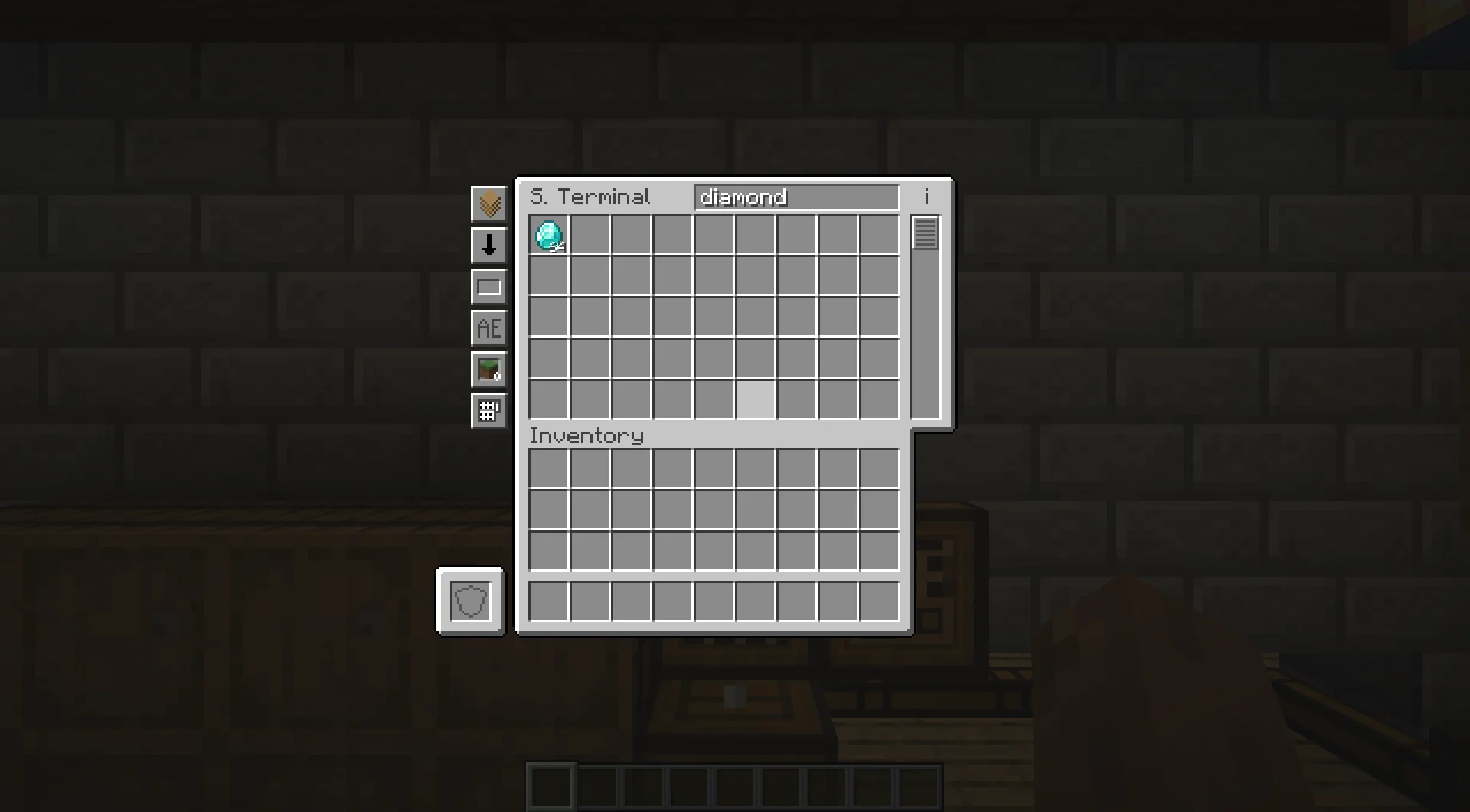
The search field sits at the top of the grid. Typing diamond into the search bar instantly filters out non-matching items, displaying only stored diamonds. The small buttons beside the grid change how the list is sorted.
Integrated crafting
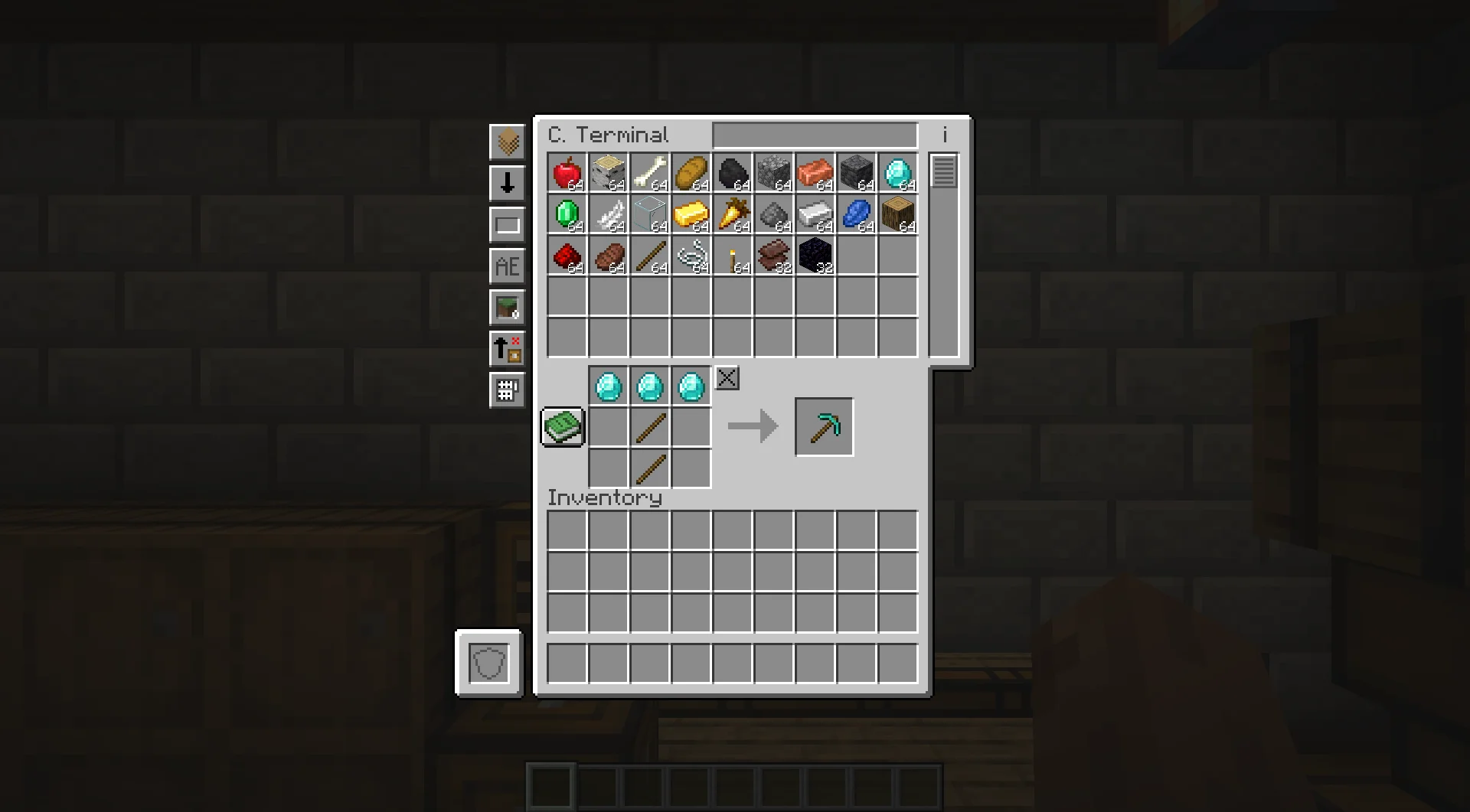
The Crafting Terminal adds an integrated 3x3 crafting grid and output slot directly beneath the storage interface. You can pull ingredients straight from network storage into the grid, craft finished tools or gear, and retrieve the results without closing the terminal.
Wireless terminal distance limits
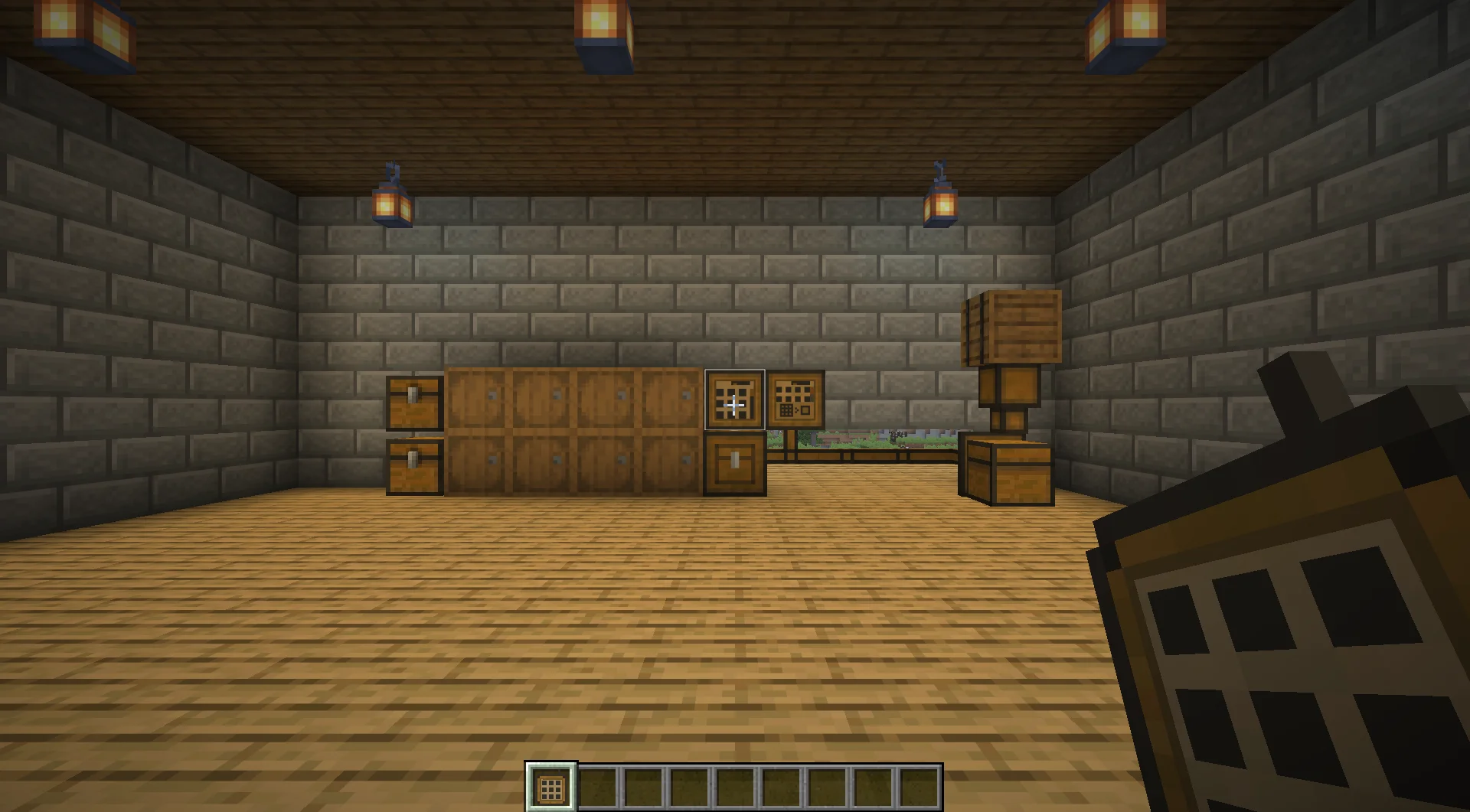
For remote inventory management, the mod provides handheld wireless terminals. To link a wireless terminal, hold the item in your hand and sneak-right-click against any placed Storage Terminal or Crafting Terminal in the world. The terminal stores the target block's exact coordinates and dimension.
By default, the basic Wireless Terminal operates within a 16-block radius (configured via wirelessRange: 16). Right-clicking in the air anywhere inside this range accesses the full storage network, while stepping beyond the perimeter notifies you that the signal is out of range.
Upgrading the item at a smithing table (netherite upgrade template, Wireless Terminal and a netherite ingot) gives the Advanced Wireless Terminal, which the config gives a 64-block range (advWirelessRange: 64). The configuration file also lets you enable beacon-powered cross-dimensional wireless access when standing near an active beacon.
Automation, hoppers, and item filters
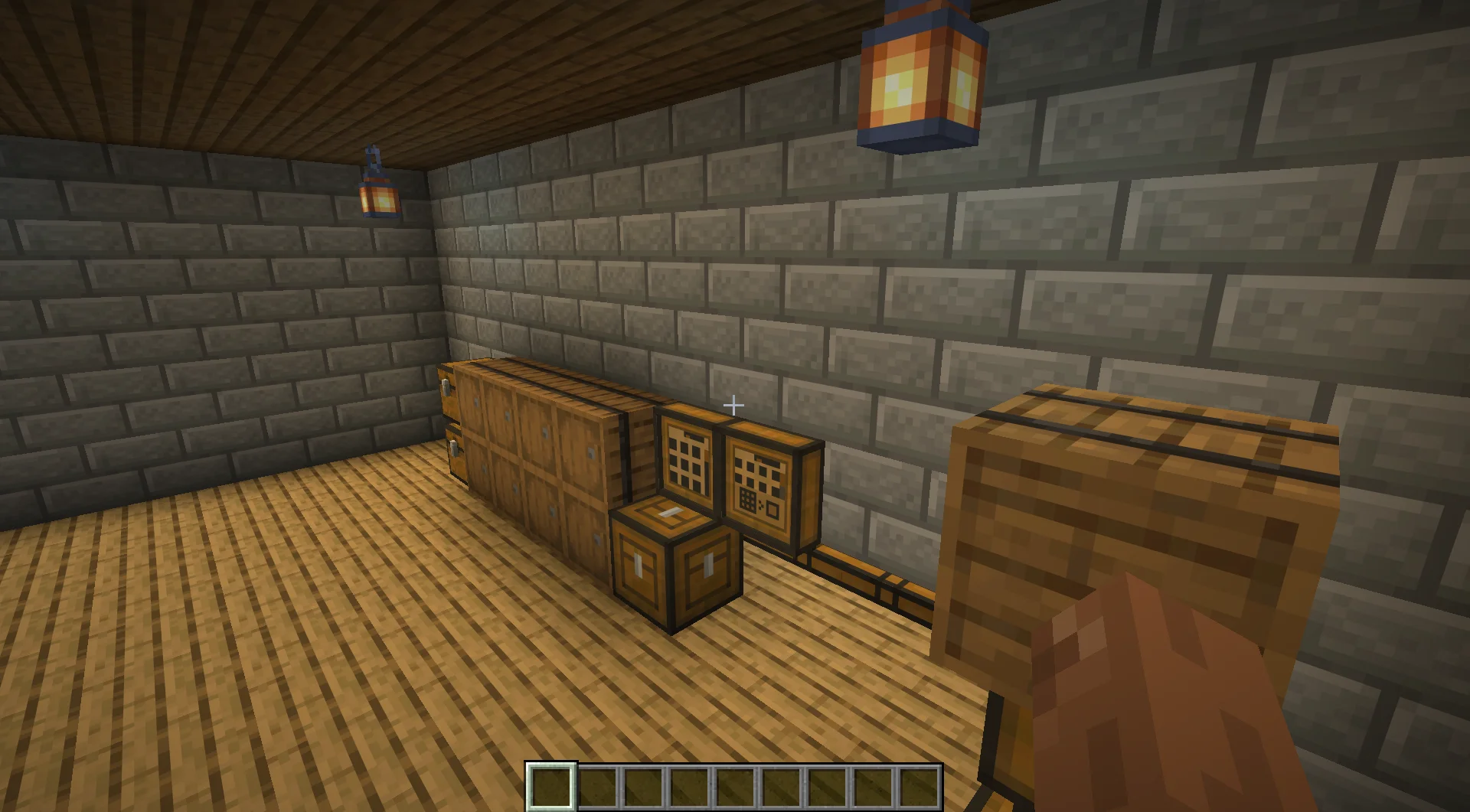
The mod includes dedicated automation blocks designed to move items without cluttering the base with bulky vanilla hopper lines:
The Basic Inventory Hopper connects directly to inventory cables, automatically drawing items from input chests or barrels into central storage. With its default 10-tick transfer cooldown (basicHopperCooldown: 10), it moves items steadily at a rate of two items per second.
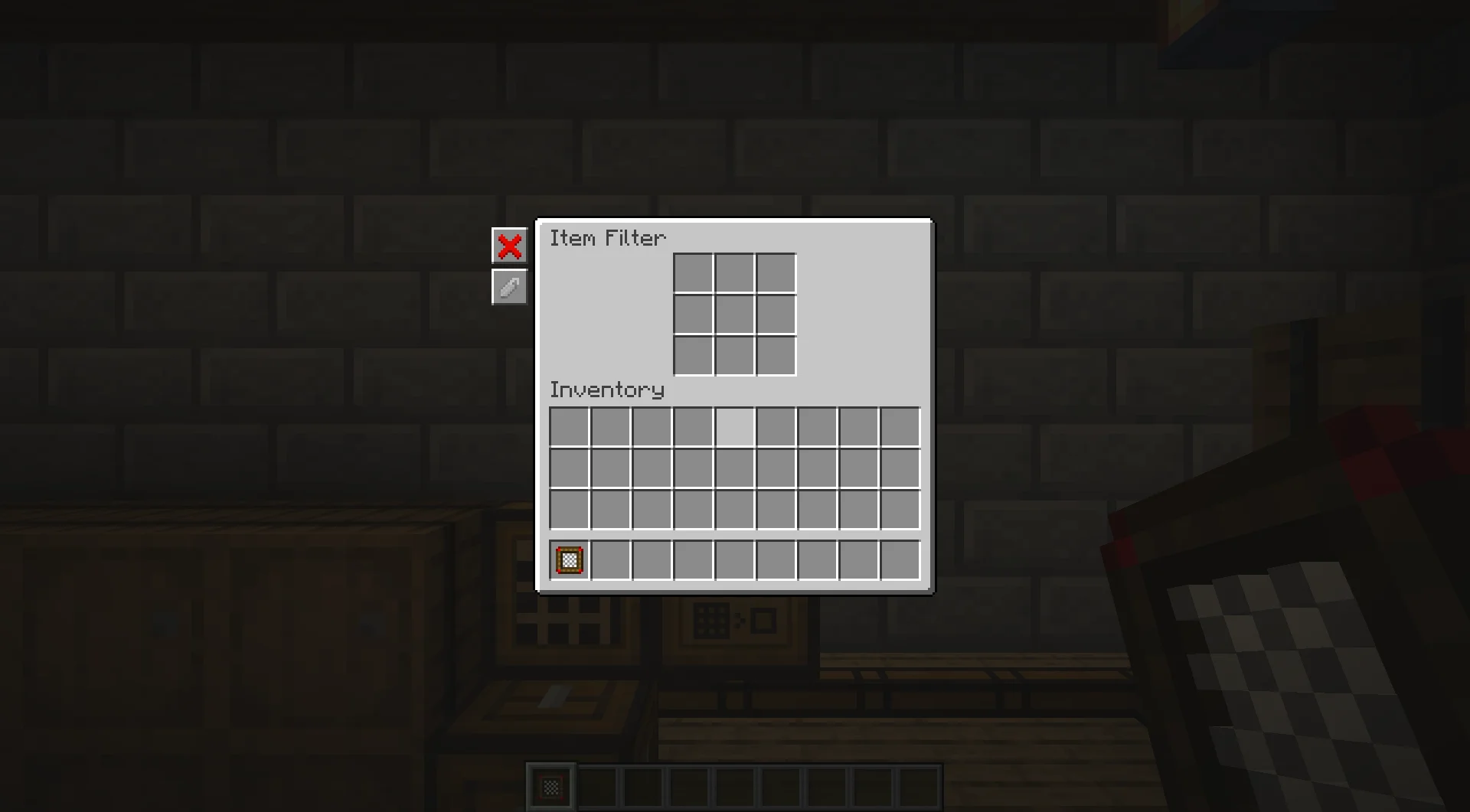
Item Filters go into filtered connectors and hoppers. The basic Item Filter holds up to nine ghost items, so you set the filter without using up the items, and the buttons on its left change the filter mode. For matching by tag, the mod has a separate Tag Item Filter, crafted from an Item Filter, a comparator and a name tag. There is also an Open Crate block, which drops piped items directly into the world as entities beneath the block.
Crafting recipes
Exact recipe ingredients extracted from data/toms_storage/recipe/*.json in toms_storage_fabric-26.2-2.11.3.jar.
| Block / Item | Ingredients (from jar recipe files) | Yield |
|---|---|---|
| Inventory Connector | 4 planks, 2 chests, 1 diamond, 1 comparator, 1 ender pearl | 1 |
| Storage Terminal | 4 planks, 1 chest, 2 comparators, 1 glowstone dust, 1 glass | 1 |
| Crafting Terminal | 1 storage terminal, 4 crafting tables, 4 diamonds | 1 |
| Inventory Cable | 4 sticks, 2 planks, 2 trapdoors, 1 chest | 6 |
| Inventory Cable Connector | 2 planks, 1 chest, 1 diamond, 1 inventory cable, 1 ender pearl, 1 quartz | 1 |
| Wireless Terminal | 4 planks, 1 spyglass, 1 comparator, 1 ender pearl, 1 glowstone dust, 1 glass | 1 |
| Advanced Wireless Terminal | 1 netherite upgrade template, 1 wireless terminal, 1 netherite ingot (smithing table) | 1 |
| Basic Inventory Hopper | 2 planks, 1 inventory cable, 1 vanilla hopper | 1 |
| Item Filter | 4 redstone dust, 4 sticks, 1 wool | 1 |
| Open Crate | 6 planks, 1 chest, 1 stick, 1 trapdoor | 1 |
| Storage Trim | 4 planks, 4 sticks, 1 chest | 2 |
| Tag Item Filter | 1 item filter, 1 comparator, 1 name tag | 1 |
Configuration and performance
The settings are in config/toms_storage.json. Default values include invConnectorScanRange: 16, invConnectorMaxCables: 2048, wirelessRange: 16, advWirelessRange: 64 and basicHopperCooldown: 10. Server owners can change these to make networks smaller or larger.
Official Downloads
Created by tom545420M+ downloads
TOM'S SIMPLE STORAGE MOD
We do not host any Minecraft mod files directly on this site. We link to official sources to ensure mod developers receive proper credit and support for their work.