








Guide Index6 sections
GeckoLib replaces Minecraft's rigid, boxy animation routines with smooth skeletal keyframe rigging. Instead of coding mathematical rotations frame by frame in Java classes, mod creators build complex 3D models and multi-joint animations directly inside Blockbench. GeckoLib parses these exported geometry and animation files at runtime, executing fluid idle loops, charge-ups, spellcasting poses, and combat swings across entities, armor pieces, and held items.
How GeckoLib Transforms Minecraft Entity and Equipment Rigs
Vanilla Minecraft entities rely on simple box renderers where limbs rotate on fixed single-axis pivot points. This creates the classic stiff, robotic movement shared by zombies, skeletons, and players.
GeckoLib introduces a full skeletal hierarchy. Each model contains interconnected bones that support translation, rotation, and scaling across all three spatial axes. When a player draws a weapon, casts a spell, or takes a running stride, GeckoLib uses easing curves and Molang expressions to calculate intermediate frames dynamically. This enables fluid character animations, organic mob walk cycles, and intricate particle attachments without requiring hundreds of custom Java model classes.
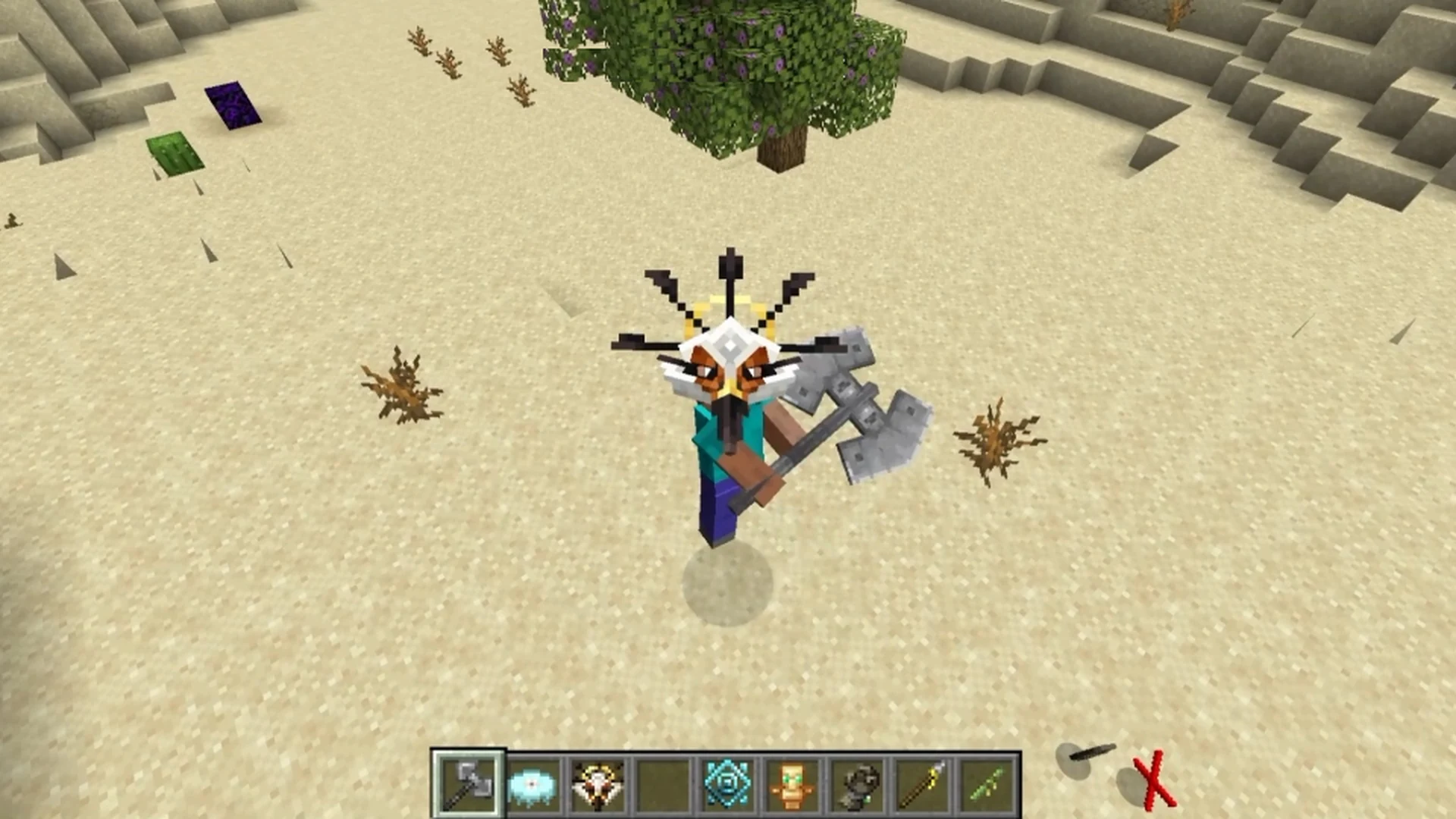
Player Animations, Casting Poses, and Combat Rigs
GeckoLib is not limited to passive world mobs. Many of Minecraft's most ambitious combat and magic mods rely on the engine to replace basic right-click item interactions with immersive character sequences.
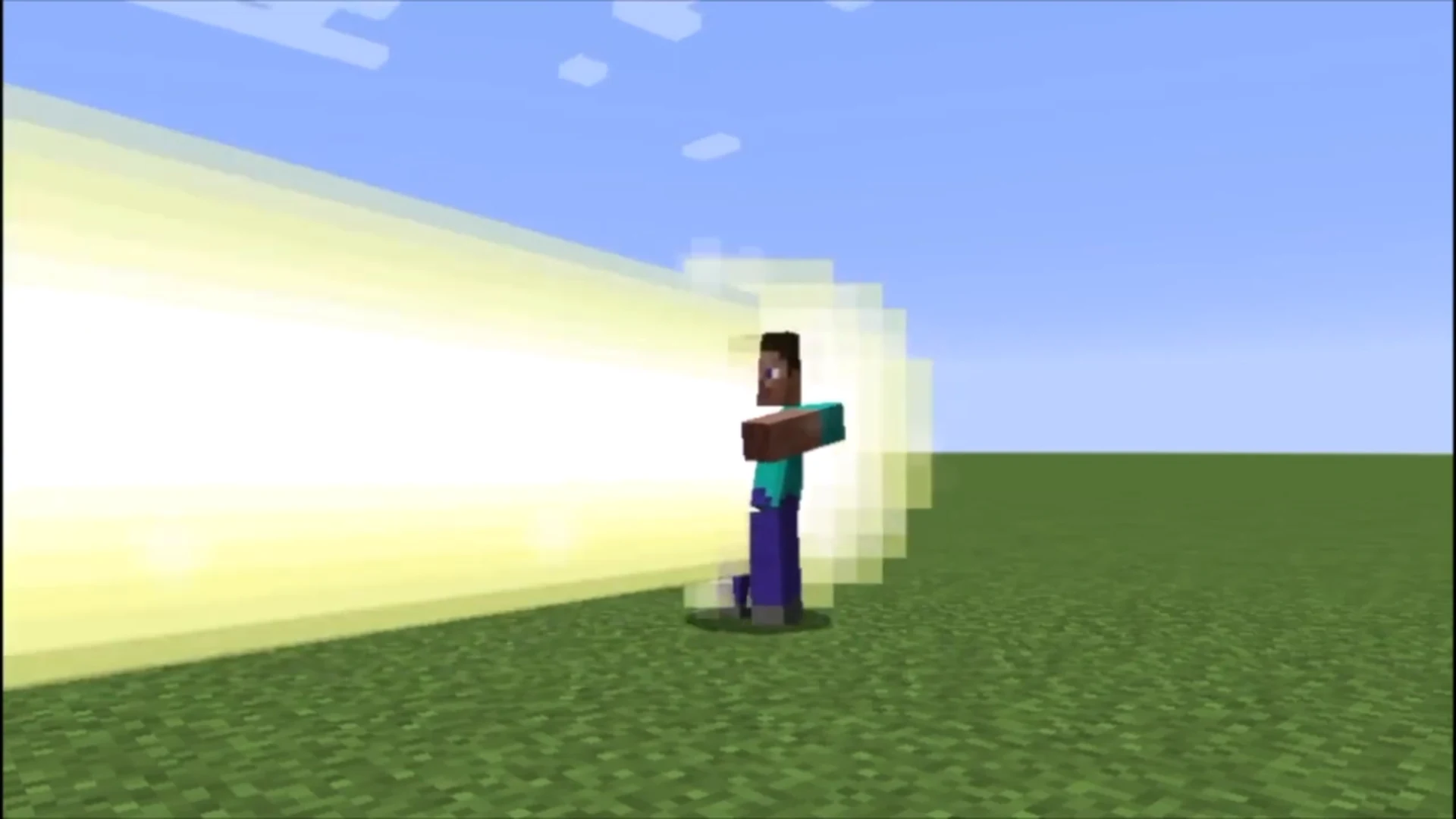
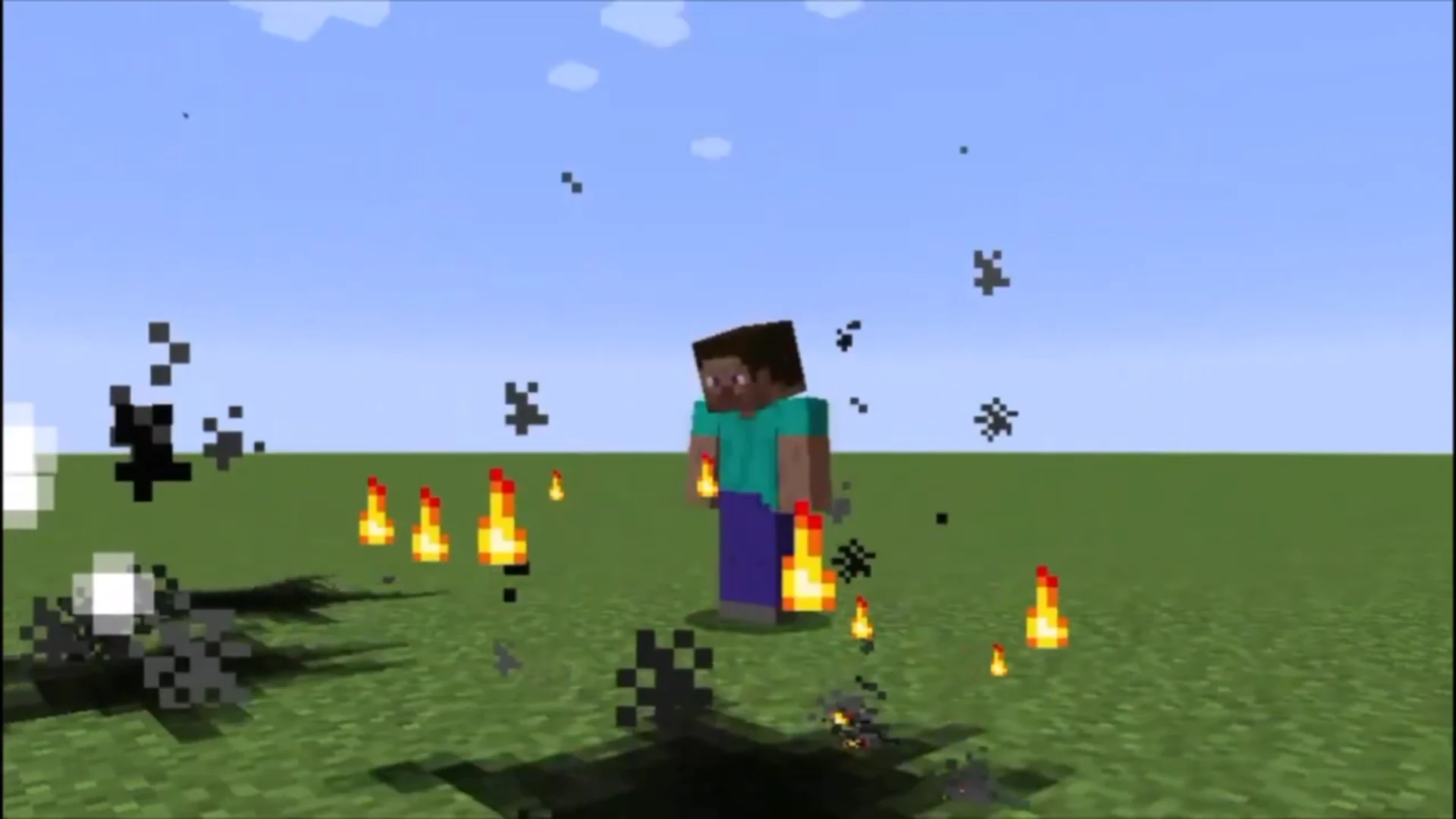
During spellcasting, the engine coordinates the player model's arms, torso tilt, and held catalysts with particle emitters. A player channeling a frost blizzard leans into the casting stance while icy vortex particles rotate around the player's perspective. When triggering solar energy waves or radial flame bursts, the character transitions through wind-up, hold, and release states governed by multi-track animation controllers.

Understanding the Transition: GeckoLib 3 versus GeckoLib 4
When assembling a modpack, version mismatches represent the most common cause of game crashes. GeckoLib underwent a fundamental structural rewrite between version 3 (used primarily in Minecraft 1.16.5 through 1.19.2) and version 4 (standardized for Minecraft 1.19.3, 1.20.1, and newer).
GeckoLib 3 relied on monolithic model handlers and synchronized render calls that occasionally caused stutter in heavy entity crowds. GeckoLib 4 introduced asynchronous asset caching, isolated AnimatableManager state controllers, and thread-safe bone matrices. Because the underlying Java API changed completely, a mod compiled against GeckoLib 3 cannot run on GeckoLib 4. Always ensure every dependent mod in your folder targets the exact GeckoLib major version installed.
GeckoLib branch roadmap and loader compatibility across Minecraft editions.
| Minecraft Version | GeckoLib Branch | Supported Loaders | Key Architectural Changes |
|---|---|---|---|
| 1.16.5 to 1.19.2 | GeckoLib 3.x | Forge, Fabric, Quilt | Legacy singleton caching; monolithic render classes. |
| 1.19.3 to 1.20.1 | GeckoLib 4.0 to 4.4 | Forge, Fabric, NeoForge, Quilt | Asynchronous asset baking, multi-controller animation managers. |
| 1.20.2 to 1.21+ | GeckoLib 4.5+ | Fabric, NeoForge, Forge | Updated Mojang mappings, refined Molang parser, expanded bone hooks. |
Configuring Shaders and Solving Graphic Glitches
Rendering custom 3D bones and transparent layers alongside external shader packs requires careful pipeline management. Older graphic environments frequently encounter conflicts that ruin model visuals.
Modern shader pipelines like Iris and Oculus work natively with GeckoLib 4. Dynamic shadows cast accurately across articulated mob wings, animated joints receive smooth ambient occlusion, and glowing eyes or rune markings utilize emissive texture layers without visual artifacts.
Do not install outdated third-party compatibility patches intended for older Minecraft builds. Modern versions of GeckoLib, Iris, and Oculus handle bone rendering and depth buffers automatically.
How to Install GeckoLib for Forge and Fabric
- 1
Check Your Target Mod Requirements
Inspect the mod that prompted you to install GeckoLib (such as Mowzie's Mobs, Born in Chaos, or a combat overhaul). Note its required Minecraft version and mod loader.
- 2
Download the Matching GeckoLib JAR
Navigate to the official Modrinth or GitHub Releases page. Select the build that matches both your exact Minecraft version and your loader (Forge, Fabric, or NeoForge).
- 3
Place the JAR in Your Mods Folder
Open your Minecraft instance directory and place the downloaded .jar file directly inside the mods folder. If you are using Fabric, verify that Fabric API is also present.
- 4
Launch Minecraft and Verify
Launch the game client. In the title screen's Mods menu or during gameplay, confirm that dependent entities render their fluid 3D idle poses and attack animations correctly.
Official Downloads
Created by Gecko, Eliot, and AzureDoom120M+ downloads
GECKOLIB: MINECRAFT 3D ANIMATION ENGINE & SETUP GUIDE
We do not host any Minecraft mod files directly on this site. We link to official sources to ensure mod developers receive proper credit and support for their work.