








Guide Index12 sections
Baritone is a pathfinding bot for Minecraft Java Edition. Give it a destination and it operates your character instead of merely drawing directions for you to follow. It can also target blocks for automatic mining. It is useful for repeat journeys and digging jobs, but it does not teleport you or understand a written request to design a base.
The important first lesson is control: learn how to set a destination, start a task and stop it before attempting a long run. Start in a spare world, keep #stop ready, and check the server's rules before using automation in multiplayer.
Standalone Setup and Client Compatibility
Baritone is distributed both as a standalone client mod for Fabric, Forge, and NeoForge and as a bundled automation engine inside client utility suites. The standalone Fabric JAR loads directly through Fabric Loader without requiring a separate Fabric API download, rendering live 3D pathfinding lines in the world and accepting # chat commands in singleplayer and multiplayer.
Separating #goal from #path lets you preview calculated routes before committing to movement, while #mine targets specific block IDs within loaded chunk data using your held pickaxe and active breaking rules.
Download the right Baritone file
For Minecraft 26.3, the official release is Baritone v1.20.0. These are separate version numbers: a Baritone file marked 1.20.0 is not automatically a Minecraft 1.20 mod. For another Minecraft release, read that release's compatibility notes rather than picking the highest Baritone number.
Use official GitHub Releases. For independent Fabric use on 26.3, choose baritone-standalone-fabric-1.20.0.jar. Forge and NeoForge have their own standalone files. The unqualified standalone JAR is not the normal Fabric installation. API builds are for integrations with other mods; unoptimized builds are intended for debugging. Do not install several variants together.
Install Baritone without Meteor
- 1
Choose a matching instance
Create or select a Minecraft Java 26.3 profile using your chosen loader. Minecraft 26.3 uses Java 25. Keep this test separate from your normal modpack.
- 2
Add the matching standalone JAR
Close the game and put the downloaded JAR in that instance's
modsfolder, notresourcepacks. Leave it as a JAR. Follow any dependency message from the loader rather than guessing which extra mods are needed. - 3
Check that commands respond
Launch that loader profile and enter a world. Press T, type
#help, and press Enter. Baritone uses a hash prefix, not the slash used by vanilla commands. If nothing responds, check the active profile and instance folder first.
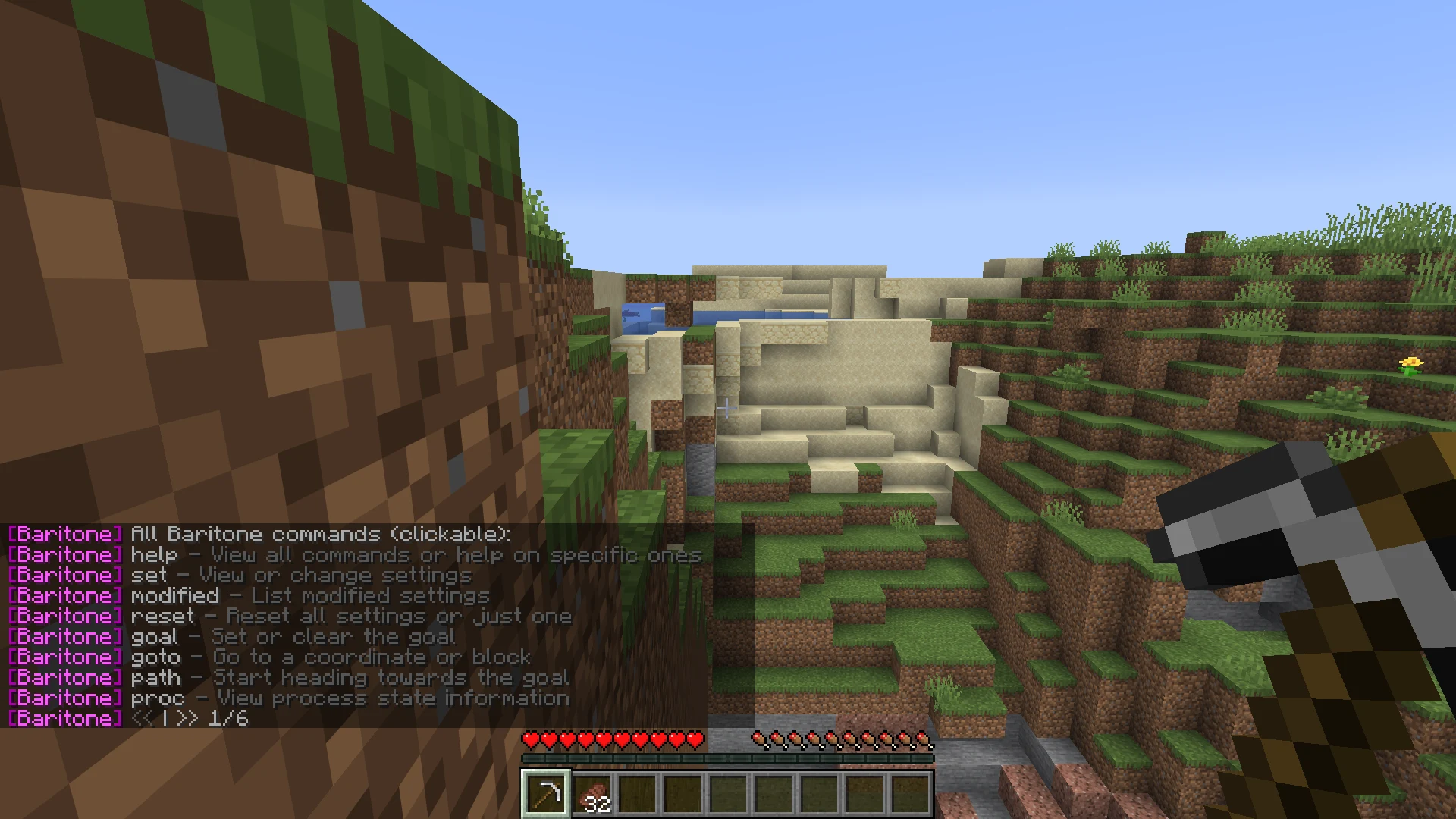
Essential Baritone commands
Press T, enter one command, and press Enter. The examples below use the default # prefix. Coordinates are examples, not safe destinations in every world. Replace them with positions you have checked in your own map.
| Command | What it does |
|---|---|
| #help | Opens the command list. |
| #goto 65 66 230 | Sets an X/Y/Z destination and starts moving. |
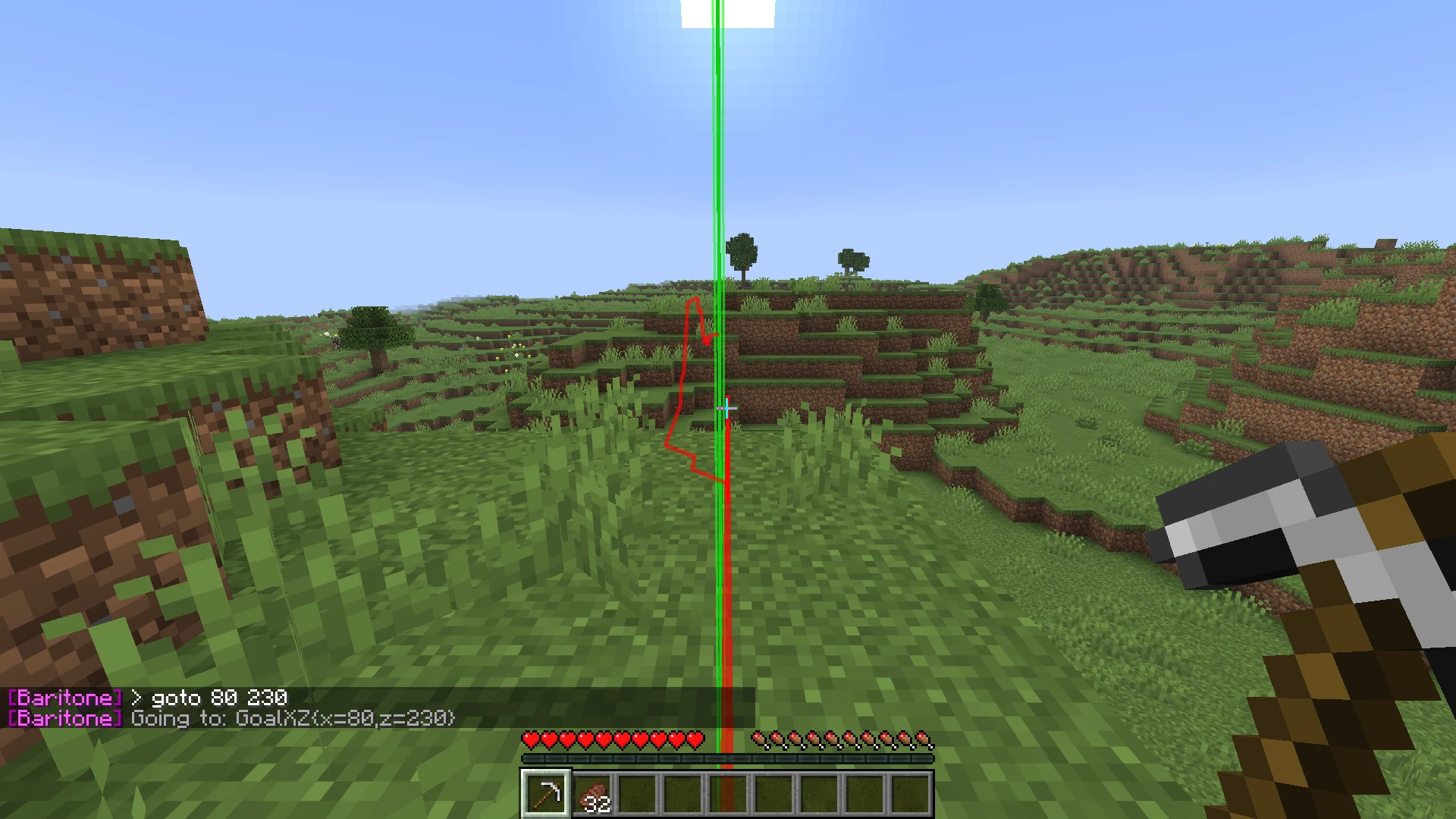
| #goto 80 230 | Starts moving to X/Z without fixing the arrival height. |
| #goal 65 66 230 | Sets a destination without starting movement. |
| #path | Starts moving toward the current goal. |
| #mine iron_ore | Starts a mining task targeting iron ore. |
| #stop | Cancels the current task. |
| #set allowBreak false | Disables block breaking for the bot. |
| #set modified | Lists settings changed from their defaults. |
Walk to coordinates and read the path
Choose a nearby patch of dry, reachable ground for the first run. Stand at the intended destination, press F3, and note your X, Y and Z position. Move away, then enter #goto followed by those three numbers. Baritone starts controlling movement immediately; you do not need to hold W.
In our land-route test, #goto 80 230 reached the requested X/Z after crossing uneven ground. However, a separate two-coordinate destination ended underwater. Omitting Y does not mean the bot will choose a dry surface position. Include the height of a checked destination, watch the route, and stop if it takes an unwanted direction. Specifying Y is not a guarantee that every part of the journey avoids water or hazards.
Baritone plans longer journeys in sections as terrain becomes available. It can consider breaking or placing blocks, depending on settings and supplies, so a route is not necessarily a walk along existing paths.
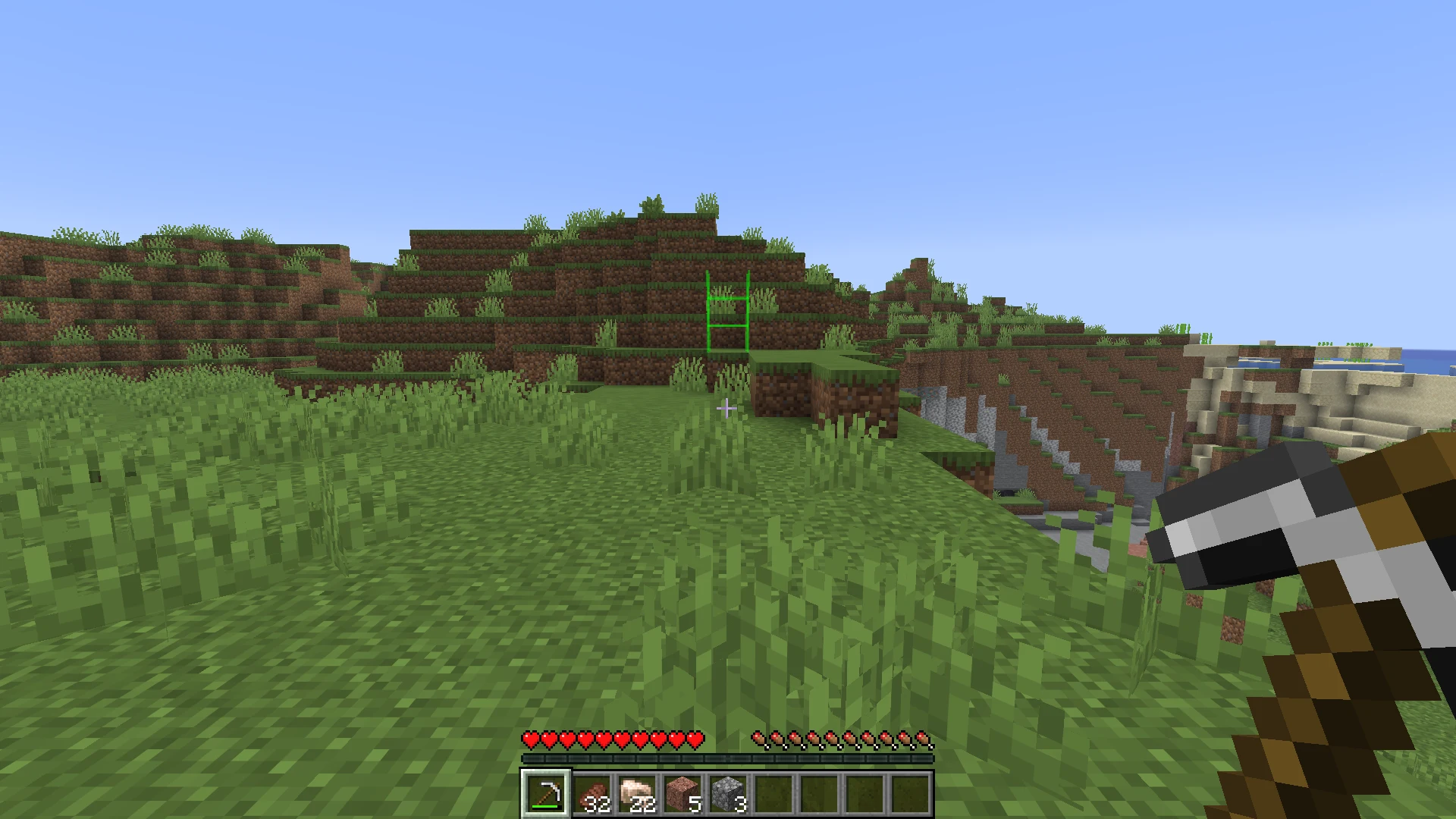
Set a goal first, then start pathing
Enter #goal 65 66 230, replacing the numbers with your checked destination. The green goal box appears, but this command alone does not start walking. Enter #path when ready. The character calculates the route smoothly after #path, navigating terrain directly to the objective.
The goal marker describes where to arrive. The route line describes how the bot currently plans to get there. Use #stop whenever you need to take control back.
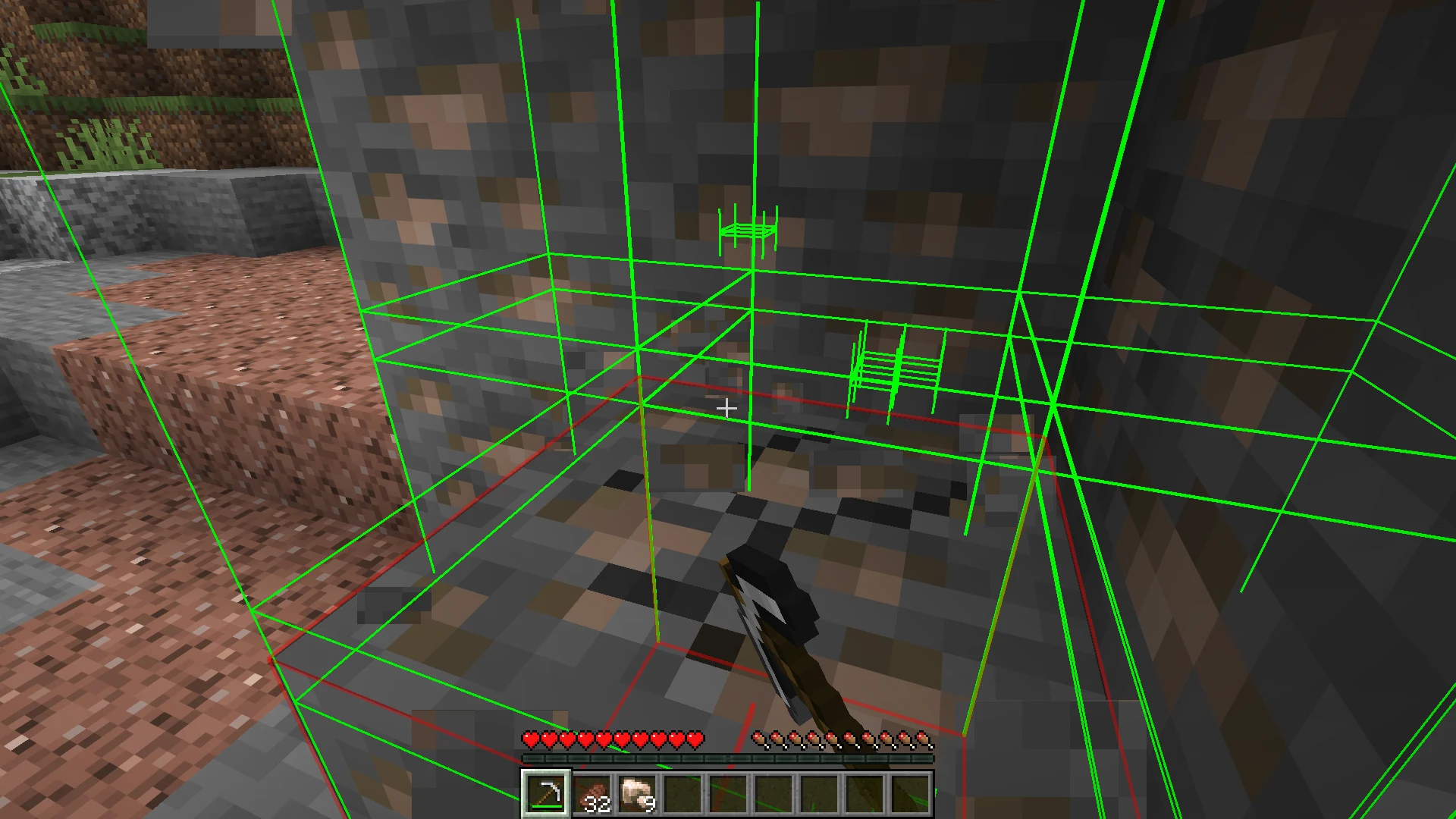
Start and stop automatic mining
Have a suitable pickaxe available and start beside exposed iron ore. Enter #mine iron_ore. Baritone handles the movement and mining for that block target. It does not give you a free tool or create ore. Use the block identifier, and check #help mine for the installed version's options. iron_ore and deepslate_iron_ore are distinct targets.
Our mining task broke the ore and added raw iron to the inventory. It also continued into surrounding terrain rather than treating the first vein as the entire job. Enter #stop when you have demonstrated the action or collected what you need. Do not assume that reaching the first ore block finishes the task.
Tools still wear out, and the bot can leave you underground. Before mining, record a reachable surface position so you can cancel the task and use #goto X Y Z to attempt a return. Watch the route rather than assuming the bot can always escape a cave safely.
Baritone commands are not vanilla give commands
We ran the # commands without giving the player OP. They control the client, but still act within game mechanics and server restrictions. A vanilla command such as /give @s minecraft:iron_pickaxe 1 is different: it needs command permission.
If you are making a demonstration, craft the pickaxe normally or have the server owner supply one. Typing give without a slash into Minecraft chat only sends a message. A server-console command is entered outside the game, while the in-game version starts with /. A missing Open to LAN option is normal when you are already connected through Multiplayer.
Settings worth checking before a long route
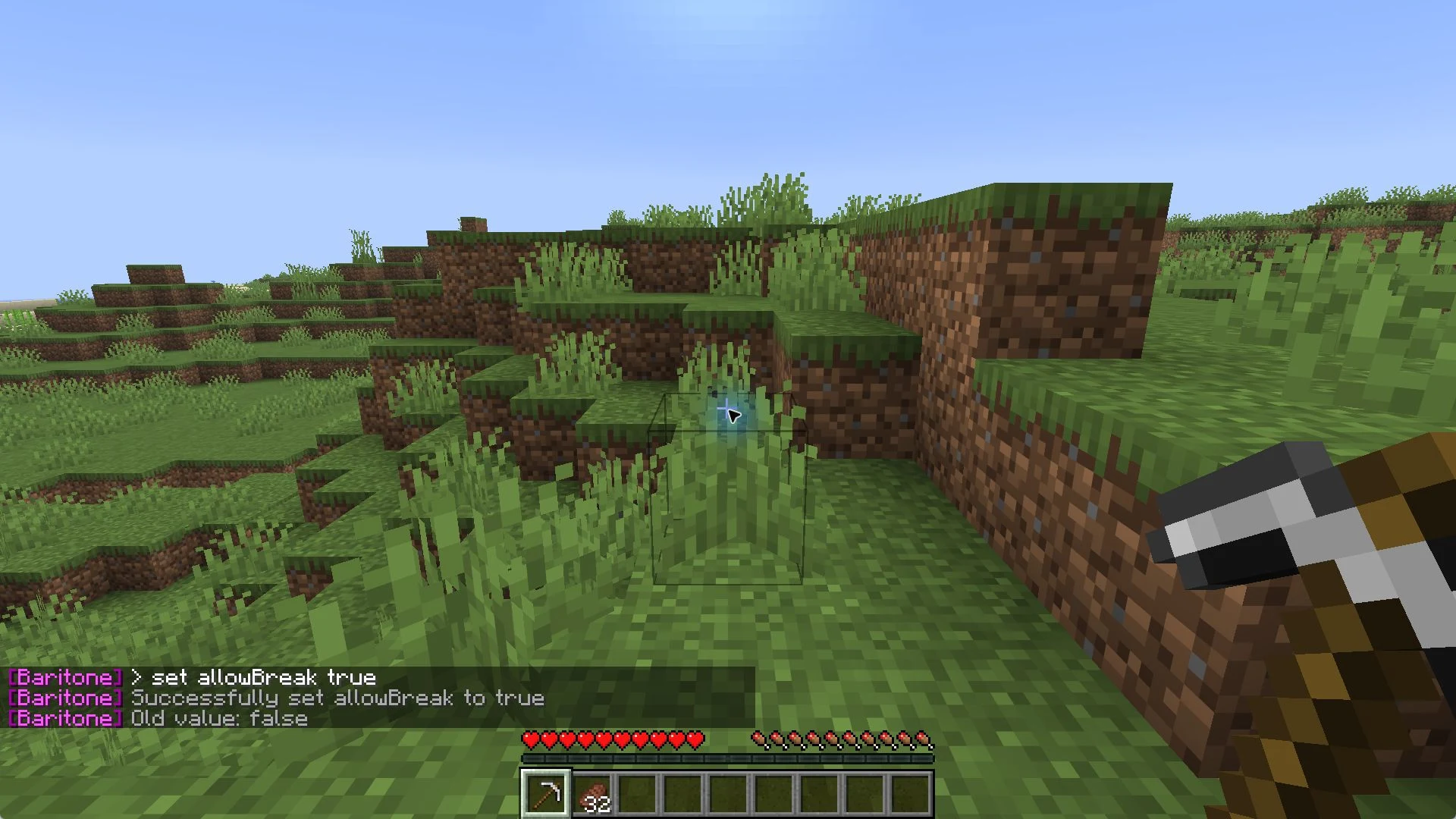
The standalone interface used here is chat, not Meteor's settings panel. #set allowBreak displays the current value. #set allowBreak false disables breaking, and #set allowBreak true enables it again. A route may become impossible when an action it needs is disabled.
The same explicit-value pattern is available for allowPlace and allowSprint. Use #set modified to review changed settings. Stop the current job before changing its rules, then try a short route to see whether the new restrictions suit your world. The official settings command also documents reading, resetting and toggling values.
For prefix-only control, first keep #set prefixControl true, then enter #set chatControl false. The latter disables unprefixed chat control, not the # commands. Commands prefixed with # such as #help continue to respond normally afterward. Using explicit true or false values makes it easier to tell which state you have selected.
Is Baritone part of Meteor Client?
No. Baritone is an independent project and works without Meteor. Meteor can integrate with it, but its official FAQ says Baritone is no longer bundled and must be added separately for dependent features. For an integration, follow its compatibility requirements and use the appropriate API build rather than assuming a standalone file is interchangeable.
Client-side means the mod runs on the player's machine. It does not mean you need a larger client bundle, and it does not make automation acceptable on every server. Obtain the server owner's permission before using it in multiplayer. Server protections or anti-cheat rules can also prevent actions that work in singleplayer.
When a command does not do what you expect
No response to #help: confirm the correct loader profile is running, the JAR is inside its own mods folder, and prefixed control has not been disabled.
A green goal appears but the character stays still: #goal sets the destination. Use #path to start, or #goto to combine both actions.
The bot heads into water: cancel with #stop. Select a checked destination on land and include X, Y and Z. If you are already submerged, hold Space to swim upward and move toward a reachable bank after stopping the bot.
Mining stops or fails to break ore: check that a suitable pickaxe is available, its durability is not exhausted, and block breaking is allowed. Server-protected blocks cannot be assumed mineable.
Unexpected digging or placement: stop first, inspect settings, and restart a short route only when the permitted actions match your intention.
Official Downloads
Created by cabaletta and Baritone contributorsOfficial release files and documentation published directly by cabaletta and Baritone contributors.
BARITONE MOD FOR MINECRAFT: AUTO MINING, PATHFINDING & COMMANDS
We do not host any Minecraft mod files directly on this site. We link to official sources to ensure mod developers receive proper credit and support for their work.