








Guide Index14 sections
With Terralith, the important decisions come before the world exists. It only shapes terrain that has never been generated, it cannot be taken out of a world later, and since version 2.6.0 the datapack and the mod are no longer interchangeable.
Both versions build their terrain from blocks that are already in vanilla Minecraft. The 2.6.4 datapack for Minecraft 26.2 holds 95 biome definitions by our count: 11 cave biomes, the four Skylands biomes and 80 more for land and water. They range from realistic places such as Yellowstone and Yosemite Cliffs to fantasy ones such as Moonlight Grove and Amethyst Rainforest, and Terralith also reworks almost every vanilla biome. Because it adds no blocks or items, Modrinth lists Terralith as optional on the client, so players can join a server that runs it without installing anything.
Datapack or mod
The datapack is a single zip file. It works in singleplayer and on a vanilla server, and it is the simpler choice when you run no other mods.
The mod is built for Fabric and NeoForge; for Minecraft 26.2 and 26.3, Modrinth has no Forge or Quilt build. Since 2.6.0 it requires the Lithostitched library, and the Fabric build of Lithostitched in turn requires Fabric API. In return you get a config with seven options, two extra world types, and support for Superflat, Single Biome, Large Biomes and Amplified worlds.
Stardust Labs warns that swapping between the two versions on an existing world can damage it. Pick one per world and keep it.
Three Signature Terralith Biomes Up Close
Terralith includes over 95 custom overworld, cave, and sky-island biomes built entirely from vanilla blocks. Below are three signature biomes and how their block palettes behave in both the mod and datapack editions.
Alpine Grove (-5296, -5168)

This biome sits high; the ground at our spot was at y 119. Packed ice climbs the slope in steps between the spruces, and snow layers cover the rest, with dirt and stone showing where the ground is steep. Packed ice does not melt and is slippery to walk on, which is worth knowing before you level a building site here.
Ancient Sands (4496, 1936)

Here the camera stood at a lake at sea level. The hills around it rise in thin terraces of sand, and the far bank shows orange bands between the pale layers. Dry shrubs dot the slopes, sugar cane grows along the shore, a cactus on the right bank carries a pink flower, and seagrass fills the shallow water. Water and cane side by side make this an easier desert start than open dunes.
Blooming Plateau (849, 880)
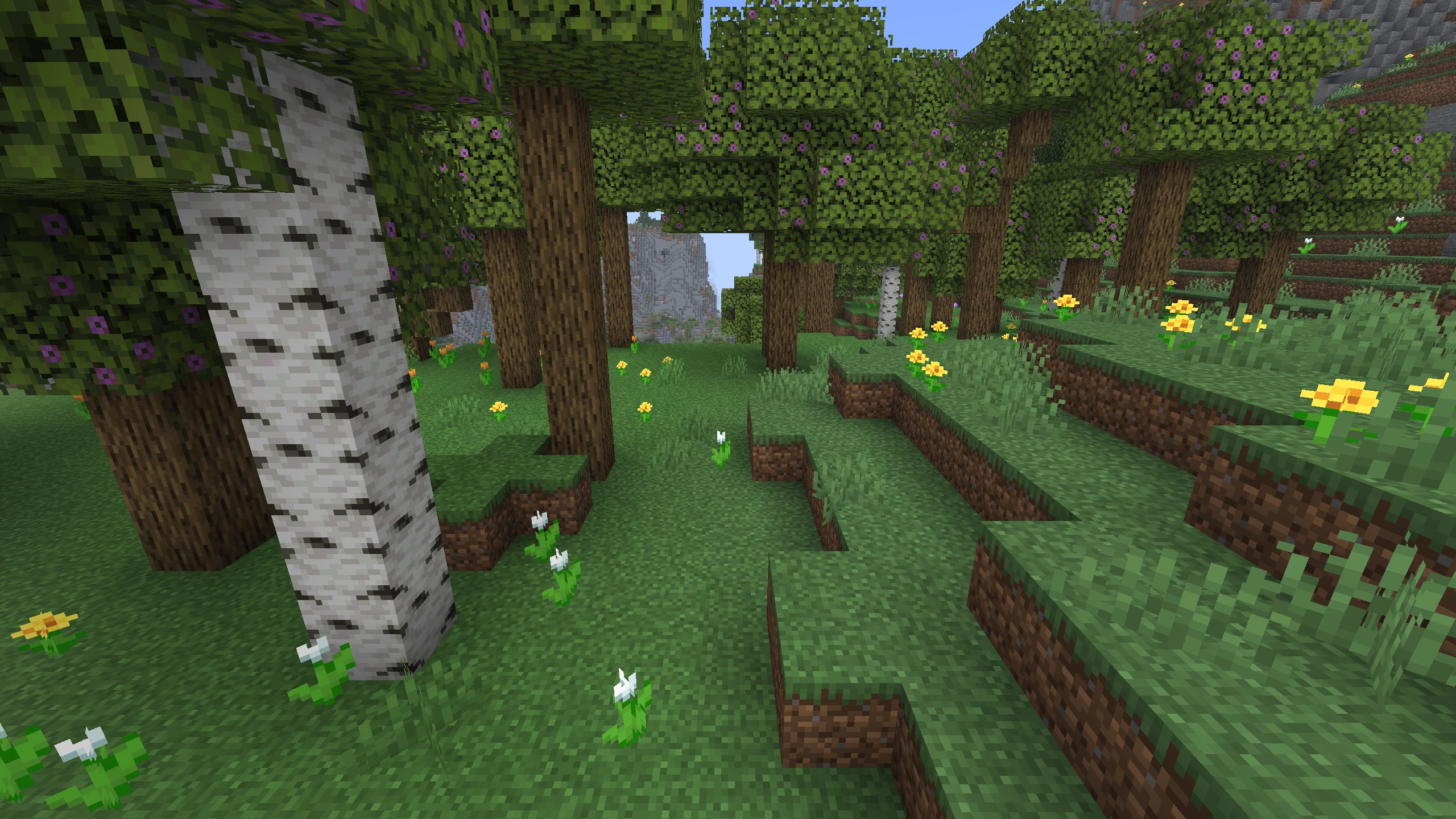
We asked /locate biome for Blooming Valley and got 848, 880. Our biome checks told a different story: the block under our feet belonged to Alpine Highlands, and the flowering trees at eye level to Blooming Plateau. Blooming Valley was present in that column, only higher up and deeper down. Yellowstone did the same thing: its result, -912, 1040, put us in Old Growth Spruce Taiga.
/locate biome searches in three dimensions, so the point it returns can be in the air or underground. Read the biome line on the F3 screen before you build or take screenshots.
Structures
Terralith adds structures as well as terrain. The tall Spire generates in the iciest biomes; on our seed, /locate structure terralith:spire pointed to -7968, -480. Fortified Villages turn up rarely in plains and deserts, and there is a small Glacial Hut. The mod's config text also lists Mage Towers among its custom structures.
To keep the terrain but skip all of these, turn off Custom Structures in the mod, or add the official Terralith: No Structures datapack to a datapack world.
Settings and world types in the mod
Since 2.6.0 the mod keeps its settings in terralith.json in the config folder. You can also change them in game through Mod Menu on Fabric or the mods screen on NeoForge.
Terralith mod configuration options and their default values.
| Option | Default | Effect |
|---|---|---|
| Custom Structures | On | Generates Terralith structures such as Fortified Villages and Mage Towers |
| Fog Tweaks | On | Changes fog distance and colour in some biomes, such as swamps and caves |
| Intro Message | On | Shows a notice when you create a world, including the warning about uninstalling |
| Skylands | On | Four season-themed sky-island biomes above deep oceans |
| Terrain Slabs | On | Stone slabs that smooth the ground in biomes with surface stone |
| Vanilla Stone Generation | Off | Brings back vanilla granite, andesite and diorite blobs instead of a cave biome for each stone |
| Recipe Changes | Off | Lets some cobblestone recipes use other stones and adds stone slabs to cobblestone |
The two extra world types are Amplified + Large Biomes (terralith:amplified_large_biomes) and Oops! All Skylands (terralith:all_skylands), a void world filled with nothing but Skylands. Datapack users can get some of the same changes from official add-on datapacks: Terralith: ReStoned brings back the vanilla stone blobs, and Terralith: Extra Recipes adds recipes such as stone tools made from diorite, andesite or granite. Add-on datapacks have to load above Terralith.
Mixing it with other world generation
Terralith is compatible with most biome-adding mods through TerraBlender or an equivalent, while biome-adding datapacks are typically not compatible. The mod version of Tectonic is fully compatible; with datapacks, use the combined Terratonic datapack instead of Tectonic.
One open report on Terralith's GitHub, for 2.6.4 with Tectonic 3.0.26 on Fabric, says the diorite, andesite, granite and tuff cave biomes did not show up in that pairing. If you rely on those caves, verify their generation with /locate biome when creating a new world.
Installing
Fabric
- Match the versions. Terralith 2.6.5 is for Minecraft 26.3 and 2.6.4 for 26.2. Get Lithostitched and Fabric API for the same Minecraft version.
- Add the jars. Put Terralith, Lithostitched and Fabric API in the
modsfolder of a Fabric Loader instance. Mod Menu is optional and lets you edit the config in game. - Create a new world. Terralith only shapes chunks generated after it is installed.
NeoForge
- Match the versions. Download the NeoForge builds of Terralith and Lithostitched for your Minecraft version. Fabric API is not needed.
- Add the jars. Put both files in the
modsfolder of a NeoForge instance. - Create a new world. Existing chunks keep their old terrain, so start fresh.
Datapack
- Singleplayer. On the Create New World screen, open More, then Data Packs. Drag the Terralith zip into the window, move it to the selected side, then create the world.
- Server. Before the first start, create the
datapacksfolder inside the world folder (worldunlesslevel-namesays otherwise) and put the zip there, so the world is generated with it. - Expect a warning. Minecraft can show an experimental settings warning for worlds with worldgen datapacks. A Terralith maintainer replied on the project's GitHub that this warning is expected and harmless.
On a server
Generating new chunks is the most expensive part of running any world generation pack on a server. Pregenerating the area players will explore with a tool such as Chunky, before you open the server, keeps that work out of play sessions. Players do not need Terralith on their side to connect.