








Guide Index8 sections
Configuring Minecraft mods traditionally required opening file managers, searching for hidden directories, and manually editing .json or .toml text files. A single misplaced comma or invalid numeric value could corrupt an entire configuration file or crash the game during launch. Cloth Config v2 eliminates that friction by providing a complete in-game graphical user interface (GUI) builder.
Created by Shedaniel, Cloth Config is not a content mod. It does not introduce tools, armor, or world generation. Instead, it serves as the foundational settings screen library used by hundreds of client and gameplay mods, giving players a clean visual menu to adjust mod options directly from inside Minecraft.
Why Popular Mods Rely on Cloth Config
Building an accessible, scrollable settings screen from scratch requires substantial UI boilerplate code. Rather than reinventing configuration menus for every project, mod developers integrate Cloth Config to handle the visual presentation of their options.
When a mod registers its settings with Cloth Config, players gain several practical safeguards:
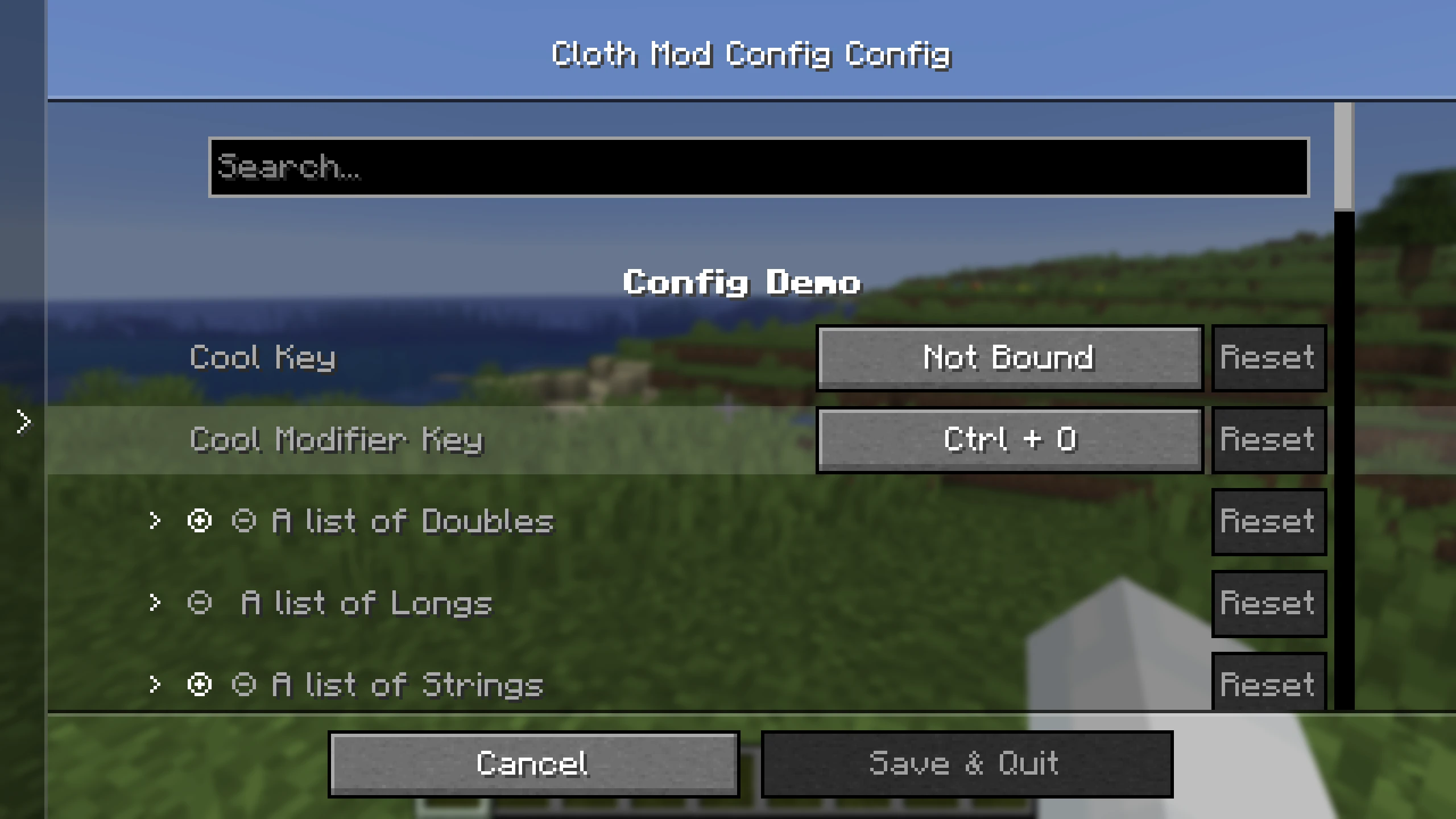
- Input validation: Sliders enforce strict minimum and maximum limits, numeric fields reject non-numeric characters, and color pickers ensure valid hex inputs.
- Single-setting resets: Every entry has a dedicated reset button (represented by an undo arrow). If you adjust an option and dislike the result, you can restore its default value individually without wiping out your entire setup.
- Safe disk writing: Options are held in memory while browsing. Changes are only serialized to disk when you click 'Save & Quit'. Clicking 'Cancel' safely discards pending adjustments.
- Organized categories: Complex mods can split dozens of settings across dedicated category tabs on the left sidebar, making specific adjustments quick to locate.
Common Mods Powered by Cloth Config
Most players discover Cloth Config when installing prominent client and quality-of-life enhancements. Notable mods that rely on Cloth Config for their in-game settings include:
- Roughly Enough Items (REI): Powers recipe viewing layouts, cheat mode toggles, and panel appearance.
- Zoomify: Configures zoom FOV levels, smooth camera transition curves, and cinematic controls.
- AppleSkin: Adjusts HUD food saturation overlays, exhaustion bars, and tooltip details.
- Presence Footsteps: Customizes acoustic sound volume across different block materials and surfaces.
- Better F3: Toggles individual information modules on the debug screen to reduce HUD clutter.
- Falling Leaves: Tunes leaf particle spawn density, wind rates, and seasonal effects.
Because Cloth Config is a library rather than a standalone feature mod, it does not add an extra button to the default Minecraft pause menu. This often leads new players to wonder where the settings screen went after installing the file.
Accessing Cloth Config depends on your setup and the dependent mod:
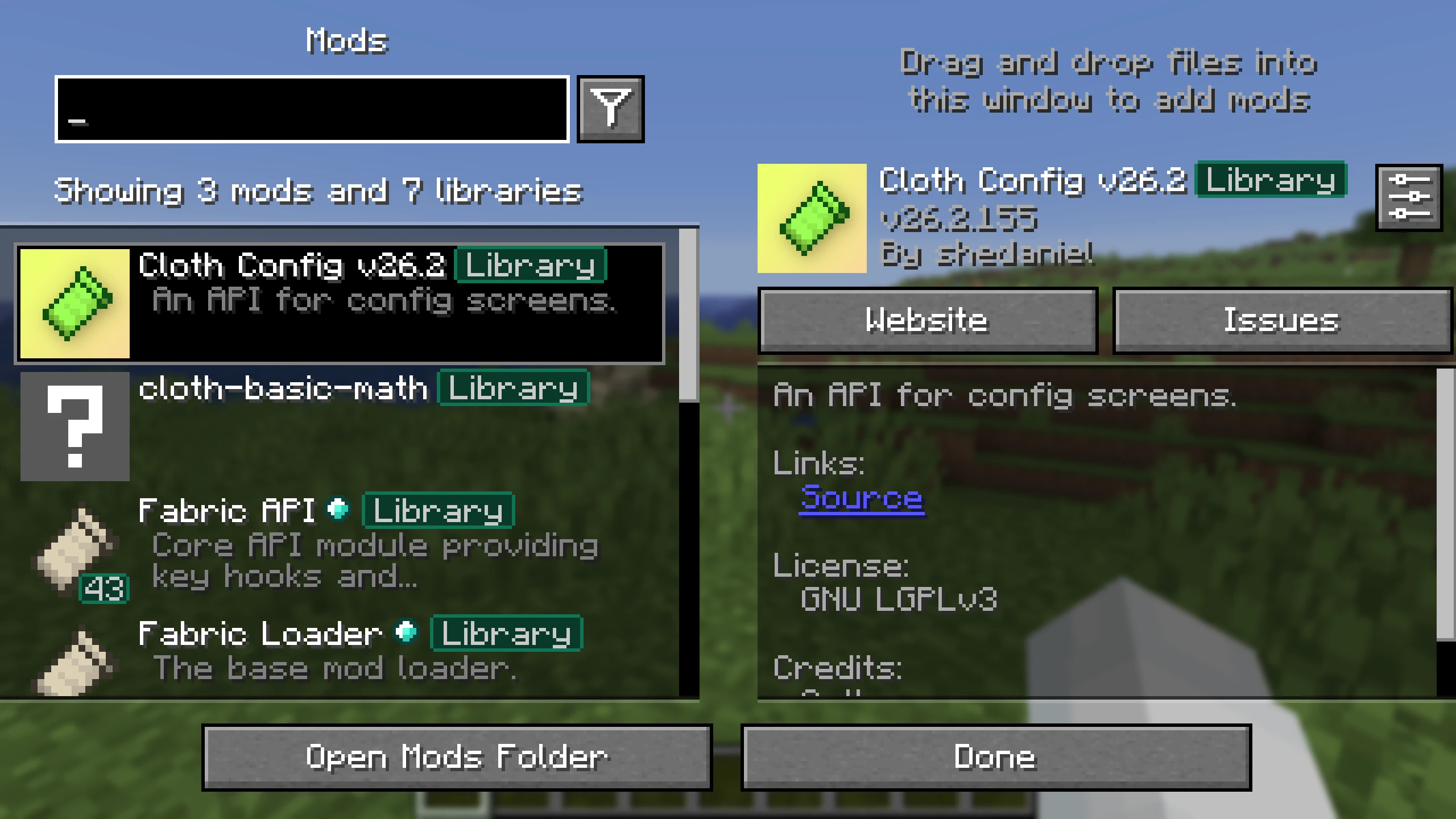
- Via Mod Menu (Fabric and Quilt): On Fabric setups with Mod Menu installed, click the 'Mods' button on the main title screen or pause menu. Select the specific mod you wish to adjust, then click the gear icon in the top right corner. Mod Menu uses Cloth Config to generate that mod's configuration screen.
- Via In-Game Keybinds: Many dependent mods (such as Roughly Enough Items or Zoomify) register dedicated hotkeys in your Controls settings to launch their Cloth Config menu directly during gameplay.
- Under the Library Category: In Mod Menu, Cloth Config appears classified under 'Libraries'. Selecting it shows project metadata and links, but its primary purpose is acting as the rendering engine for other mods.
Where Configuration Files Are Saved on Disk
When you adjust an option in a Cloth Config screen and click 'Save & Quit', the data is serialized into standard configuration files in your Minecraft directory. Depending on your operating system, these files are stored in:
- Windows:
%appdata%\.minecraft\config\ - macOS:
~/Library/Application Support/minecraft/config/ - Linux:
~/.minecraft/config/
An important detail to keep in mind is that you will not find a file named cloth-config.json in that directory. Cloth Config does not own the settings it displays; it functions as a visual editor on behalf of other mods. For instance, editing Roughly Enough Items saves changes to config/roughlyenoughitems.json (or .json5), while Zoomify writes to config/zoomify.json. If you want to backup your custom mod options or copy them to a friend's computer, copy the specific mod file from this directory.
What Happens If Cloth Config Is Missing
Depending on how a mod defines its relationship with Cloth Config, missing the JAR file produces one of two distinct behaviors:
- Strict Dependency: If a mod marks Cloth Config as a required dependency, Minecraft halts during the initial loading phase. The mod loader displays an error window identifying Cloth Config as missing, preventing the title screen from appearing until the JAR is added to your
modsfolder. - Optional Dependency: Some mods include Cloth Config as an optional enhancement. In this case, Minecraft loads normally and the mod features work in-game. However, opening Mod Menu will show the mod's configuration gear disabled or clicking it will open your system file explorer to the raw config text file instead of opening an in-game menu.
Selecting the Correct Platform Build
Cloth Config provides builds across all major modern mod loaders. Because GUI event handling differs between loaders, JAR files cannot be mixed between platforms. Ensure your downloaded file matches your launcher instance:
| Mod Loader | File Identifier | Companion Recommended Mod |
|---|---|---|
| Fabric / Quilt | +fabric.jar | Mod Menu (provides the in-game button to open config screens) |
| NeoForge | +neoforge.jar | Built-in NeoForge mod list configuration buttons |
| Minecraft Forge | +forge.jar | Forge Mod Options menu |
Practical Troubleshooting Steps
- 1
Match your Minecraft version precisely
Minecraft updates frequently restructure UI screen rendering classes. Installing a 1.20.1 build of Cloth Config on a 1.21 instance causes immediate game crashes when attempting to open a settings screen.
- 2
Install Mod Menu when using Fabric or Quilt
Cloth Config builds the screens, but Fabric does not have a native in-game mod list button. Installing Mod Menu gives you the interactive gear icons needed to open Cloth Config menus from the title or pause screens.
- 3
Do not delete raw config files while the game is running
If you need to reset all options for a mod to their factory defaults, either use the individual undo buttons in the Cloth Config GUI or close Minecraft entirely before removing the
.jsonor.tomlfile from.minecraft/config/. - 4
Check for conflicting config GUI libraries
Some mods use alternative configuration libraries like YetAnotherConfigLib (YACL) or MidnightLib. Having multiple config libraries installed at the same time does not cause conflicts, as each mod calls its respective builder API independently.
Official Downloads
Created by shedanielConfiguration Screen Library
CLOTH CONFIG V2
We do not host any Minecraft mod files directly on this site. We link to official sources to ensure mod developers receive proper credit and support for their work.