








Minecraft shader review
I Like Vanilla Shaders 1.16 - 26.3
Subtle waving foliage, gentle water caustics, and vanilla-friendly survival lighting for Iris and OptiFine
Download FilesI Like Vanilla by What42Pizza enhances Minecraft with subtle waving plants, clear water caustics, and soft ambient lighting while preserving the classic blocky art style.
Shader Index9 sections
Familiar vanilla colors remain the primary strength of I Like Vanilla Shaders. Rather than mimicking cinematic camera lenses, it preserves Mojang's signature palette while delivering smooth ambient shading, readable water surfaces, and high frame rates for everyday survival.
I Like Vanilla, created by What42Pizza, takes a completely different path. Built specifically for players who love Minecraft's original aesthetic, it enhances the default visuals through gentle foliage waving, transparent water with animated caustics, and soft directional shading without distorting block textures or colors. With over 2.1 million downloads on Modrinth, it has become a staple for builders who want polished graphics with high frame rates.
I tested I Like Vanilla v1.4.4 on Minecraft 26.3 using Fabric Loader 0.19.3, Iris 1.11.2, and Sodium 0.9.1. Below are my findings, measured FPS benchmarks, and side-by-side comparison sliders.
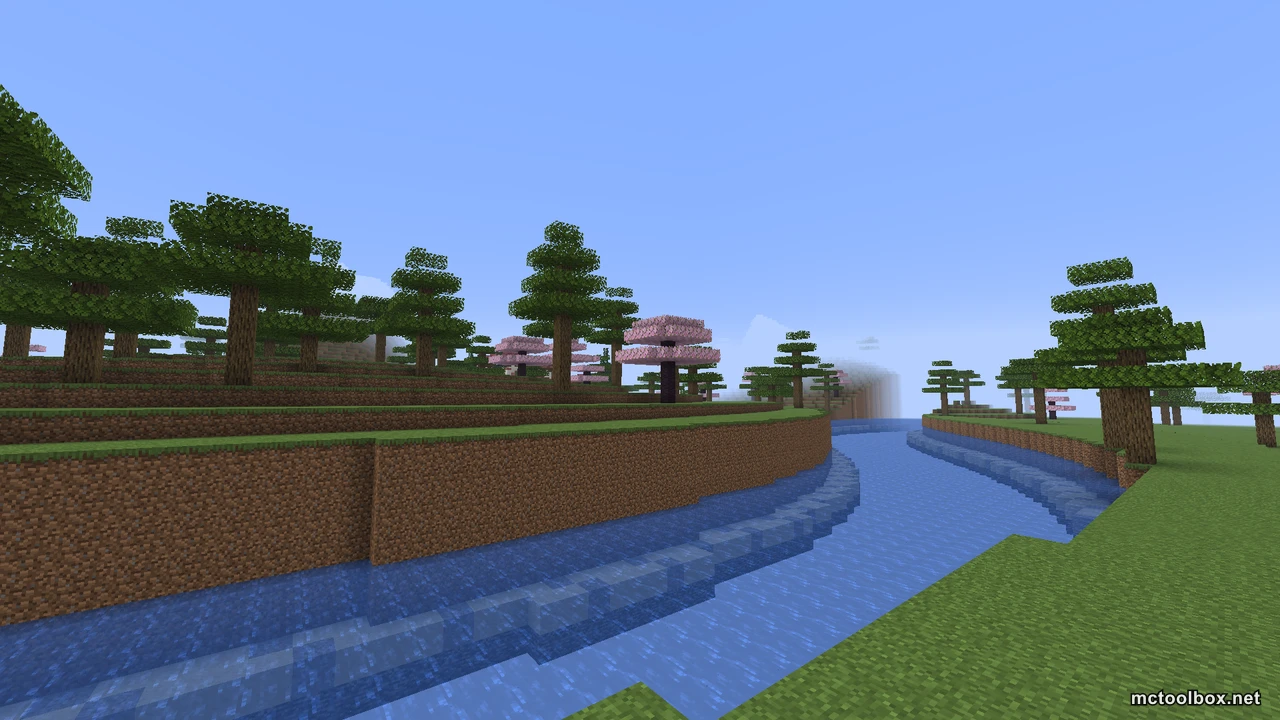
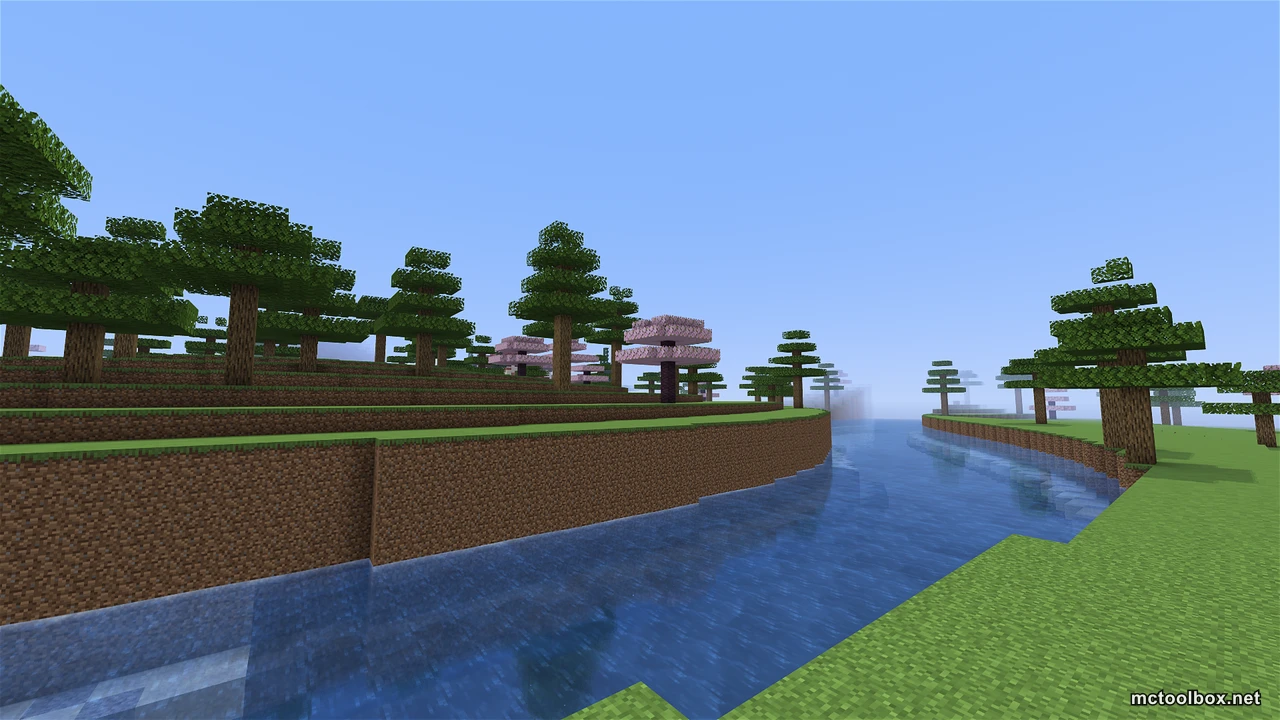
Landscape daylight and subtle atmospheric fog
Clear horizon visibility and clean foliage shading across rolling hills
Under clear daytime conditions, I Like Vanilla keeps the familiar blue sky and vibrant grass hues of vanilla Minecraft. Instead of bathing the terrain in heavy orange or yellow color grading, the shader applies subtle ambient occlusion and soft directional shadows that give trees and cliff sides tangible depth.
Overlooking a meandering river valley and distant cherry grove, terrain fades smoothly into a clean atmospheric horizon. You can easily spot distant structures and terrain features without fighting artificial haze or blinding glare.
Water clarity and dynamic aquatic caustics
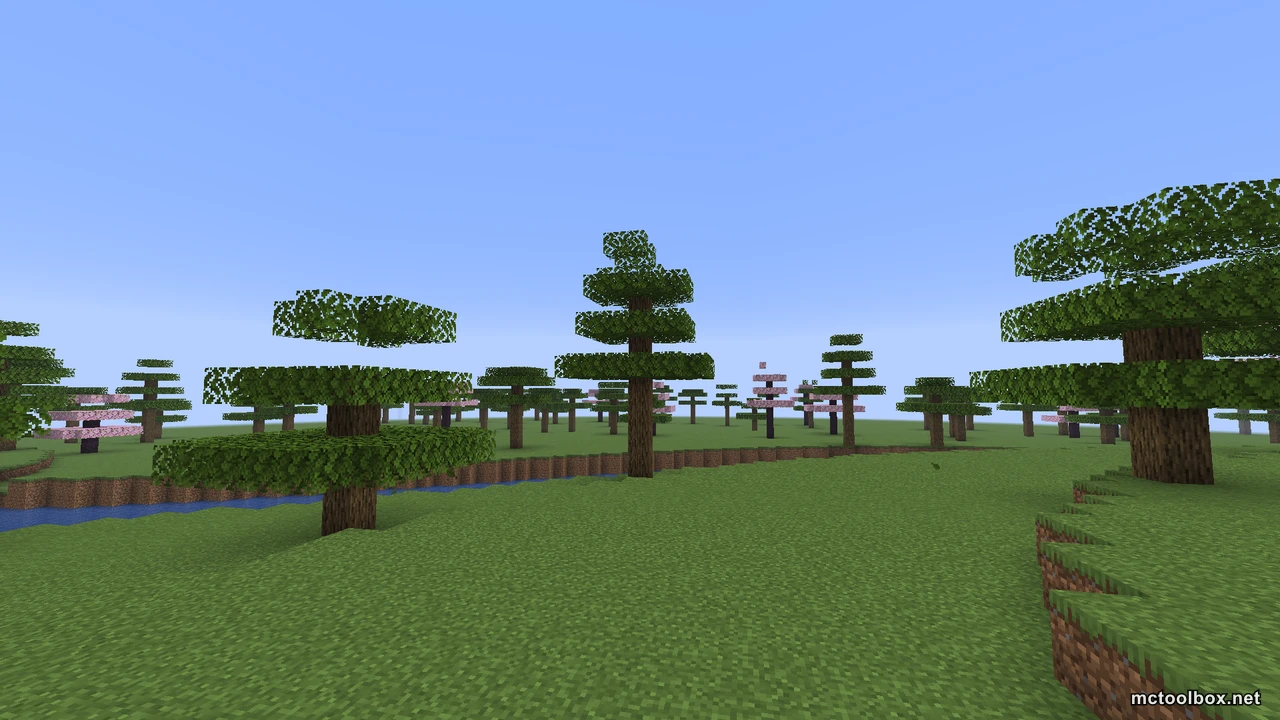
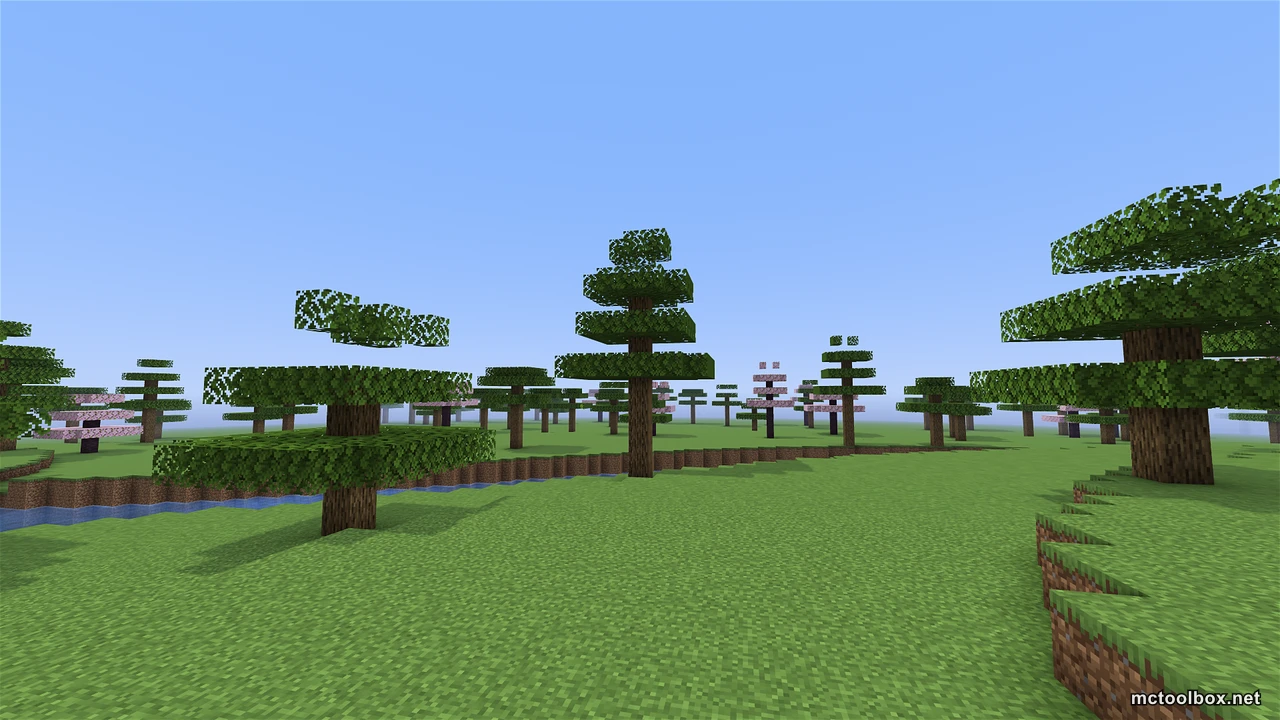
High transparency for easy river navigation and underwater exploration
Water rendering is often where survival shaders fall short. When a shader makes water completely reflective like chrome, spotting submerged shipwrecks, ocean ruins, or drowneds becomes nearly impossible.
I Like Vanilla solves this by keeping river and ocean surfaces clear. Light animated surface ripples reflect the sky gently, while underwater light shafts project moving caustics onto sand and gravel blocks. During my testing, riverbeds remained visible from the shore, making boating and fishing both visually satisfying and practically functional.
Warm afternoon lighting on architectural builds
How soft ambient light enhances terracotta roofs and masonry walls
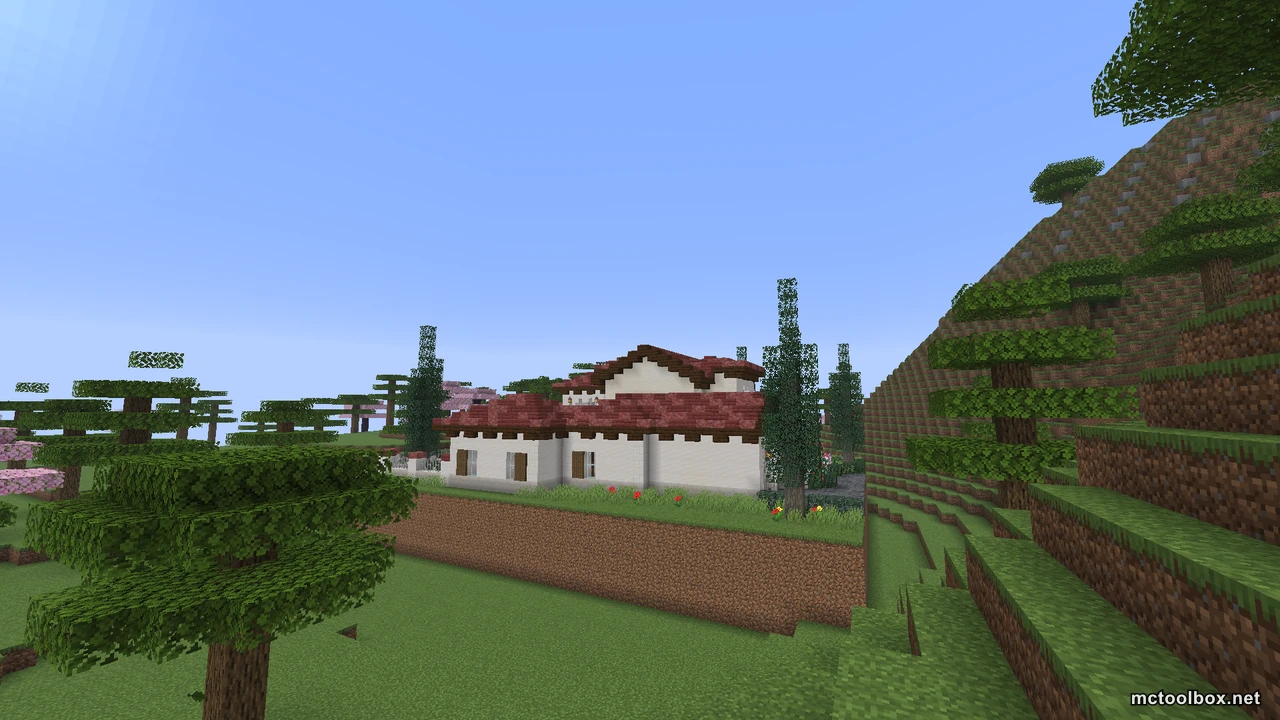
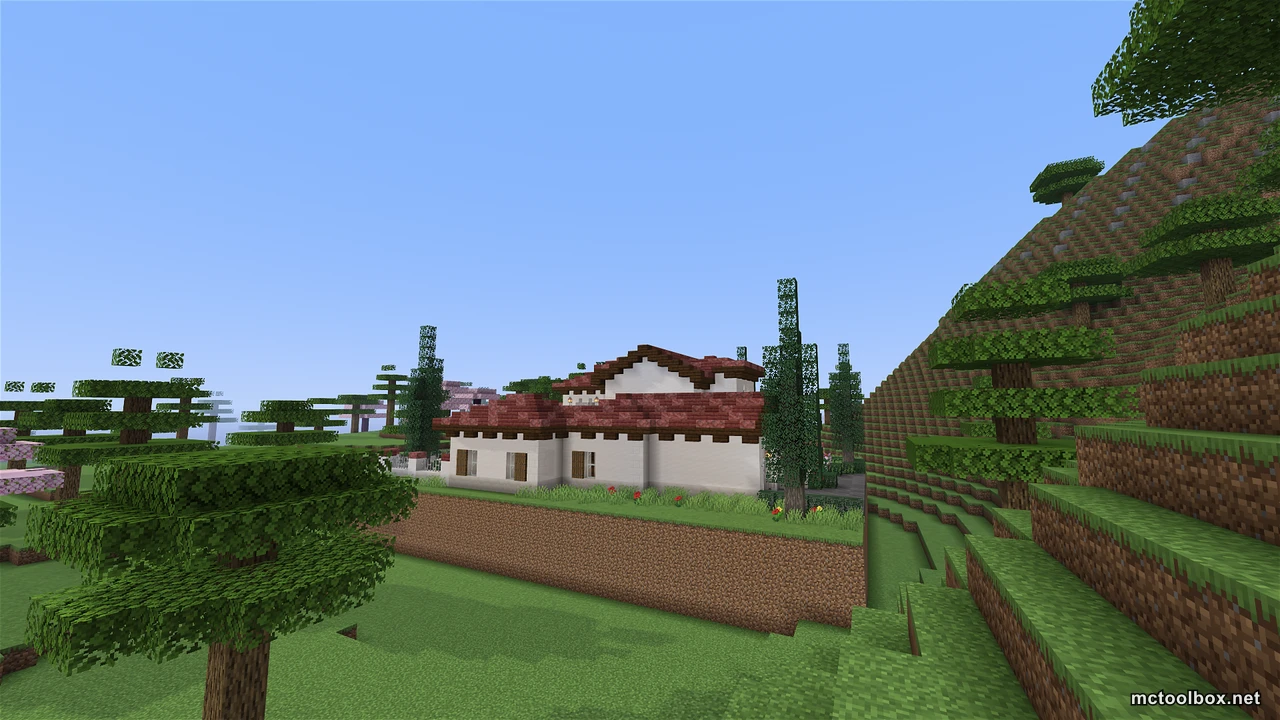
In our architectural test scene featuring the Spanish Villa on a terraced hill, I Like Vanilla shows how well it handles complex masonry. The white walls and terracotta shingles retain their original texture detail without blooming into washed-out white highlights.
Under roof overhangs and along the foundation, ambient light drops naturally into transparent shadows. Potted flowers, window panes, and decorative fences stay crisp and legible, avoiding the muddy black corners common to aggressive shadow algorithms.
Night sky visibility and torchlight ambience
Navigable midnight ambient light without pitch-black blindness
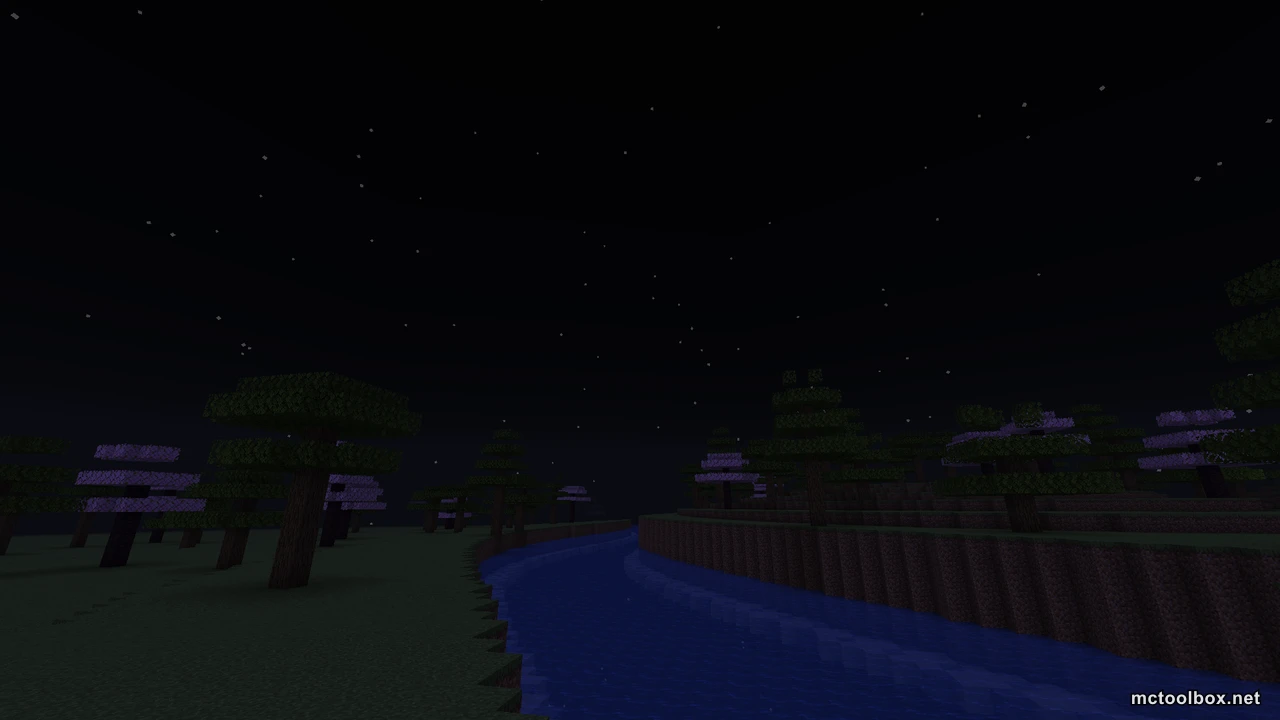
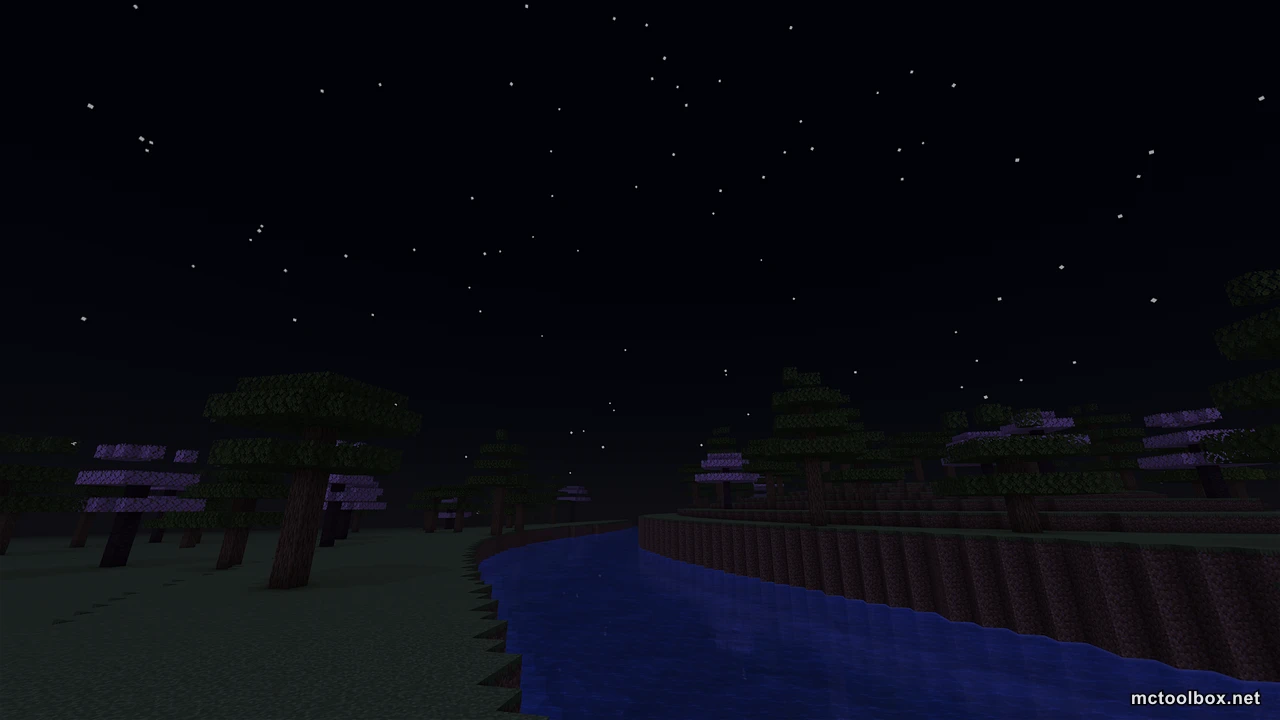
Nighttime in I Like Vanilla maintains a deep navy atmospheric palette. You can still identify tree silhouettes, hills, and waterways under moonlight, which prevents the frustrating blindness that makes nighttime building tedious in heavier packs.
Torches, lanterns, and campfires emit a gentle amber warmth. Additionally, the shader includes an optional torch flicker effect that subtly varies blocklight intensity over time, adding a cozy alive feeling to interior builds and mineshafts.
Vanilla Style vs Realistic Style presets
Choosing between ultra-lightweight classic visuals and modern post-processing
One of the best design choices in I Like Vanilla is its built-in style toggle located in the shader pack options menu:
- Vanilla Style (Default): Retains vanilla color math and texture brightness while adding waving leaves, waving grass, water ripples, and ambient shading. This profile has virtually no performance overhead and is ideal for laptops and high-refresh monitors.
- Realistic Style: Activates modern ACES tonemapping, dynamic shadows, temporal anti-aliasing (TAA), bloom, and God rays. This mode delivers a richer cinematic look while still maintaining much higher frame rates than standalone realism packs like SEUS or Kappa.
You can switch between these profiles at any time without restarting the game.
Performance benchmarks and hardware scaling
Measured 2K results on GTX 1660 SUPER and projected performance across common PC setups
Because I Like Vanilla is written with lightweight GLSL code, it runs comfortably across a wide range of hardware tiers. On my test system with an NVIDIA GeForce GTX 1660 SUPER running at 2560x1440 with 12 render chunks, the shader delivered 185 FPS on Vanilla Style, retaining roughly 75% of baseline vanilla performance.
Below are our measured benchmark figures alongside estimated performance targets for different hardware classes:
| Hardware Class & Configuration | Target Resolution | Expected FPS | Recommended Profile |
|---|---|---|---|
| Integrated / Budget GPU (Intel Iris Xe / AMD Vega / GTX 1050) | 1080p (FHD) | 80 - 120 FPS | Vanilla Style, 10-12 Chunks |
| Mid-Range Test Rig (GTX 1660 SUPER / RTX 3050) | 1440p (2K) | 165 - 195 FPS | Vanilla Style (Tested: 185 FPS average) |
| Mid-Range Test Rig (Realistic Preset) | 1440p (2K) | 135 - 160 FPS | Realistic Style (Tested: 152 FPS average) |
| High-End Gaming PC (RTX 4070 / RX 7800 XT+) | 1440p / 4K | 220 - 300+ FPS | Realistic Style with Distant Horizons |
| Vanilla Baseline (Our Test Rig) | 1440p (2K) | 248 FPS | 12 chunks render distance, no shaders |
How to install I Like Vanilla with Iris
Simple 4-step setup for Fabric and Iris on Minecraft 26.2
- 1
Install Fabric Loader & Iris
Install Fabric Loader for your target Minecraft version alongside the Sodium and Iris Shaders mods.
- 2
Download I Like Vanilla
Download the official
ILikeVanilla_v1.4.4.ziprelease using the primary download button above. Keep the archive as a ZIP file without extracting. - 3
Place in Shaderpacks Folder
Open your
.minecraftfolder and move the downloaded ZIP file directly into theshaderpacksdirectory. - 4
Enable in Video Settings
Launch Minecraft, head to Options > Video Settings > Shader Packs, select I Like Vanilla, and click Apply.
Why purists pick I Like Vanilla over heavy shaders
Polished graphics upgrades without sacrificing Minecraft's core identity
I Like Vanilla v1.4.4 proves that a shader pack does not need to overhaul every pixel to make Minecraft look modern and alive. By focusing on fluid plant animations, clear aquatic caustics, and tasteful ambient shading, it addresses the visual flaws of vanilla rendering without turning your survival base into an alien landscape.
For players who want dependable performance, full Distant Horizons compatibility, and an authentic blocky feel, I Like Vanilla is one of the easiest recommendations you can make.
Test setup and performance
| minecraft Version | 26.3 |
|---|---|
| shader Version | v1.4.4 |
| loader | Fabric + Iris + Sodium |
| loader Version | Fabric Loader 0.19.3 / Iris 1.11.2 / Sodium 0.9.1 |
| gpu | NVIDIA GeForce GTX 1660 SUPER |
| cpu | Intel Core i3-12100F |
| ram | 32 GB system RAM |
| render Distance | 12 chunks; simulation distance 6 chunks |
| preset | Vanilla Style (Default) |
| Scene / preset | Average FPS | 1% low | Notes |
|---|---|---|---|
| Vanilla Baseline (No Shader) | 248 FPS | 195 FPS | 1440p resolution, 12 chunks render distance |
| I Like Vanilla (Vanilla Style) | 185 FPS | 145 FPS | Subtle waving foliage, clear water caustics, ambient shading |
| I Like Vanilla (Realistic Style) | 152 FPS | 118 FPS | Tone mapping, dynamic shadows, TAA, light bloom enabled |
Questions and compatibility
What makes I Like Vanilla different from other vanilla-plus shaders?
I Like Vanilla avoids modifying core block color palettes or applying aggressive yellow tonemapping. Instead, it improves fidelity through subtle waving leaves, transparent water with caustics, and soft directional shadows that seamlessly blend into the default art style.
Can I Like Vanilla run on low-end laptops with integrated graphics?
Yes. On the default Vanilla Style profile, I Like Vanilla easily runs at 80-120 FPS on modern integrated graphics such as Intel Iris Xe or AMD Vega without thermal throttling.
Does I Like Vanilla support Distant Horizons?
Yes. Version 1.4.4 includes built-in support for Distant Horizons and Voxy Level-of-Detail (LOD) rendering, allowing you to render hundreds of chunks without visual seams.
What is the difference between Vanilla Style and Realistic Style?
Vanilla Style retains standard Minecraft color math with minimal overhead. Realistic Style enables ACES tonemapping, dynamic shadows, TAA anti-aliasing, and bloom for players who want a richer cinematic look.
Does I Like Vanilla work on both Iris and OptiFine?
Yes. The shader pack officially supports both Iris and OptiFine across Minecraft versions from 1.16 through 26.3.
Where can I download the official I Like Vanilla release?
You can download verified release archives directly via the download button above, which connects to What42Pizza's official distribution on Modrinth.
Download links
We do not host Minecraft shader files directly. Download links go to the creator's official project pages.
Mellow Shaders 1.8 - 26.2
Mellow Shaders by gri573 provides warm sunlight tonemapping, clean water ripples, and high frame rates for everyday survival.
Pastel Shaders 1.7.10 - 26.3
Pastel Shaders turns harsh Minecraft lighting into a soft storybook world with customizable color palettes, gentle shadows, and outstanding frame rates.
Spooklementary Shaders 1.7.10 - 26.2
Spooklementary by EminGT is the official Halloween horror edition of Complementary Shaders, adding creeping ground mist, floating specters, and haunted visual effects.