








Minecraft shader review
Bloop Shaders
Lightweight performance shaderpack with stylized clouds, gentle water, and potato-to-ultra profiles by espen96
Download FilesBloop Shaders by espen96 is an optimized shaderpack engineered for smooth frame rates across diverse hardware. It delivers stylized blocky clouds, clean translucent water, balanced daytime vibrancy, and versatile performance presets ranging from Potato to Ultra.
Shader Index7 sections
Many lightweight shaderpacks achieve high frame rates by stripping away rendering features until the game looks washed out or indistinguishable from vanilla with tinted glass. Bloop Shaders, created by espen96, adopts a fundamentally different philosophy: it preserves Minecraft's blocky voxel personality while engineering an agile pipeline that scales effortlessly from budget laptops up to high-refresh gaming monitors.
Instead of attempting to simulate photorealistic earth atmospheres or complex ray-marched fog, Bloop Shaders leans into stylized 3D voxel clouds, crystal-clear river surfaces, and game-friendly utility toggles. For players who want visual polish without sacrificing competitive frame times or breaking survival builder mods, this pack provides a tailored balance.
Daytime illumination and stylized voxel clouds
Directional sunlight, clean horizon gradients, and volumetric block clouds
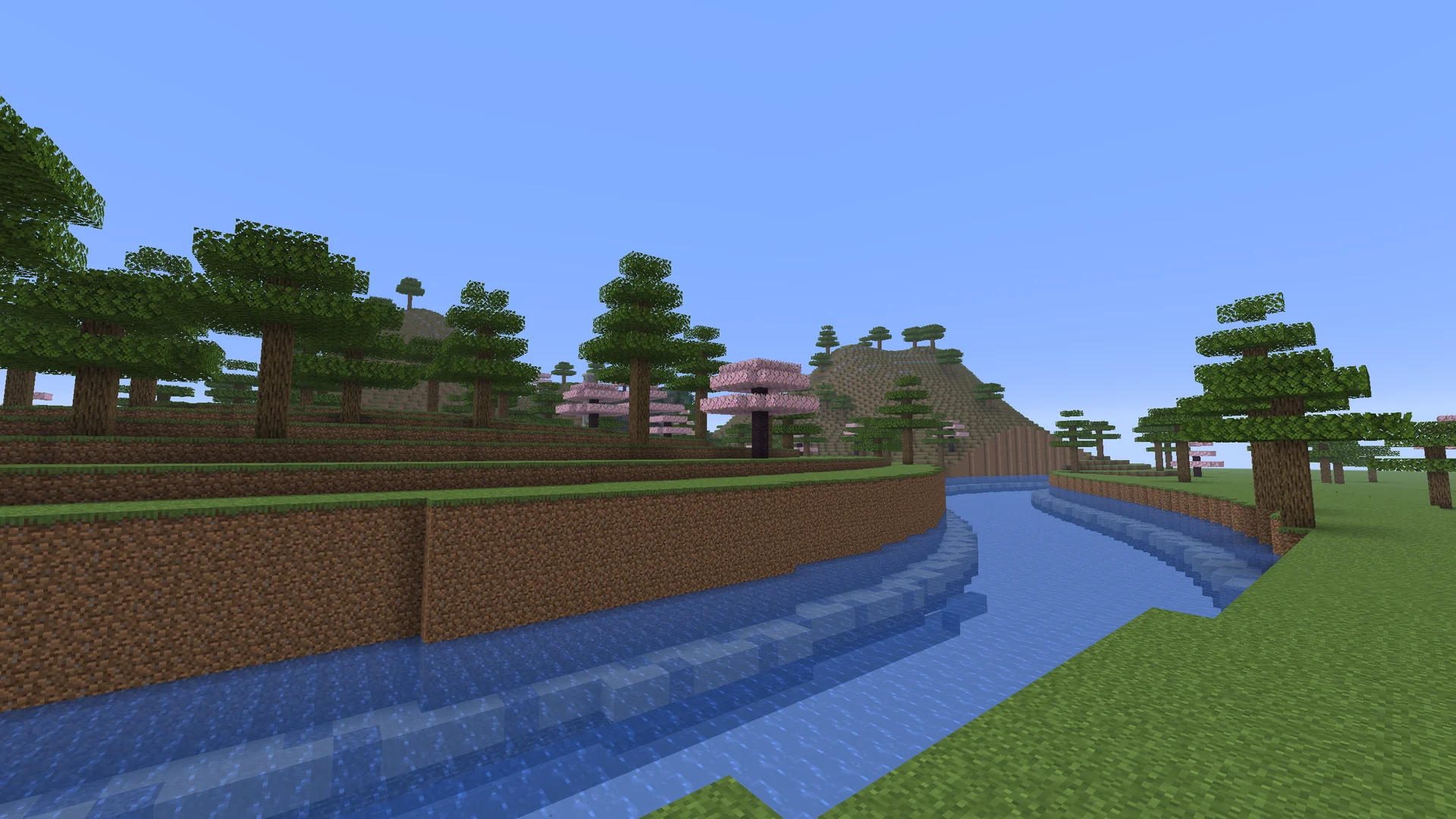
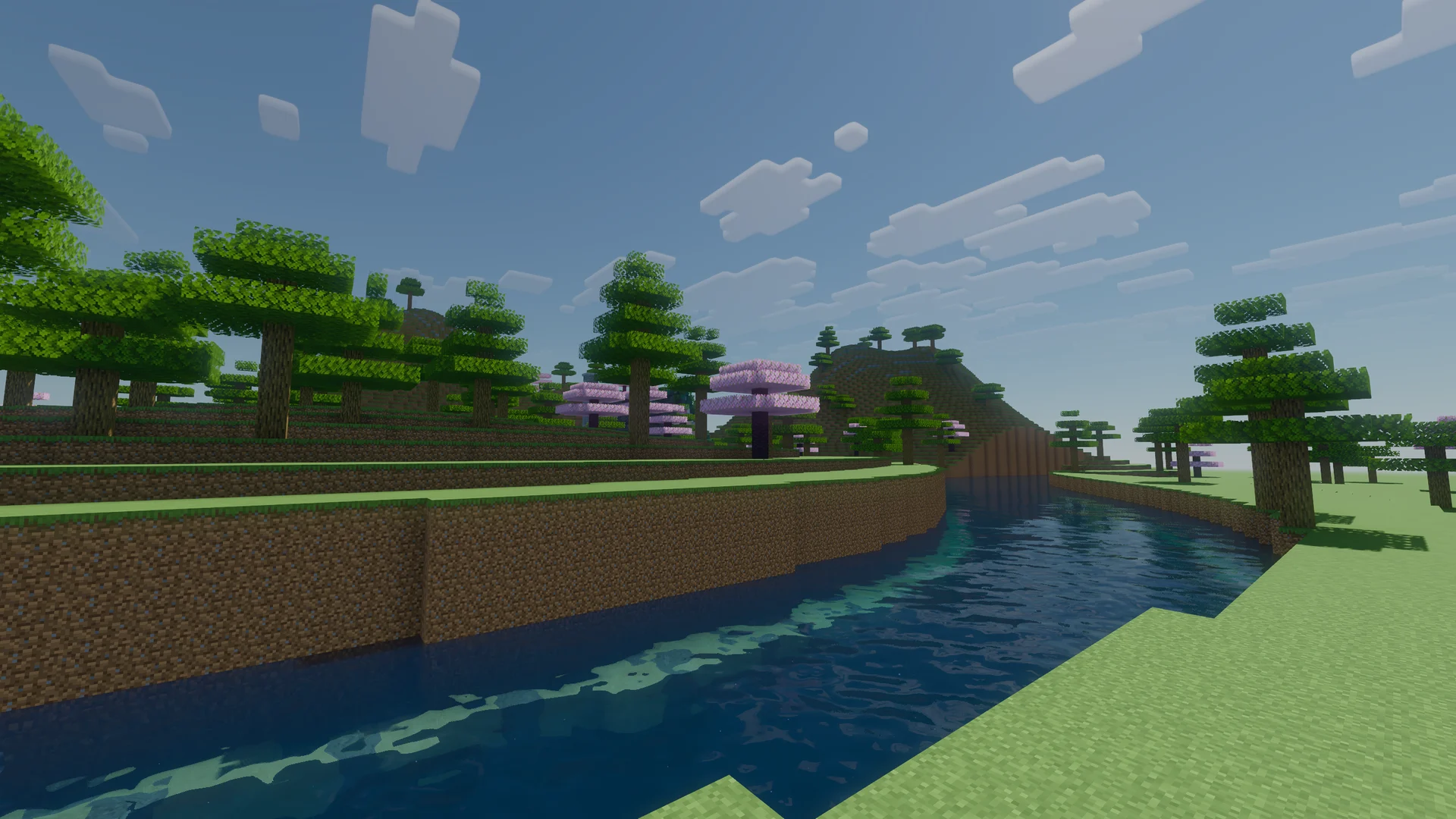
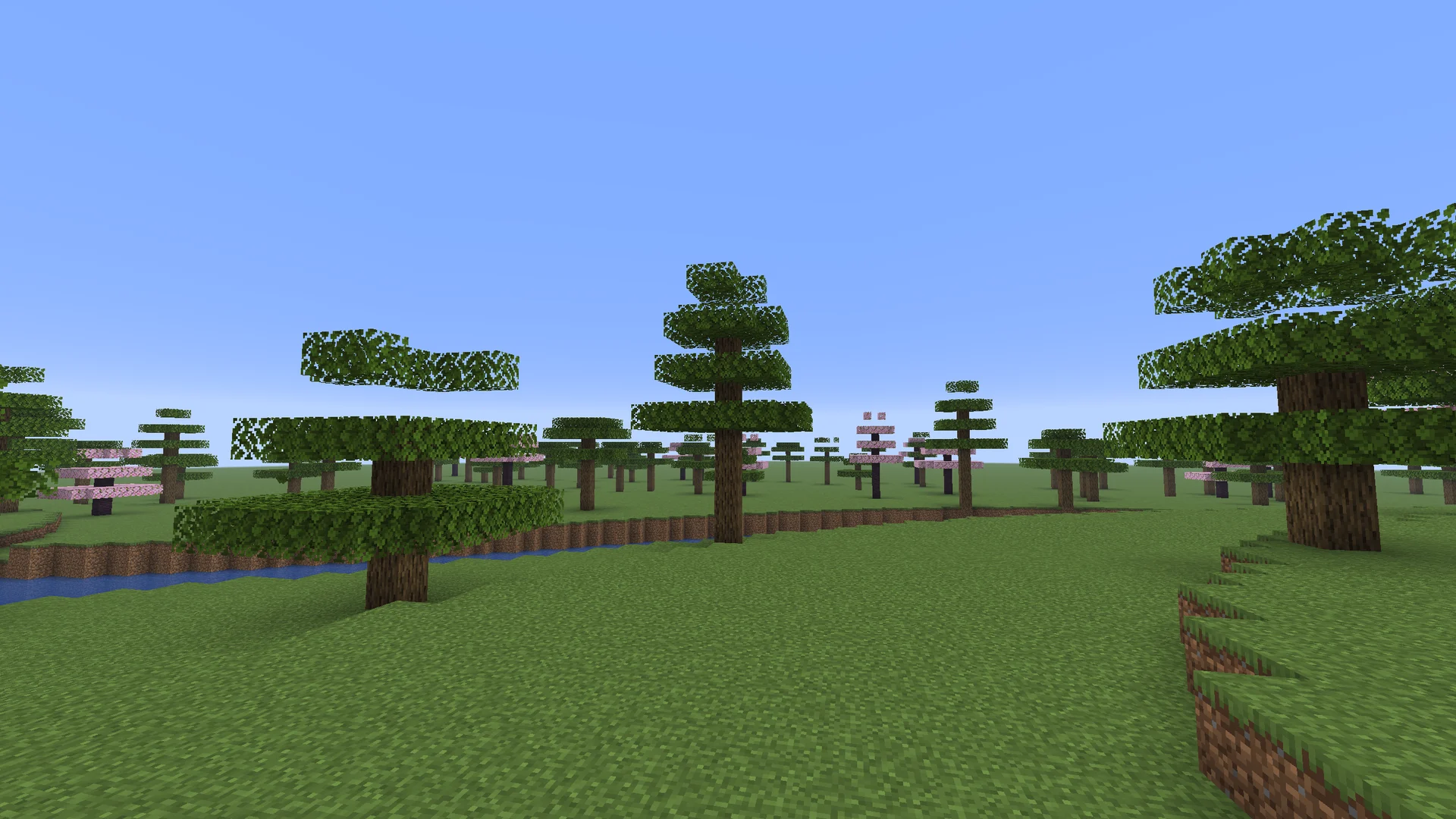
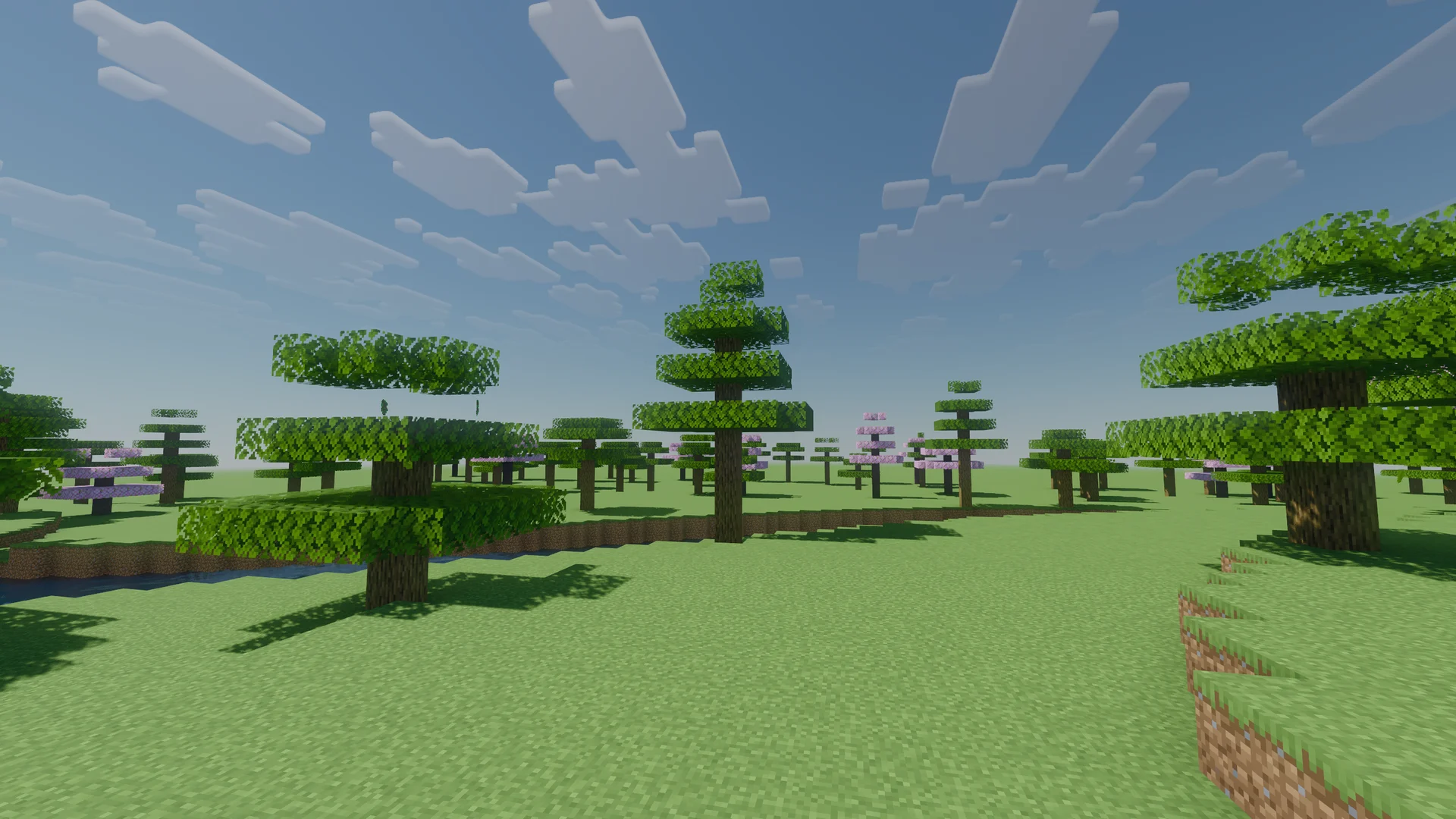
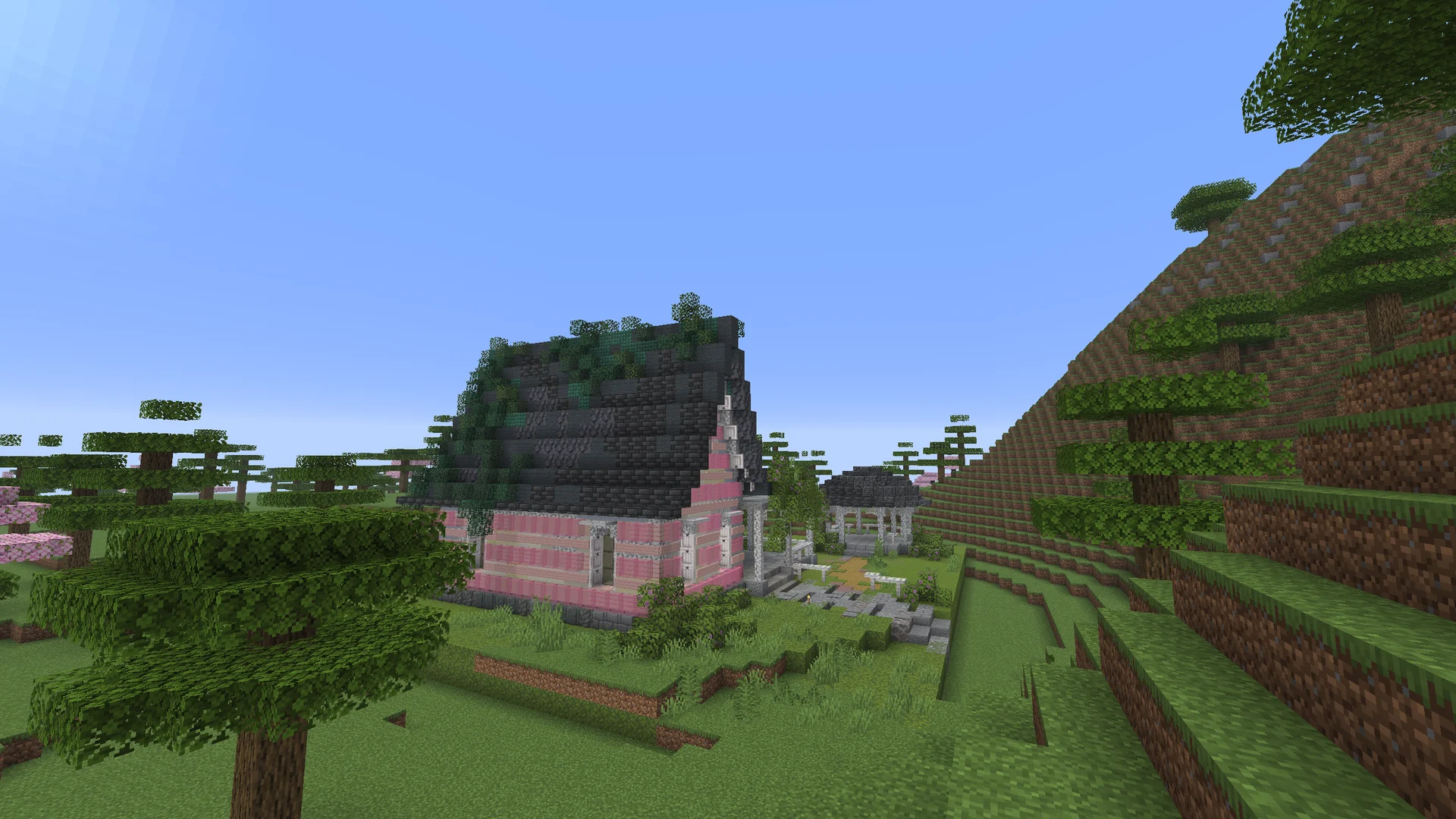
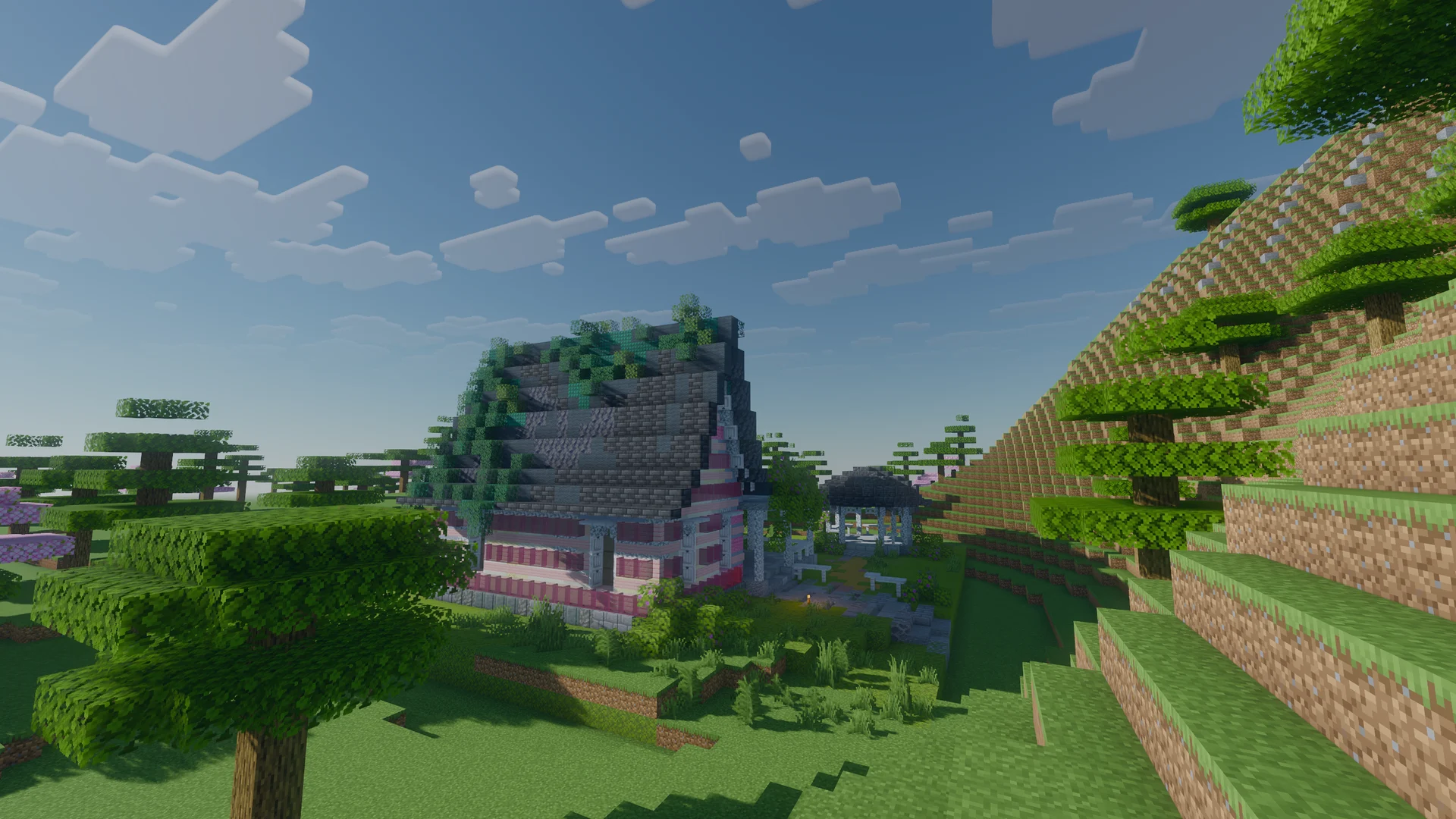
Under standard midday lighting, vanilla Minecraft produces uniform, flat face brightness where distant terrain loses definition. Bloop Shaders introduces soft directional sunlight and balanced ambient occlusion, allowing mountain terraces, pine groves, and meadow banks to display natural depth.
The most recognizable aesthetic feature in Bloop Shaders is its skybox implementation. Rather than replacing Minecraft skies with blurry photorealistic cloud wisps that clash with voxel terrain, the shader offers volumetric cubic clouds under its Cloud Style configuration. These 3D blocky clouds float naturally across the upper atmosphere, catching warm sun highlights on top while casting soft ambient shadows underneath.
Water rendering, transparency, and specular ripples
Refined river surfaces without sacrificing underwater exploration
Water in heavy shaders often suffers from excessive murkiness, dark color banding, or heavy distortion that impairs underwater survival gameplay. Bloop Shaders treats water surfaces with a lighter touch.
From the shore, rivers and lakes feature animated surface wavelets and specular highlights that reflect the sky and overhanging trees. Crucially, water transparency remains tuned for functional gameplay. When diving into ocean trenches or surveying river bottoms, gravel deposits, clay patches, and kelp forests remain sharp and unobstructed, eliminating the visual fatigue associated with overly dense water shaders.
Architectural shading and cubic square highlights
Warm sunset grading and stylized blocky specular reflection points
Detailed structures, such as cottages, watchtowers, and multi-tiered timber builds, benefit significantly from Bloop's geometry-aware shadow maps. Overhanging roofs, balconies, and recessed doorways cast accurate contact shadows that lend builds tangible architectural structure.
During golden hour and sunset, direct illumination transitions toward a warm, amber palette. The ambient lighting prevents shaded walls from turning completely black, preserving block details on stone masonry and wood paneling while maintaining atmospheric drama.
In addition, Bloop Shaders includes an optional setting called Square Highlights (GGX Square). Most modern shader engines render glossy reflections as smooth circular spots. When Square Highlights is enabled, specular glints on polished blocks, wet surfaces, and metals conform to crisp square pixel boundaries, harmonizing with Minecraft's iconic block geometry.
Survival and builder quality of life features
Litematica schematic fix, anti-ghosting TAA options, and cave brightness
Beyond aesthetic adjustments, Bloop Shaders includes practical engineering fixes that address common player frustrations with shaders:
- Litematica Fix: Standard shaderpacks frequently break schematic rendering in Litematica, either rendering ghost blocks pitch black or making them invisible altogether. Bloop Shaders includes a dedicated Litematica compatibility toggle that restores proper transparency and color coding to holographic guide blocks.
- First-Person Anti-Ghosting: Temporal Anti-Aliasing (TAA) smooths jagged terrain edges effectively, but fast camera pans can create trailing ghost artifacts around your hand, tools, or nearby hostile mobs. Bloop provides separate toggles to disable TAA on hands and entities while leaving terrain anti-aliasing active.
- Minimum Ambient Light: Survival players frequently struggle with cave darkness in realistic shaders. The Minimum Ambient Light slider allows you to calibrate base visibility in underground ravines and mineshafts, ensuring comfortable navigation without requiring endless rows of torches.
- Nametag Visibility Fix: Resolves translucent clipping bugs with player and mob nametags on multiplayer servers.
Performance scalability: From Raspberry Pi to high-end GPUs
Hardware profiles, Distant Horizons LOD support, and Pi optimization
Bloop Shaders is designed to scale across an unusually broad hardware envelope, featuring dedicated profiles directly inside the video configuration menu:
- Potato: Strips complex post-processing passes and minimizes shadow draw buffers. This profile is engineered for budget laptops, older office machines, and integrated graphics chips such as Intel UHD or AMD Vega. It even includes a dedicated Pi Support mode optimized for single-board computers like the Raspberry Pi 5.
- Low: Introduces subtle water ripples and essential ambient occlusion while preserving high tick rates for large survival bases and multiplayer servers.
- Medium: The recommended balanced profile for modern desktop systems. Balances crisp shadow maps, fluid water animation, and volumetric sky effects with stable 60+ FPS frame pacing.
- High & Ultra: Activates extended shadow distances, refined ambient occlusion samples, and enhanced specular surfaces for players with dedicated mid-range or high-end GPUs.
For players who use the Distant Horizons mod to render distant terrain, Bloop Shaders includes native support under its Distant Horizons Shadows toggle, enabling real-time shadow projection and water blending across distant LOD chunks without graphical seams.
Installation and loader compatibility
Setting up Bloop Shaders with Iris or OptiFine
Bloop Shaders runs smoothly across modern Minecraft releases via Iris on Fabric or NeoForge, as well as legacy OptiFine environments. Follow these steps to configure the pack:
- Ensure you have installed a compatible shader loader (Iris recommended for peak performance on modern versions).
- Download the Bloop Shaders ZIP file from Modrinth.
- Open Minecraft, navigate to Options -> Video Settings -> Shader Packs, and click Open Shader Pack Folder.
- Move the downloaded ZIP directly into the opened folder without unzipping it.
- Select Bloop Shaders from the list, click Apply, and adjust your desired performance preset in the pack settings menu.
Download links
We do not host Minecraft shader files directly. Download links go to the creator's official project pages.
Lux V1 Shader
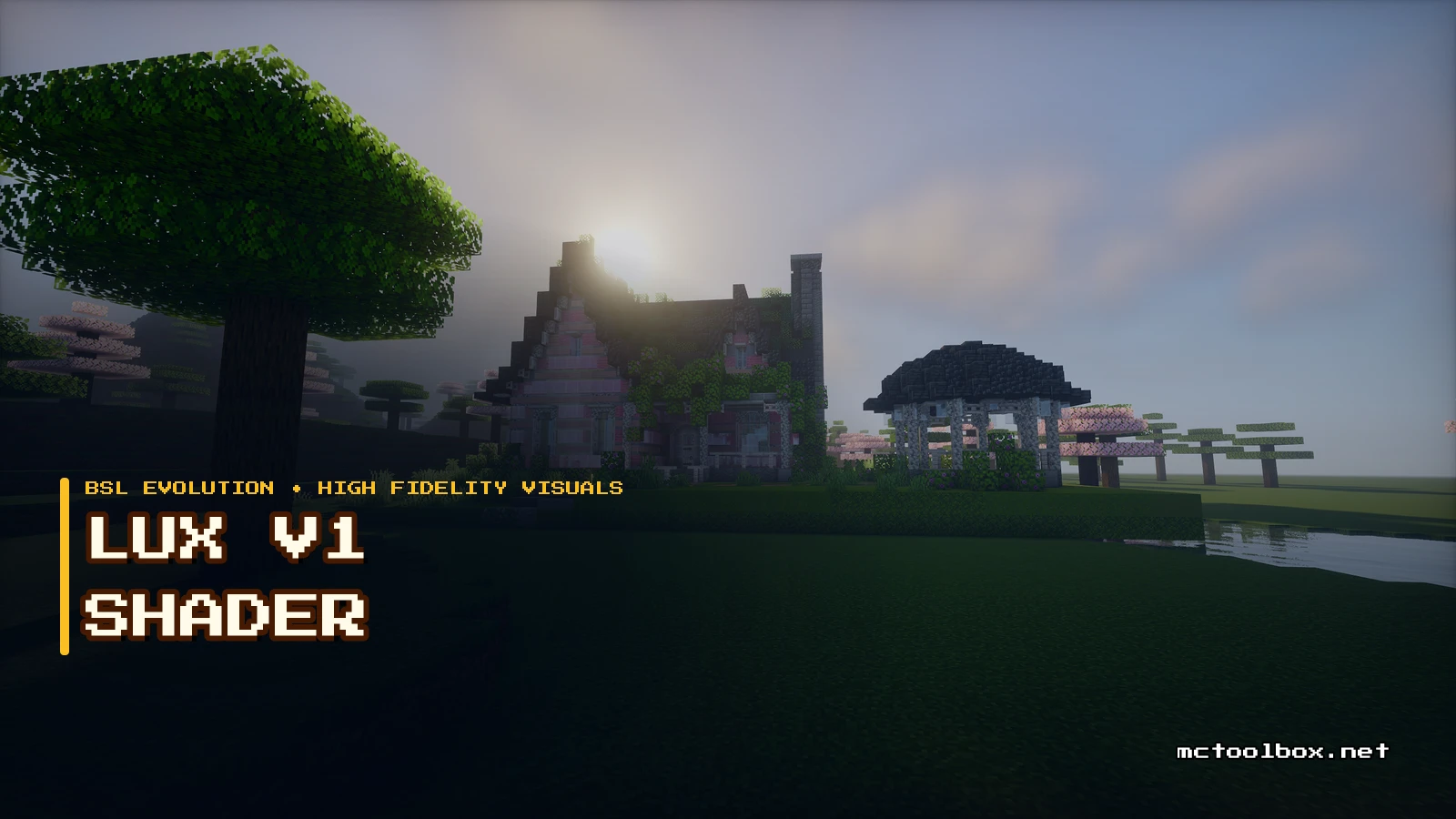
Lux V1 by TechTheDev is a high-fidelity visual expansion of Capt Tatsu's BSL Shaders, incorporating hybrid volumetric fog, sample-rejected depth of field, screen-space reflections on translucent blocks, and parallax self-shadowing.
I Like Vanilla Shaders 1.16 - 26.3
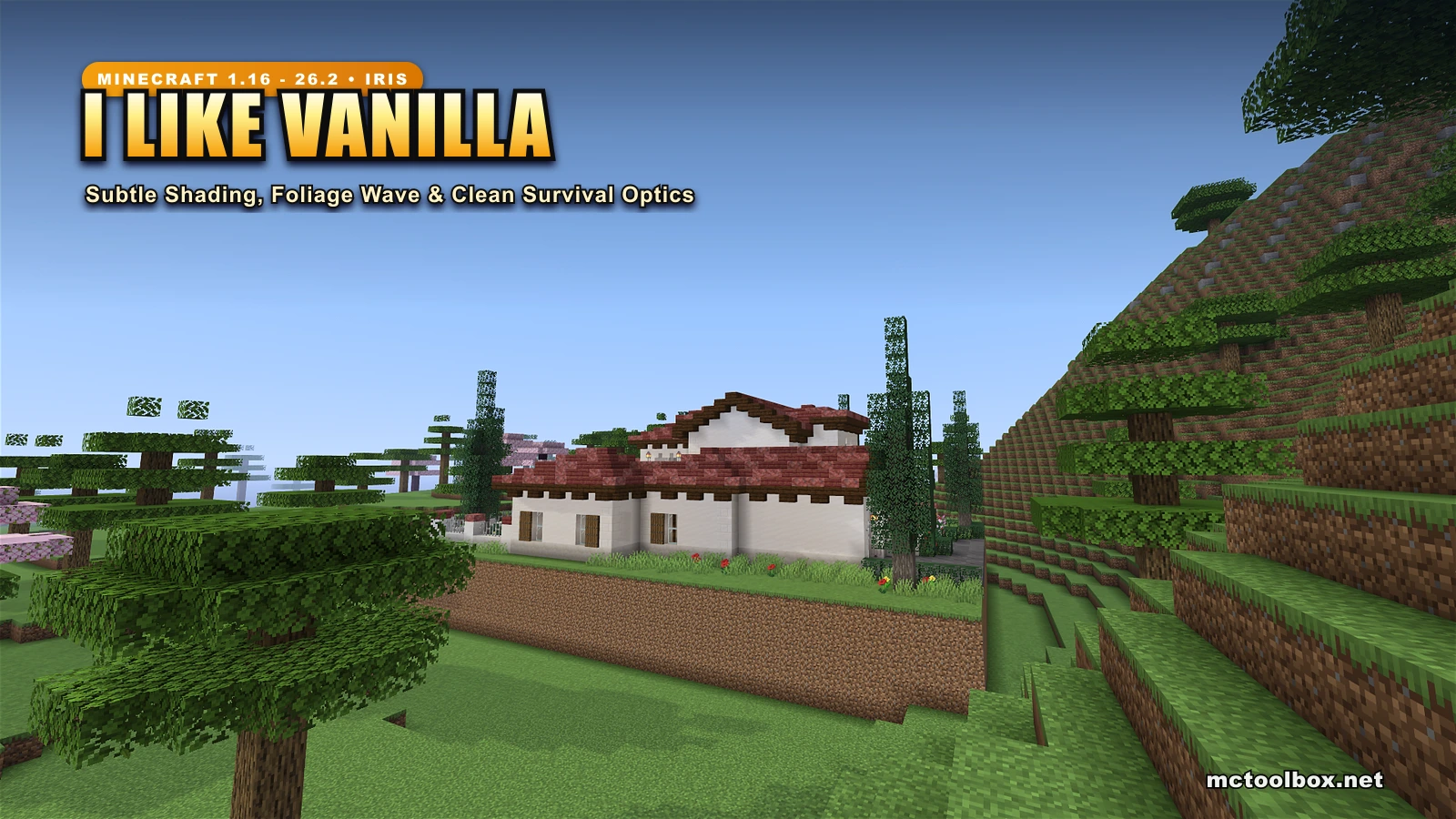
I Like Vanilla by What42Pizza enhances Minecraft with subtle waving plants, clear water caustics, and soft ambient lighting while preserving the classic blocky art style.
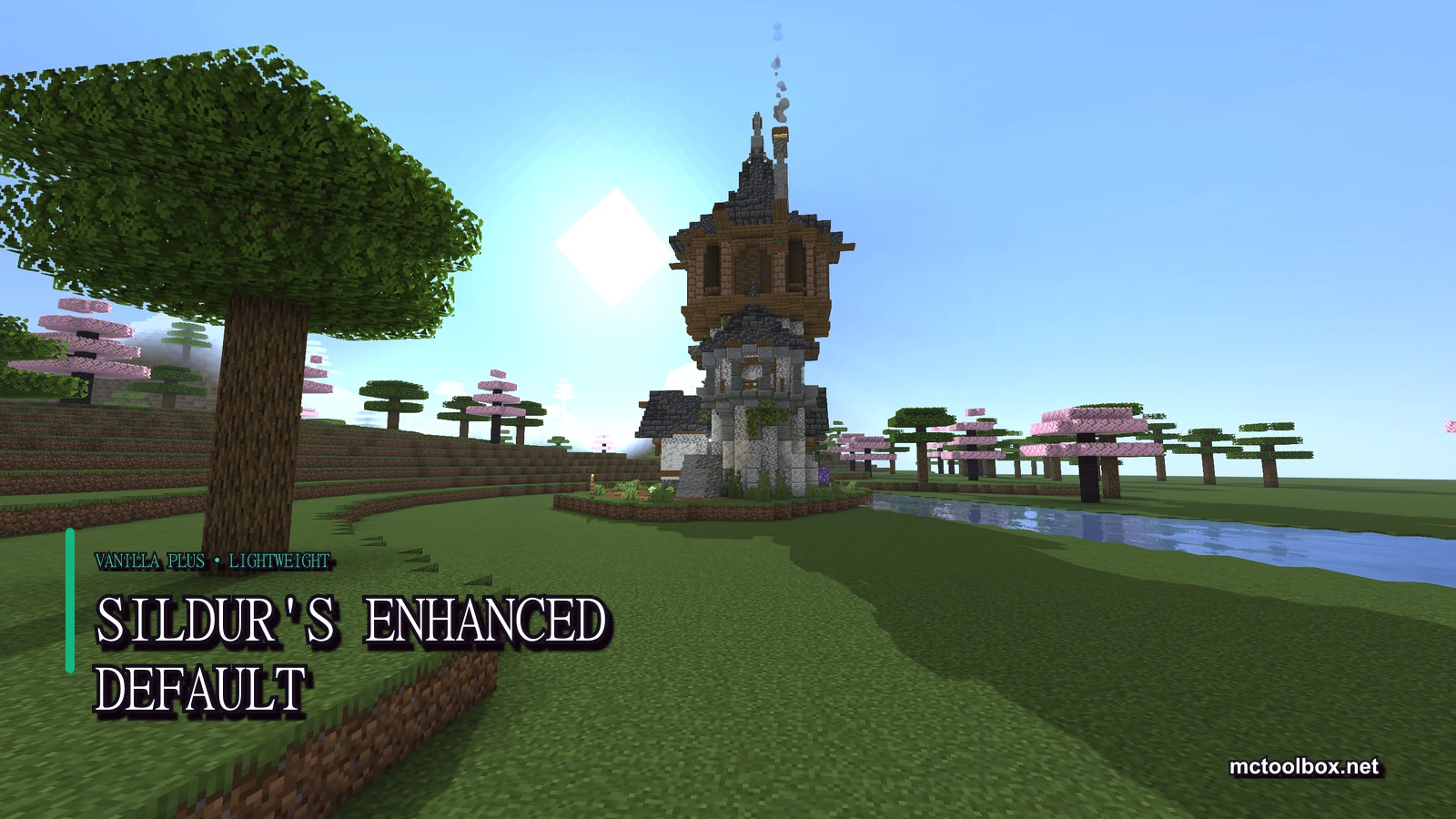
Sildur's Enhanced Default 1.20 - 26.3
Sildur's Enhanced Default by SildurFX upgrades Minecraft's lighting with real-time shadows and water reflections while preserving the game's original color palette and delivering exceptional framerates.