Minecraft resource pack guide
Xray Ultimate Review: How Wireframe Mining Actually Works
Transparent wireframe blocks reveal hidden ore veins, but survival mining requires careful lighting and navigation.
Java Edition · 16×16 · by Filmjolk
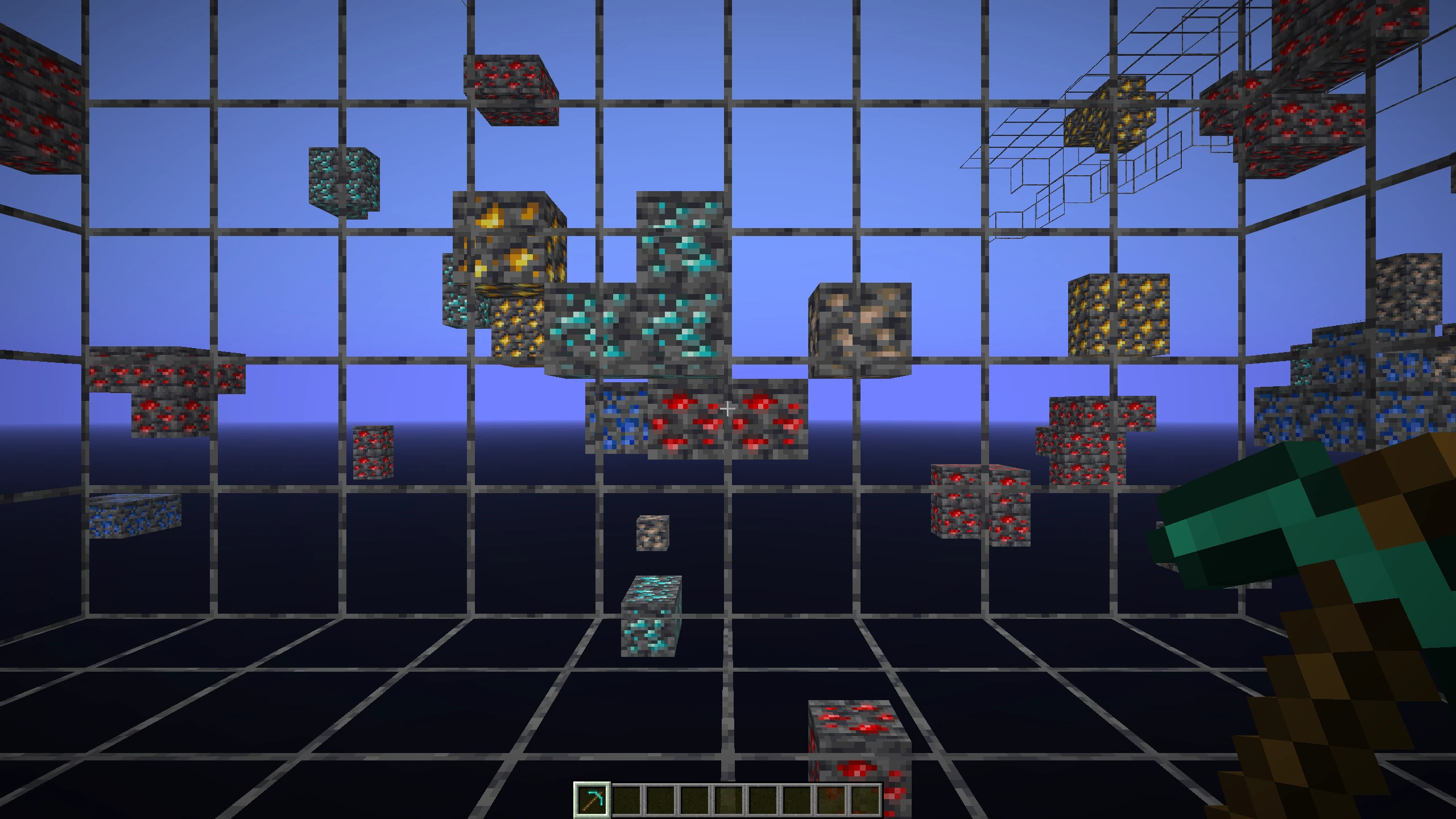
Xray Ultimate strips opaque textures from stone and netherrack to expose valuable ores inside wireframe grids. While it speeds up resource gathering, dark cave lighting, spatial disorientation, and server-side anti-cheat systems make practical use more nuanced than simply turning it on.
In this guide7 sections
Xray Ultimate is one of the most recognizable utility packs in Minecraft history, built around a simple visual trick: it strips away the opaque textures of filler blocks like stone, deepslate, netherrack, and dirt, replacing them with thin wireframe outlines. The result turns solid terrain into a transparent grid where diamond veins, dungeon spawners, ancient debris, and abandoned mineshafts float in open space.
Unlike cheat clients or injected software, Xray Ultimate operates entirely within vanilla Minecraft's resource pack engine. It requires no mod loader or bytecode manipulation. However, relying purely on texture transparency introduces several distinct mechanical quirks, from pitch-black subterranean lighting to deceptive spatial depth and server-side anti-cheat blocks.
The wireframe mechanic and modern pack formats
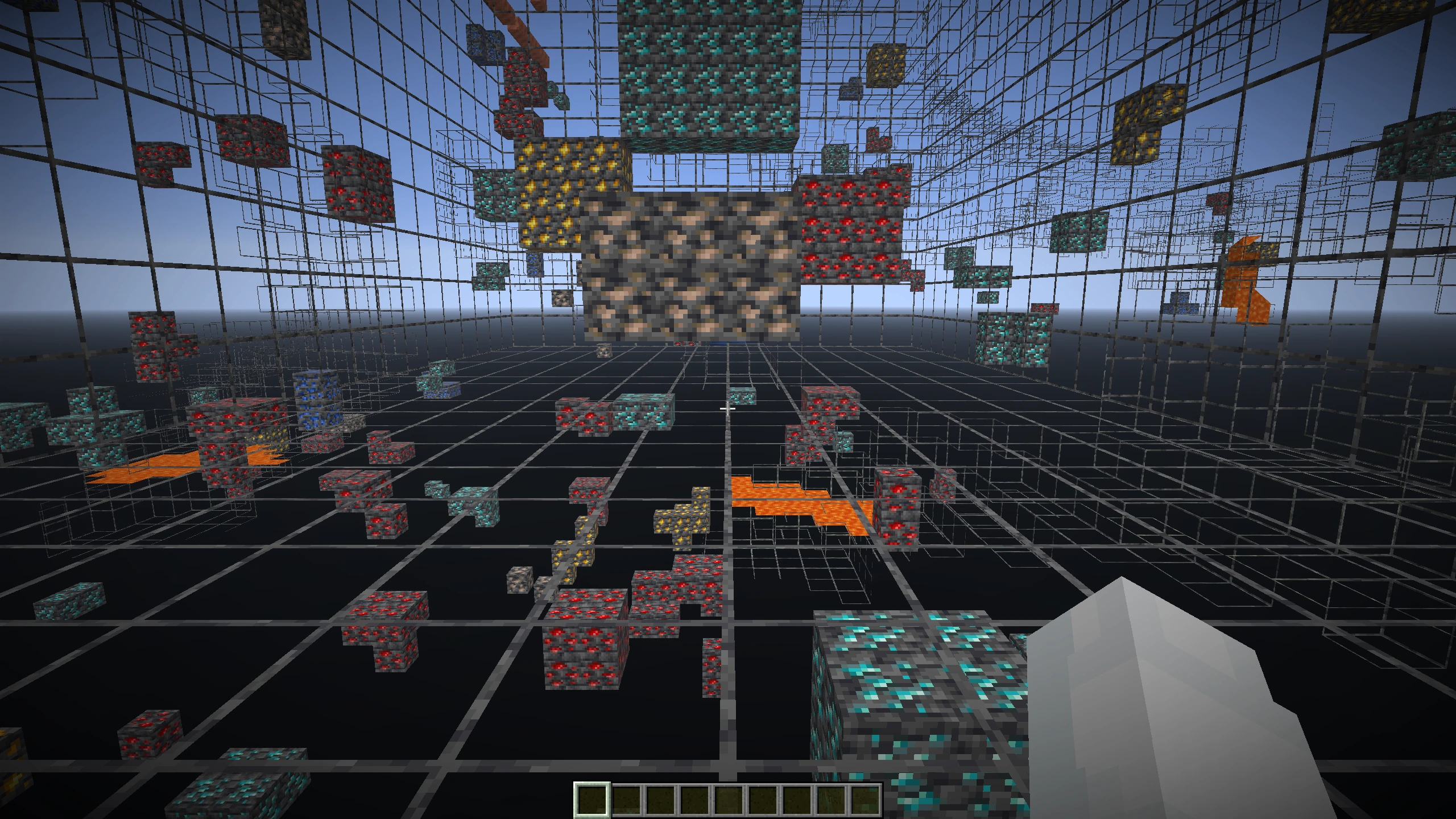
The pack works by modifying standard block models. Each full cube face is replaced with a hollow quadrilateral bordered by narrow edge strips and tagged with cullface directives. When two transparent stone blocks sit side by side, Minecraft culls the shared interior faces, leaving only the outer perimeter wireframe visible. Valuable ore blocks retain their solid textures, allowing their colorful patterns to stand out sharply against the empty background.
In Minecraft Java 26.2, loading older releases of the pack directly can trigger format mismatch warnings or silent failures if the pack.mcmeta specifies an incompatible version range. Setting the pack_format to 88 aligns the pack with current Java 26.2 resource pack specifications, ensuring that custom block models and transparent culling load smoothly without falling back to vanilla models.
Deepslate ore hunting and the challenge of depth perception
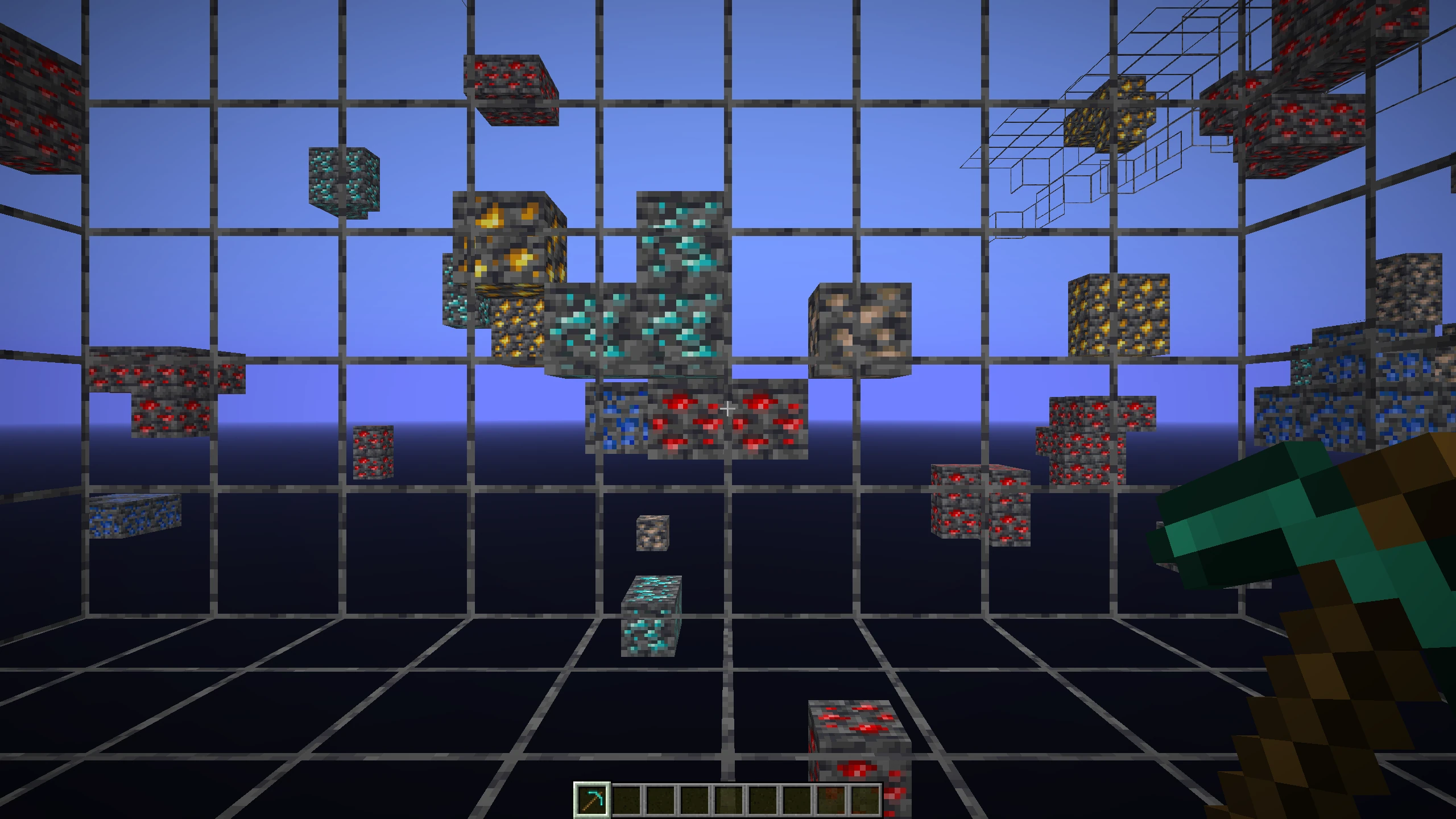
Hunting for diamonds in the deep underground is the primary reason most players install this pack. In deepslate layers between Y=-50 and Y=-60, diamond veins, redstone lines, gold clusters, and lapis lazuli become visible through solid rock walls. Instead of branch-mining in straight corridors for thousands of blocks, you can pinpoint the exact coordinates of a vein before swinging a pickaxe.
The main trade-off underground is spatial disorientation. In a 2D screenshot, a floating ore cube looks obvious, but in game, determining whether a diamond vein is three blocks ahead or thirty blocks into the distance requires careful movement. Without solid surfaces to establish perspective, your eyes must rely on movement parallax: taking a few steps sideways to watch which blocks shift faster across your field of view.
The subterranean lighting limitation and Night Vision
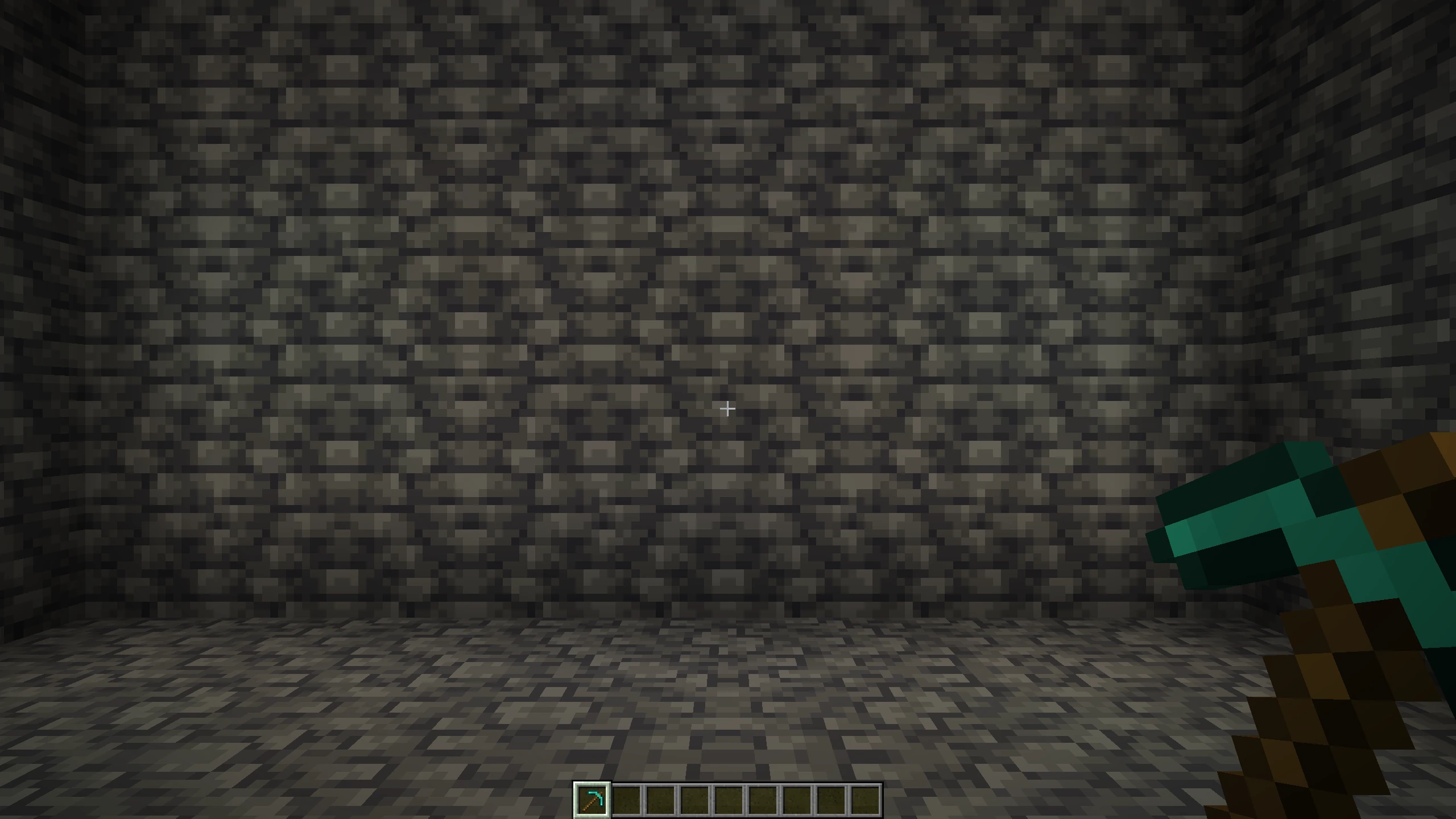
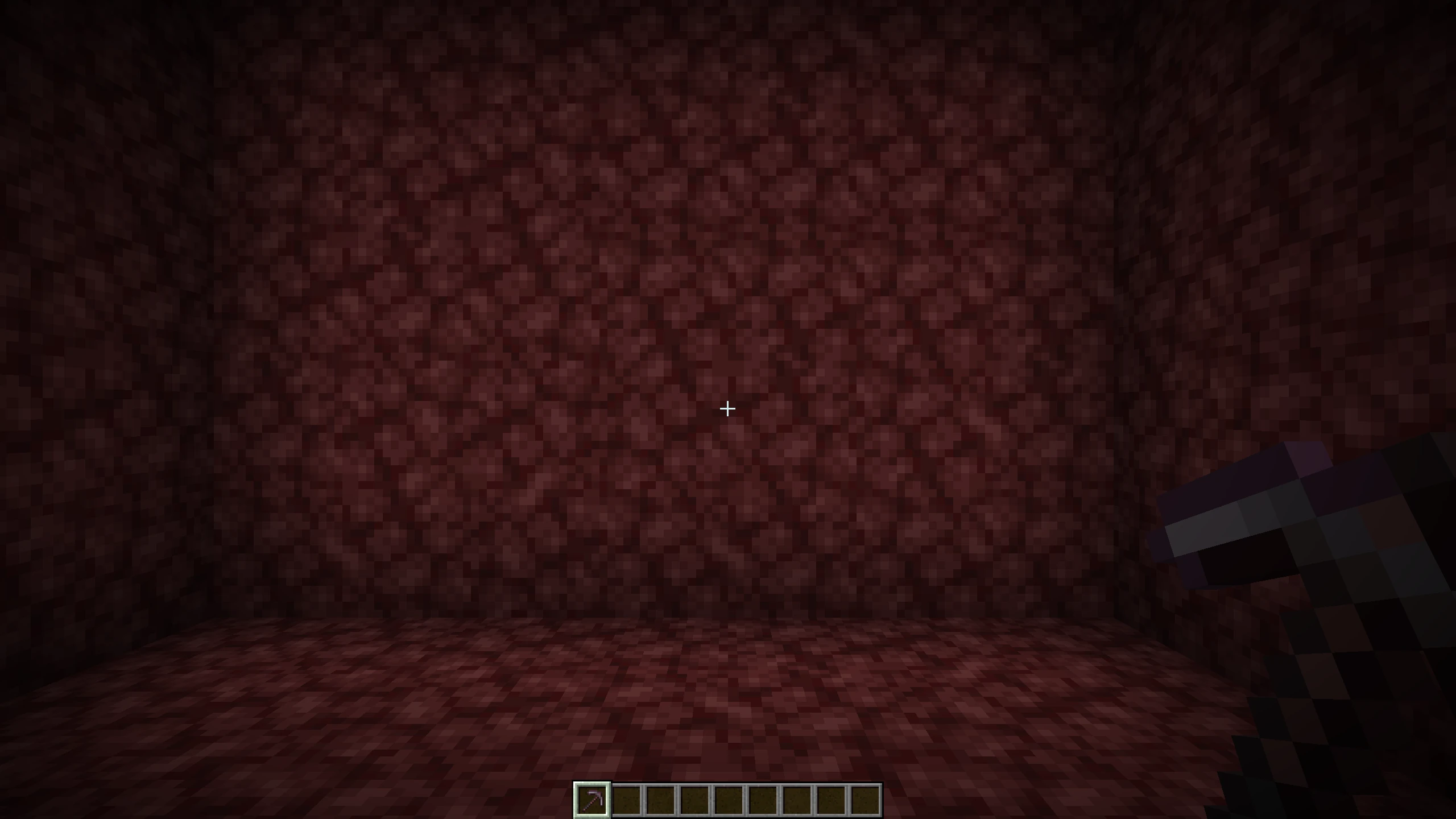
The biggest surprise for first-time users is how dark underground mining becomes. Minecraft's lighting engine calculates block illumination based on light sources like torches, lava pools, and direct sky access. Because solid stone is replaced by transparent wireframes rather than emitting light, sky light cannot travel down to bedrock, leaving underground air pockets at light level zero.
In unlit caverns, ore blocks render as murky, low-contrast silhouettes. You can detect their rectangular wireframe shapes, but distinguishing dark deepslate coal or iron from diamond can be difficult without squinting. To make the pack truly functional, pairing it with Night Vision potions, a Fullbright shader profile, or systematic torch placement is essential. Once Night Vision is active, every ore face pops with full saturation and crisp edge lines.
Nether ancient debris and concealed hazards
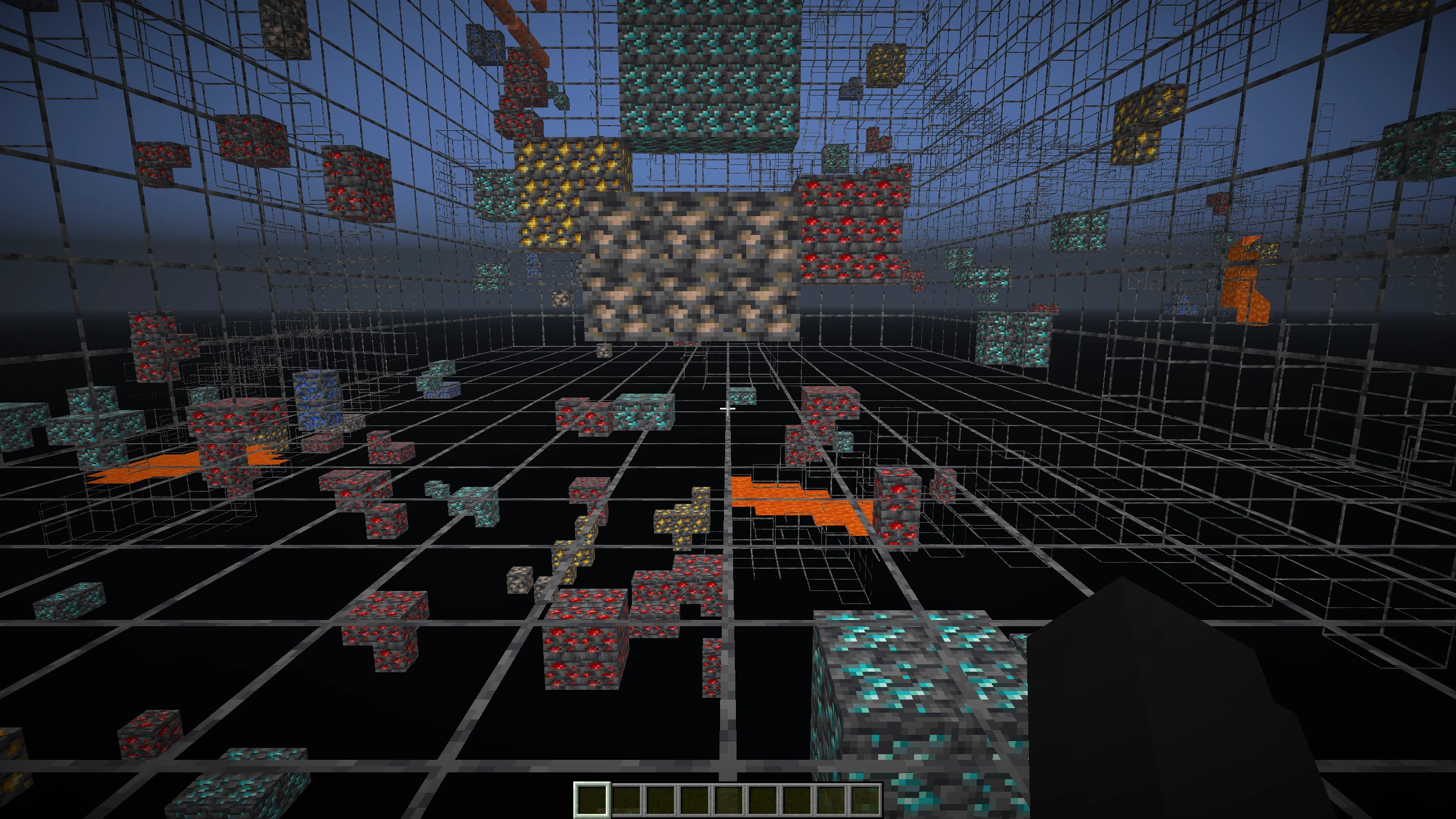
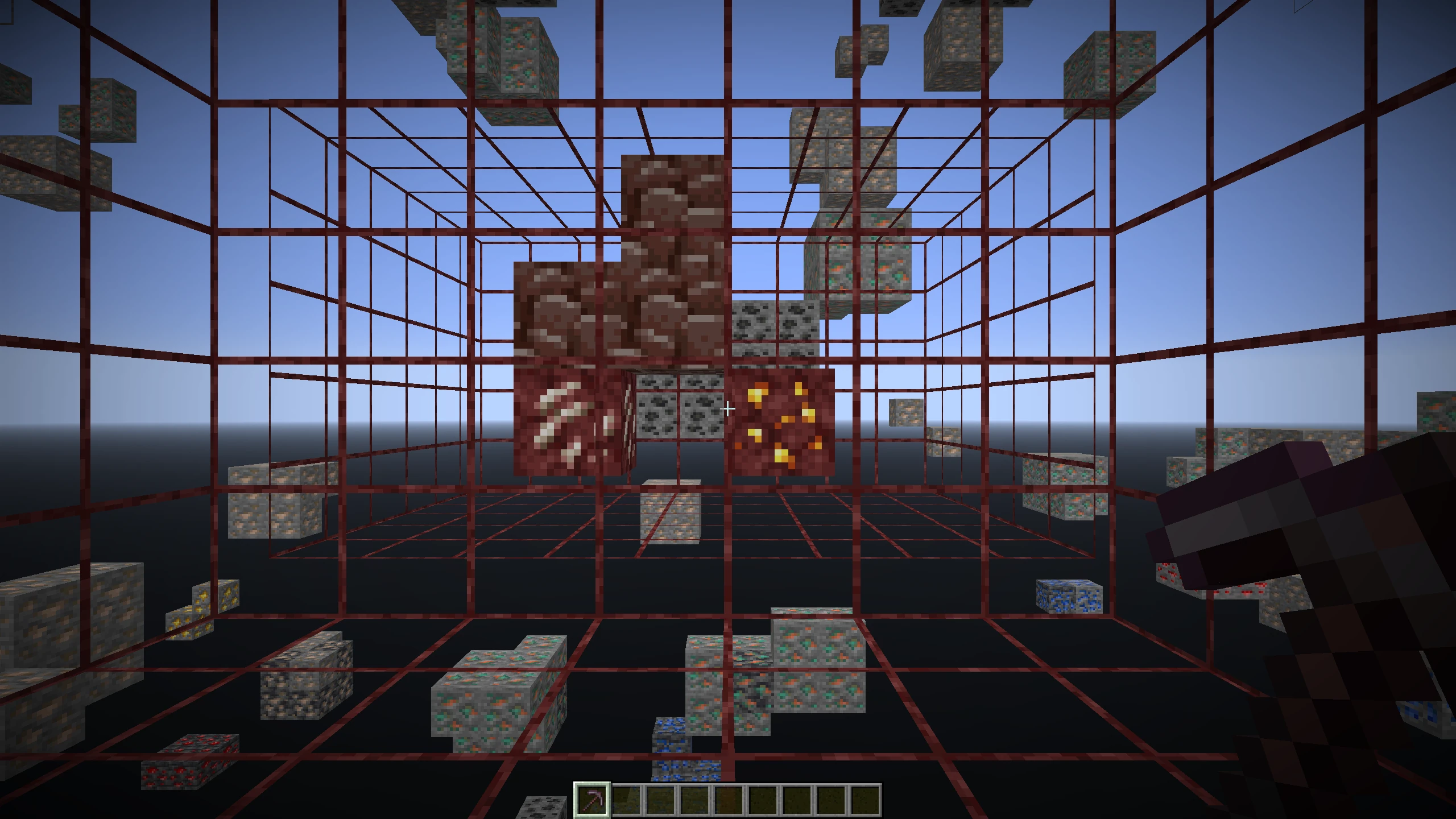
Searching for Ancient Debris in the Nether demonstrates both the speed and the dangers of wireframe mining. Netherrack turns into a deep crimson lattice, exposing the distinct striped patterns of Ancient Debris buried inside Nether walls. Finding isolated debris blocks at Y=14 becomes significantly faster than standard bed mining or TNT tunneling.
However, the wireframe view also reveals hidden hazards, particularly hidden lava pockets. Nether terrain frequently generates single-source lava blocks completely encased in rock directly above or adjacent to ancient debris. Mining straight toward an exposed block without checking the surrounding grid can release lava directly onto your character. Careful miners always excavate a buffer block to confirm the surrounding area is clear.
While transparent wireframes are powerful when hunting for buried resources, keeping the pack active during normal survival gameplay is nearly impossible. Walking across surface biomes or swimming through oceans turns the entire world into an overwhelming web of intersecting lines. Dirt, grass, sand, gravel, and water borders create dense visual noise that obscures mobs, drops, and terrain contours.
Underwater exploration is especially confusing, as seagrass and kelp float inside layered wireframe grids that make measuring water depth and swimming direction disorienting. For practical gameplay, Xray Ultimate functions best as a temporary inspection utility: toggle it on when locating specific subterranean resources, then switch back to a standard resource pack for building, combat, and general exploration.

Multiplayer anti-xray realities and server restrictions
Using Xray Ultimate on multiplayer servers comes with severe technical and administrative limitations. Nearly all modern survival and SMP servers run server software like Paper, Purpur, or Spigot equipped with built-in Anti-Xray engines:
- Engine Mode 1 (Block Hiding): The server refuses to send block data for ores completely surrounded by solid stone. To the client, those blocks do not exist until an adjacent block is broken. With Xray Ultimate enabled, you will see hollow wireframes with no ores inside until you mine into the wall.
- Engine Mode 2 (Block Obfuscation): The server replaces all hidden stone packets with fake randomized ores. Your screen will display a chaotic, overwhelming wall of fake diamonds, emeralds, and gold. As soon as you dig toward them, they turn back into regular stone.
Beyond technical obfuscation, virtually every public server explicitly bans x-ray resource packs under their unfair advantage rules. Server monitoring plugins track mining ratios and player movement vectors, automatically flagging accounts that dig directly toward valuable veins without natural exploration patterns. Xray Ultimate is best reserved for single-player worlds, technical redstone mapping, creative build auditing, or private cooperative servers where all participants agree on its use.
Our test setup
| Game | Minecraft Java Edition 26.2 |
|---|---|
| Pack release | Xray Ultimate 26.X v5.4.2 (pack_format: 88) |
| Rendering engine | Fabric Loader 0.19.3; Fabric API 0.158.0+26.2; Sodium 0.9.1; Iris 1.11.2 with shaders disabled |
| Resolution | 2560 × 1440 native capture, GUI scale 3 |
| Demonstration scenes | Deepslate diamond vein, unlit natural cave vs Night Vision, Nether Ancient Debris with lava pocket, and seabed wireframe clutter |
| Lighting observation | Transparent stone does not transmit sky light; Night Vision or high block lighting is required for practical ore visibility |
| Multiplayer behavior | Subject to Paper/Purpur Anti-Xray Engine Mode 1 (block hiding) and Mode 2 (scrambled fake ores) |
Download and install
Choose the Java Edition file for your exact game version on the creator’s page. In Minecraft, open Options → Resource Packs → Open Pack Folder, place the ZIP there, then move the pack into the selected column.
The download is hosted by the creator, not MC Toolbox. Check the file and version before installing.