Minecraft resource pack guide
Default HD 128x
Vanilla textures redrawn at 128x with smooth shading; the free demo covers 549 block textures.
Java Edition · 128x · by thebaum64
+71 moreHide versions
All 75 listed versions (releases 1.8 to 26.3)
- 26.x
- 26.3 · 26.2 · 26.1.2 · 26.1.1 · 26.1
- 1.21
- 1.21.11 · 1.21.10 · 1.21.9 · 1.21.8 · 1.21.7 · 1.21.6 · 1.21.5 · 1.21.4 · 1.21.3 · 1.21.2 · 1.21.1 · 1.21
- 1.20
- 1.20.6 · 1.20.5 · 1.20.4 · 1.20.3 · 1.20.2 · 1.20.1 · 1.20
- 1.19
- 1.19.4 · 1.19.3 · 1.19.2 · 1.19.1 · 1.19
- 1.18
- 1.18.2 · 1.18.1 · 1.18
- 1.17
- 1.17.1 · 1.17
- 1.16
- 1.16.5 · 1.16.4 · 1.16.3 · 1.16.2 · 1.16.1 · 1.16
- 1.15
- 1.15.2 · 1.15.1 · 1.15
- 1.14
- 1.14.4 · 1.14.3 · 1.14.2 · 1.14.1 · 1.14
- 1.13
- 1.13.2 · 1.13.1 · 1.13
- 1.12
- 1.12.2 · 1.12.1 · 1.12
- 1.11
- 1.11.2 · 1.11.1 · 1.11
- 1.10
- 1.10.2 · 1.10.1 · 1.10
- 1.9
- 1.9.4 · 1.9.3 · 1.9.2 · 1.9.1 · 1.9
- 1.8
- 1.8.9 · 1.8.8 · 1.8.7 · 1.8.6 · 1.8.5 · 1.8.4 · 1.8.3 · 1.8.2 · 1.8.1 · 1.8
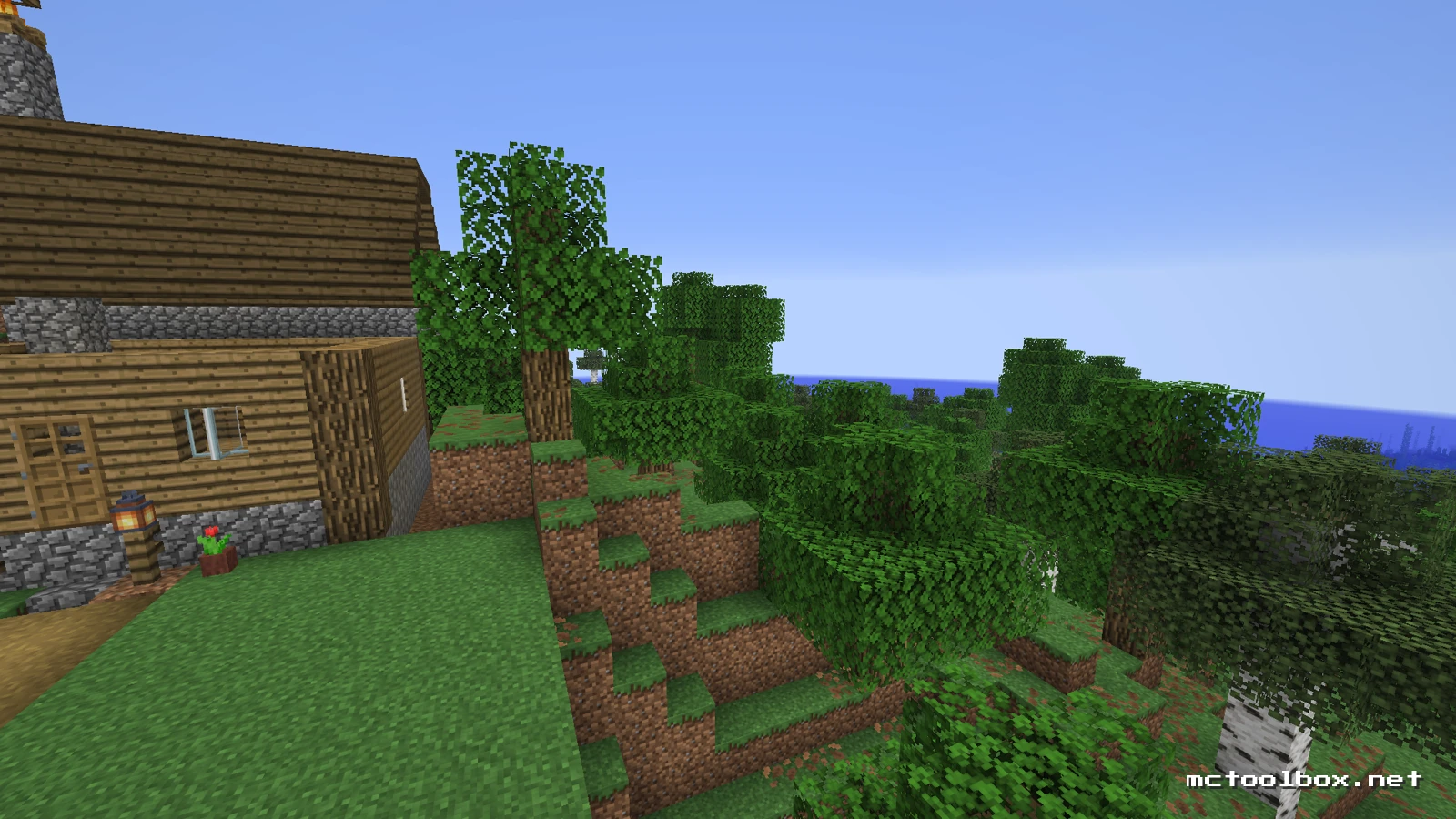
Default HD 128x by thebaum64 redraws Minecraft's textures at 128x128 with soft shading while keeping the vanilla look. We tested the free Demo 1.8.2.7 on 26.3 and counted what it covers.
In this guide7 sections
Default HD 128x is thebaum64's take on vanilla Minecraft at eight times the resolution. The page says it keeps "the original style and pixels, just shaded and in HD"; the author first made it in 2015, kept it updated until 1.8, took a long break, and has been updating it again on Modrinth since 2023.
The free download is a demo. The page says the demo "has a handful of textures at the 128x resolution" and that the beta on Patreon "has much more done". To see what "a handful" means, we counted the files in Demo 1.8.2.7: of 976 block textures, 549 are 128x128 and 380 are still 16x16, alongside 433 item and 400 entity textures. Stone, cobblestone, dirt, grass, planks, bricks, leaves and all ten ores are covered. Copper blocks, mud bricks, stripped oak logs and raw iron blocks are not in the zip at all, so they stay vanilla.
How we tested
We tested Demo 1.8.2.7 on Minecraft Java Edition 26.3 with no mods: no OptiFine, Iris or shaders. Each pair was taken from the same coordinates and view in one world at noon in clear weather, with time and weather frozen, the HUD hidden and render distance 16. Between the two shots of a pair, only the resource pack changed.
Stone, ores and the showcase wall
The biggest changes are on masonry and ores. Stone gets a layered texture of small flat stones, cobblestone is redrawn as rounder, lighter stones, and stone bricks get bevelled edges. The colors stay close to vanilla, so a build keeps its palette while the surfaces look smoother.
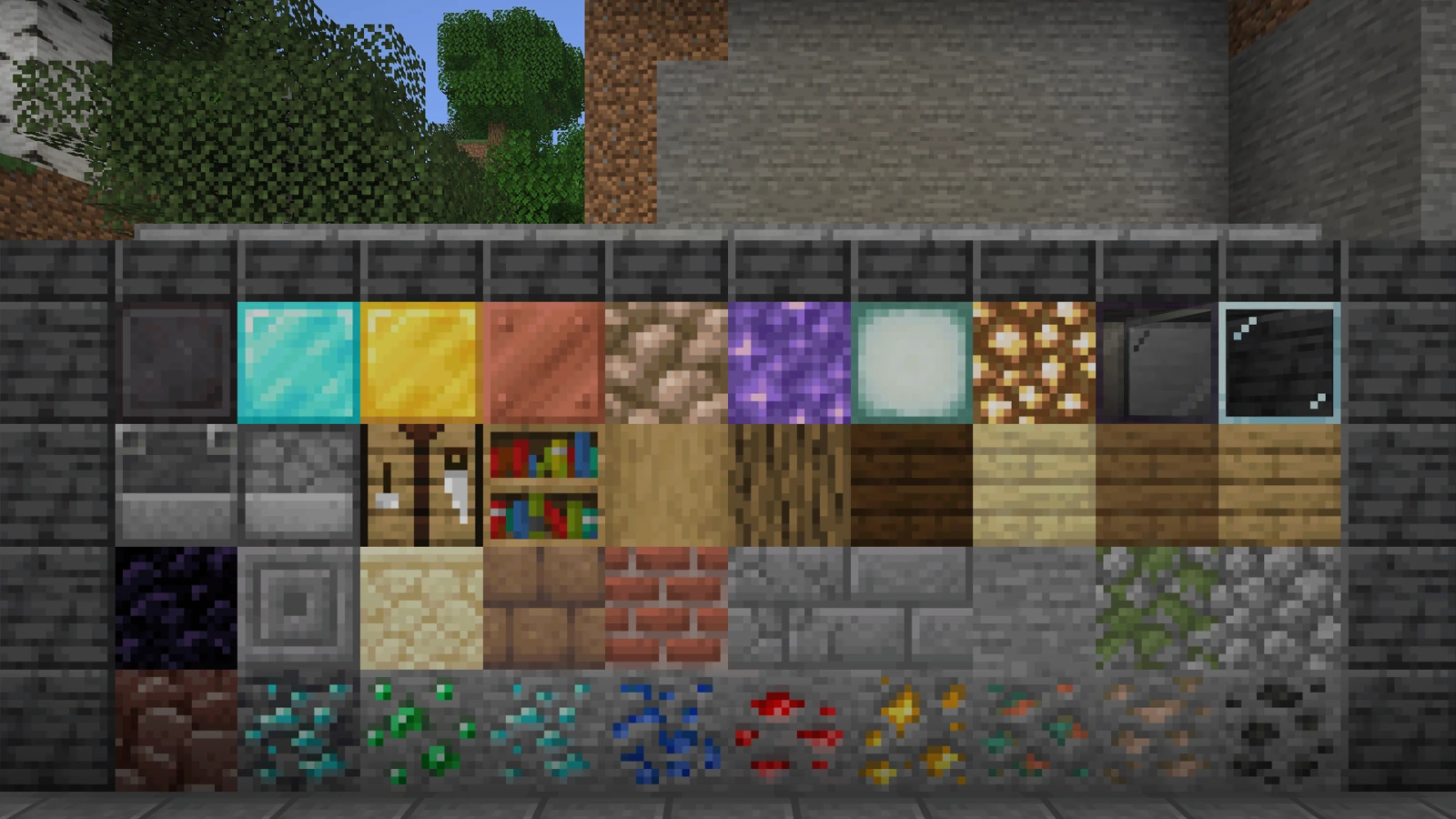
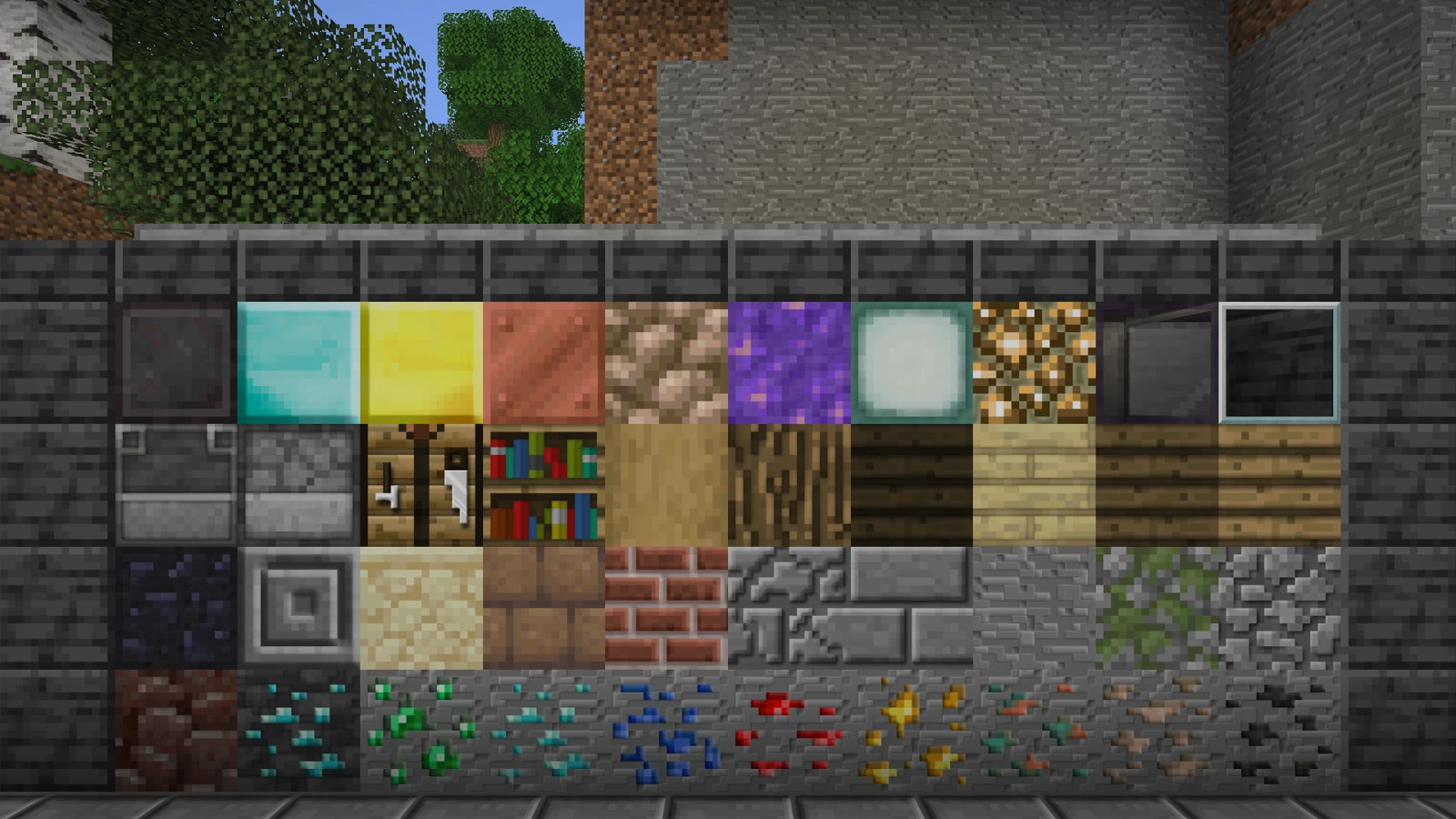
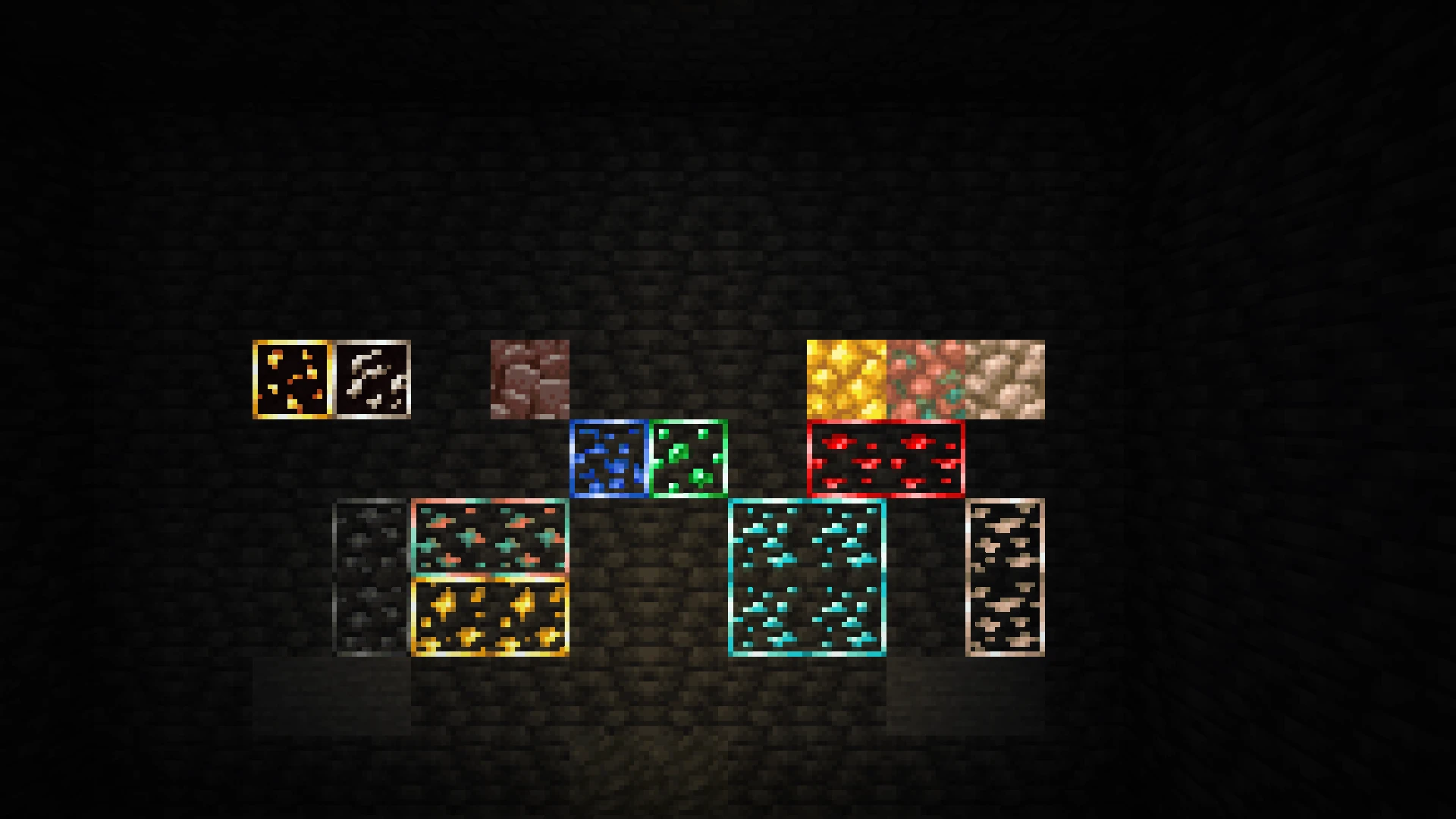
On the showcase wall, the ores sit on the new stone texture, with the gems drawn as small shaded crystals. Planks get finer grain lines, the crafting table's tools are shaded metal, and the bookshelf has a different row of books. Diamond and gold blocks lose vanilla's diagonal shine for a soft gradient. Blocks the demo does not cover, such as the copper block, look exactly as they do in vanilla.
Terrain and leaves
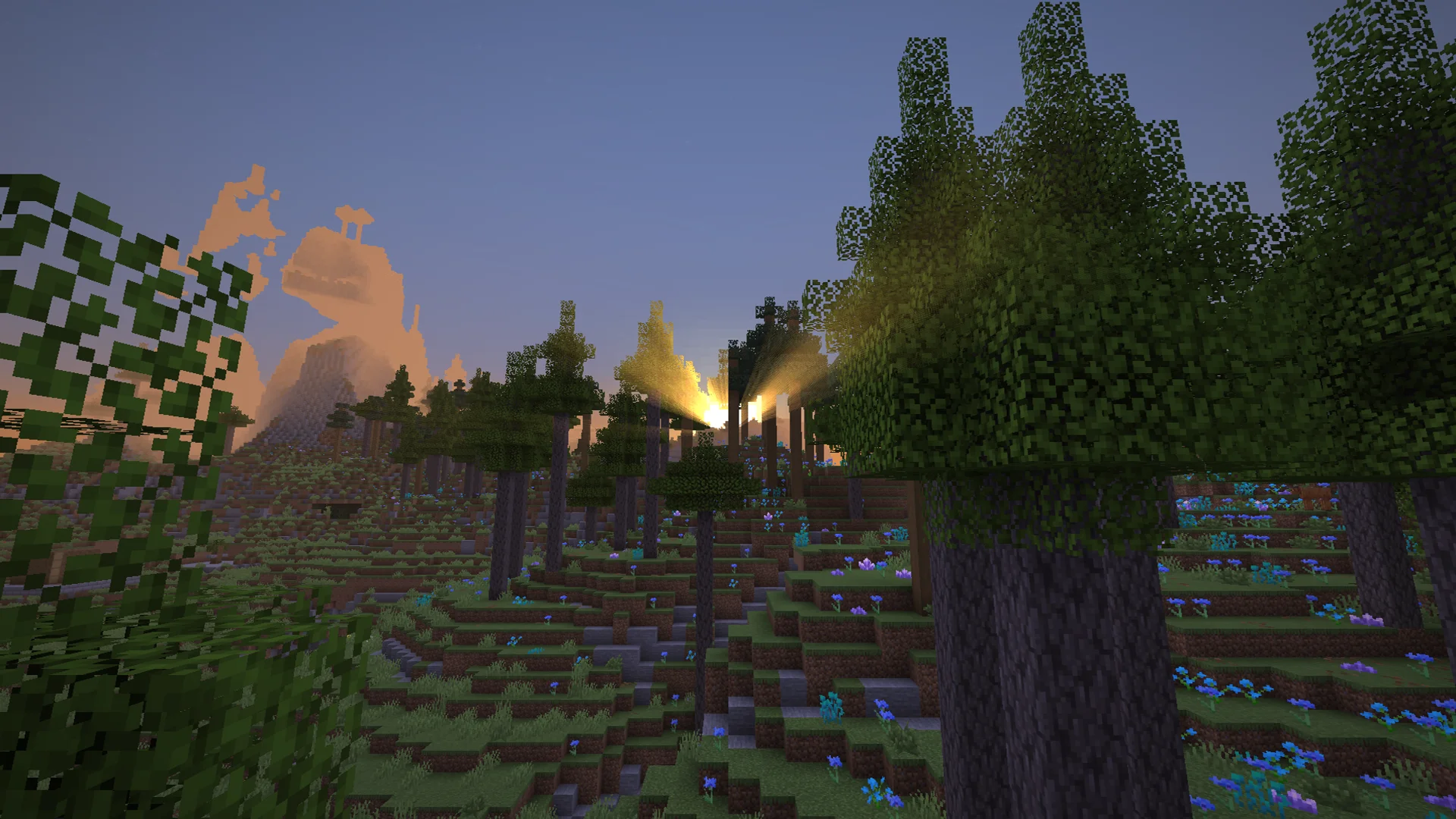
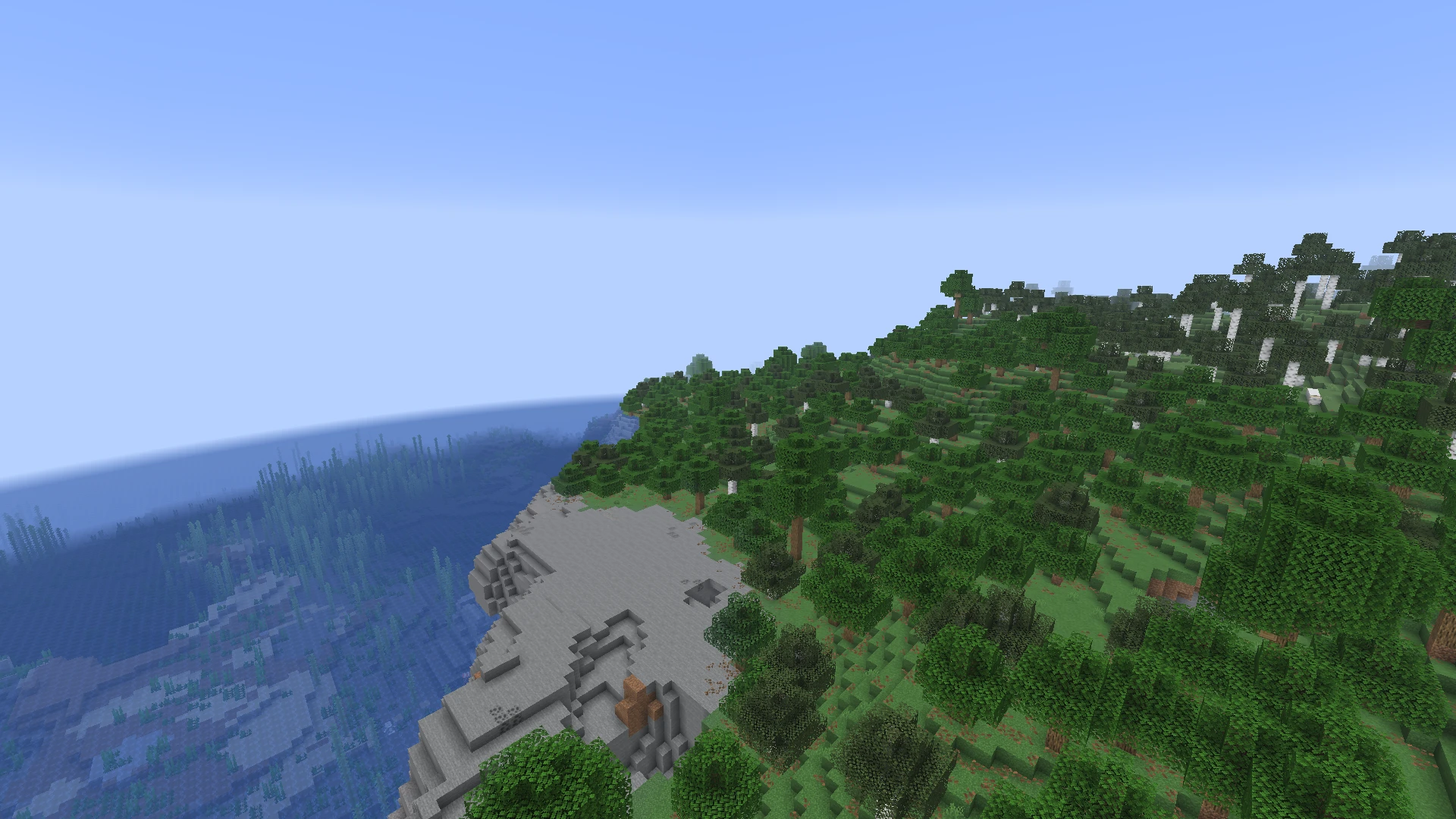
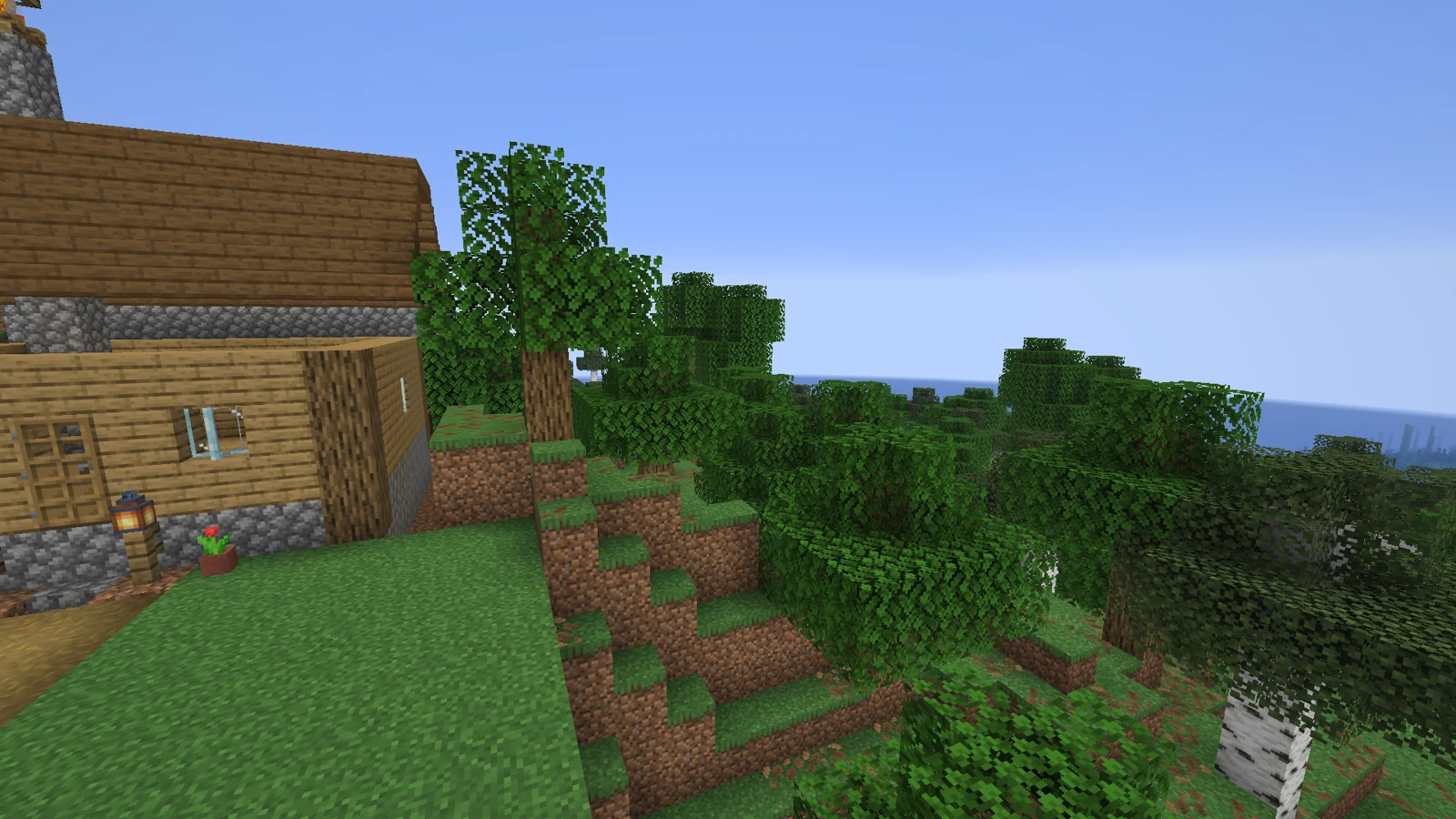
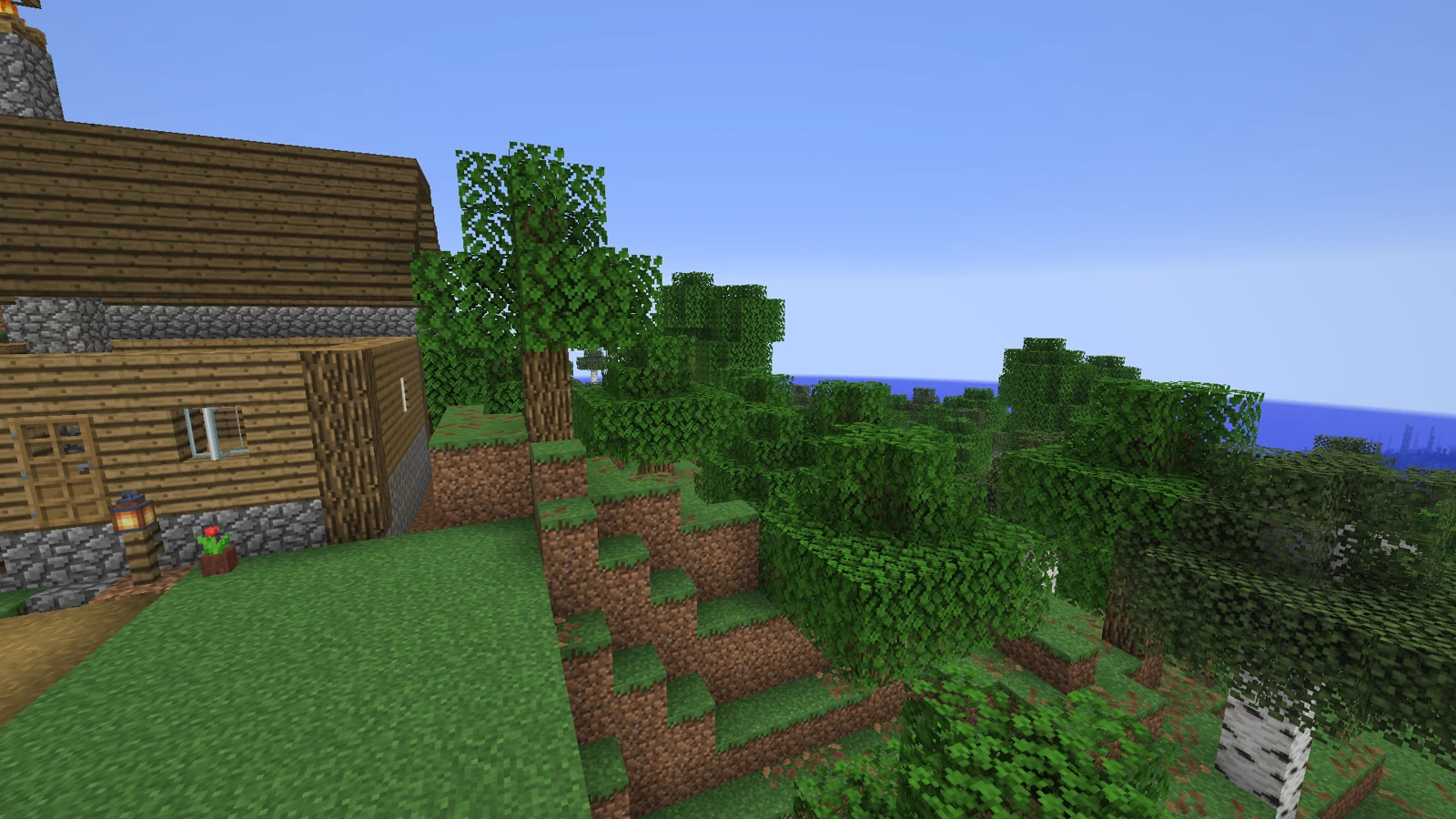
From a distance, the hillside changes far less than the wall. Dirt has rounder pebbles up close (see the close-up below), but from here the slope and the canopy look much the same: the demo does include 128x oak and birch leaves, and they follow the vanilla leaf pattern closely.
On a building
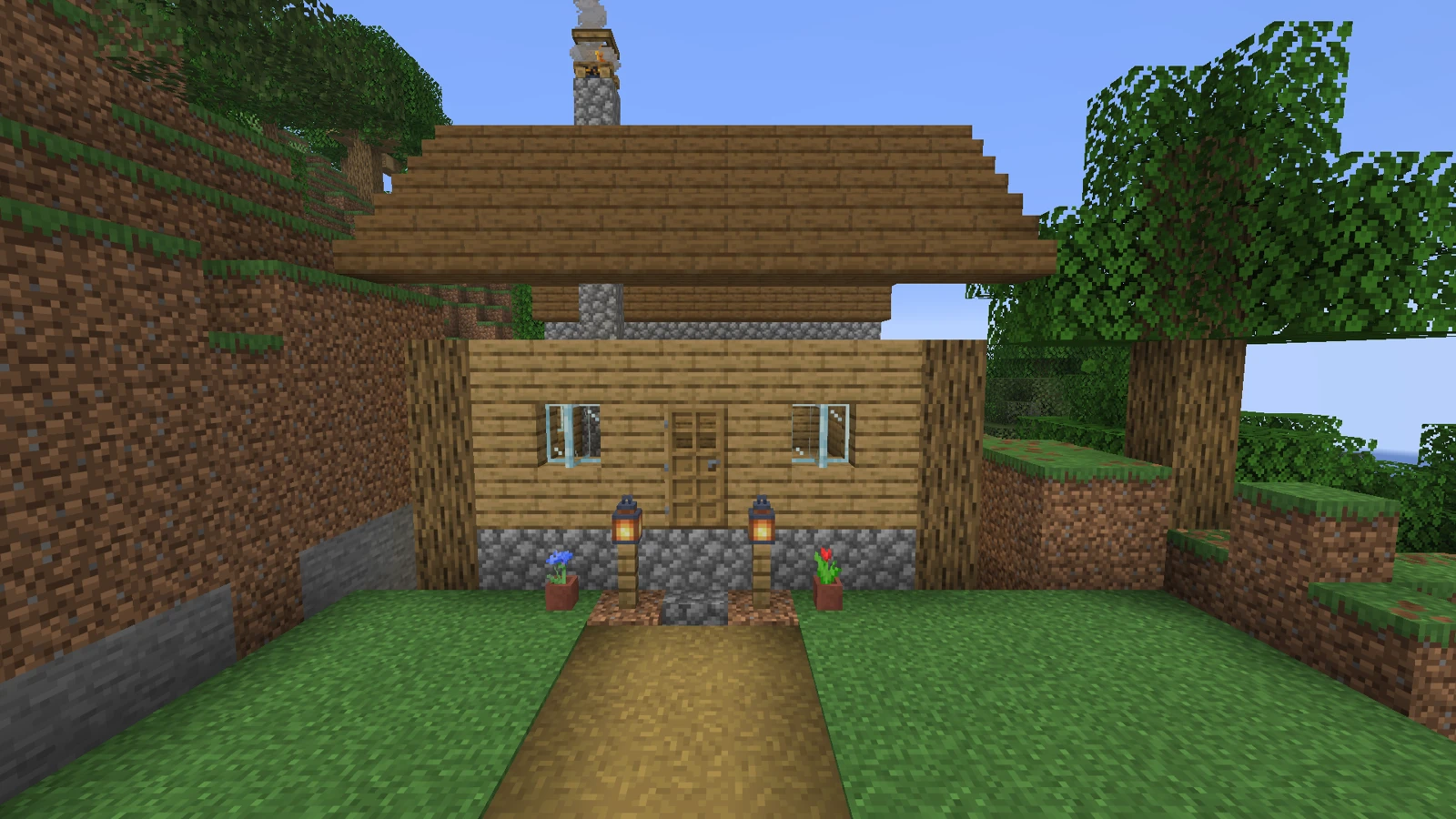
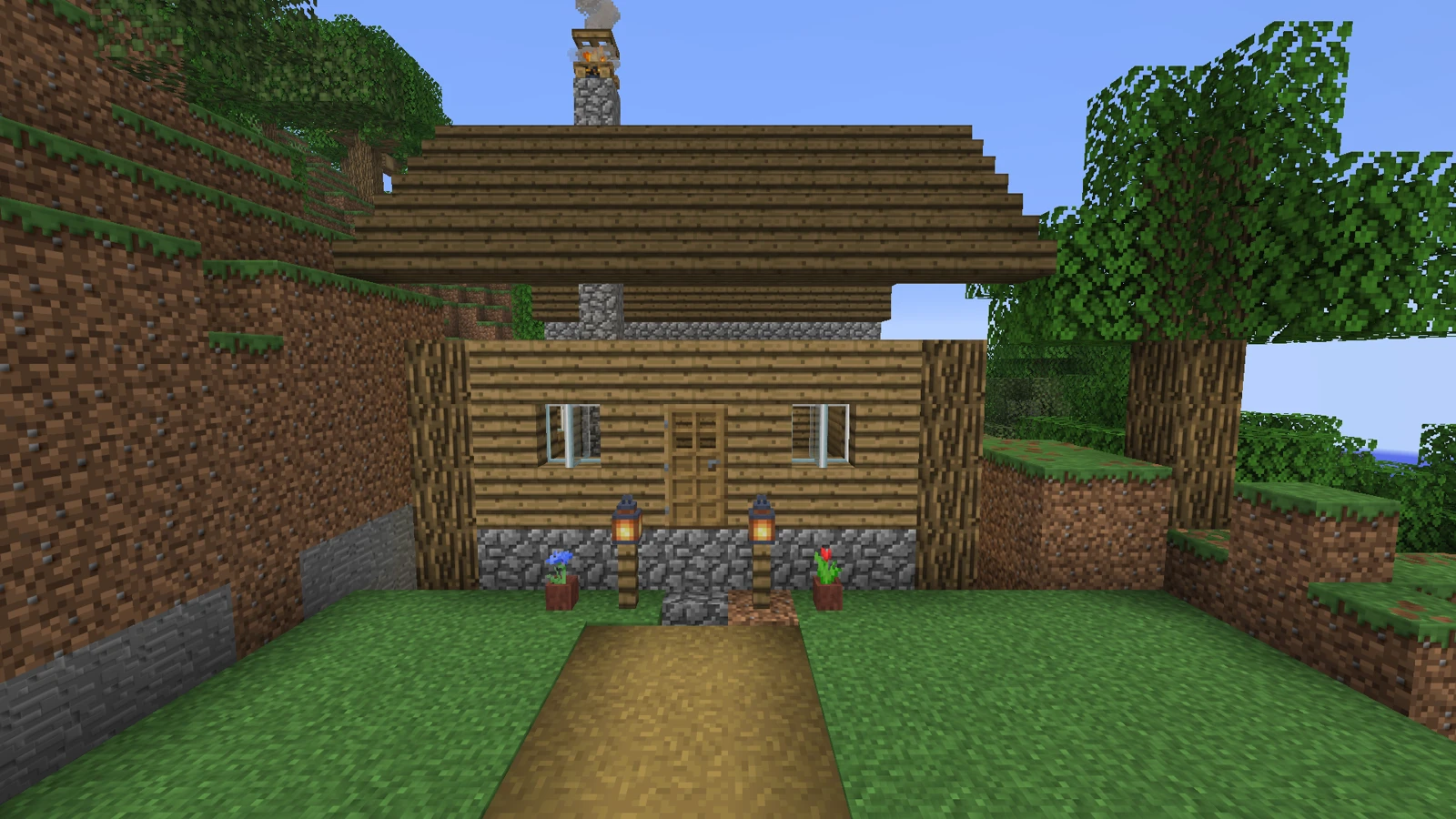
On the cottage, the cobblestone foundation and chimney are where the pack shows most. The spruce roof turns darker, with clear grain on each step, while the oak plank walls stay close to vanilla. Doors, lanterns and flower pots look much the same.
Up close: what the demo covers
Examining individual blocks from two blocks away illustrates the direct contrast between materials upgraded by the demo and those left in standard resolution. In our close-up test display, six retextured blocks (diamond ore, oak planks, cobblestone, crafting table, bookshelf, and stone bricks) are placed directly alongside two blocks left vanilla (copper block and raw iron block).
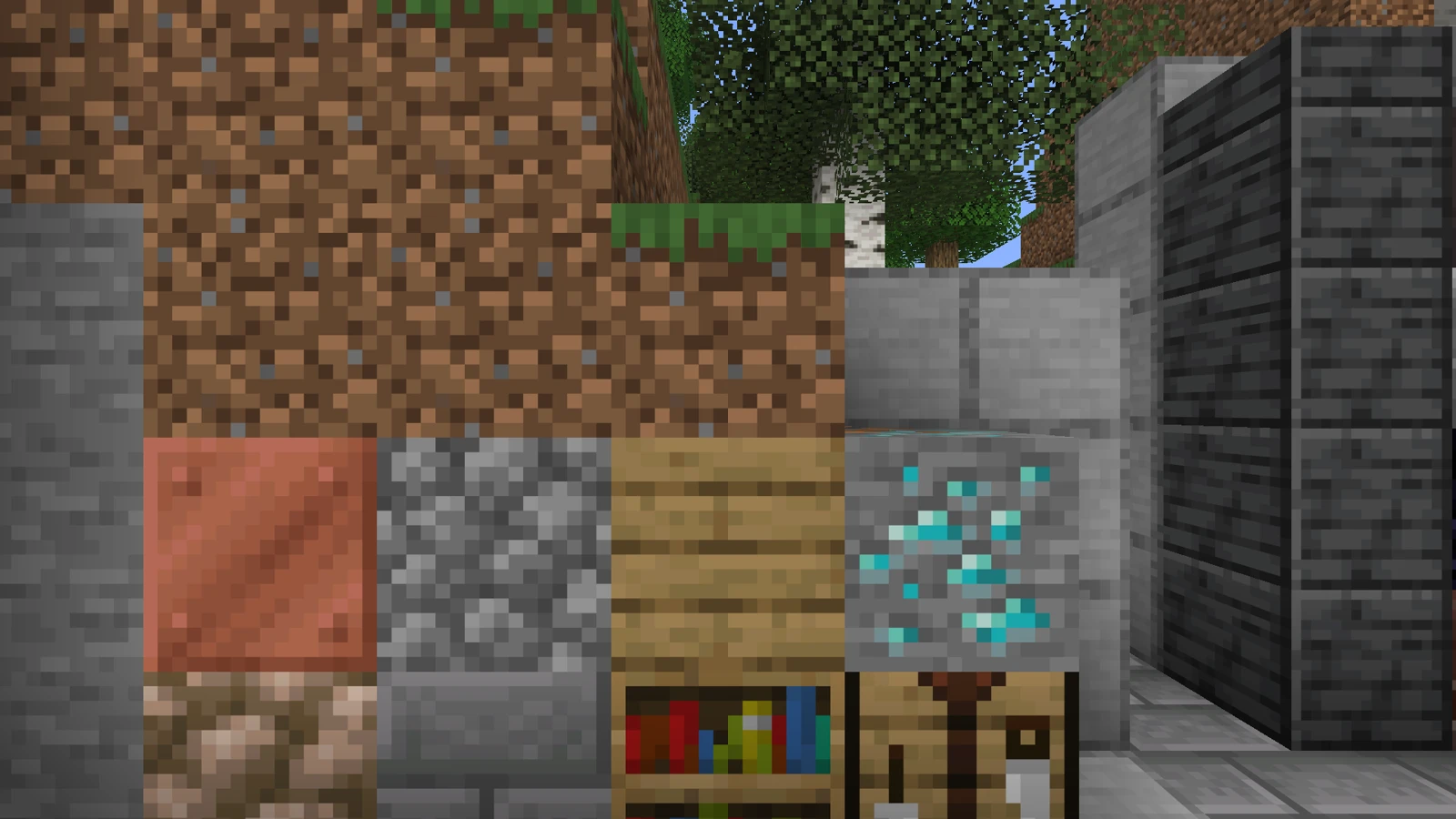
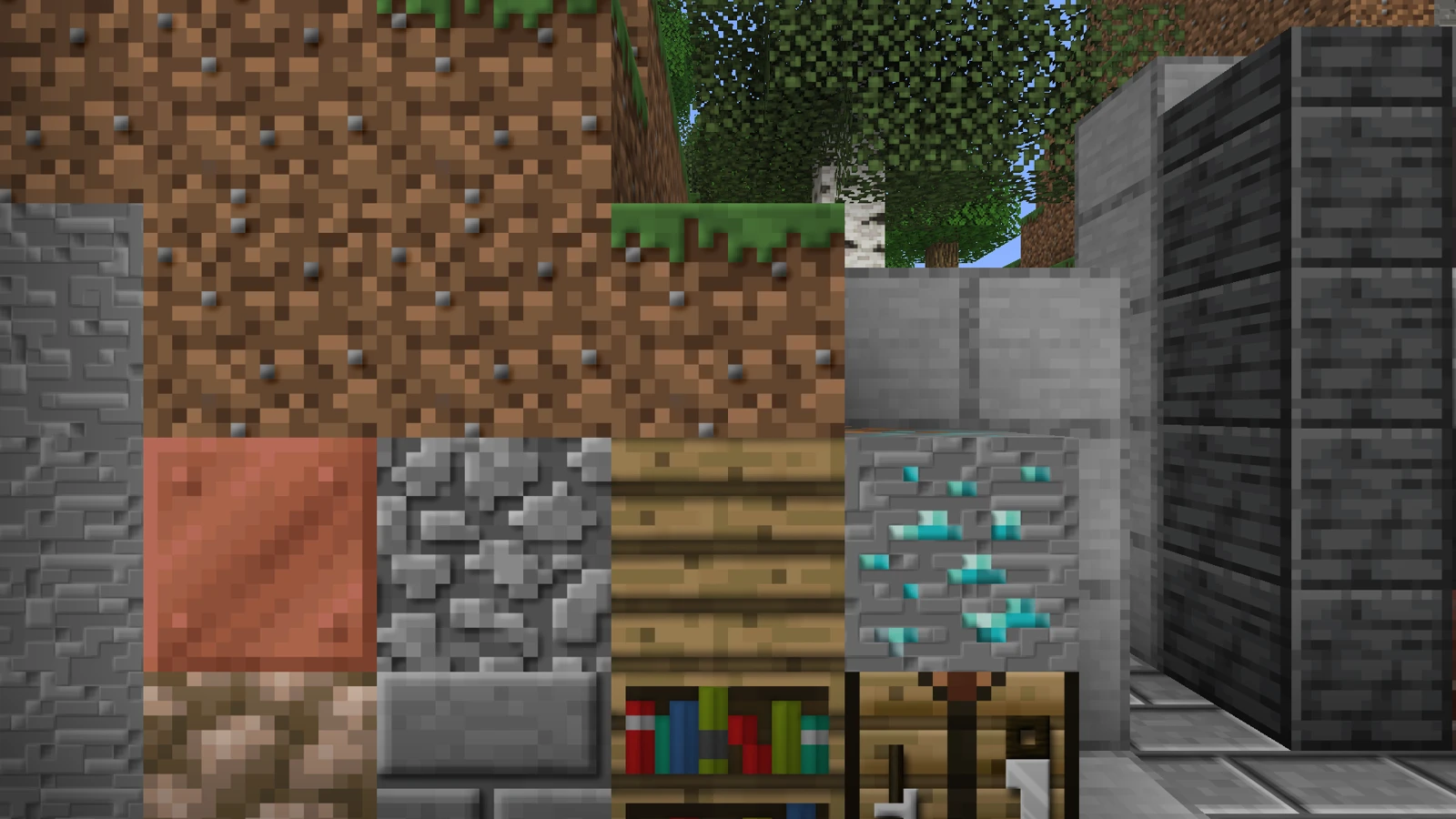
Up close, the redrawn blocks show the extra resolution clearly: diamond ore, cobblestone, planks, the bookshelf and the crafting table all have finer detail and soft shading, while the copper and raw iron blocks keep their 16-pixel grid. In a real build, that mix is the main thing to know about the demo: common survival blocks are covered, newer ones often are not.
Versions and installation
The 1.8.2.7 file on Modrinth lists 75 release versions, from 1.8 through 26.3. Its pack.mcmeta declares formats 15 to 1000, both in the older supported_formats field and in the newer min_format and max_format fields, and the pack loaded on vanilla 26.3 without changes. It needs no mod loader.
The zip also has optifine and mcpatcher folders under assets/minecraft, with 111 files each for connected glass, custom colors and mob variants. Those only apply with a mod that reads them; everything we tested worked in plain vanilla.
- 1
Download the pack archive
Download the appropriate version archive from the official Modrinth project page.
- 2
Open the resource pack folder
Launch Minecraft, open Options from the title menu, select Resource Packs, and click Open Pack Folder to display your local directory.
- 3
Move the archive into place
Copy or move the downloaded zip file directly into the resourcepacks directory without unpacking it.
- 4
Activate Default HD 128x
Return to the in-game menu, select Default HD 128x from the Available list to move it to Selected, and click Done to apply the pack.
Our test setup
| game Version | 26.3 |
|---|---|
| pack Version | Demo 1.8.2.7 |
| edition | Java |
| client | Vanilla Java Edition |
| resolution | 1920x1080 |
| lighting | Midday, clear weather |
Download and install
Choose the Java Edition file for your exact game version on the creator’s page. In Minecraft, open Options → Resource Packs → Open Pack Folder, place the ZIP there, then move the pack into the selected column.
The download is hosted by the creator, not MC Toolbox. Check the file and version before installing.
Common questions
Does Default HD 128x require OptiFine or shader mods to work?
No. Default HD 128x functions directly in vanilla Minecraft Java Edition as a standard resource pack. It does not require OptiFine, Iris, or shader mods to display its 128x textures and shaded surfaces.
Which Minecraft versions are supported by Default HD 128x?
The 1.8.2.7 file on Modrinth lists 75 release versions from 1.8 through 26.3. Its pack.mcmeta declares formats 15 to 1000, and it loaded on vanilla 26.3 in our test.
What is included in the free demo release of Default HD 128x?
In Demo 1.8.2.7, 549 of the 976 block textures are 128x128 and 380 are still 16x16. Stone, cobblestone, dirt, grass, planks, leaves and all ten ores are covered; copper blocks, mud bricks and raw iron blocks are not. The page says the Patreon beta has much more done.
Does Default HD 128x alter block models or lighting engines?
No. The zip has no model or blockstate files, only textures, so block shapes and lighting stay vanilla.