Minecraft resource pack guide
New Glowing Ores
Default and Border packs tested on Minecraft 26.3 Fabric with Continuity.
Java Edition · 16x · by GridExpert
+13 moreHide versions
All 17 listed versions (releases 1.21 to 26.3)
- 26.x
- 26.3 · 26.2 · 26.1.2 · 26.1.1 · 26.1
- 1.21
- 1.21.11 · 1.21.10 · 1.21.9 · 1.21.8 · 1.21.7 · 1.21.6 · 1.21.5 · 1.21.4 · 1.21.3 · 1.21.2 · 1.21.1 · 1.21
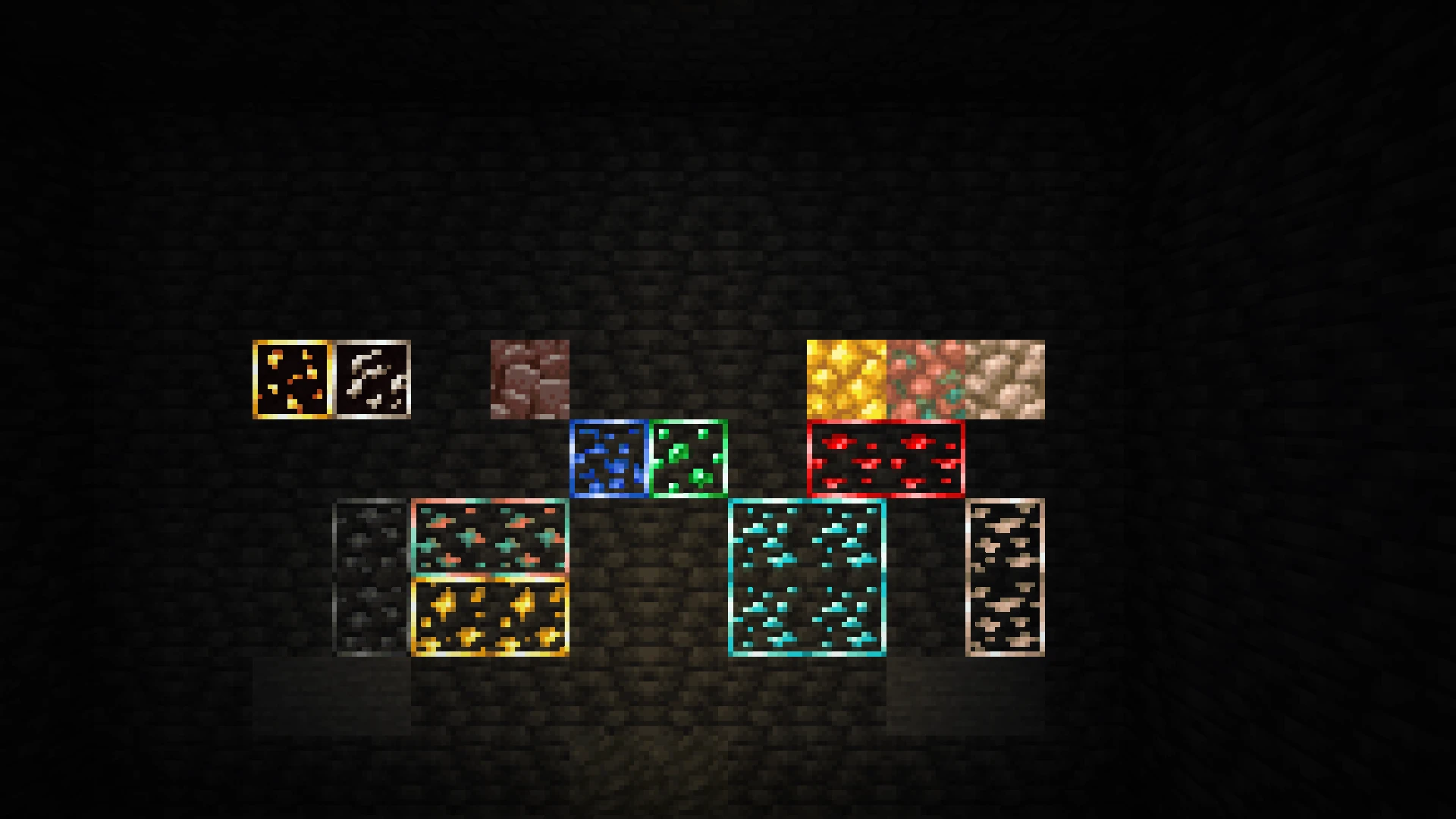
New Glowing Ores makes mineral blocks visible in dark caves by adding emissive textures and connected outlines. We tested both Default and Border archives on Minecraft 26.3 Fabric with Continuity 3.0.1.
In this guide9 sections
New Glowing Ores does not make ores glow on its own. The pack contains no mod code or shader programs. It relies on external graphics mods to parse its OptiFine emissive properties and connected texture metadata. In an unmodded client the ores keep their normal look, with no glow in dark caves.
The project offers two downloads on Modrinth: Default and Border. The Default pack makes only the mineral flecks glow in dim tunnels. The Border pack adds color-matched, connected borders around touching ore blocks, turning veins into visible clusters.
Loader setup and dependency requirements
Because New Glowing Ores uses the OptiFine configuration format, each loader requires specific mods to activate its features:
- Fabric: Install Continuity and Fabric API. Continuity handles both emissive textures and connected borders. Indium is needed only with Sodium 0.5.x or lower. On Minecraft 26.3, we tested Continuity 3.0.1+26.3 with Fabric API 0.162.0 without Sodium, because Sodium's 26.3 release is an alpha.
- NeoForge: Install Continuity and Sinytra Connector.
- Forge and Vanilla: The project page lists OptiFine. However, the page notes that the Border version needs Continuity and does not work with OptiFine. On Forge with OptiFine, only the Default pack works.
The page states the pack works on any release above 1.17 when dependencies are installed.
What the Default and Border zips contain
Both archives share a pack.mcmeta with pack_format: 34 and the description v2.0-1.21+ | by GridExpert. In the raw download, supported_formats specifies min_inclusive: 8 and max_inclusive: 69. Minecraft 26.3 rejects that metadata: a resource pack that declares support beyond format 64 must also give min_format and max_format, so neither zip loads in 26.3 as downloaded. For our test we added "min_format": 8 and "max_format": 1000 to pack.mcmeta in both zips; that was the only change we made.
The Default archive contains 90 files and zero connected texture properties. Under assets/minecraft/, it stores 39 textures. Its optifine/emissive.properties file sets suffix.emissive=_e. For each ore, an overlay texture ending in _e.png illuminates mineral flecks. This covers coal, iron, copper, gold, redstone, lapis, diamond, emerald, and deepslate variants, as well as nether gold, nether quartz, raw metal blocks, ancient debris, and suspicious sand and gravel.
The Border archive contains 449 files. It retains the emissive setup and adds 32 connected texture folders under optifine/ctm/ores/. Each folder has a connect.properties file using ctm_compact with innerSeams=true and tiles=0-4. Each mineral has five border textures (0.png through 4.png) and five emissive border overlays (0_e.png through 4_e.png).
In-game comparison: Vanilla, Default, and Border
We built an underground deepslate cave wall containing every ore type, raw metal blocks, and ancient debris, capturing all three states from an identical viewpoint under dim torch lighting.
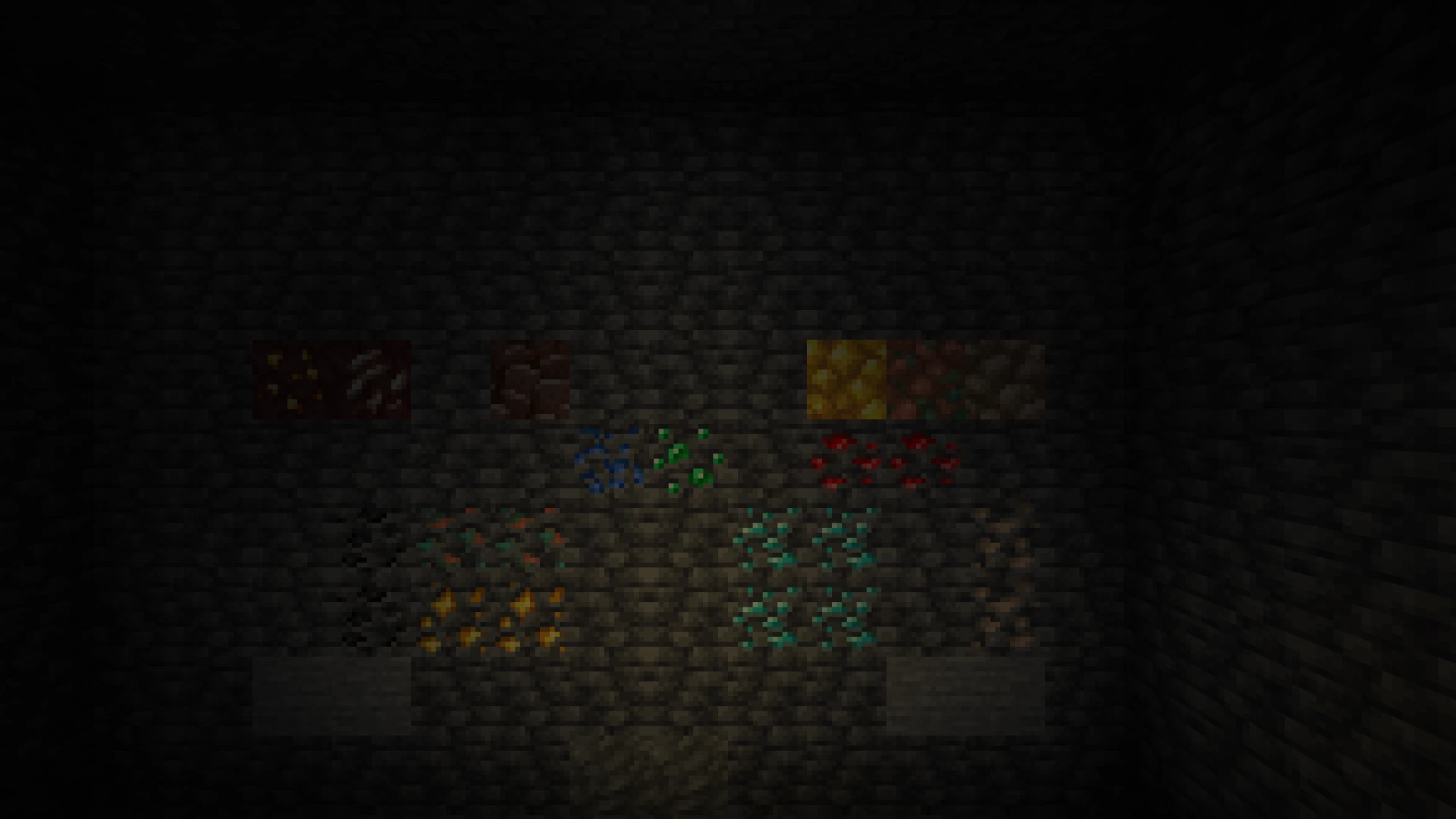
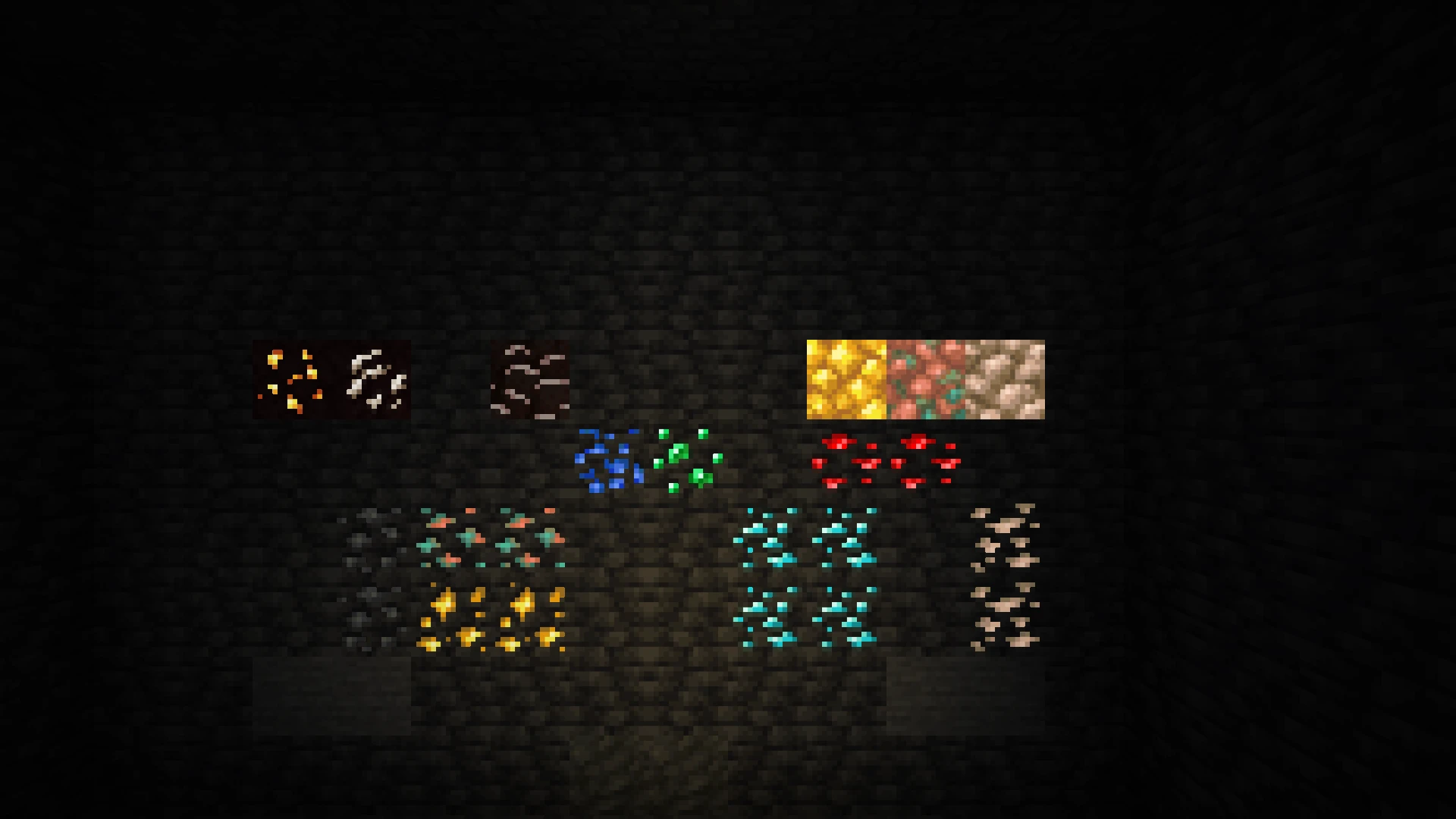
In vanilla Minecraft, deepslate ores blend heavily into the dark stone background. With the Default pack enabled, the mineral flecks immediately pop with rich, unshaded color. The deepslate rock matrix around the ore retains its natural cave shading, but the mineral crystals shine through the shadows.
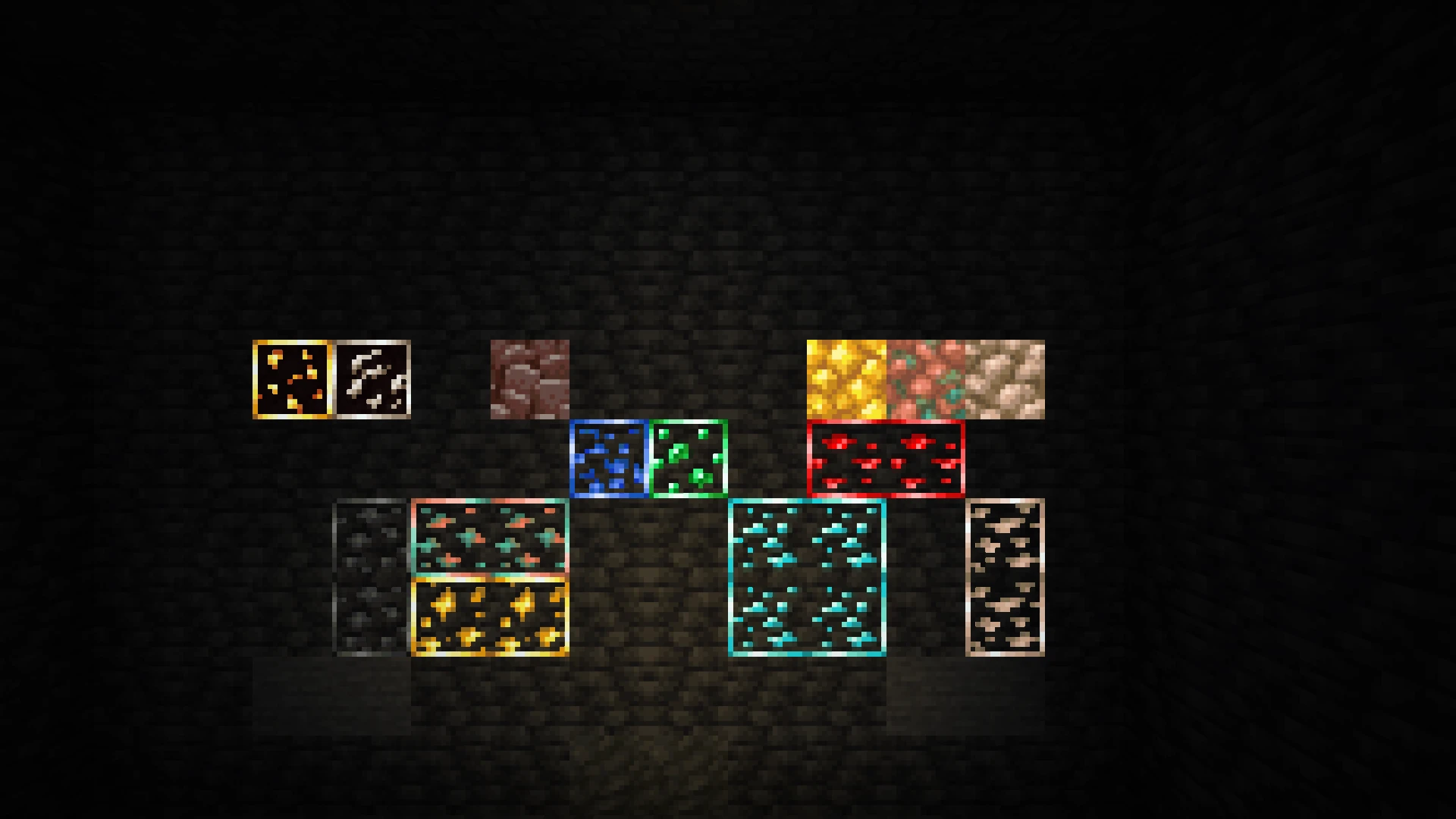
Switching to the Border pack introduces vivid outline boxes around each mineral. New Glowing Ores tints each border to match the ore: cyan for diamond, gold for gold ore, peach for iron, red for redstone, blue for lapis, green for emerald, and grey for coal. Ancient debris and raw ore blocks glow, but receive no borders because they have no CTM files.
Ores in full darkness: do they light up the cave?
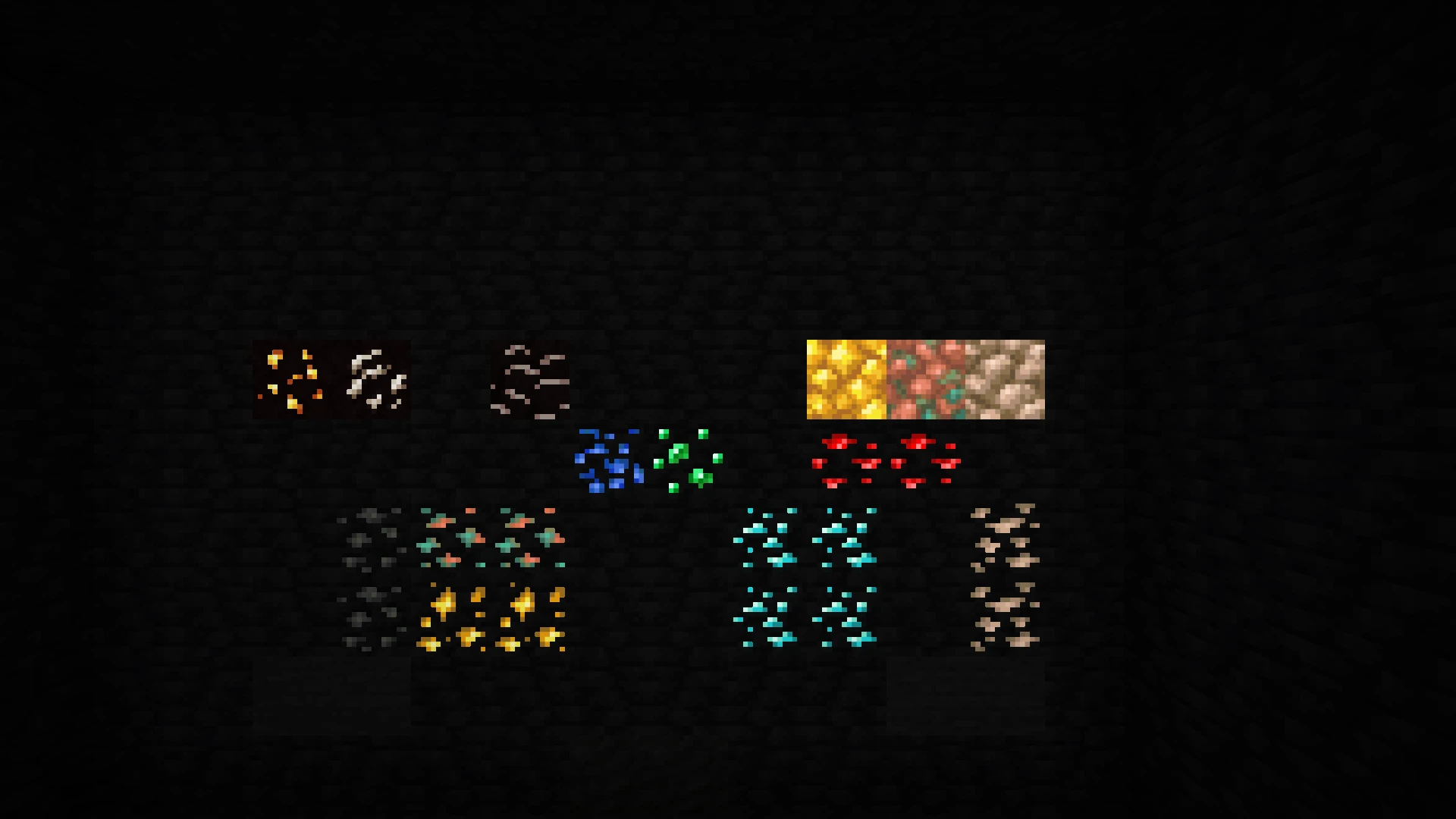
In complete darkness at light level zero, the emissive texture glow illuminates only the ore pixels themselves. The mineral specks render at full brightness on screen, making them effortless to spot from across a vast cavern. However, the ores do not cast ambient block light onto adjacent surfaces. Surrounding deepslate and stone remain pitch black, meaning torches and lanterns are still required to prevent hostile mob spawns and navigate safely.
Connected outlines on multi-block veins
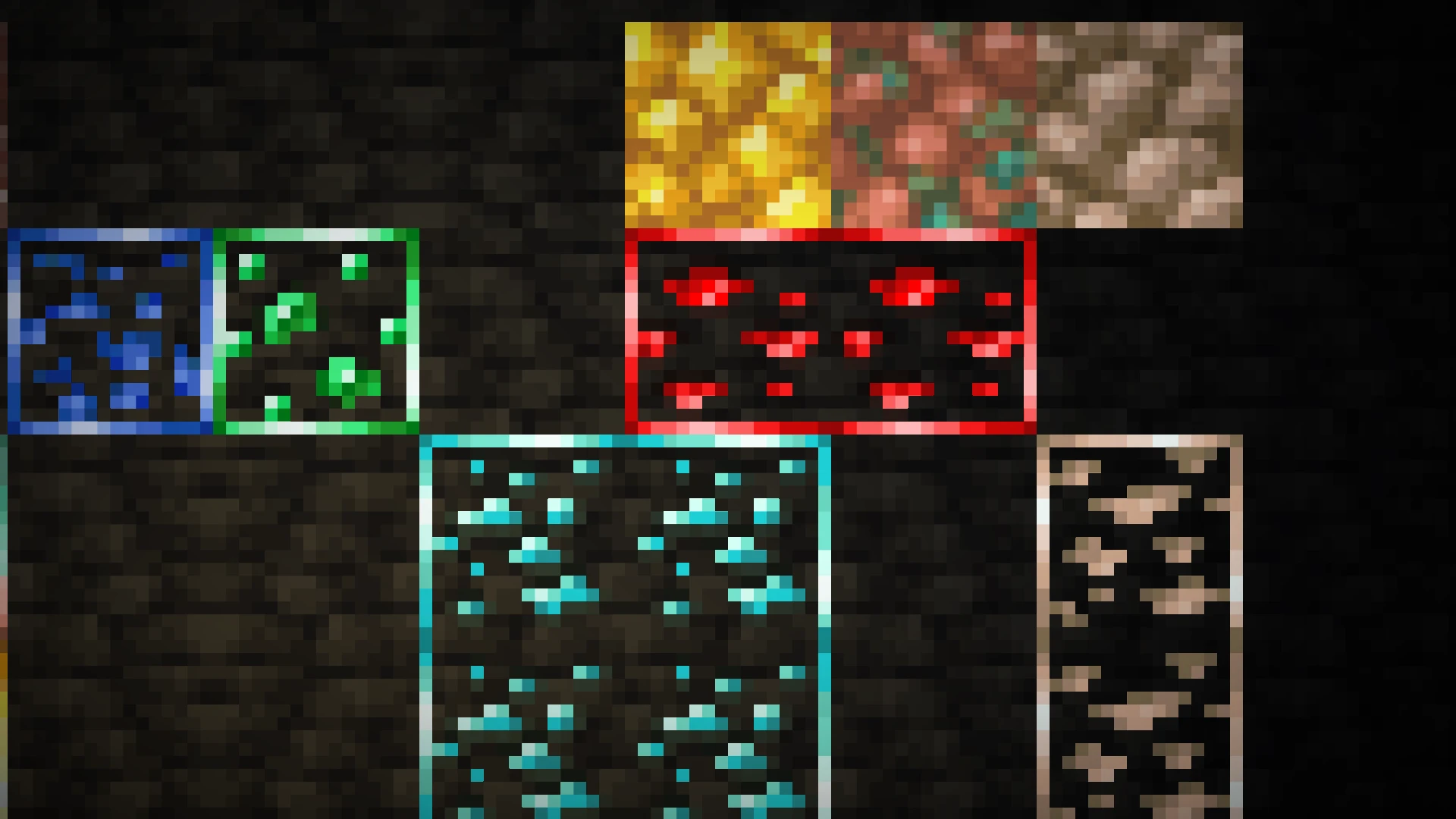
The key feature of the Border version is its connected texture support. When matching ore blocks touch horizontally or vertically, Continuity removes the interior borders and draws a single outer outline around the vein.
In our close-up of a 2x2 diamond ore cluster, all four blocks merge into one rectangle without internal grid lines. The same connection occurs on the adjacent two-block redstone and iron veins, making vein size clear before mining begins.
What happens if you run the Border pack without Continuity?
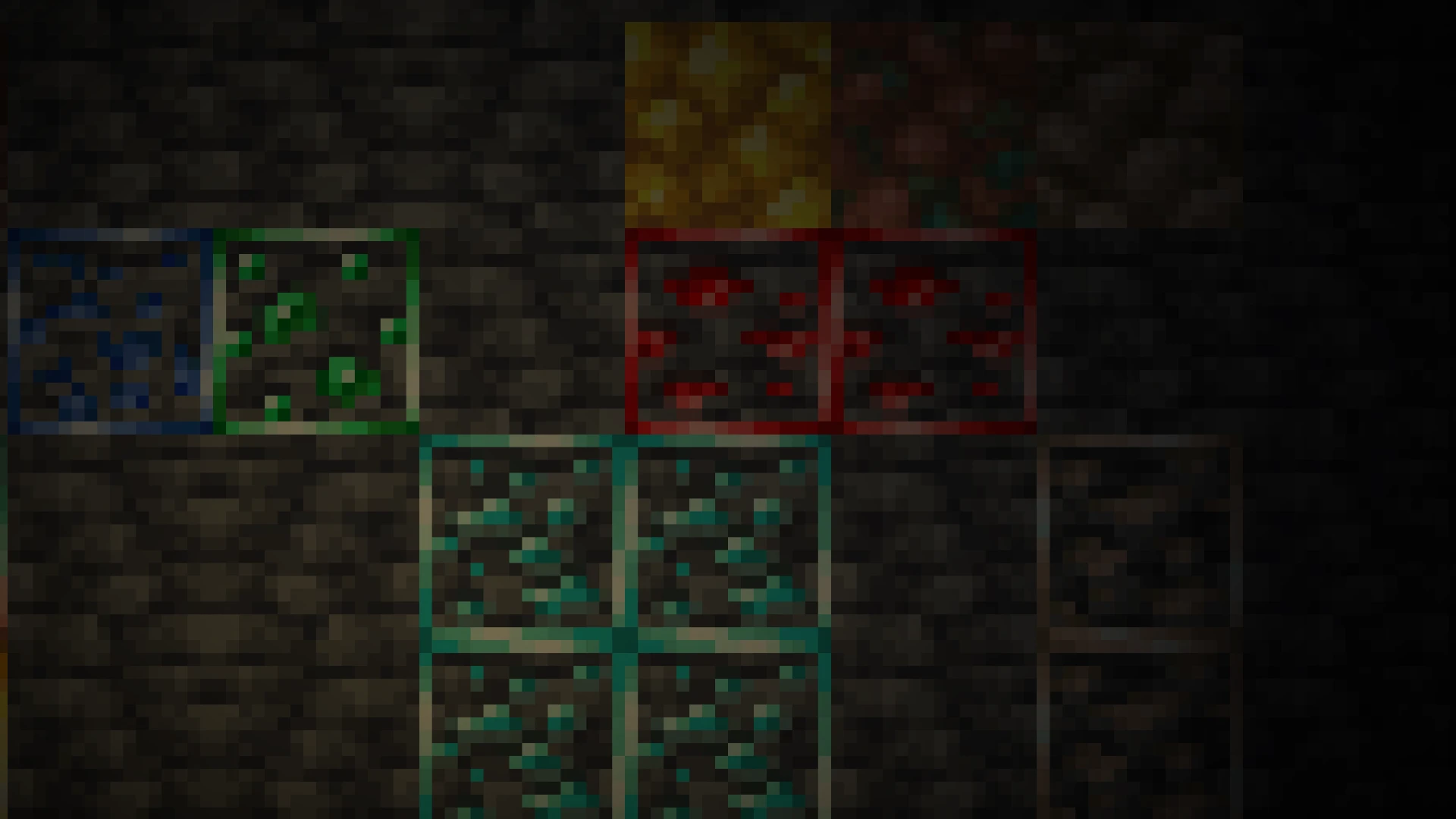
We removed the Continuity jar from our mods folder while keeping the Border pack active to observe missing-dependency behavior.
Two things occur when Continuity is missing:
- The glow disappears entirely: Vanilla Minecraft lacks native emissive support, so
_e.pngoverlays are ignored. Ores and borders revert to ambient cave light, appearing dark in unlit areas. - Borders remain, but do not connect: Because the Border pack draws static outlines onto its base textures, the boxes still render. However, without Continuity to evaluate CTM properties, touching blocks cannot connect. Our 2x2 diamond cluster showed an interior cross seam dividing the vein into four separate boxes.
Modded ore support across both versions
New Glowing Ores includes textures for several popular mods, but the two downloads cover different mod lists, as listed on Modrinth and confirmed by our archive inspection:
- Supported in both Default and Border: Werewolves (silver ores) and Create (zinc ores).
- Supported in Border only: Mekanism (osmium, tin, lead, uranium, fluorite ores, and raw blocks). The
assets/mekanism/folder exists only in the Border zip. - Supported in Default only: Oh The Biomes You'll Go, Infernal Expansion, and Cobblemon. These namespaces exist only in the Default zip.
If you use Mekanism, pick the Border pack. If you use Cobblemon or BYG, only the Default pack includes those textures.
Which pack should you pick?
If you play on Fabric with Continuity or NeoForge with Sinytra Connector, pick the Border pack. The connected outlines make spotting veins instantaneous from a distance and clearly outline deposit size.
If you play on Forge with OptiFine, or prefer natural cave walls without colored outlines, pick the Default pack. It illuminates mineral crystals while avoiding the OptiFine incompatibility that affects the Border build.
Our test setup
| client | Fabric |
|---|---|
| minecraft Version | 26.3 |
| pack Version | 2.0-1.21 |
Download and install
Choose the Java Edition file for your exact game version on the creator’s page. In Minecraft, open Options → Resource Packs → Open Pack Folder, place the ZIP there, then move the pack into the selected column.
The download is hosted by the creator, not MC Toolbox. Check the file and version before installing.