Minecraft resource pack guide
Fast Better Grass
Vanilla block model modifications tested on Minecraft 26.3 with Faithful 32x.
Java Edition · Any · by robotkoer
+25 moreHide versions
All 29 listed versions (releases 1.19 to 26.3)
- 26.x
- 26.3 · 26.2 · 26.1.2 · 26.1.1 · 26.1
- 1.21
- 1.21.11 · 1.21.10 · 1.21.9 · 1.21.8 · 1.21.7 · 1.21.6 · 1.21.5 · 1.21.4 · 1.21.3 · 1.21.2 · 1.21.1 · 1.21
- 1.20
- 1.20.6 · 1.20.5 · 1.20.4 · 1.20.3 · 1.20.2 · 1.20.1 · 1.20
- 1.19
- 1.19.4 · 1.19.3 · 1.19.2 · 1.19.1 · 1.19
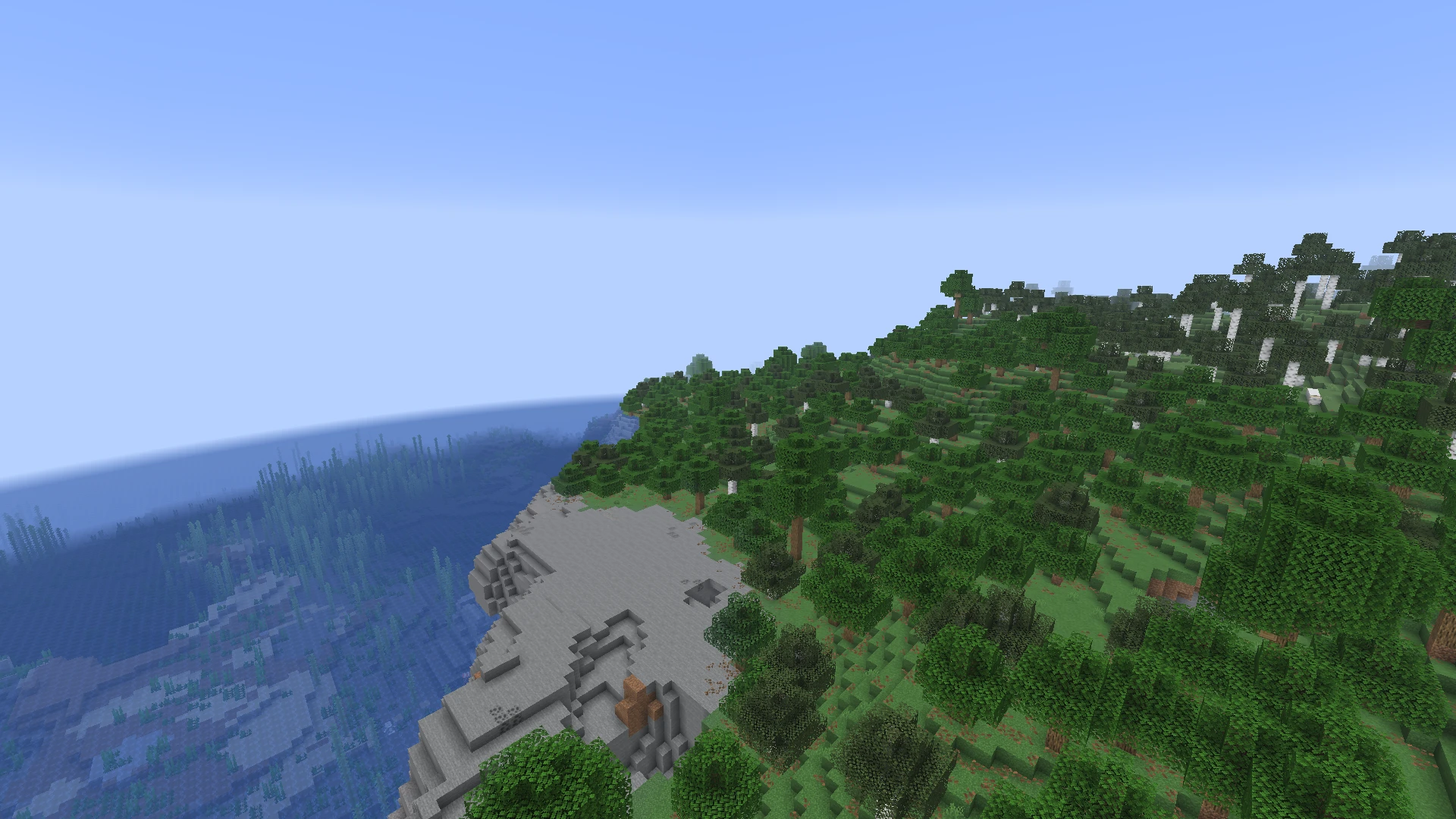
Fast Better Grass modifies block models so grass, paths, and related blocks use top textures on vertical sides. We tested version 26.3+ in vanilla Minecraft 26.3.
In this guide9 sections
Fast Better Grass by robotkoer makes grass and the related blocks the project page lists (grass block, snow-covered grass block, dirt path, podzol, mycelium, crimson nylium and warped nylium) use their top texture on the sides. It needs no Fabric, NeoForge or OptiFine. The pack ships no textures at all: it only replaces vanilla block models and blockstate files, so the sides reuse whatever top textures your game already has loaded.
We tested the 26.3 release in an isolated vanilla Minecraft 26.3 installation, on seed 20261009: natural hillsides, a stepped dirt path, snowy grass, podzol, mycelium, both nyliums, and the pack layered above Faithful 32x.
Archive contents and model architecture
The 26.3 release archive is 10,907 bytes:
- Textures: none. The only image in the archive is the 4,402-byte
pack.pngicon. - pack.mcmeta:
"min_format": 97and"max_format": 999, the format range syntax of current versions, with no legacypack_formatfield. Its description reads "OptiFine's Better Grass (fast)" and "Must be the first to work". - Blockstates: six files, for
grass_block,dirt_path,podzol,mycelium,crimson_nyliumandwarped_nylium. - Block models: eight files. The base,
fast_better_grass.json, is a cube whose north, south, east, west and up faces all use one texture variable,#sidetop.
For grass, grass_block.json builds on that base and points #sidetop to block/grass_block_top with tintindex: 0, so every side gets the biome tint of the top. Snowy grass (the snowy=true state) uses grass_block_snow.json, whose sides use block/snow.
Hillside appearance: Vanilla vs Fast Better Grass
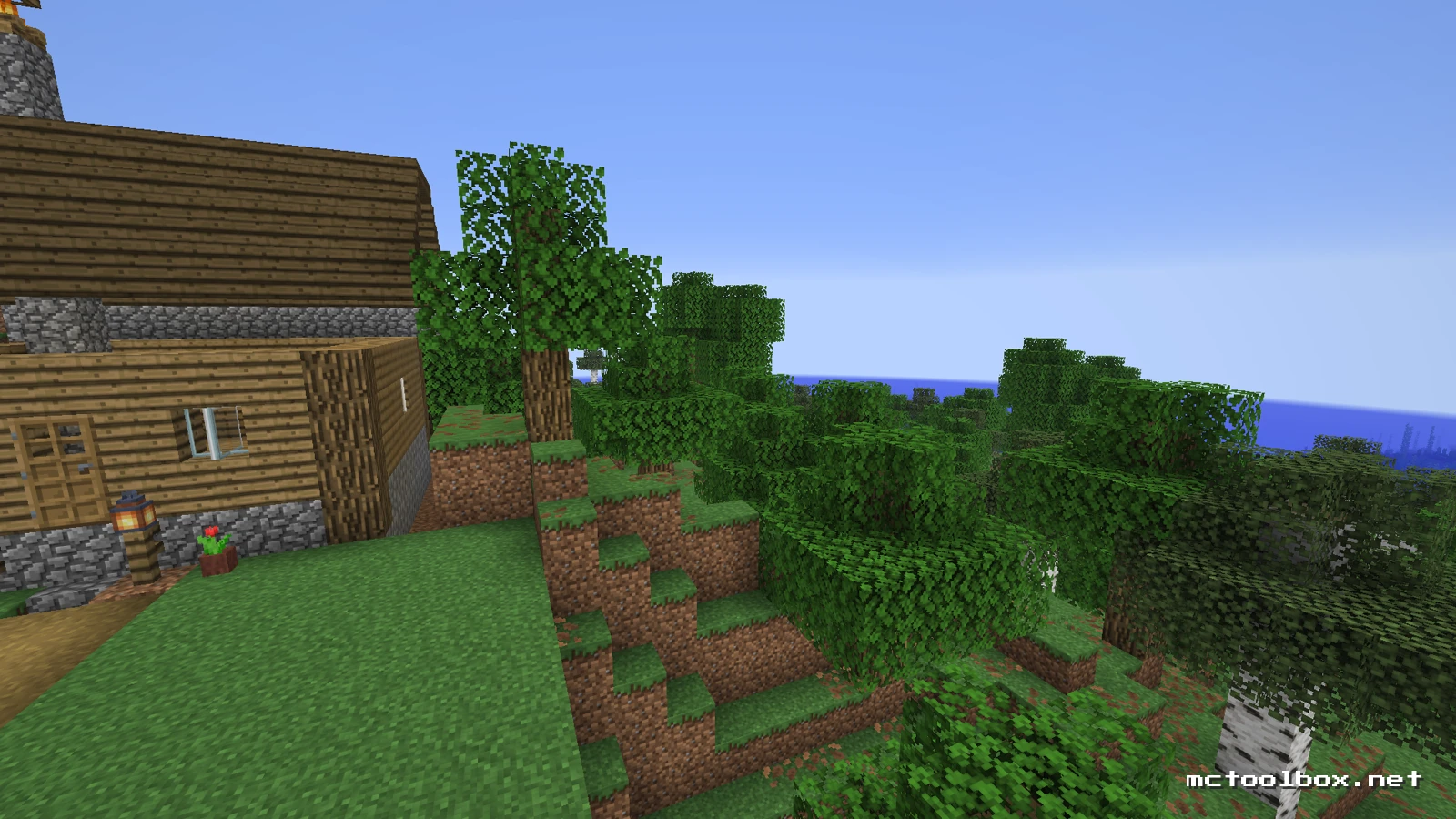
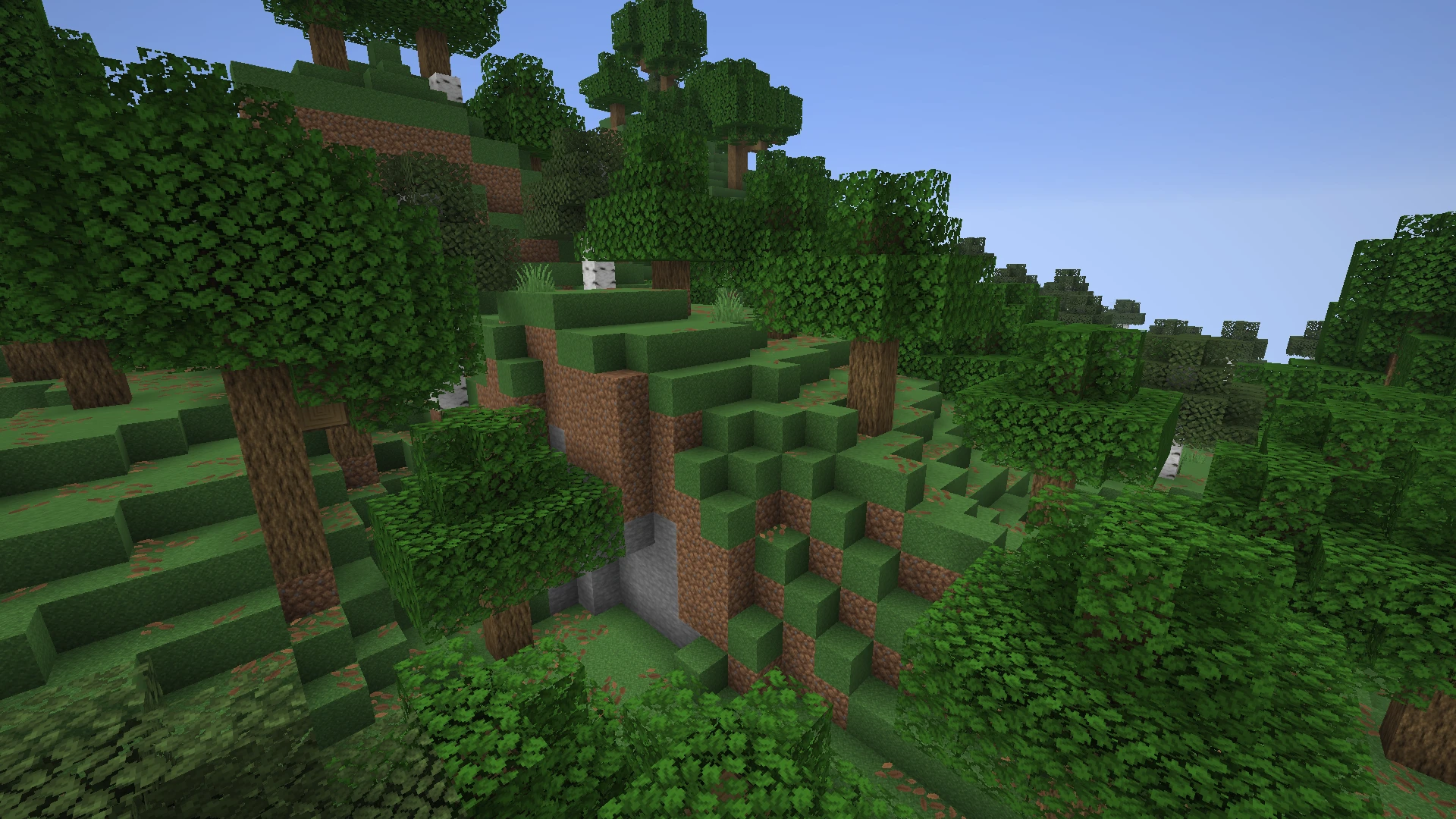
On a natural hillside, every step shows its side. In vanilla that side is the grass block side texture: a thin green fringe over brown dirt.
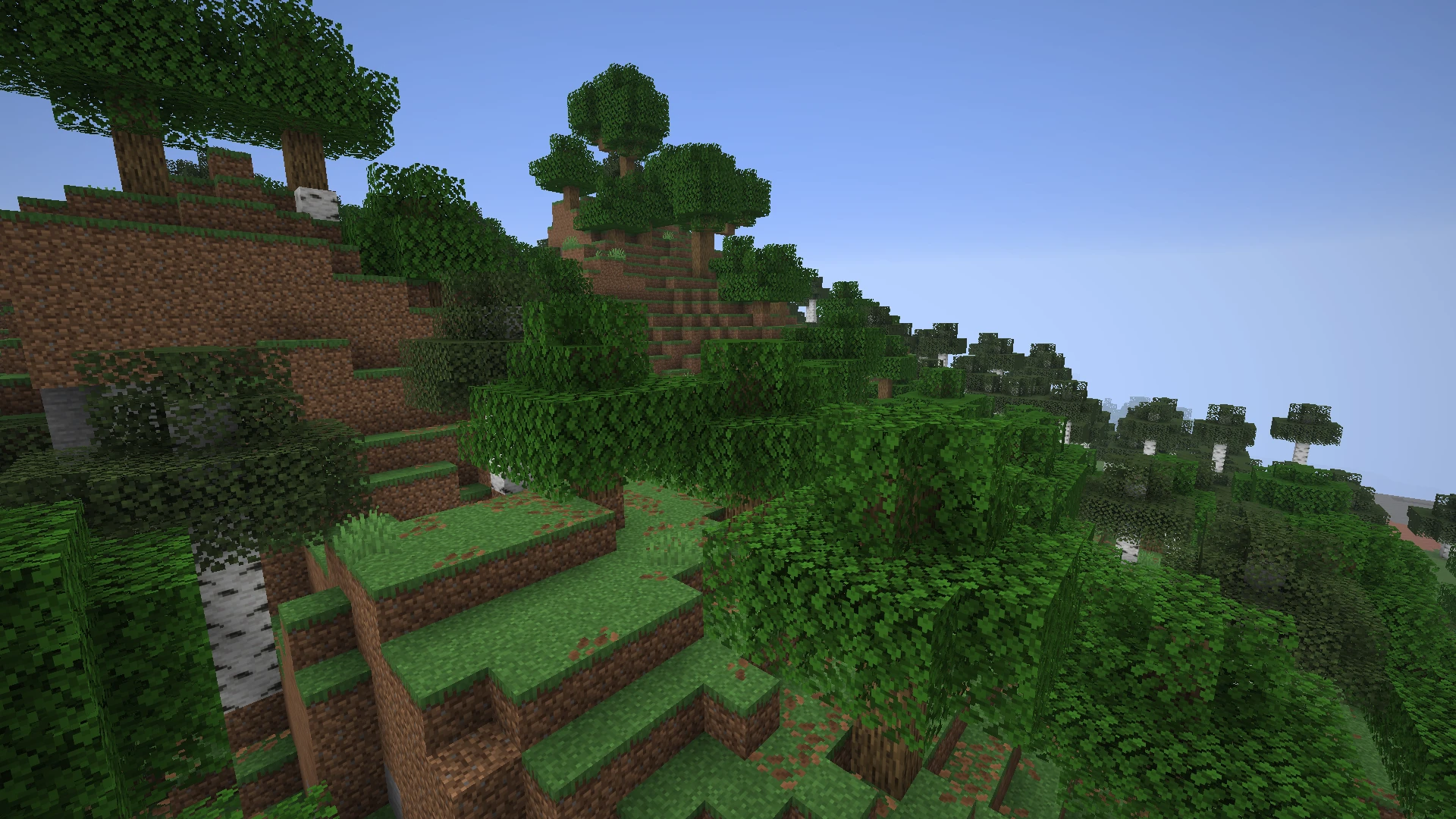
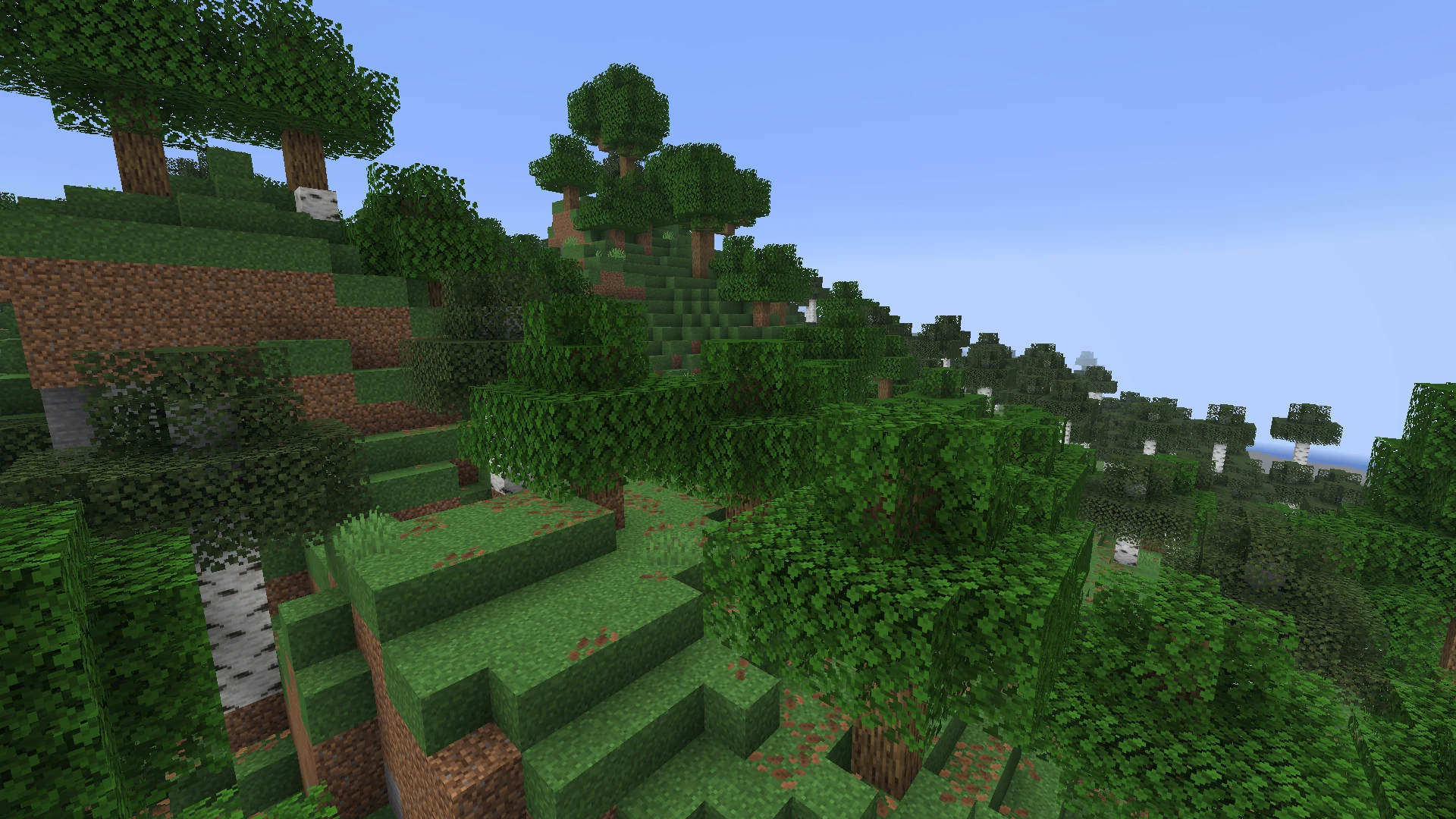
With the pack, the same sides use the tinted top texture, so the slope reads as solid green steps. Dirt blocks under the grass stay brown, because the pack only changes grass blocks themselves.
Dirt path downward extension mechanics
A vanilla dirt path is 15 pixels tall, one pixel lower than a full block, and its sides show dirt. Where a path steps up, that dirt side faces you.
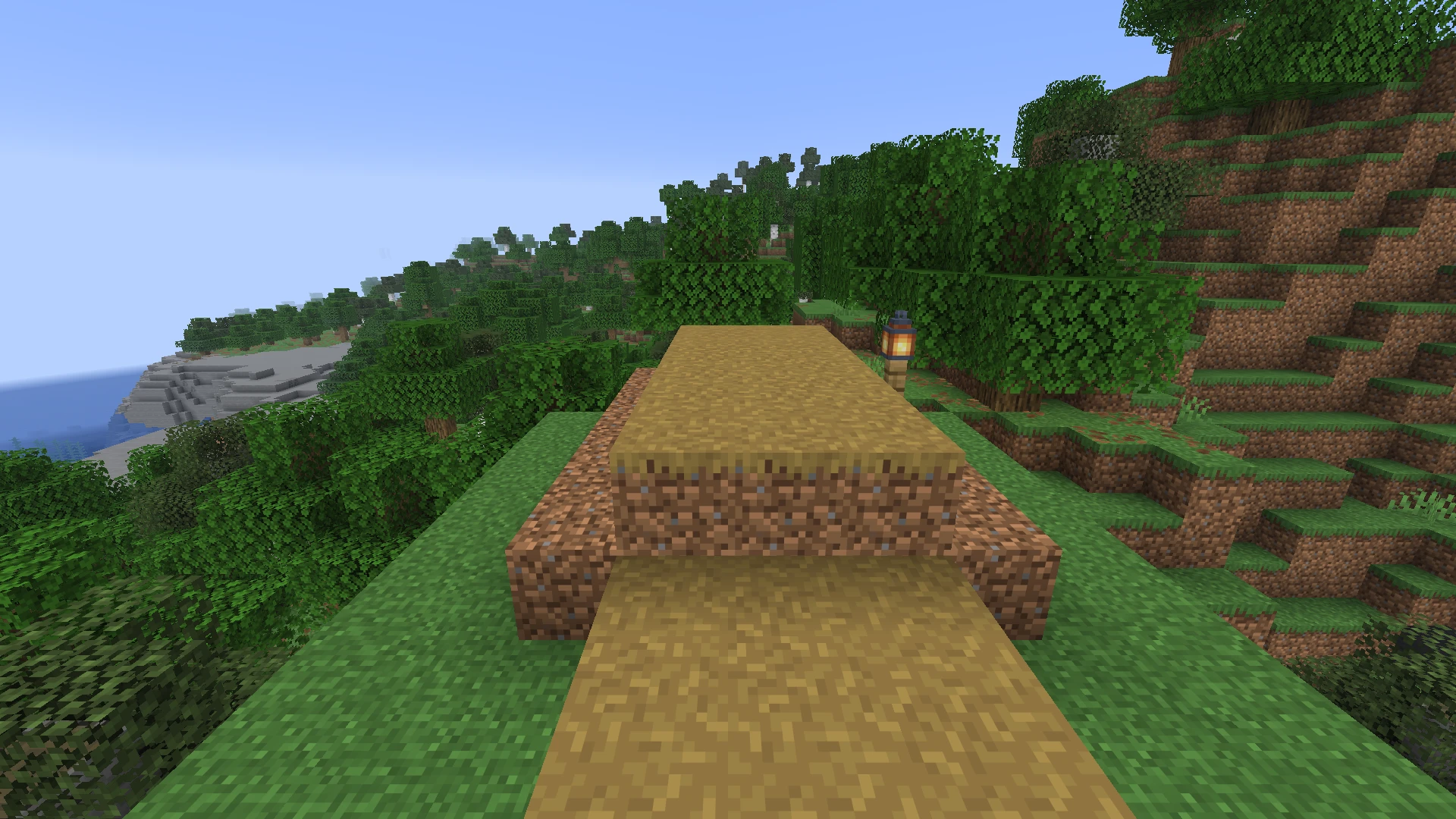
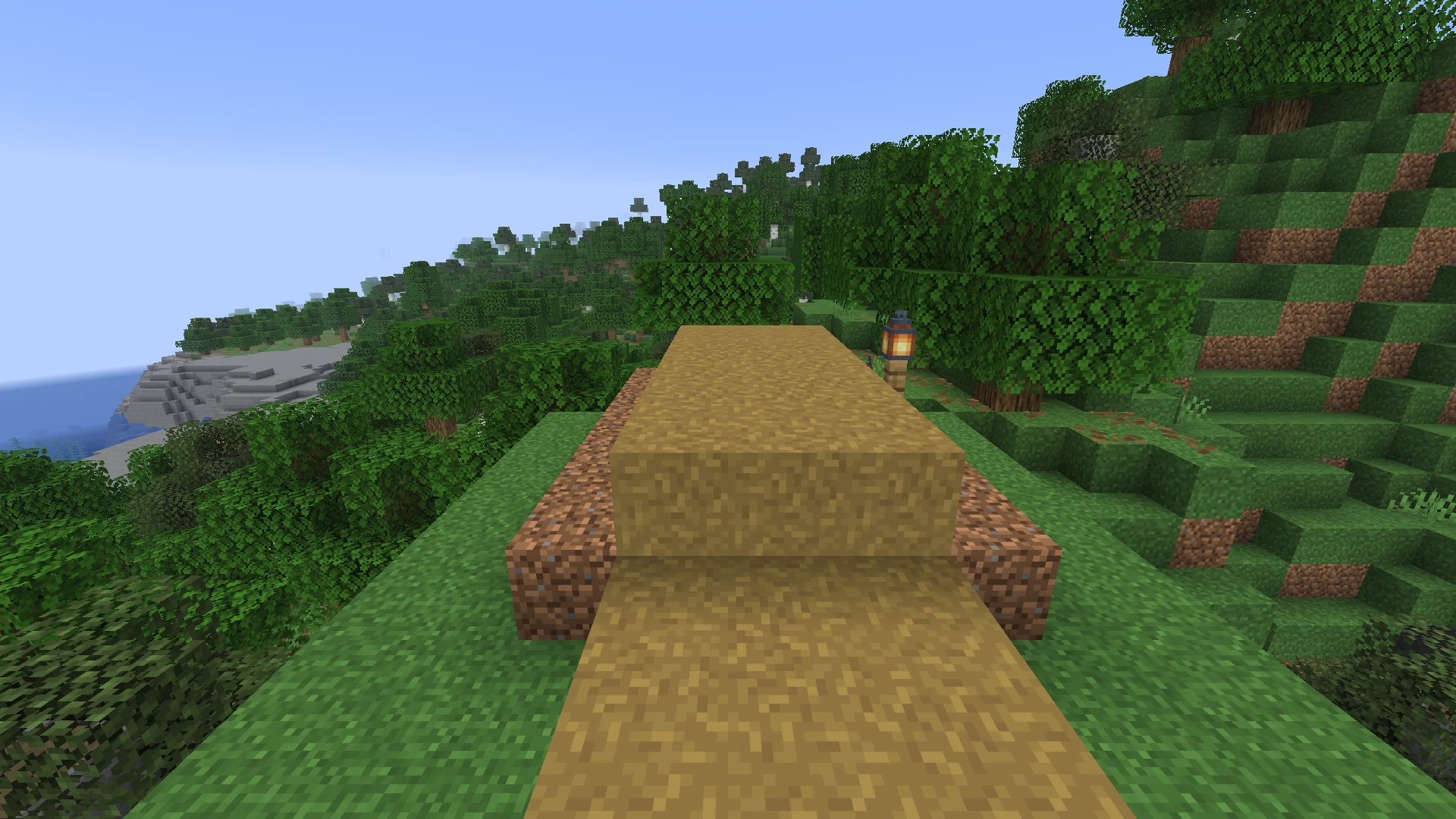
The pack's dirt_path.json model is a box from y = -1 to y = 15 (and 0.01 pixel wider than the block on each side), so it reaches one pixel down into the block below. All four sides use the path top texture (#top, block/dirt_path_top). The raised path block's side, brown in vanilla, renders with the matching path texture, and the one-pixel overlap cleanly hides the seam with the block beneath.
That overlap can clash with mods that change path blocks. A closed report on the Fabulously Optimized issue tracker (issue 946) describes gap glitches around path blocks when the pack is used with the Full Paths mod.
Snowy grass, podzol, and mycelium
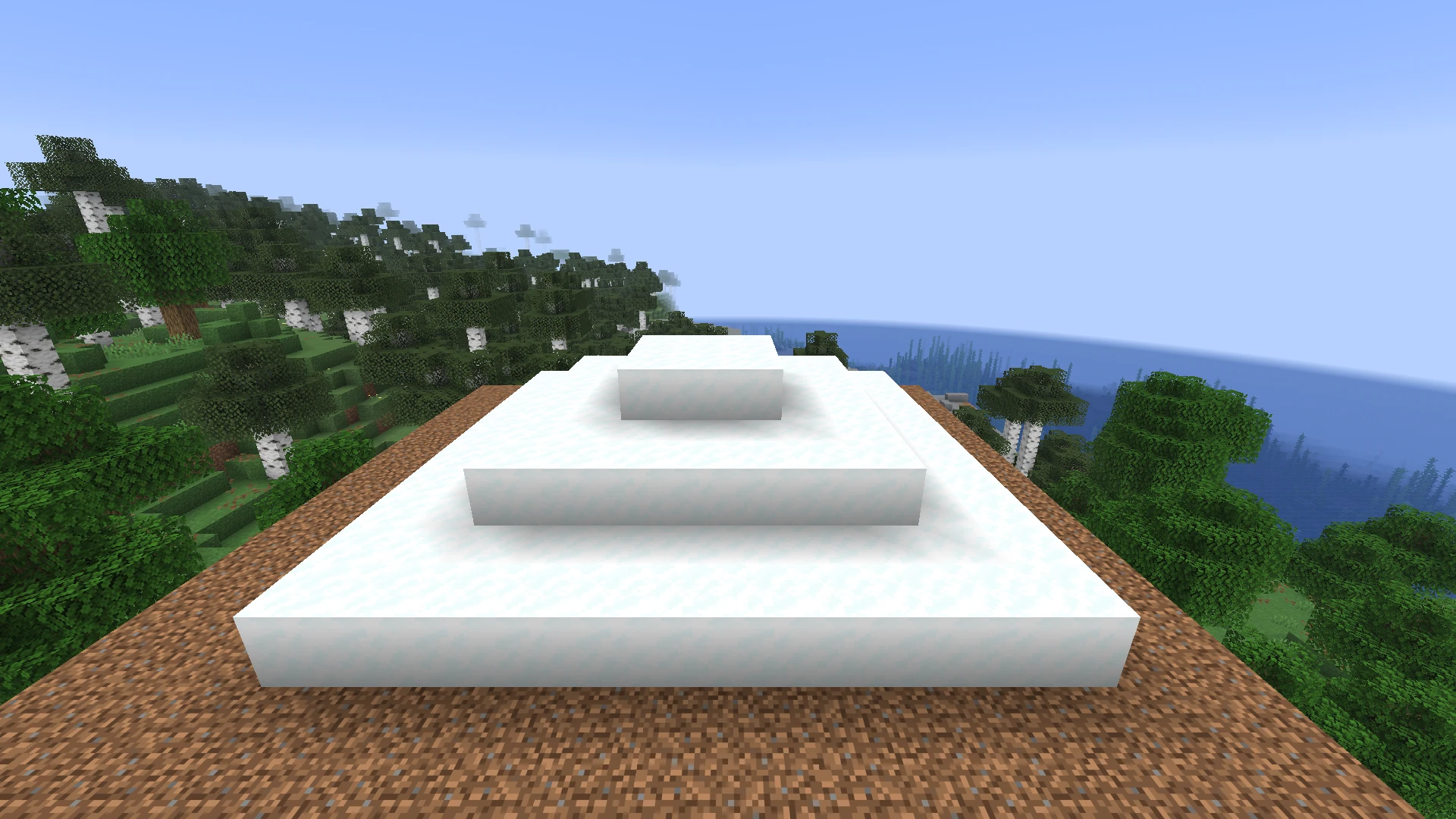
When snow lies on grass, the block switches to its snowy=true state, and the pack's grass_block_snow.json gives it snow on every side. Our stepped test build shows white sides instead of dirt with a white rim.
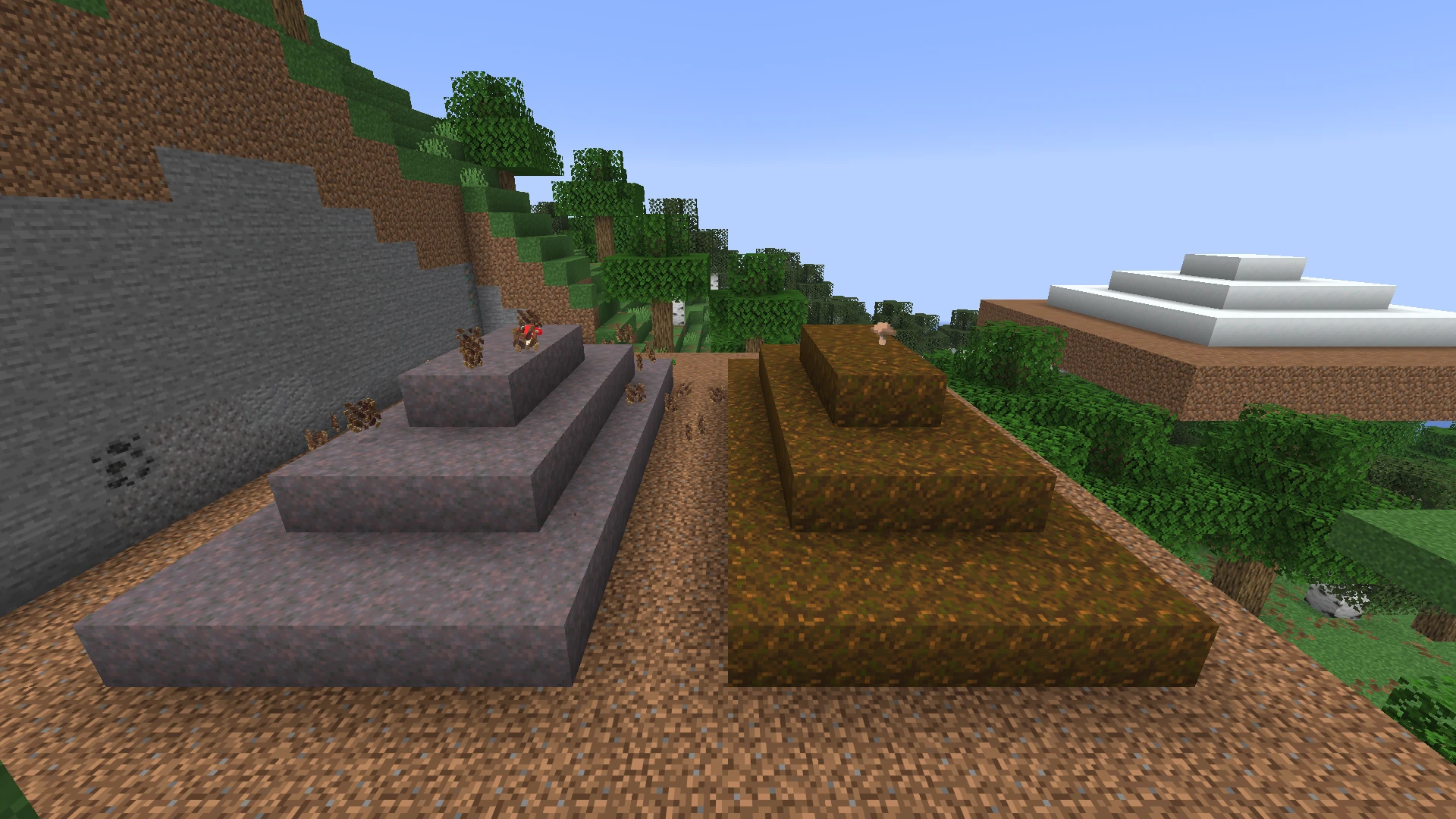
Podzol and mycelium follow the same pattern: their sides use block/podzol_top and block/mycelium_top. Mycelium steps turn fully purple-grey, and podzol steps show the brown needle texture.
Nether nylium in subterranean forests
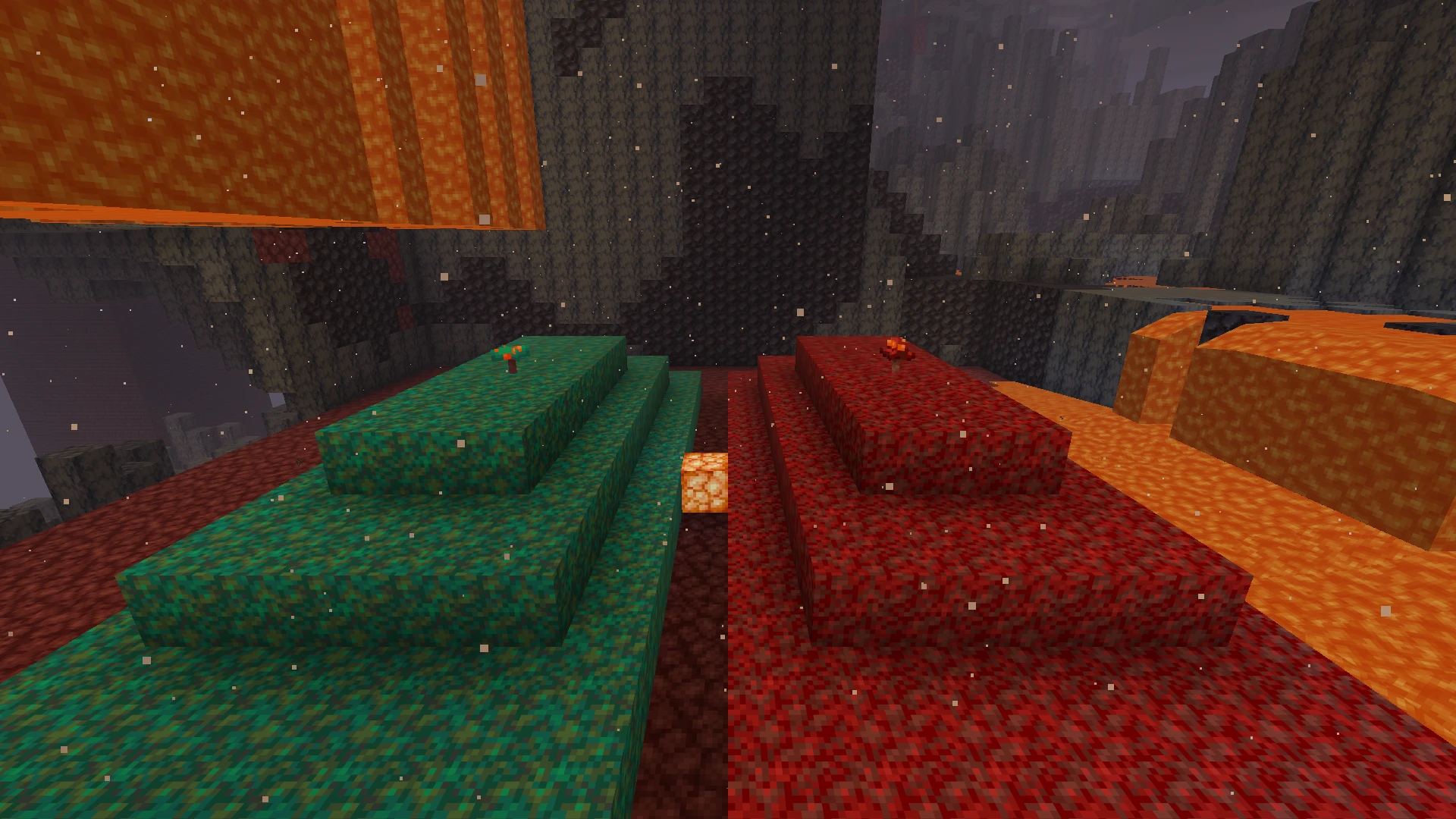
The two Nether nyliums are covered too. In our Nether test build, warped nylium steps show the cyan nylium texture on every side, and crimson nylium the red one, instead of netherrack.
Layering with other resource packs
Because the pack ships no textures, it reuses the top textures of whatever pack sits below it. We loaded Faithful 32x and put Fast Better Grass above it in the resource pack list: the grass sides showed Faithful's 32x grass top. We tested only Faithful 32x; since nothing in the pack depends on resolution, other packs should behave the same way, as long as Fast Better Grass stays above them.
OptiFine parity: Fast mode vs Fancy mode
The project page says the pack imitates OptiFine's Better Grass in its fast mode, where every exposed side of a grass block shows the top texture. That is what we saw: all sides change, whatever is next to them. OptiFine's fancy mode only greens a side where the neighbouring block below that side is grass too, which depends on neighbouring blocks; the page says that mode is not imitated.
Installation, pack ordering, and version support
To install Fast Better Grass:
- Download
Fast Better Grass.zipfrom Modrinth. - In Minecraft, open Options, then Resource Packs, then Open Pack Folder.
- Put the zip in that folder and move the pack to the Selected list.
- Keep it at the top of the Selected list, above any other resource pack. The pack's own description says it "Must be the first to work".
Its files on Modrinth cover Minecraft 1.19 to 26.3, with a separate file per version range. The 26.3 version runs directly in vanilla 26.3 without requiring a mod loader.
Our test setup
| client | Vanilla |
|---|---|
| minecraft Version | 26.3 |
| pack Version | 26.3+ |
Download and install
Choose the Java Edition file for your exact game version on the creator’s page. In Minecraft, open Options → Resource Packs → Open Pack Folder, place the ZIP there, then move the pack into the selected column.
The download is hosted by the creator, not MC Toolbox. Check the file and version before installing.