Minecraft resource pack guide
Low On Fire Resource Pack Review: In-Game Evidence & Visual Clarity
Lowering first-person fire HUD overlays for unobstructed sightlines in combat and Nether survival.
Java Edition · 16×16 · by Haikis
+5 moreHide versions
All 9 listed versions (releases 1.14 to 1.21.4)
- 1.21
- 1.21.4 · 1.21
- 1.20
- 1.20
- 1.19
- 1.19
- 1.18
- 1.18
- 1.17
- 1.17
- 1.16
- 1.16
- 1.15
- 1.15
- 1.14
- 1.14
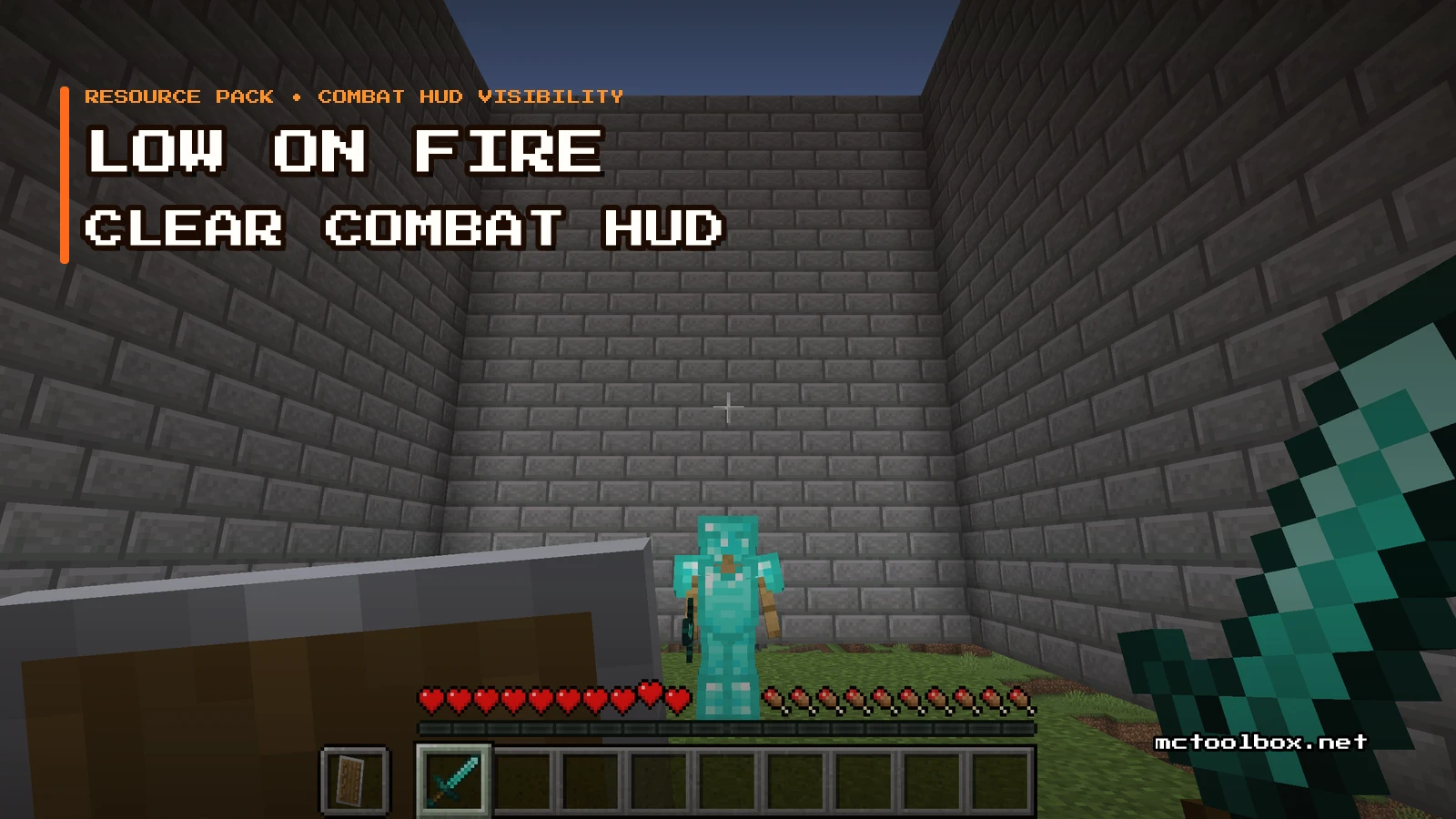
Low On Fire lowers the obstructive first-person screen fire overlay to the bottom of the screen, preserving crucial crosshair visibility during PvP combat and Nether exploration without altering in-world block fire.
In this guide7 sections
When an arrow ignites you, a blaze strikes from across a chasm, or a fire aspect sword lands during a close-quarters duel, vanilla Minecraft immediately engulfs your entire first-person viewport in a wall of flickering flame. The default fire overlay covers more than half of the screen, completely blinding the crosshair, obscuring enemy hitboxes, and making defensive reaction almost impossible. For competitive PvP duels, crystal combat, speedrunning, and Nether fortress survival, this visual blockage is one of the most punishing mechanics in the base game.
Low On Fire by Haikis solves this fundamental problem with elegant simplicity. Rather than removing fire indicators entirely or resorting to heavy visual modifications, the pack shifts the screen fire overlay texture down toward the lower border of your display. You retain immediate, unmistakable awareness that your character is burning and taking damage, while your central line of sight remains crisp, clear, and ready for combat.
First-Person PvP Combat and Line of Sight Advantage
The competitive advantage of Low On Fire is most obvious during high-intensity melee duels. Under vanilla rendering, being set on fire blinds your view of the opponent just when critical split-second timing is required to time shield blocks, sprint hits, or critical strikes. The thick orange and yellow particle animation forces players to swing blindly or retreat until the fire extinguishes.
With Low On Fire active, the flames rest comfortably at the bottom of the viewport beneath your main view plane. Your crosshair stays sharp against enemy player armor, allowing you to track strafing movement, monitor spacing, and time your sword swings or shield guards without interruption. The lowered flame height provides all the situational information needed without sacrificing combat awareness.
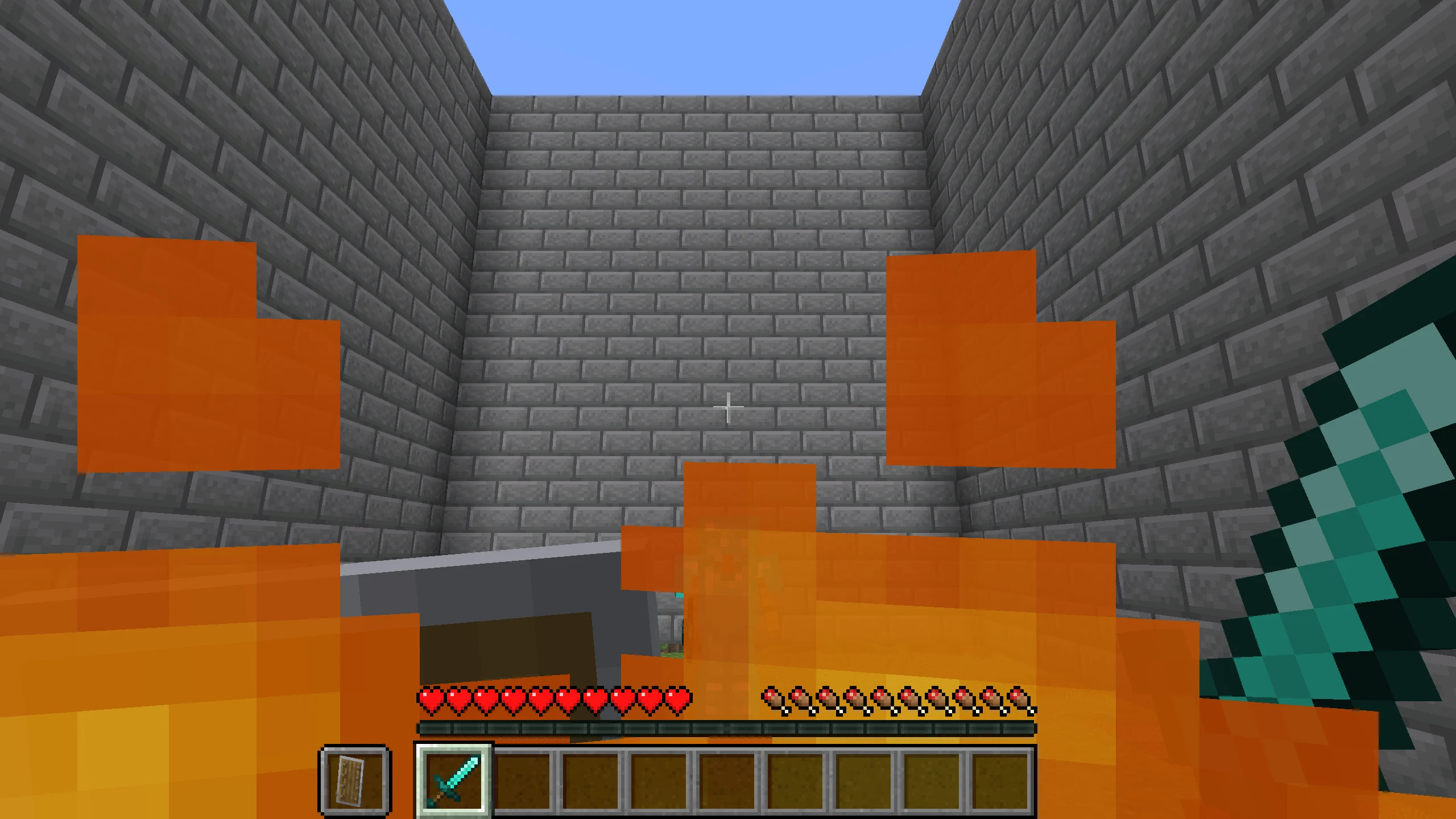
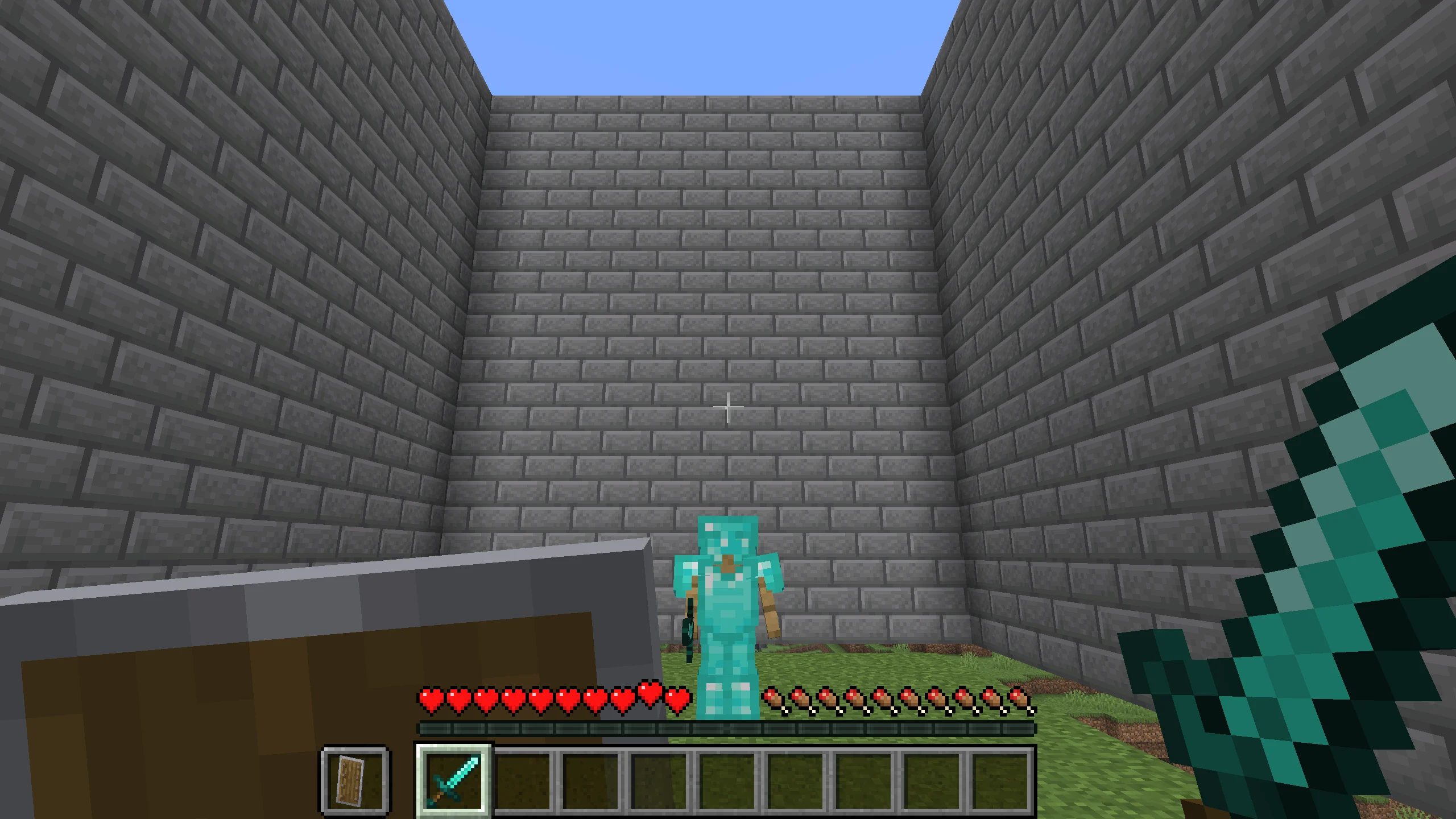
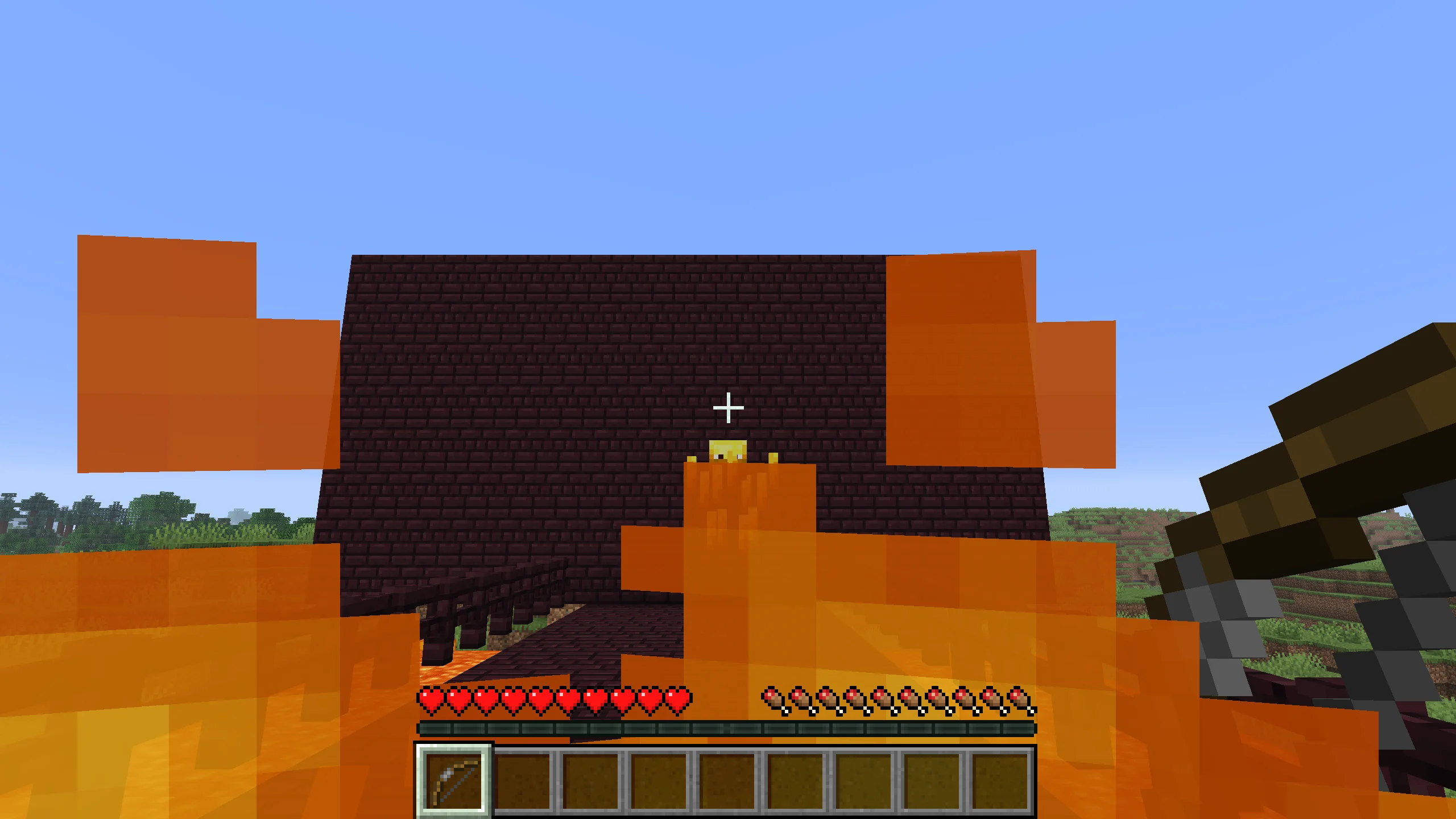
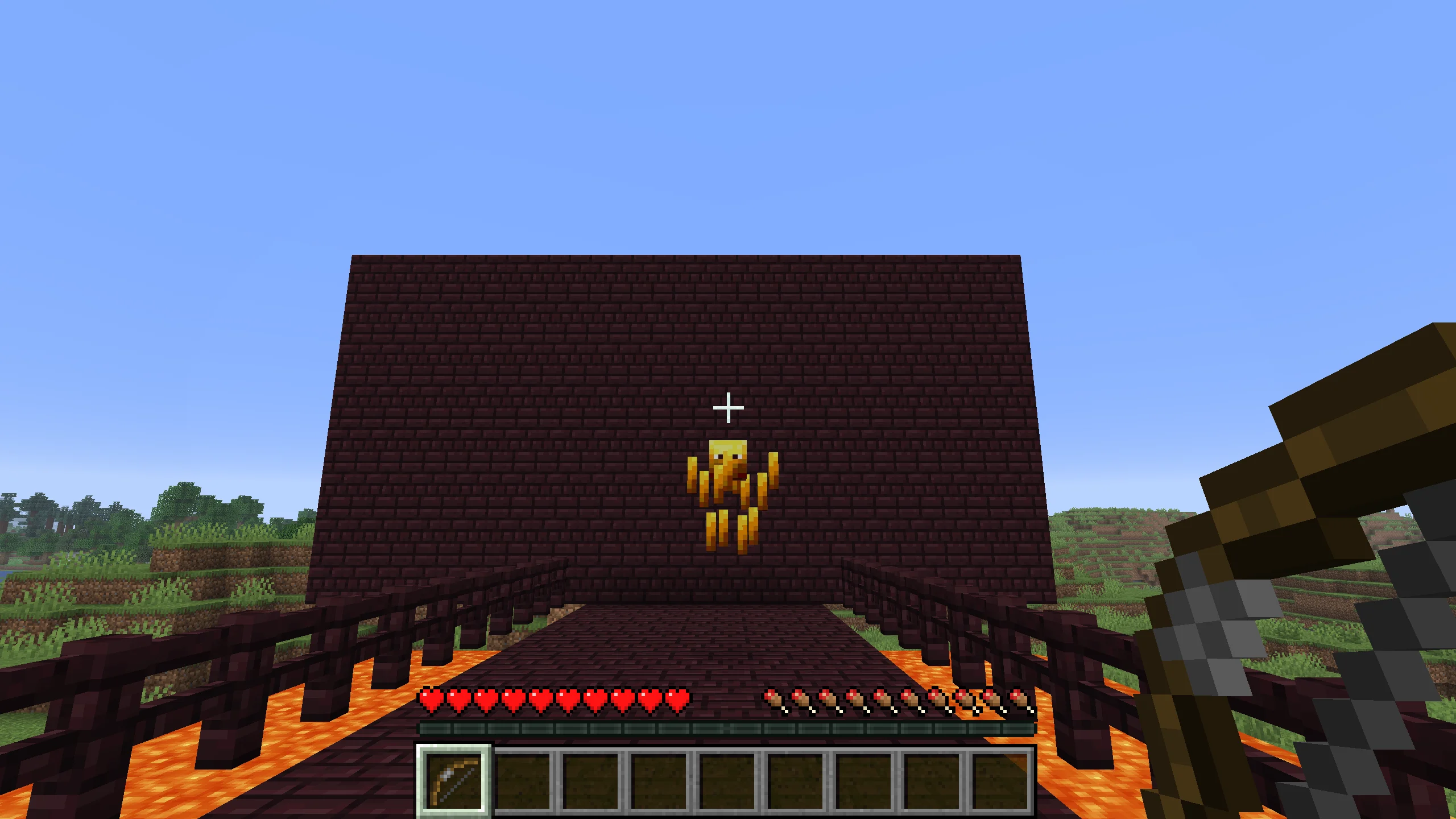
Beyond player-versus-player duels, Nether exploration presents constant fire hazards. Hostile mobs like Blazes and Ghasts launch ranged fireballs across lava chasms, while stepping on magma blocks or brushing against burning netherrack immediately triggers the screen overlay. In unmodded Minecraft, suffering blaze fire while traversing narrow fortress walkways frequently leads to accidental falls into lava lakes because the path ahead is obscured by flame sprites.
Low On Fire keeps the entire walkway, surrounding terrain, and approaching projectiles visible while taking continuous fire damage. Ranged combat with a bow or crossbow remains fully functional because the crosshair and projectile arc are never blocked by vertical flame columns. Whether aiming at floating Blazes or navigating bridges over open lava, situational clarity remains intact.
Preservation of In-World Block Fire Models
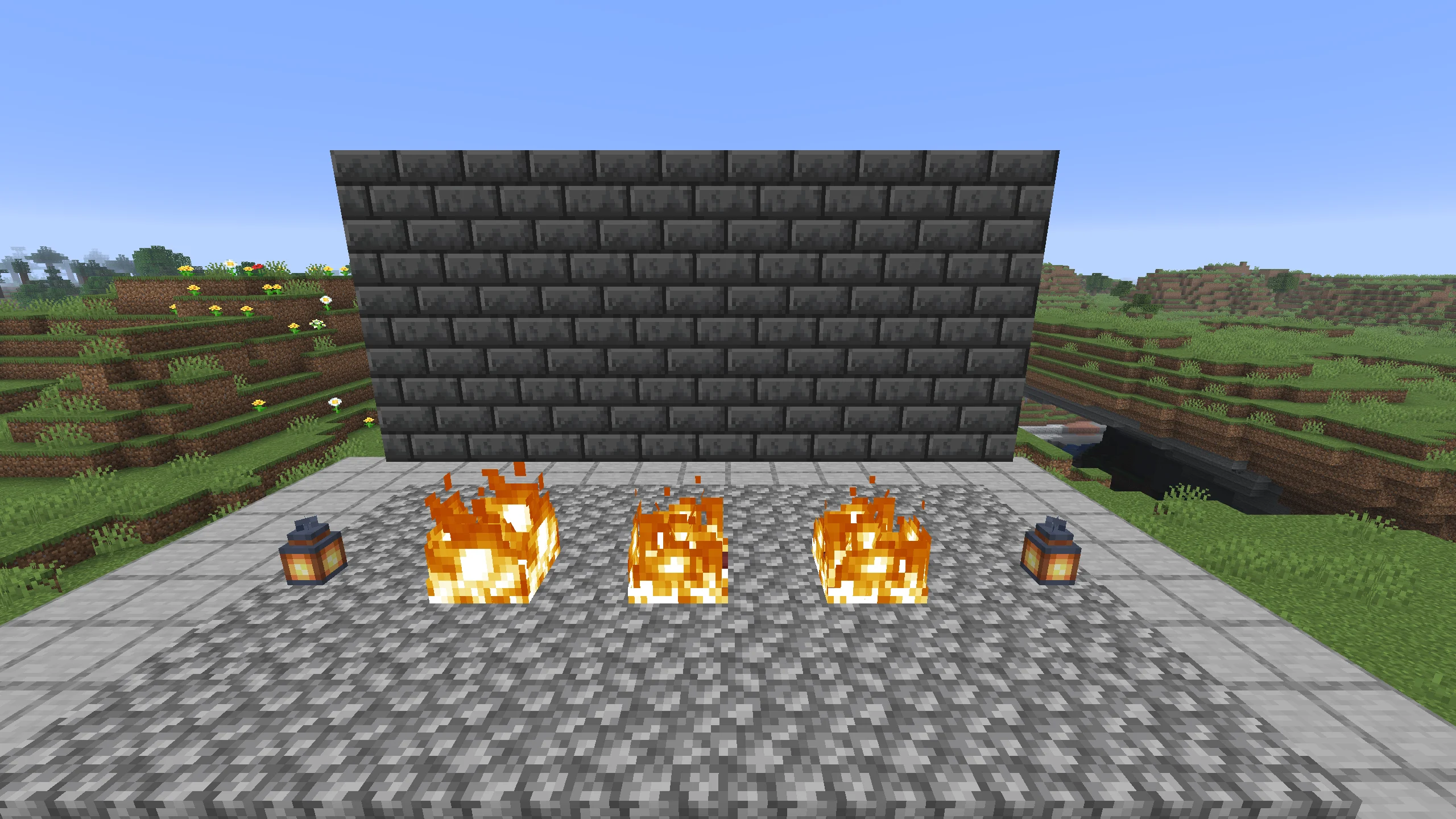
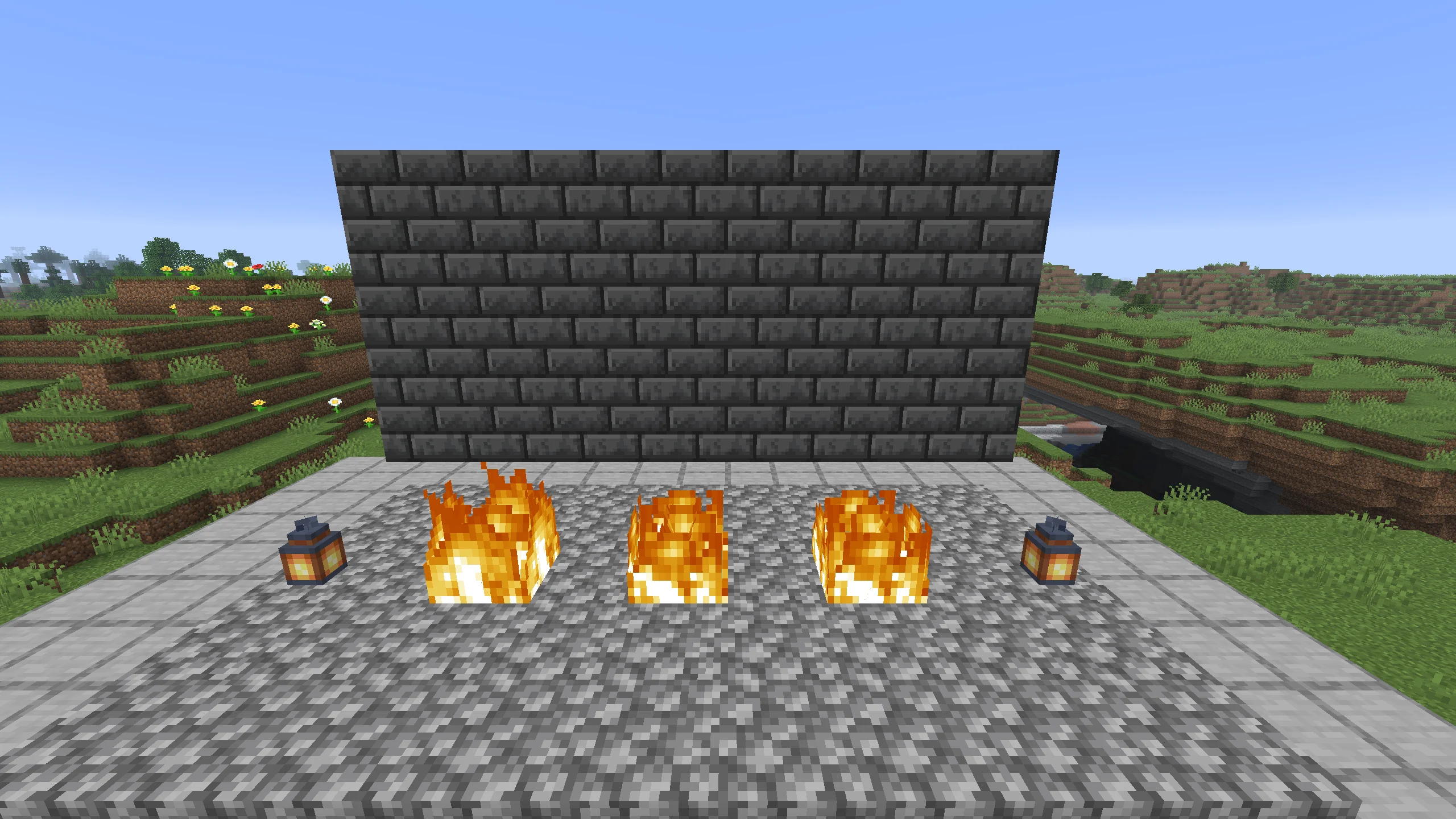
A common drawback of aggressive visual overhaul packs is that they often modify world blocks alongside GUI overlays. In some utility packs, lowering fire also flattens ground fire, replaces campfire flames with tiny dots, or strips the atmospheric look of burning netherrack.
Low On Fire carefully avoids this pitfall by specifically targeting the first-person camera overlay texture (fire_1.png in the pack misc directory) while leaving block textures entirely untouched. In-world fires burning on netherrack, wooden planks, or logs retain their full vertical flame animations, standard height, and flickering particle effects. The world continues to look authentic, atmospheric, and true to vanilla design.
Atmospheric Hearth and Campfire Decorative Fidelity
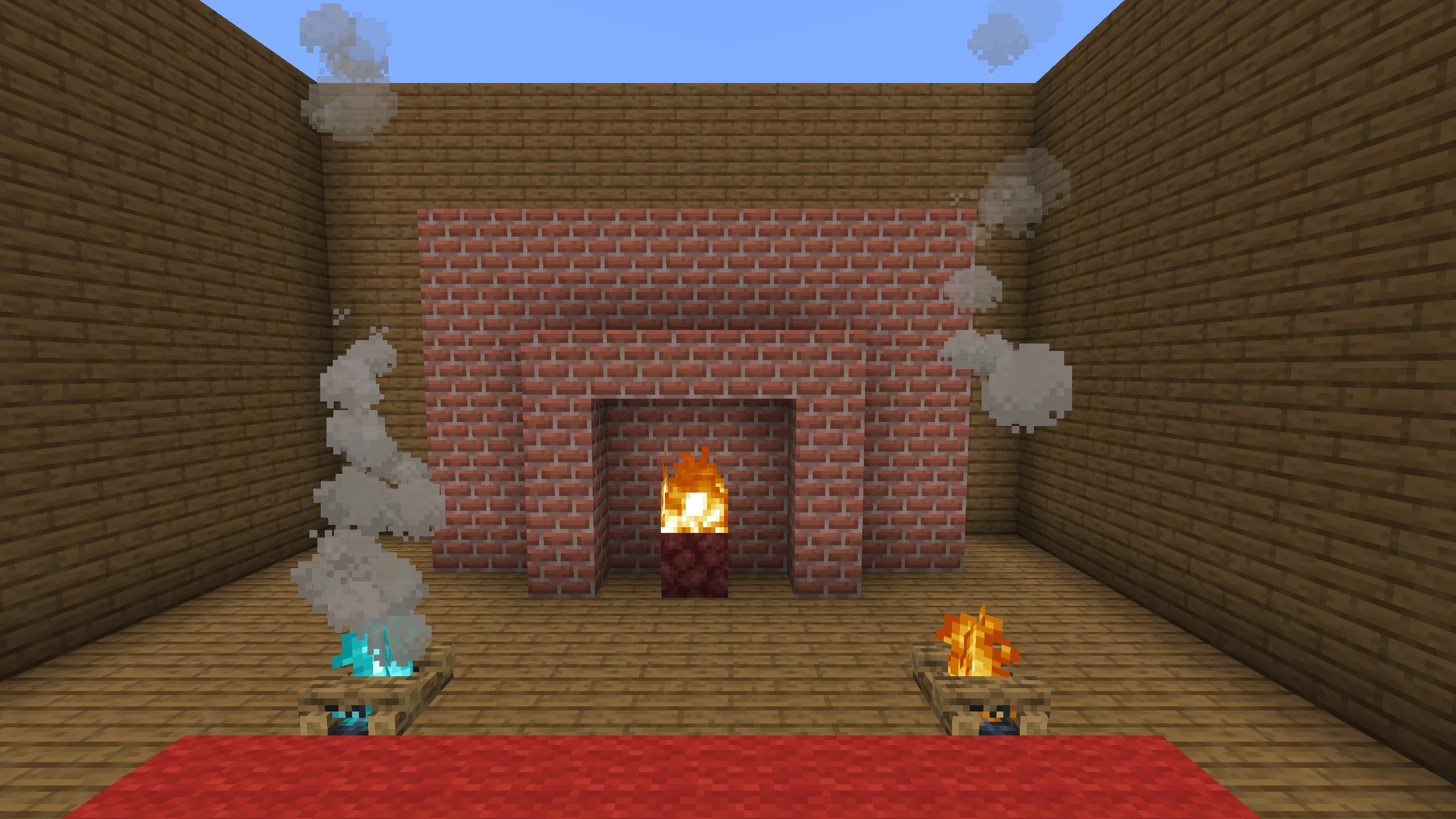
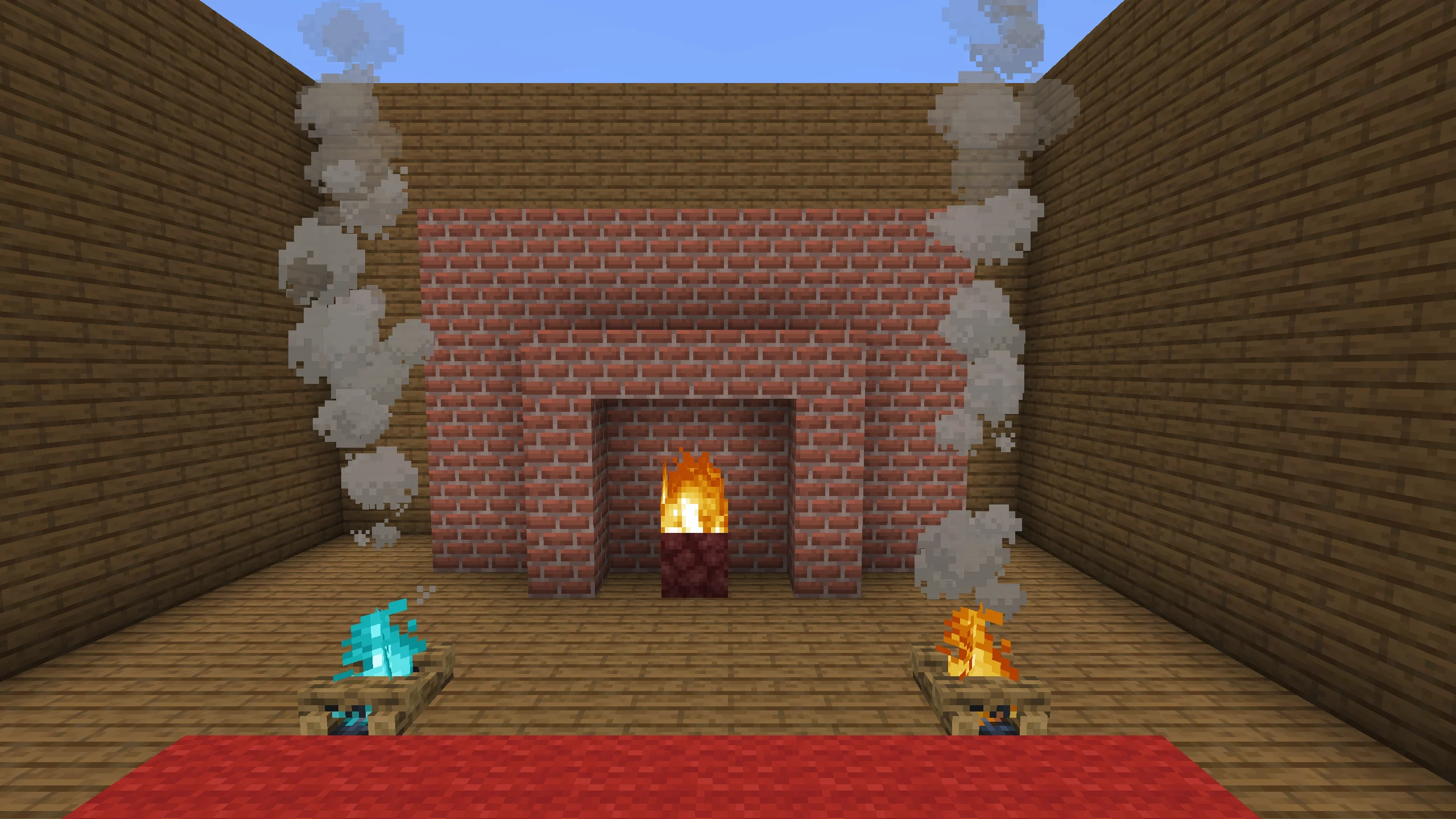
Because Low On Fire restricts its modifications to the player camera overlay, interior architecture and decorative lighting remain completely uncompromised. Cozy brick fireplaces, stone hearths, and campfires on carpeted floors retain their full 3D models, ember animations, and ambient smoke plumes.
Builders do not have to sacrifice atmospheric aesthetics just to enjoy clean PvP sightlines. Whether relaxing in a detailed timber lodge or designing grand Nether portals flanked by eternal flames, the pack ensures your builds look exactly as intended.
Texture Architecture and 8-Bit PNG Encoding
Behind the scenes, Low On Fire achieves its clean presentation through standard Minecraft resource pack texture mapping. The pack overrides the assets/minecraft/textures/misc/fire_1.png file (and corresponding legacy overlay files), repainting the top half of each animation frame with transparent alpha and consolidating the active flame sprites within the bottom pixels.
When inspecting custom texture packs for modern Minecraft versions, one important technical detail is image bit depth. Modern GPU render pipelines and modded loaders expect standard 8-bit per channel RGBA PNG files. Ensuring the fire overlay texture is formatted as standard 8-bit sRGB prevents texture decoding anomalies on newer graphics drivers and shader configurations, ensuring smooth, artifact-free rendering across every platform.
Installation and Universal Client Compatibility
One of the strongest advantages of Low On Fire is its universal client compatibility:
- Pure Vanilla Java: Operates natively without requiring Fabric, Forge, NeoForge, OptiFine, or any client-side mod loaders.
- Modern Modded Clients: Fully compatible with Sodium, Iris, Lithium, and Fabric API. Because the pack modifies a standard 2D HUD texture rather than core shaders or entity models, it introduces zero shader conflicts.
- Cross-Version Resilience: Although Minecraft versions frequently bump resource pack format numbers, Low On Fire texture paths remain consistent. You can enable the pack on older or newer releases with a simple confirmation click in the Resource Packs menu.
- Performance Impact: Exactly zero frames per second lost. The reduced flame area uses identical draw calls to the vanilla HUD overlay while rendering fewer opaque pixels.
Our test setup
| client | Fabric 0.19.3 on Minecraft 26.2 (1.21.4) |
|---|---|
| hardware | AMD Ryzen 7 5800X, 32GB RAM, NVIDIA GeForce RTX 3080 |
| resolution | 2560x1440 (2K native) |
| performance | Zero FPS impact; identical framerate to default client rendering |
| compatibility Tested | Vanilla 1.14 through 1.21.4 (Java Edition), Sodium, Iris Shaders |
Download and install
Choose the Java Edition file for your exact game version on the creator’s page. In Minecraft, open Options → Resource Packs → Open Pack Folder, place the ZIP there, then move the pack into the selected column.
The download is hosted by the creator, not MC Toolbox. Check the file and version before installing.