Minecraft resource pack guide
Glowing Glints (Enchantment Outlines) Resource Pack Review & In-Game Evidence
Replacing messy purple shimmer with crisp neon silhouettes for swords, shields, 3D maces, and dropped loot.
Java Edition · 16×16 · by Dani (Tixul)
+1 moreHide versions
All 5 listed versions (releases 1.20 to 1.21.4)
- 1.21
- 1.21.4 · 1.21
- 1.20
- 1.20.4 · 1.20.1 · 1.20
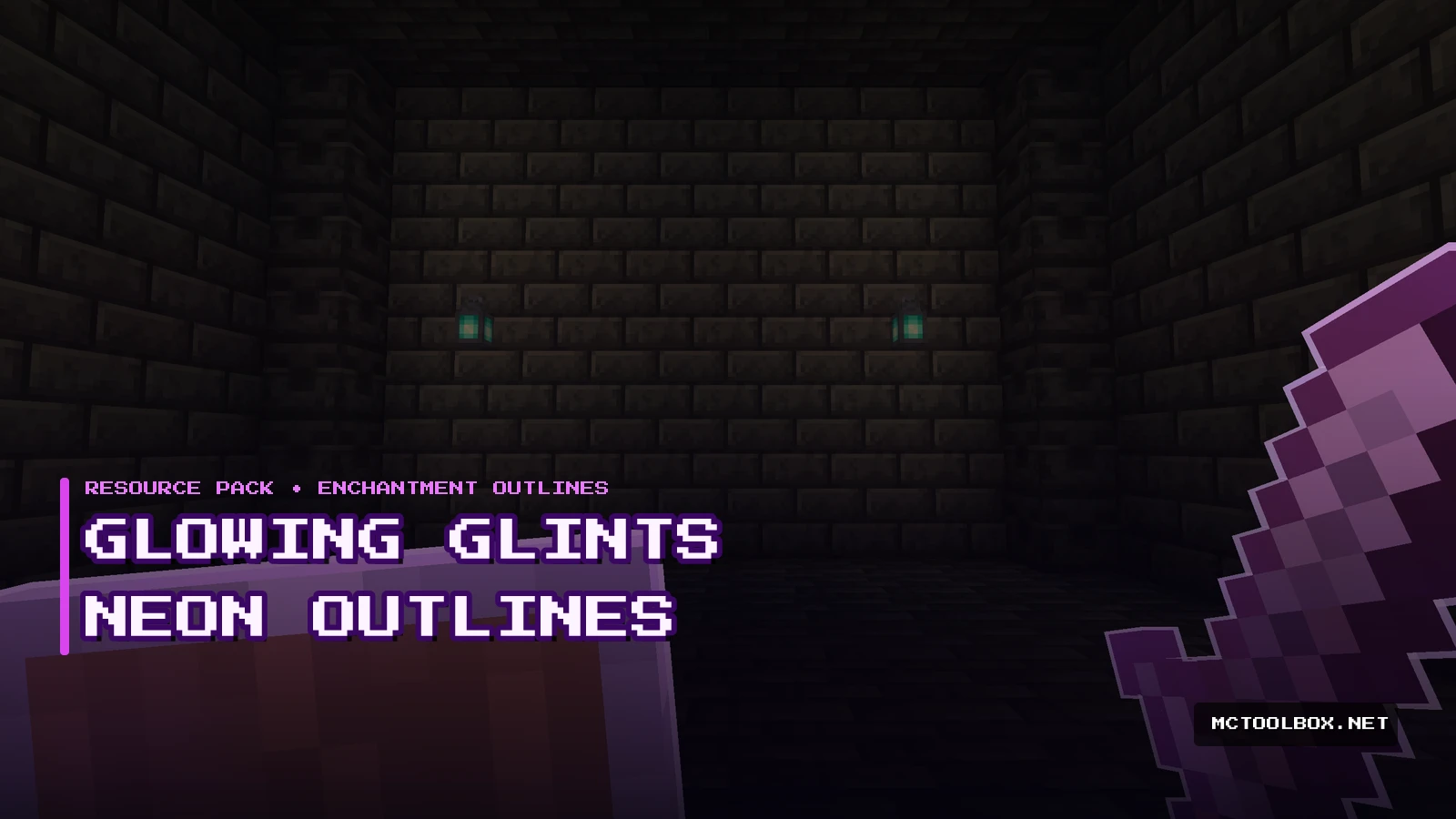
Enchantment Outlines (Glowing Glints) removes the washed-out purple overlay from enchanted items, tracing tools, weapons, armor, and ground loot in vibrant neon silhouettes.
In this guide6 sections
Enchanted gear represents the pinnacle of progression in Minecraft. Whether you carry a fully forged Netherite sword or a precision bow, enchantments denote power and investment. Yet since the Adventure Update in 2011, Minecraft has signified enchantment through a single blunt technique: a moving diagonal purple gradient layered across the entire item sprite. On darker materials like Netherite or complex models like tridents and shields, this purple wash obliterates delicate pixel details, reducing iconic tools to reflective purple blobs.
Enchantment Outlines, originally popularized under the name Glowing Glints by creator Dani (Tixul), delivers an elegant aesthetic remedy. Backed by more than 6.5 million downloads across the community, the resource pack discards the muddy full-surface sheen in favor of a crisp neon silhouette that traces the outer contour of enchanted items. The interior pixel artwork remains completely sharp and legible, while the glowing border provides immediate visual confirmation of every enchanted piece in your arsenal.
Precision Silhouette Tracing on Swords and Shields
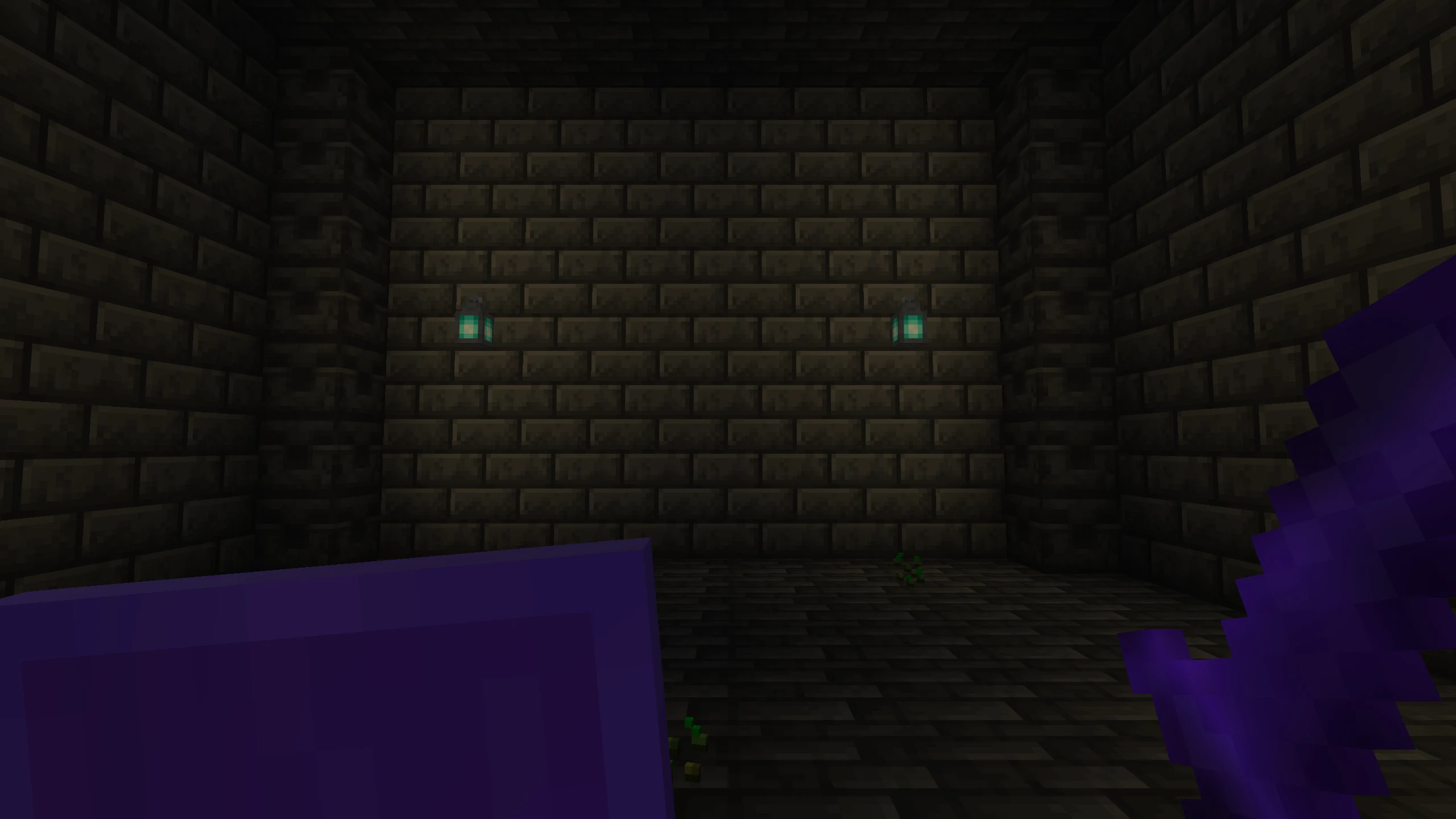
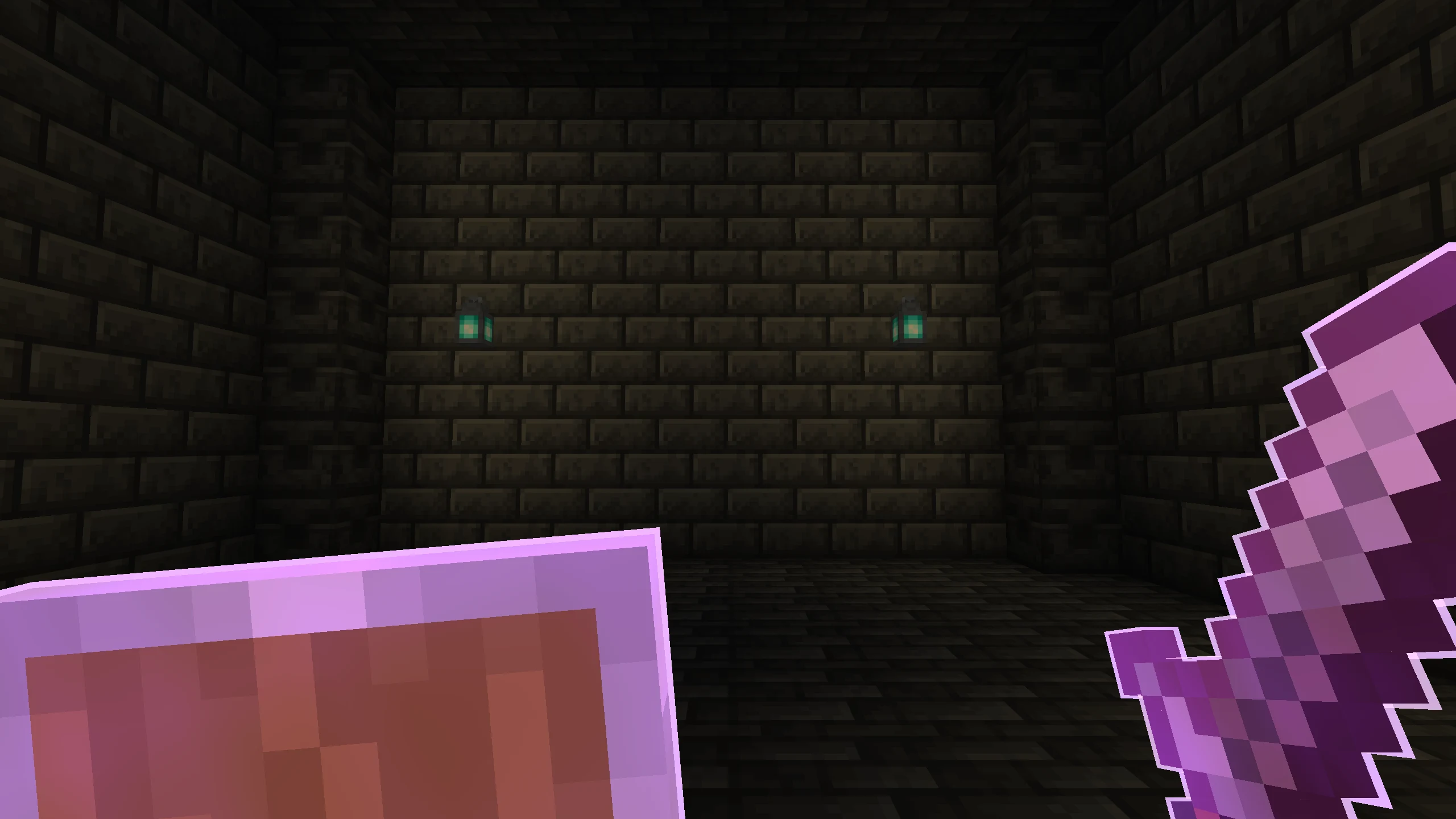
The visual contrast is most striking when holding top-tier weapons and defense gear in first person. Under default vanilla rendering, an enchanted Netherite sword and shield are dominated by the purple shimmer. The dark forged alloy of the blade and the wooden planks of the shield are barely recognizable during active combat.
With Enchantment Outlines active, the blade profile and shield rim are framed by an electric magenta-violet neon stroke. The dark charcoal core of the Netherite sword stands out boldly against the background, and the shield face retains its natural wood grain. In fast-paced PvP and PvE skirmishes, recognizing your active hotbar item takes a fraction of a second, without visual fatigue from continuous diagonal shimmer waves.
Tool Clarity and Mining in Subterranean Caverns
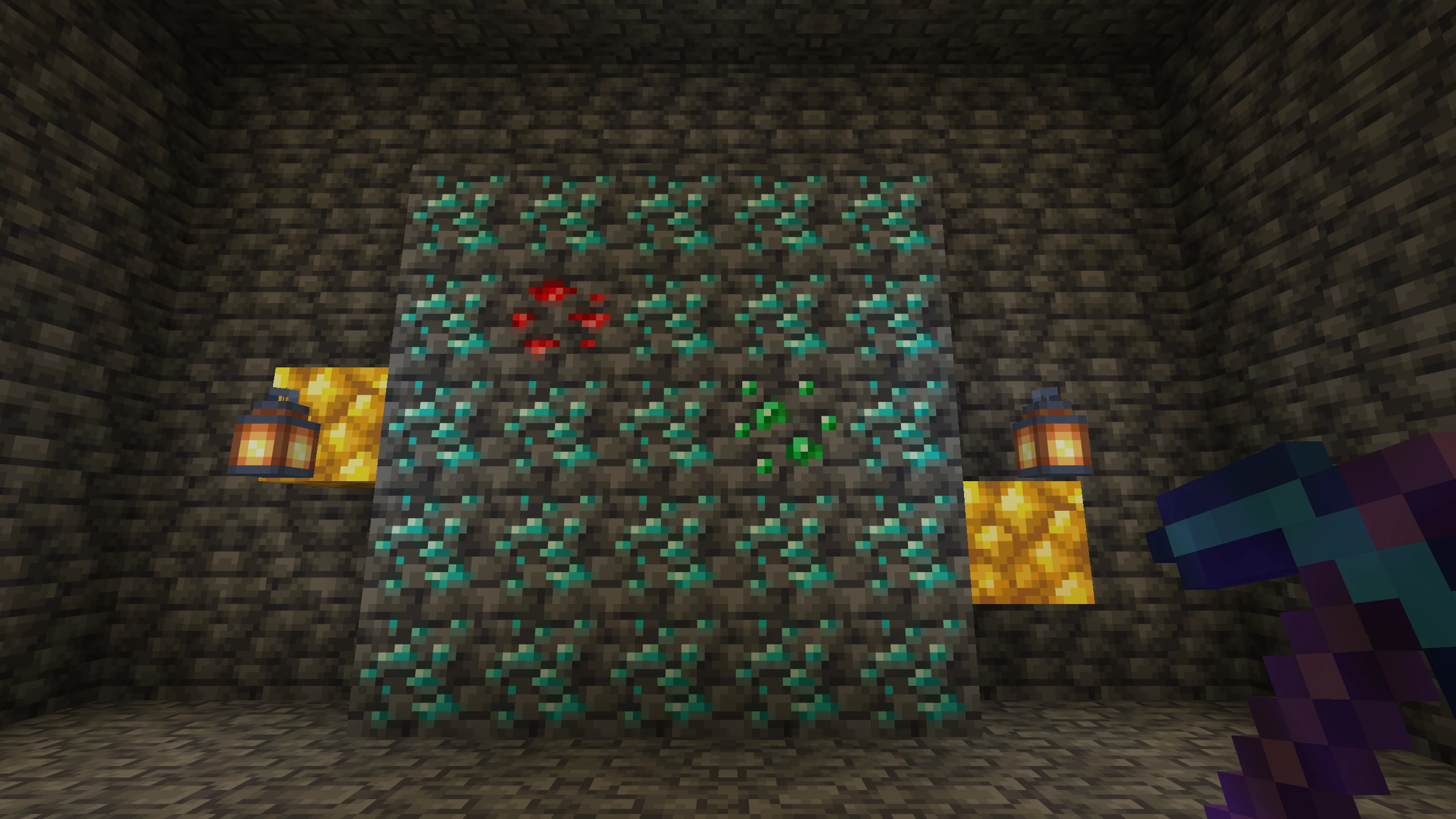
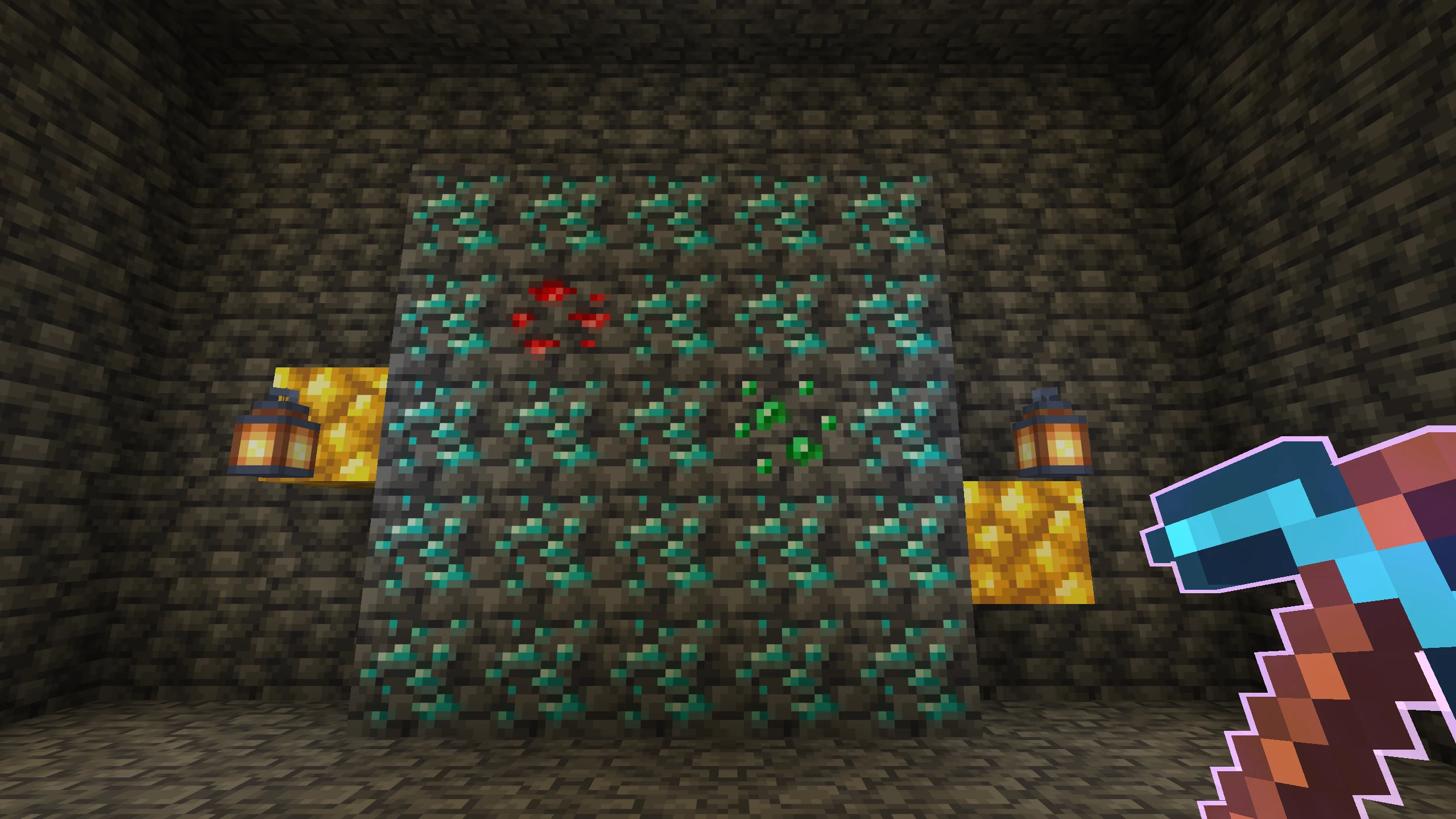
Subterranean exploration presents another scenario where vanilla enchantment glint hinders visual comfort. In deep caves surrounded by deepslate and grimstone, the ambient light is low. Swinging a vanilla enchanted diamond pickaxe produces continuous purple light reflections that clash with the surrounding rock and ore veins.
Enchantment Outlines preserves the pure cyan luster of the diamond pickaxe head. The glowing edge provides distinct visual feedback that the tool carries Efficiency and Fortune, while the wooden shaft and blue gem pixels remain vivid against the textured cave walls. Whether mining ancient debris in the Nether or carving branch mines at Y level -58, the clean contour creates a noticeably sharper, less cluttered screen.
Trial Chamber Arsenal: Heavy Mace and 3D Weapon Models
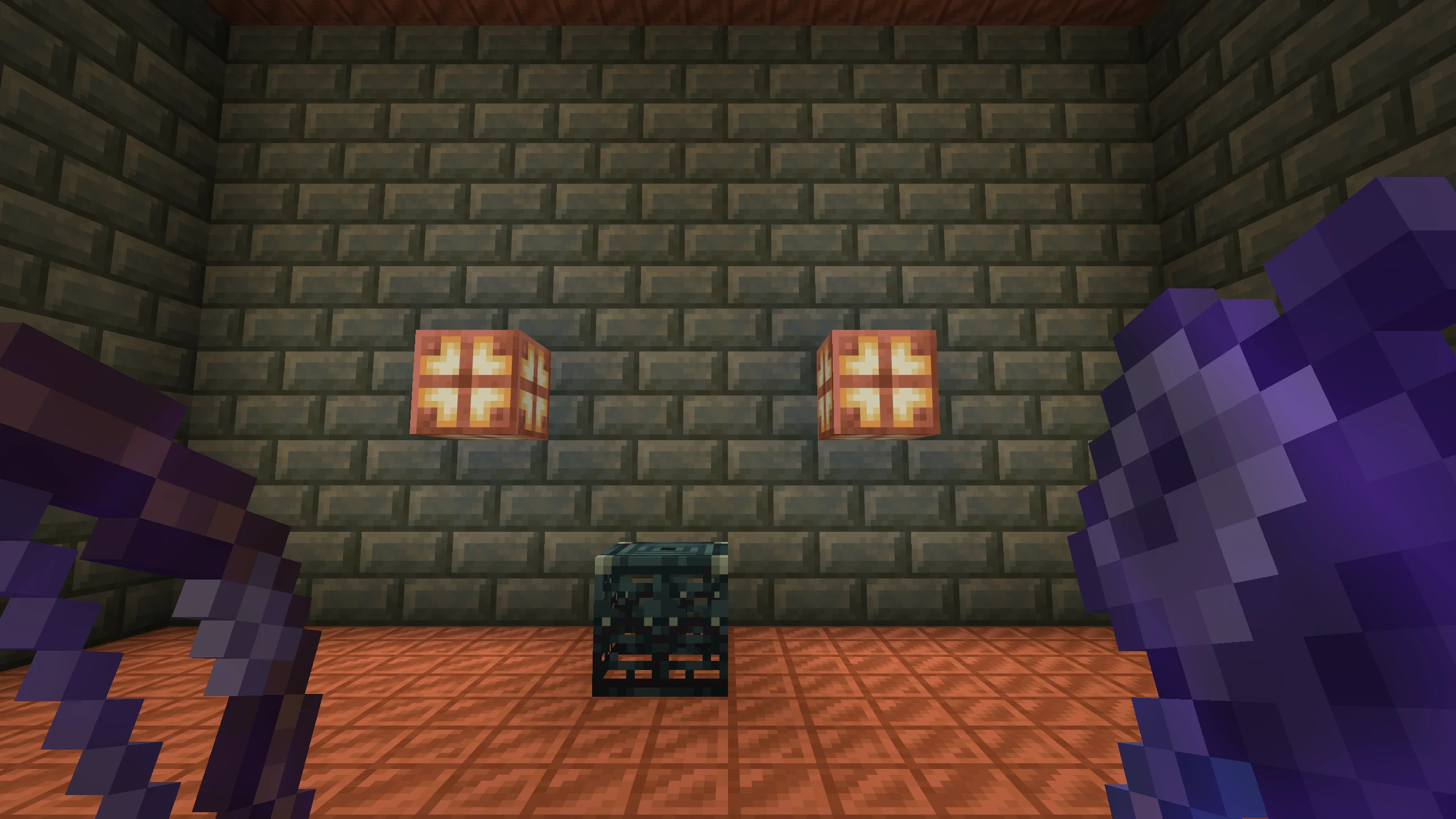
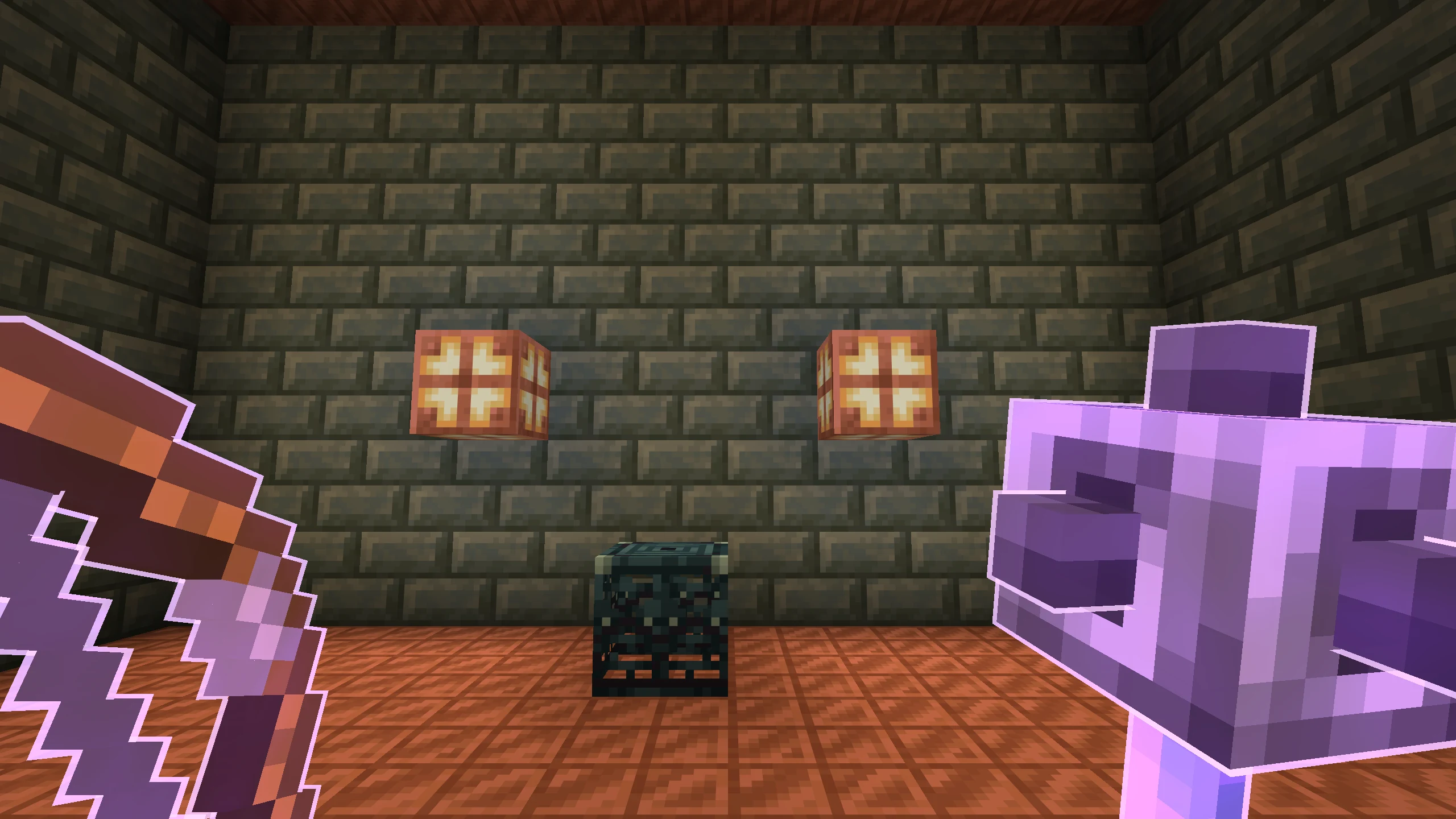
Minecraft 1.21 introduced the Mace, featuring a bulky 3D geometric head with extruded flanges and heavy smash attack mechanics. Applying powerful enchantments like Wind Burst, Density, or Breach in vanilla results in the entire metallic hammerhead turning into a reflective purple prism.
Dani regularly updates the pack structure to support modern game versions and new weapon archetypes. On the Mace, the neon contour wraps around the faceted 3D block geometry rather than applying a flat 2D mask. The notched wooden curve of enchanted bows and crossbows receives the exact same surgical treatment. In dim Trial Chamber corridors lit by copper bulbs, weapons maintain their structural weight and distinct material identity.
Arsenal Pedestals, Armor Stands, and Dropped World Loot
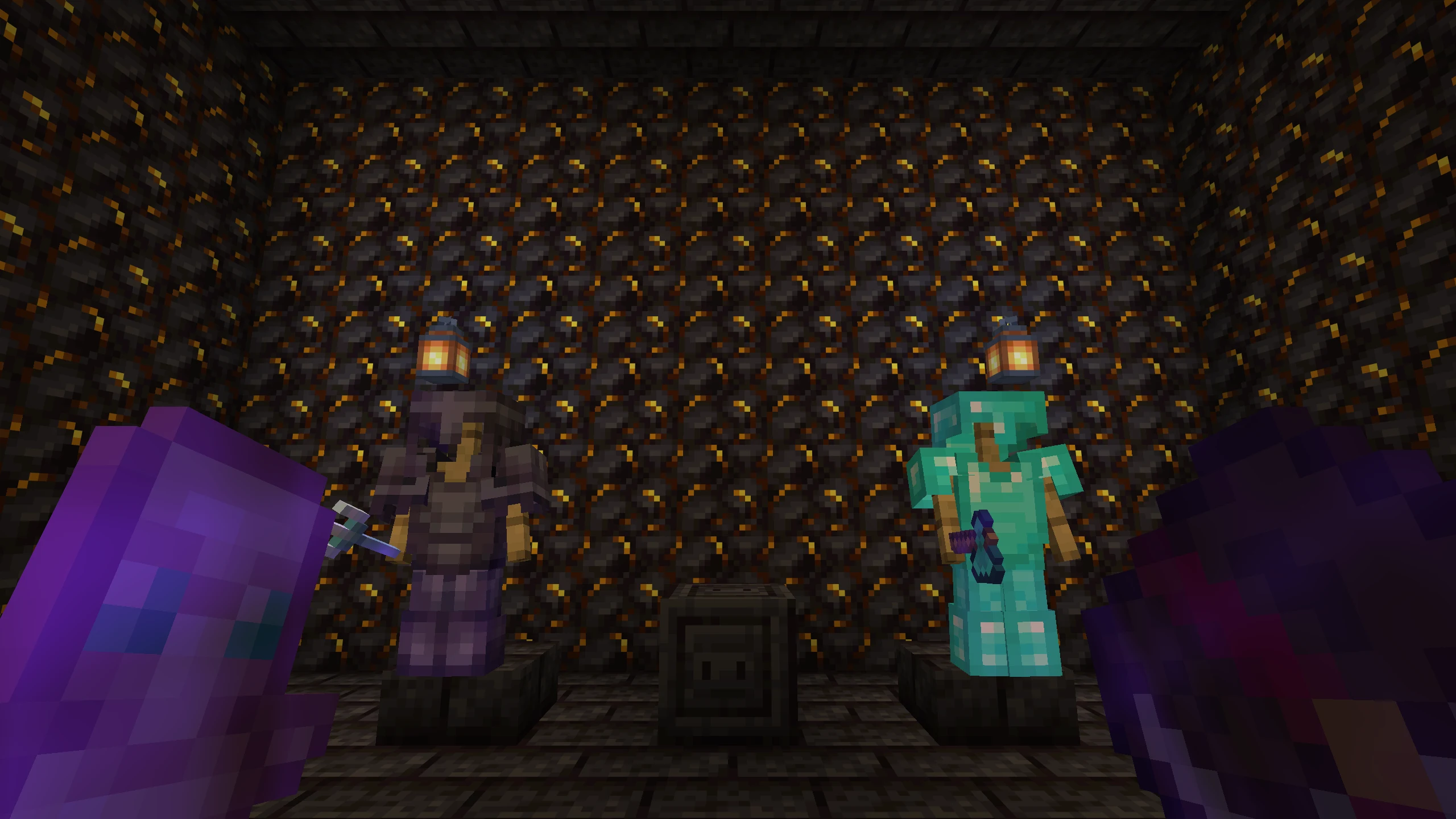
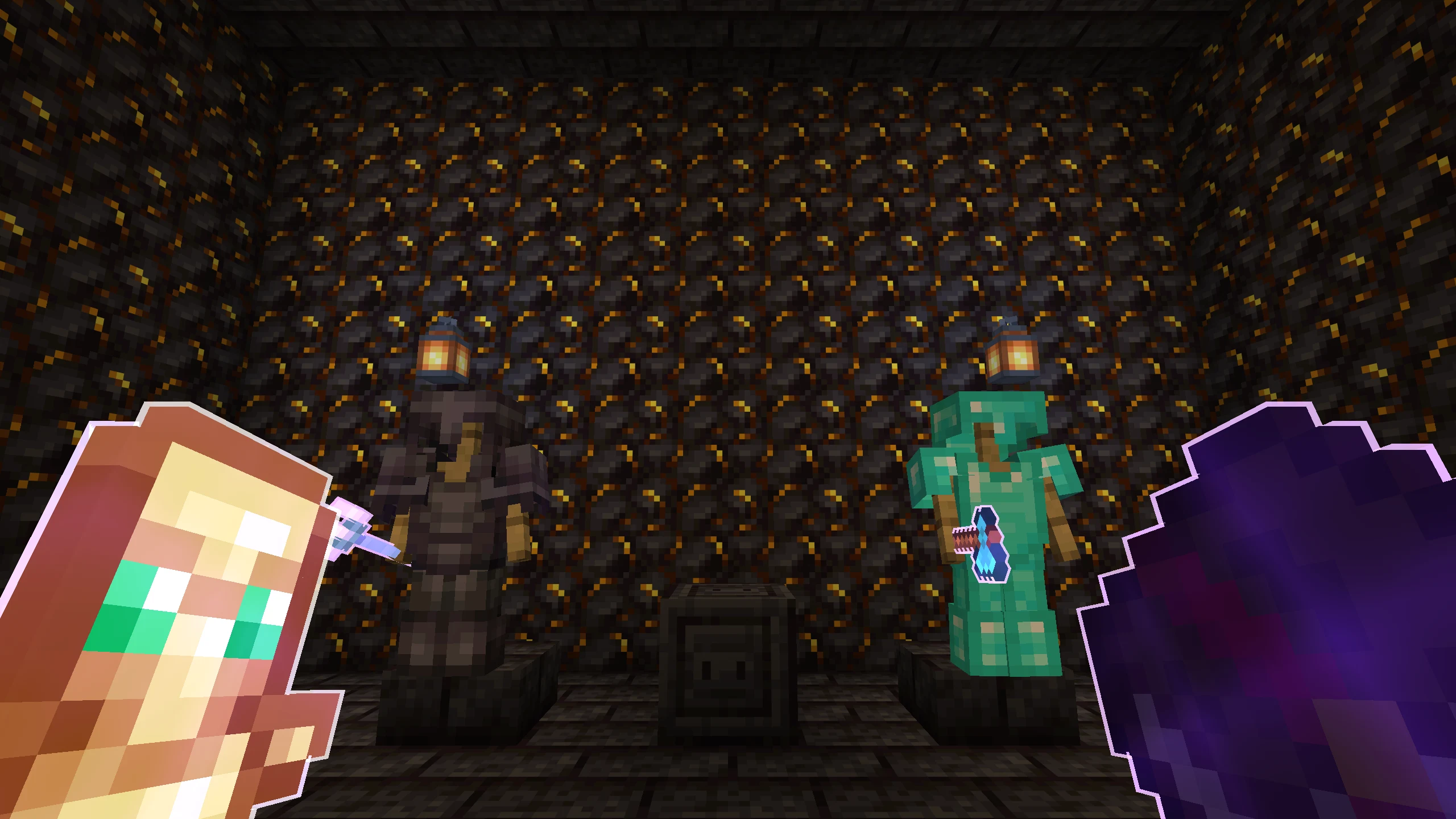
The utility of Enchantment Outlines extends far beyond first-person hands. In survival worlds, players frequently build armories and trophy halls to showcase god armor, tridents, and rare books. Under default vanilla settings, rows of enchanted armor stands create an overwhelming sea of purple diagonal animations.
With Enchantment Outlines, each piece of gear on an armor stand is framed with crisp definition. Dropped items also benefit significantly: enchanted books, totems of undying, and golden apples floating on the ground or placed inside item frames stand out distinctly against dark floor blocks. After defeating a raid or exploring an ancient city, identifying enchanted book drops and high-value loot in the dark takes a split second.
Core Shader Architecture and Performance Analysis
Unlike visual overhaul mods that require complex external runtime frameworks such as Iris, OptiFine, or Canvas, Enchantment Outlines is implemented purely as a vanilla resource pack. It leverages Minecraft built-in core shaders located in the translucent item render pipeline.
Because the pack operates directly inside the vertex and fragment shader stage without multiplying polycounts or inflating texture resolutions, the measured performance overhead is literally zero frames per second. Even on budget laptops and integrated graphics chips, the framerate remains identical to an unmodded client.
For players running optimization setups with Fabric, Sodium, or Embeddium, the pack functions seamlessly out of the box. Note that if you run external shaderpacks such as Complementary or BSL, the shaderpack custom post-processing pipeline may override vanilla item shaders. If you use Iris shaders, check your active shaderpack options to ensure item glint rendering is set to resource pack compatible mode.
Our test setup
| client | Fabric 0.19.3 on Minecraft 26.2 (1.21.4) |
|---|---|
| hardware | AMD Ryzen 7 5800X, 32GB RAM, NVIDIA GeForce RTX 3080 |
| resolution | 2560x1440 (2K native) |
| performance | Zero measurable FPS delta; identical to vanilla render pipeline across all test scenes |
| compatibility Tested | Fabric API, Sodium / Embeddium, Iris shaders, Vanilla 1.20 - 1.21.4 |
Download and install
Choose the Java Edition file for your exact game version on the creator’s page. In Minecraft, open Options → Resource Packs → Open Pack Folder, place the ZIP there, then move the pack into the selected column.
The download is hosted by the creator, not MC Toolbox. Check the file and version before installing.