Minecraft resource pack guide
Fresh Moves Review: Expressive Player Animations in Modern Minecraft
Fluid running strides, physics-driven combat stances, and subtle facial blinking replace Minecraft's stiff marionette motions.
Java Edition · 16×16 · by Ithan, Traben, FreshLX & TrasTick
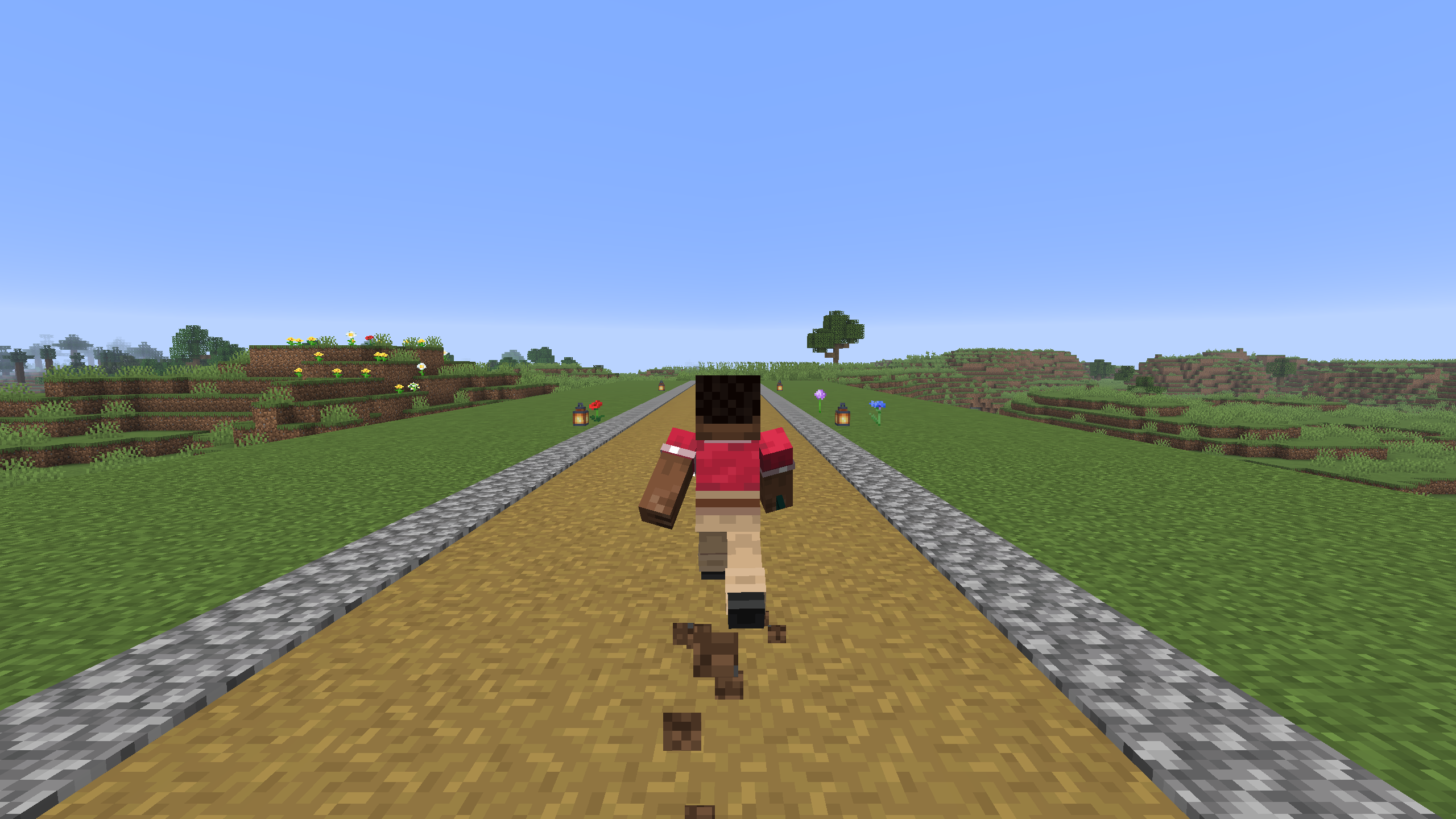
Fresh Moves replaces Minecraft's stiff, unblinking player avatar with fluid running strides, athletic combat postures, and expressive facial animations without altering gameplay mechanics or player hitboxes.
In this guide5 sections
For more than a decade, Minecraft's player character has moved like a rigid wooden marionette. While mobs gradually received visual updates and resource packs pushed block textures into extreme detail, Steve and Alex remained locked into straight-line limb rotations, stiff vertical sneak drops, and a blank, unblinking stare. Fresh Animations famously solved this issue for hostile monsters and villagers, but the player avatar remained untouched.
Fresh Moves bridges that visual gap. Developed by animation editor Ithan with technical framework support from Traben (creator of Entity Model Features) and based on the foundational work of FreshLX, this pack delivers a comprehensive animation overhaul directly to the player entity. Running, swimming, crouching, blocking, and idle breathing all receive fluid, hand-crafted character animations that feel native to Minecraft's charming blocky aesthetic without altering hitboxes or movement mechanics.
The mechanics of Entity Model Features and OptiFine limits
Unlike traditional resource packs that merely swap PNG texture files, Fresh Moves relies on custom entity model (CEM) mechanics. Specifically, it requires Entity Model Features (EMF) and Entity Texture Features (ETF) running on modern mod loaders such as Fabric or NeoForge.
A frequent point of confusion for returning players is OptiFine compatibility. While OptiFine pioneered custom entity models for animals and monsters, its CEM implementation does not support the player model. Attempting to load Fresh Moves through OptiFine will result in completely static vanilla animations. By contrast, EMF hooks cleanly into the modern rendering engine, allowing complex bone hierarchies, secondary joint rotations, and custom animation curves to execute smoothly at triple-digit framerates with Sodium.
Facial expressions, blinking, and the animated eyes setup
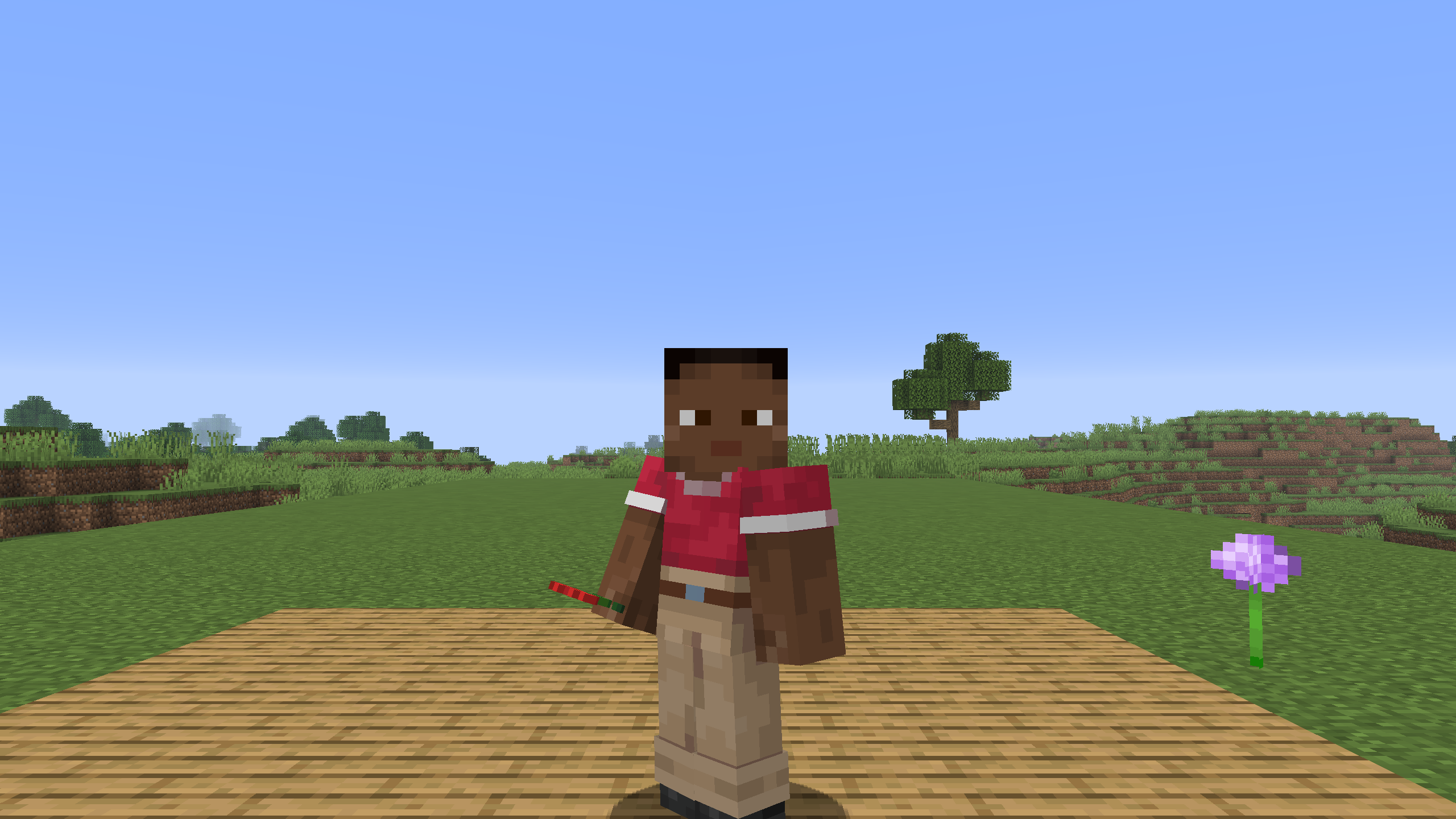
One of the most remarkable aspects of Fresh Moves is facial animation. In standard vanilla gameplay, a player's face is a painted cube that never blinks, winks, or shifts expression. Fresh Moves introduces living facial geometry, giving characters periodic eye blinks, expressive eyebrow twitches, and subtle eye tracking.
The pack comes in two primary editions: one with animated eyes and one without. The animated eyes edition functions immediately out of the box with all official default skins, including Steve, Alex, Makena, Noor, and Sunny. For custom multiplayer skins, the pack reads specific pixel coordinate markers located on unused portions of the standard 64x64 skin texture. Setting ETF skin transparency to all skins ensures that eye layers render cleanly without unwanted black boxes or skin clipping artifacts.
Dynamic locomotion: Sprinting strides and swimming momentum
Moving through the overworld highlights the biggest kinetic upgrade Fresh Moves provides. Under vanilla mechanics, sprinting simply speeds up the robotic 90-degree arm and leg swings. The torso stays rigidly vertical, creating a jarring disconnect between forward velocity and character posture.
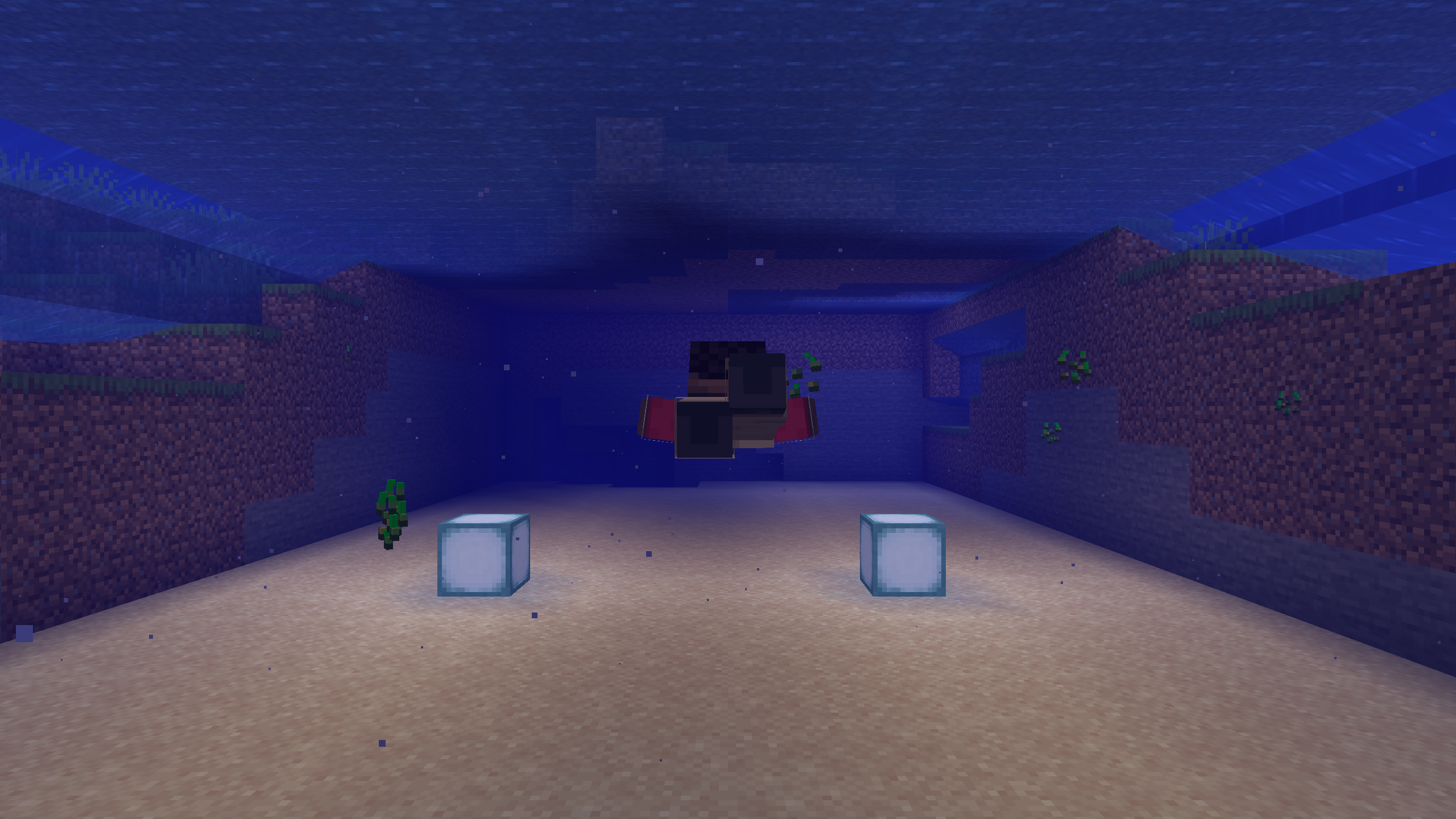
Fresh Moves introduces natural weight distribution and momentum. When sprinting, the player character leans forward into the stride, driving knees upward and pumping bent elbows in rhythm with footfalls. Sharp turns cause subtle hip and torso banking that feels athletic and responsive. In water, the overhaul replaces the flat, board-like planking pose of vanilla swimming with a fluid dolphin-kick motion, complete with gentle spinal undulations and rhythmic sweeping arm strokes.
Tactical combat: Stealth crouching and raised shield guards
Combat and stealth situations gain substantial visual weight under Fresh Moves. When sneaking, rather than dropping downward by a fixed fraction of a block while maintaining a stiff posture, the avatar assumes an agile, low-center-of-gravity prowl with bent knees and a rounded back.
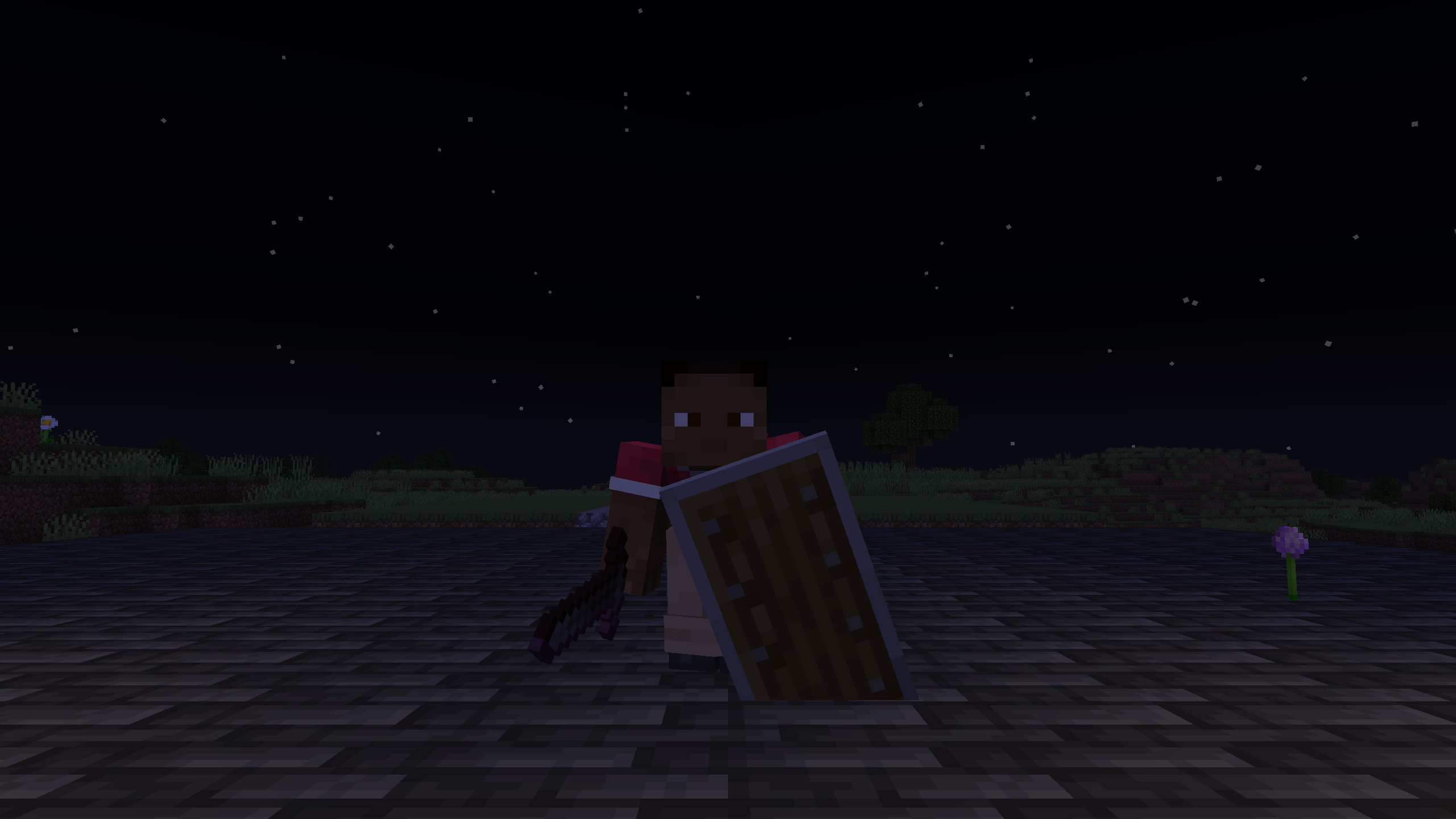
Equipping shields and weapons enhances this tactical presence. Raising a shield positions the guard squarely in front of the character's vital zone while canting the main-hand weapon ready for a riposte. For players who prefer a rock-steady viewmodel during intense mining or PvP sessions, EMF includes a dedicated toggle to prevent first-person hand animation, ensuring that third-person visual flair never compromises first-person precision.
Our test setup
| Game | Minecraft Java Edition 26.2 |
|---|---|
| Pack | Fresh Moves 3.1.1 (Expressive edition) |
| Loader and rendering | Fabric Loader 0.19.3; Fabric API 0.158.0+26.2; Sodium 0.9.1 |
| Required model and texture support | EMF (Entity Model Features) 3.3.8; ETF (Entity Texture Features) 7.2.4 |
| Captures | 2560 × 1440 source capture; third-person back and front views; no shaders |
| Player model tested | Default Makena skin (classic 4px arms) with native EMF eye blinking support |
| Locomotion tests | Sprint stride down open dirt path; underwater dolphin-kick swim in lit canal |
| Combat tests | Crouching stealth prowl and shield guard blocking with netherite blade |
| Limits | OptiFine does not support player CEM; custom skins require extra pixel coordinates for blinking |
Download and install
Choose the Java Edition file for your exact game version on the creator’s page. In Minecraft, open Options → Resource Packs → Open Pack Folder, place the ZIP there, then move the pack into the selected column.
The download is hosted by the creator, not MC Toolbox. Check the file and version before installing.
Common questions
Does Fresh Moves work with OptiFine?
No. OptiFine does not support custom entity models for player characters. You must use Fabric or NeoForge with the Entity Model Features (EMF) and Entity Texture Features (ETF) mods.
Why are my character's eyes black or unblinking?
Official default skins like Steve, Alex, and Makena blink automatically. If you use a custom multiplayer skin, you must either add the required marker pixels defined on the project wiki or use the standard edition without animated eyes.
Can I use Fresh Moves alongside Fresh Animations?
Yes. Fresh Moves exclusively handles the player character, while Fresh Animations focuses on villagers, farm animals, and hostile mobs. Both packs use EMF and complement each other seamlessly.