Minecraft resource pack guide
Faithful 32x Review: More Detail, Still Minecraft
Sharper items and familiar blocks, with a few reasons to prefer vanilla.
Java Edition · 32×32 · by Faithful Resource Pack contributors
Faithful 32x is easiest to appreciate up close. After comparing it with vanilla in the same scenes, I found its item redraws more convincing than any distant landscape. The smoother style will not suit everyone.
In this guide6 sections
Faithful 32x makes a better impression in a chest full of items than in a sweeping landscape shot. Open the inventory and the difference is easy to pick out: cleaner tool edges, more definition in the gems, and less chunky shading on the armor. Close the menu, step back from a building, and it becomes a much quieter upgrade. That is both its appeal and its limitation.
I like that restraint. The pack gives familiar textures more room to breathe without asking me to relearn what everything looks like. But if you enjoy the deliberately rough pixels of vanilla, smoother is not automatically better.
The blocks reward a closer look
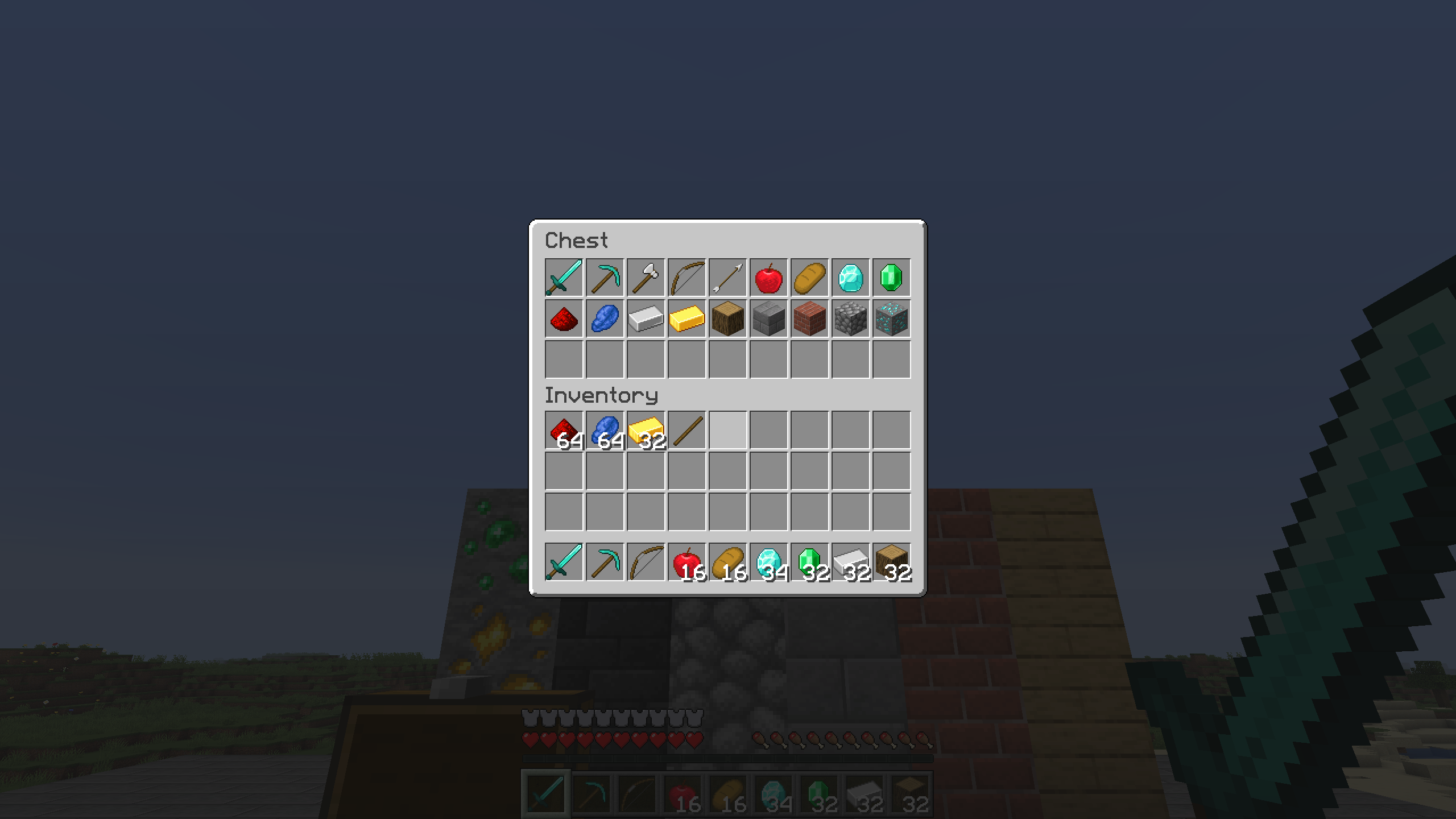
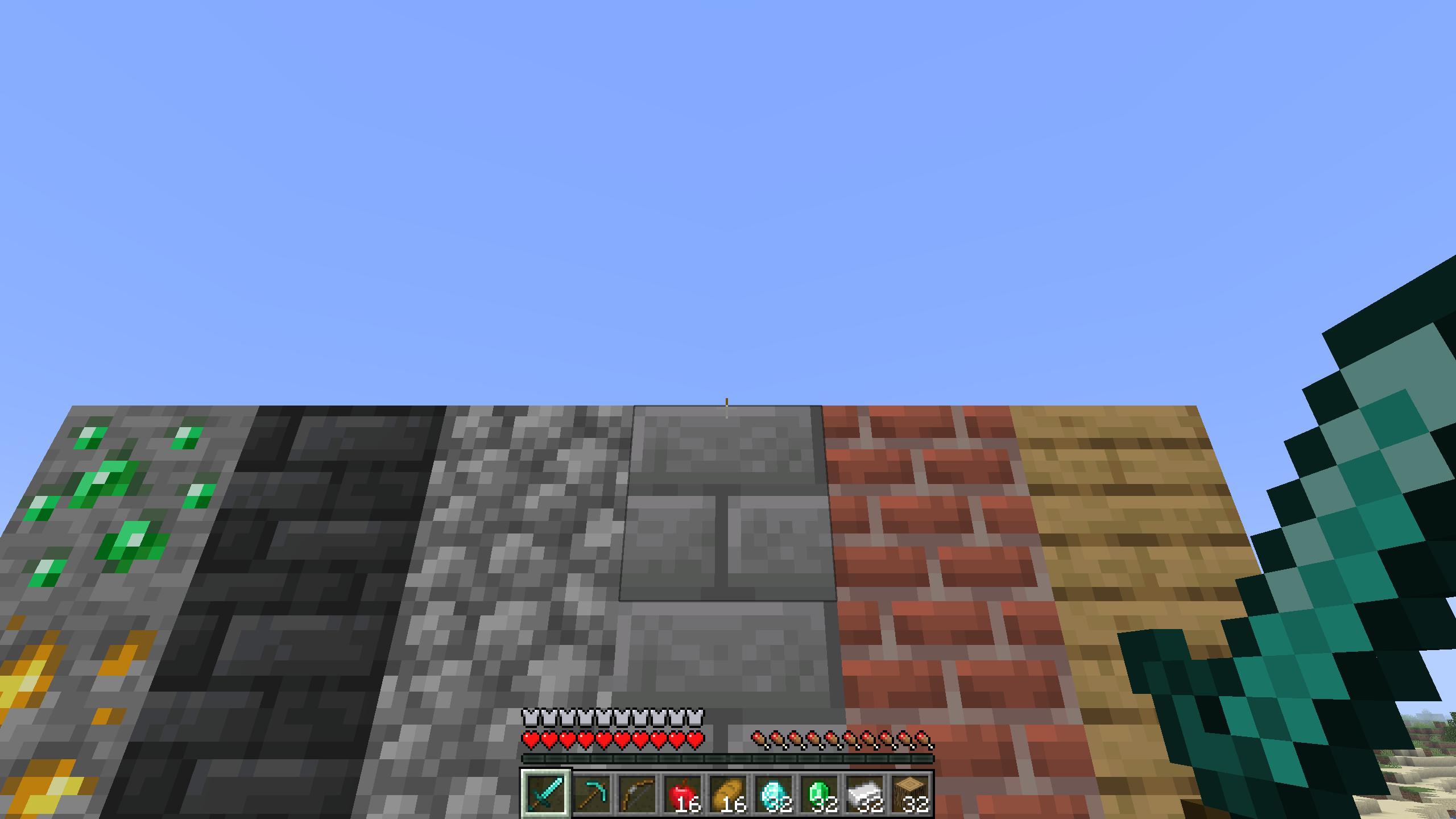
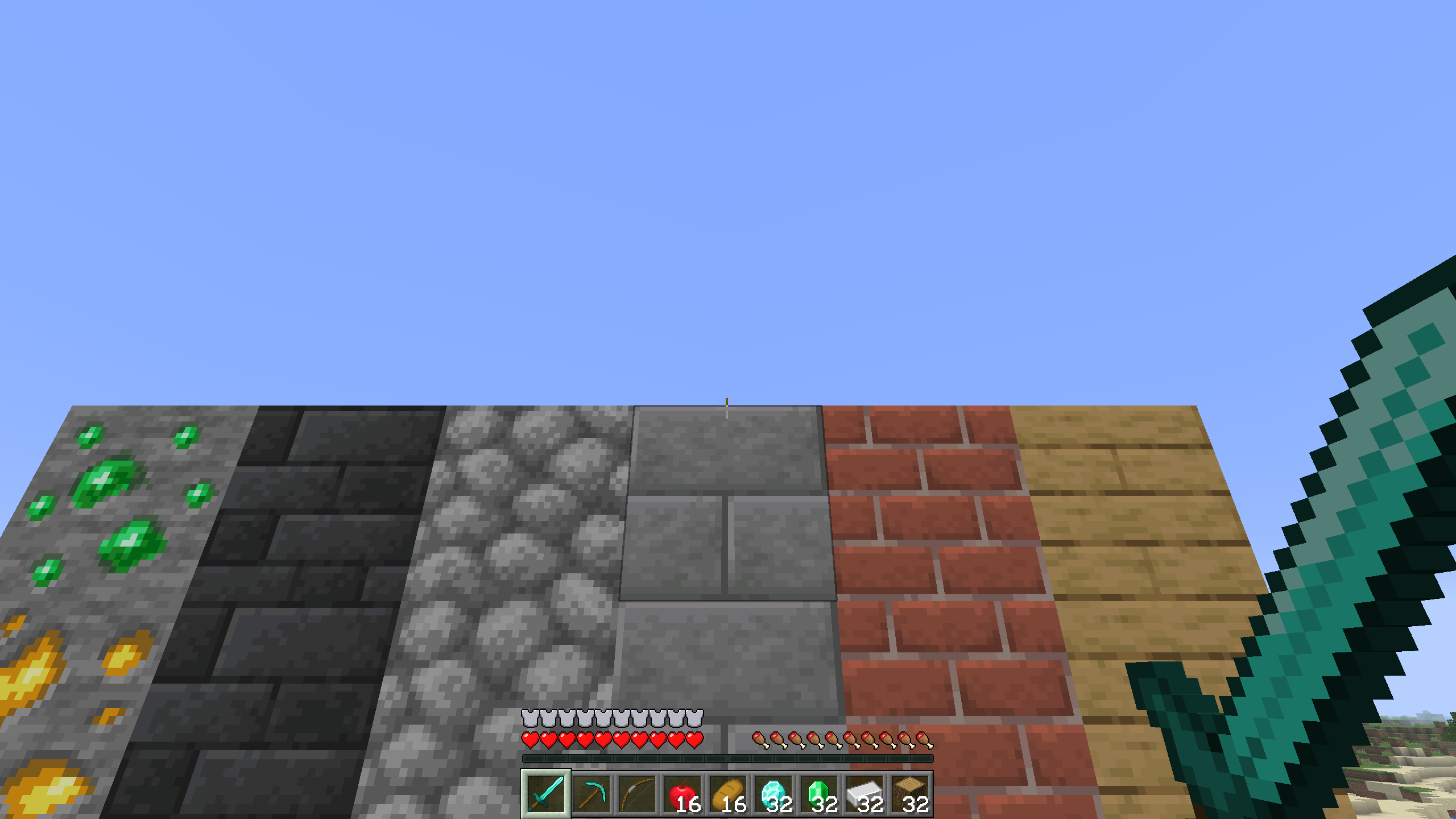
Wood, brick and stone are where I would start comparing, rather than the sky or water. In the side-by-side wall, Faithful adds finer lines to the planks and more texture inside the stone surfaces. The cobblestone has more going on within each piece, while the brickwork looks less like large colored squares. The ores still read as the same ores; they have not been turned into an unrelated realistic material.
That extra detail works particularly well when I am close enough to inspect a wall. It makes ordinary building materials feel a little more finished without changing their role in the palette. I can still tell which block I chose before I start looking for the finer marks.
There is a trade-off, though. A busier stone surface is not necessarily the one I want in every build. Vanilla's broad, simple shapes can look more deliberate, especially if the whole build relies on a chunky style. From farther away, some of the extra detail also stops being the thing I notice. I would choose Faithful for the surfaces I spend time around, not expect it to transform every distant view.
Items are the more convincing upgrade
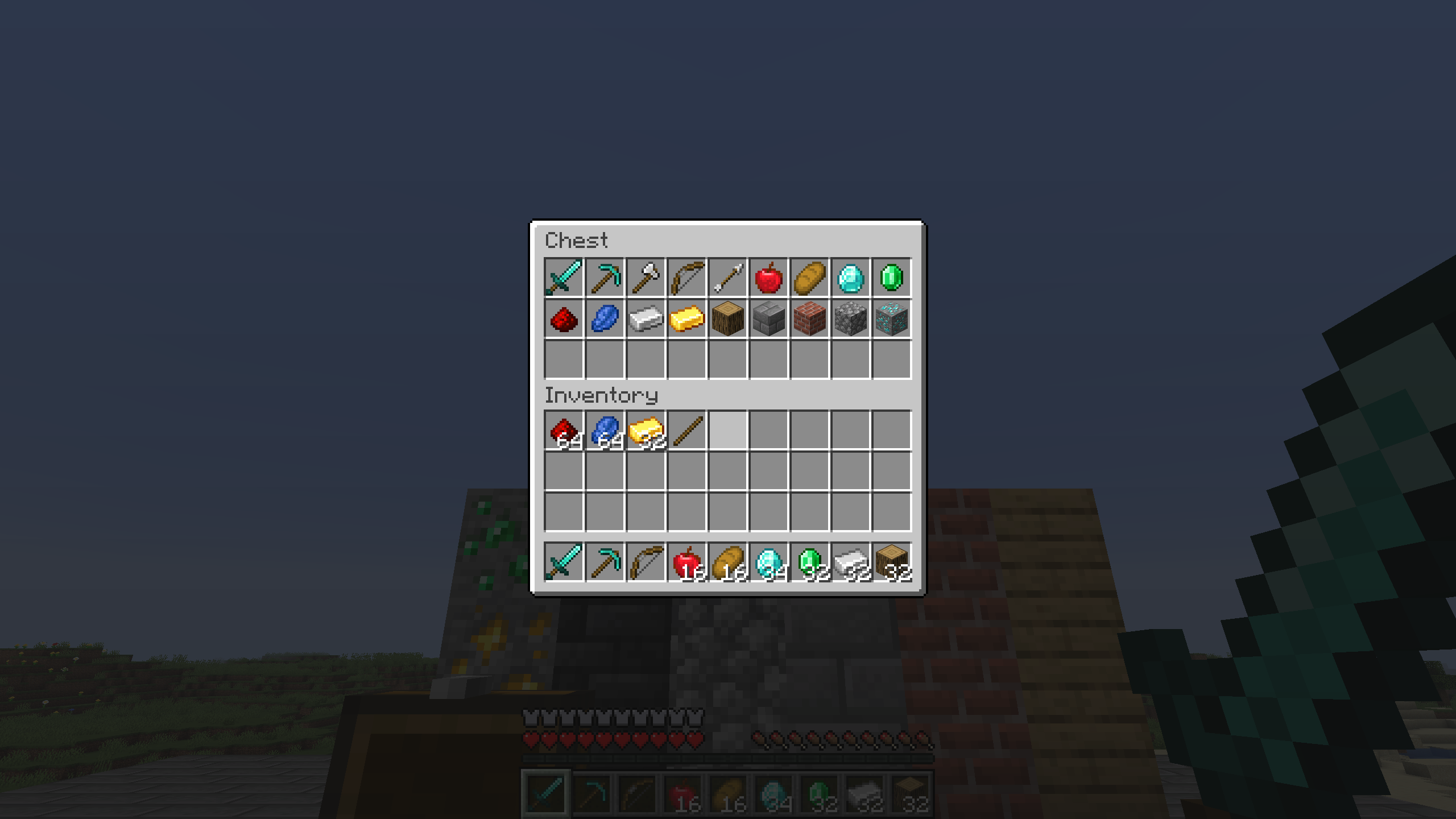
The chest comparison is my favorite of this set. It puts tools, food, gems and building materials next to each other, so there is nowhere for a dramatic sunset to do the selling.
The sword and pickaxe keep their familiar silhouettes, but their outlines and shading are less stepped. Diamonds, emeralds and ingots look more defined in their slots. The apple and bread are still unmistakably Minecraft food, rather than tiny photographs competing with the rest of the inventory.
This is the kind of change I would actually notice during ordinary play. It is visible while sorting a chest or switching tools, not just when stopping to admire a screenshot. The hotbar benefits from the same treatment, although the small icons naturally leave less room to appreciate it than the inventory does.
If the original 16x item art is part of Minecraft's charm for you, this is also where you may disagree with me. Faithful is not simply vanilla with the blur removed. The redraws have their own choices, and the smoother shapes can lose a little of that coarse pixel-art character.
The GUI stays familiar, not flashy
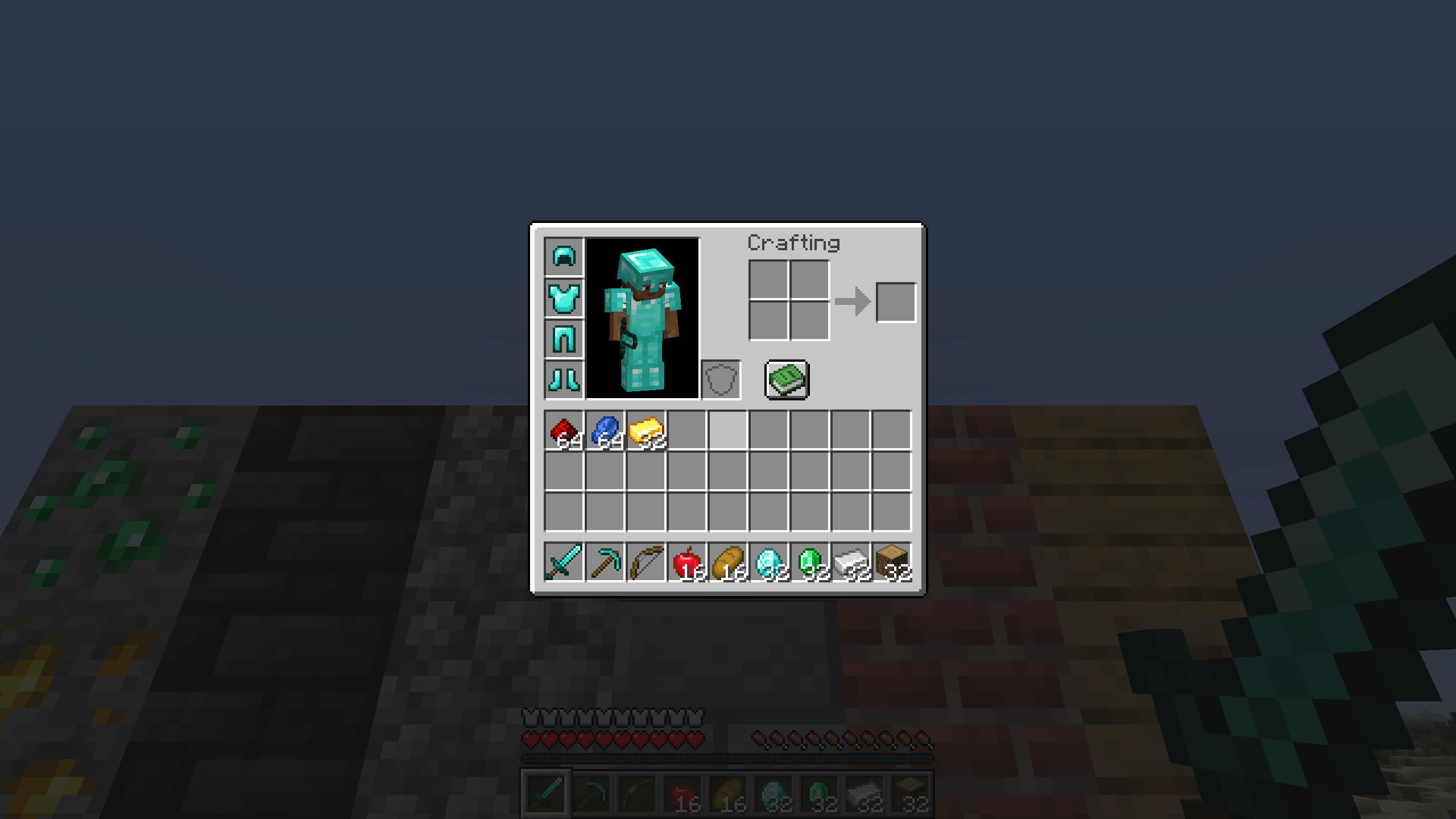
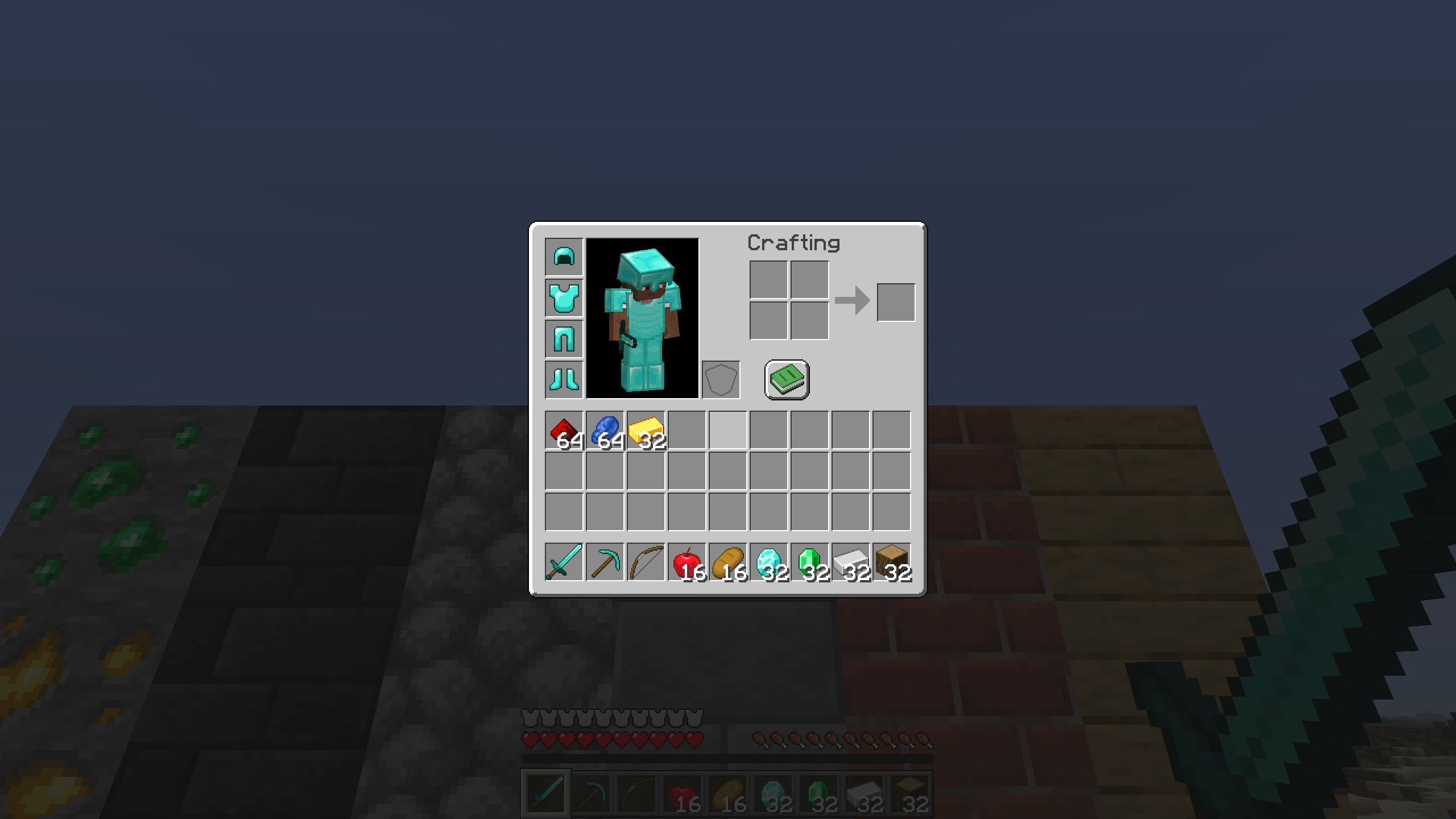
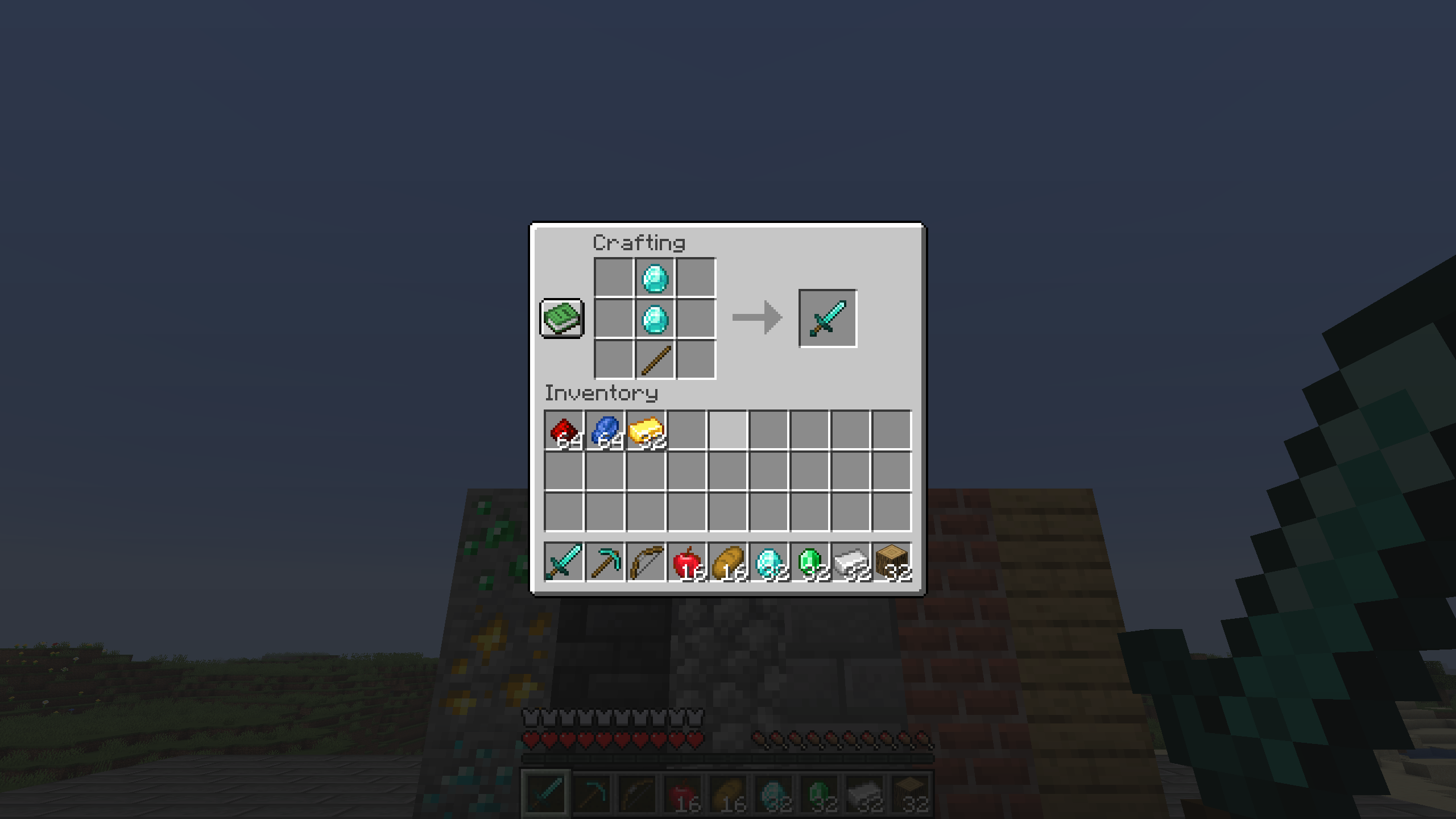
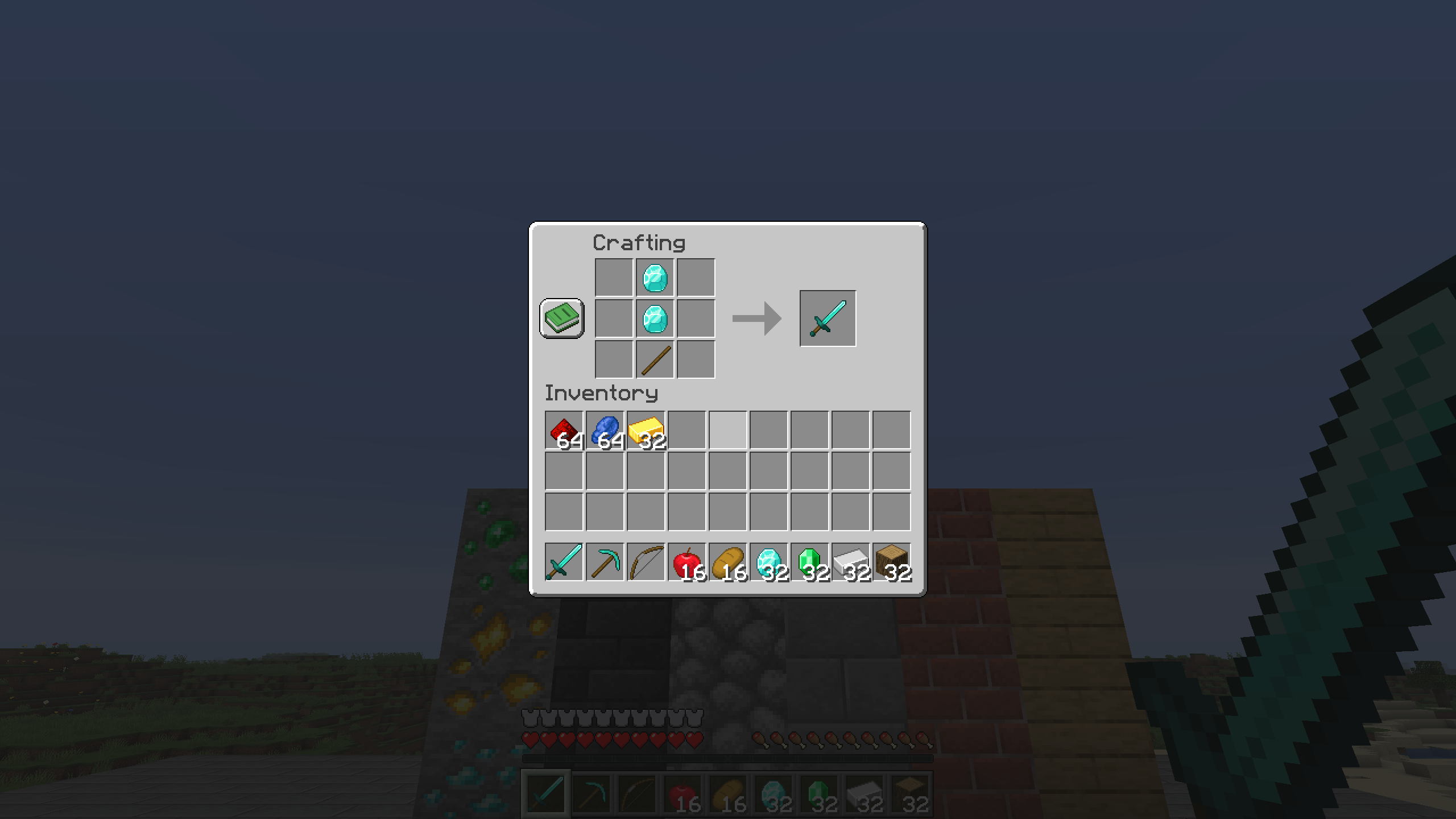
Inventory, crafting and chest screens still have the recognizable gray layout. Faithful refines the textures and icons rather than turning the interface into a different theme. In the crafting comparison, I can see the sharper ingredients and tool result without having to adjust to a new screen design.
I think that is a good fit for this pack. The interface does not fight the items for attention, and moving between the world and a menu feels consistent. The armor preview also makes the extra texture detail easier to see than a tiny equipment icon alone.
On the other hand, I would not install Faithful primarily for a new GUI. If your goal is a dark inventory, colored panels or a completely different interface style, these screenshots are unlikely to satisfy it. The menu remains familiar; the textures inside it are the stronger reason to use the pack.
One installation snag worth knowing
I tested the June 2026 Java 26.2 release, with shaders switched off. The file is listed for 26.2, but my game initially rejected its pack metadata as incompatible. It only loaded after I explicitly allowed that pack, and I checked that Faithful was actually active before taking the comparison images.
The screens and block samples shown here then rendered, but that is not a promise that every texture in the release is problem-free. I would check the current file on the official versions page before copying the same workaround. A warning is a reason to check the release, not something to dismiss automatically.
These are Java Edition observations, not a Bedrock test. I also have no measured FPS comparison to attach to them: this review is about what changed on screen, not a claim that 32x has no performance cost.
Would I keep it enabled?
For a survival world where I want Minecraft to remain recognizable, yes. The items are the clearest win for me, and the finer block textures make familiar materials worth another look. I do not need a shader to see what the pack contributes.
I would stay with vanilla if the rougher pixels are exactly the look I want. I would look elsewhere if I wanted realism or a bold new art direction. Faithful sits between those choices: more definition, familiar colors and shapes, and enough restraint that the game still feels like itself. That makes it easy to like, even if it is not a dramatic makeover.
Our test setup
| Game | Minecraft Java Edition 26.2 |
|---|---|
| Pack release | Faithful 32x, June 2026 (26.2-june-2026) |
| Rendering | Fabric 0.19.3; Fabric API 0.158.0+26.2; Sodium 0.9.1; Iris 1.11.2 with shaders disabled |
| Captures | 2560 × 1440, GUI scale 4; matching vanilla and Faithful scenes |
| Coverage | Block samples, hotbar, inventory, diamond armor, crafting and chest GUI |
| Installation | Original ZIP unchanged; explicitly allowed after a pack-metadata compatibility warning |
Download and install
Choose the Java Edition file for your exact game version on the creator’s page. In Minecraft, open Options → Resource Packs → Open Pack Folder, place the ZIP there, then move the pack into the selected column.
The download is hosted by the creator, not MC Toolbox. Check the file and version before installing.