Minecraft resource pack guide
Dramatic Skys
HD skies, sunflares, and realistic moon phases tested on Minecraft 26.2 Fabric.
Java Edition · HD skies · by thebaum64
+116 moreHide versions
All 120 listed versions (releases 1.8 to 26.3)
- 26.x
- 26.3 · 26.2 · 26.1.2 · 26.1.1 · 26.1
- 1.21
- 1.21.11 · 1.21.10 · 1.21.9 · 1.21.8 · 1.21.7 · 1.21.6 · 1.21.5 · 1.21.4 · 1.21.3 · 1.21.2 · 1.21.1 · 1.21
- 1.20
- 1.20.6 · 1.20.5 · 1.20.4 · 1.20.3 · 1.20.2 · 1.20.1 · 1.20
- 1.19
- 1.19.4 · 1.19.3 · 1.19.2 · 1.19.1 · 1.19
- 1.18
- 1.18.2 · 1.18.1 · 1.18
- 1.17
- 1.17.1 · 1.17
- 1.16
- 1.16.5 · 1.16.4 · 1.16.3 · 1.16.2 · 1.16.1 · 1.16
- 1.15
- 1.15.2 · 1.15.1 · 1.15
- 1.14
- 1.14.4 · 1.14.3 · 1.14.2 · 1.14.1 · 1.14
- 1.13
- 1.13.2 · 1.13.1 · 1.13
- 1.12
- 1.12.2 · 1.12.1 · 1.12
- 1.11
- 1.11.2 · 1.11.1 · 1.11
- 1.10
- 1.10.2 · 1.10.1 · 1.10
- 1.9
- 1.9.4 · 1.9.3 · 1.9.2 · 1.9.1 · 1.9
- 1.8
- 1.8.9 · 1.8.8 · 1.8.7 · 1.8.6 · 1.8.5 · 1.8.4 · 1.8.3 · 1.8.2 · 1.8.1 · 1.8
- Snapshots and pre-releases
- 23w31a · 23w32a · 23w33a · 23w35a · 1.20.2-pre1 · 23w42a · 23w43a · 23w43b · 23w44a · 23w45a · 23w46a · 24w03a · 24w03b · 24w04a · 24w05a · 24w05b · 24w06a · 24w07a · 24w09a · 24w10a · 24w11a · 24w12a · 24w13a · 24w14potato · 24w14a · 1.20.5-pre1 · 1.20.5-pre2 · 1.20.5-pre3 · 24w18a · 24w19a · 24w19b · 24w20a · 24w33a · 24w34a · 24w35a · 24w36a · 24w37a · 24w38a · 24w39a · 24w40a · 1.21.2-pre1 · 1.21.2-pre2 · 24w44a · 24w45a · 24w46a
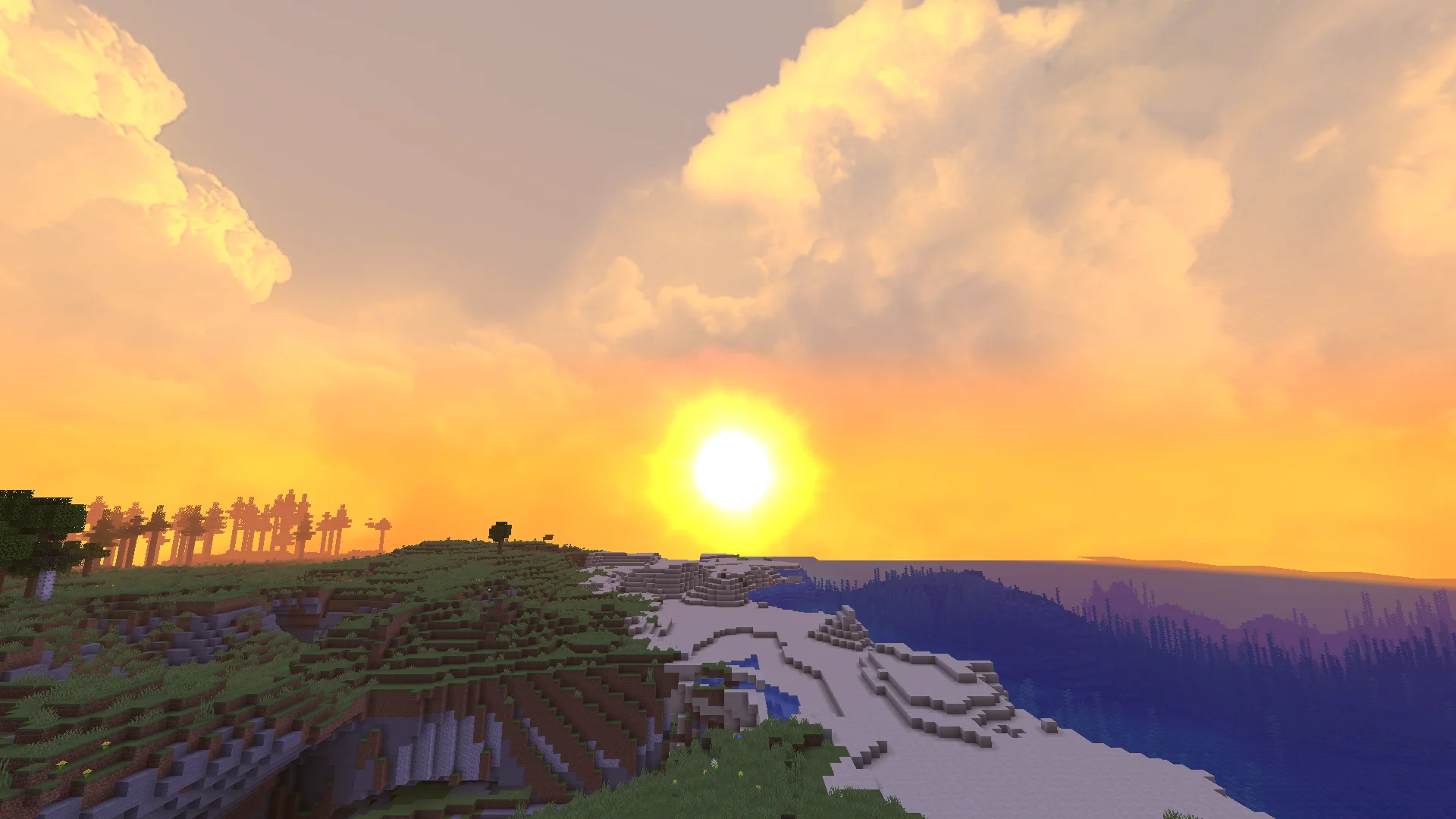
Dramatic Skys replaces Minecraft's flat blue sky with layered HD clouds, sunrise and sunset glows and a high-resolution moon. We unpacked the free demo zip and tested it on Java 26.2 with Skyboxify.
In this guide9 sections
Dramatic Skys replaces Minecraft's plain blue sky dome with high-resolution photographic cloud panoramas, glowing sunflares, and a detailed 8-phase moon atlas. However, installing the pack requires more than dropping the zip into your resource packs folder. Minecraft Java Edition has no built-in engine for custom skyboxes, so Dramatic Skys relies entirely on third-party skybox mods to read its configuration files. Without a compatible skybox mod installed, loading this pack only alters the sun, moon, and vanilla cloud visibility while the sky dome itself stays completely default.
Skybox mod compatibility and file formats
The latest free download on Modrinth is labelled Dramatic Skys Demo/Legacy (version 1.5.3.36.6, a 13.9 MB zip). Inside, the sky definitions come in three formats: OptiFine/MCPatcher properties in assets/minecraft/optifine/sky/world0/ and assets/minecraft/mcpatcher/sky/world0/, FabricSkyBoxes JSON files in assets/fabricskyboxes/sky/, and Celestial configs in assets/celestial/sky/. There is no assets/nuit/ folder.
We tested on Minecraft 26.2 with Fabric and Skyboxify 3.4, which reads OptiFine-format skies; Skyboxify itself needs Fabric API and YetAnotherConfigLib. The project page also names OptiFine, Nuit and Celestial as options. We did not test those three.
Resource pack load order
Dramatic Skys is packaged as an add-on resource pack rather than a full texture overhaul. It modifies only skybox models, environment textures (sun.png, moon_phases.png, and clouds.png), and splash text. It does not contain block, item, or mob textures.
Because of this structure, Dramatic Skys must be placed at the very top of your Selected Resource Packs list, above vanilla resources and any general texture packs. If another resource pack sits above Dramatic Skys in the load list, its environment textures or skybox configs will take priority, causing visual conflicts or preventing the custom clouds from rendering.
Midday sky: before and after
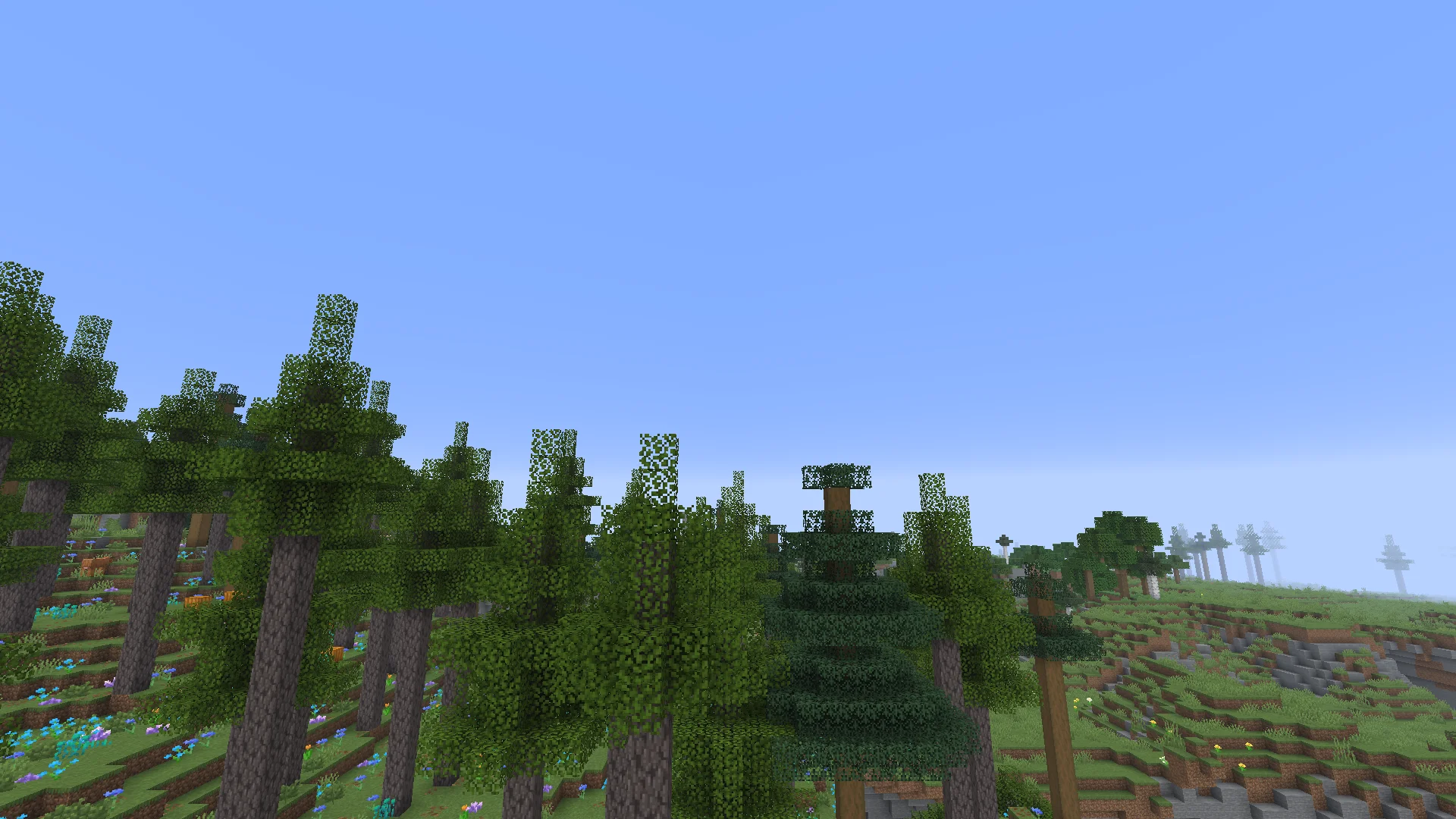
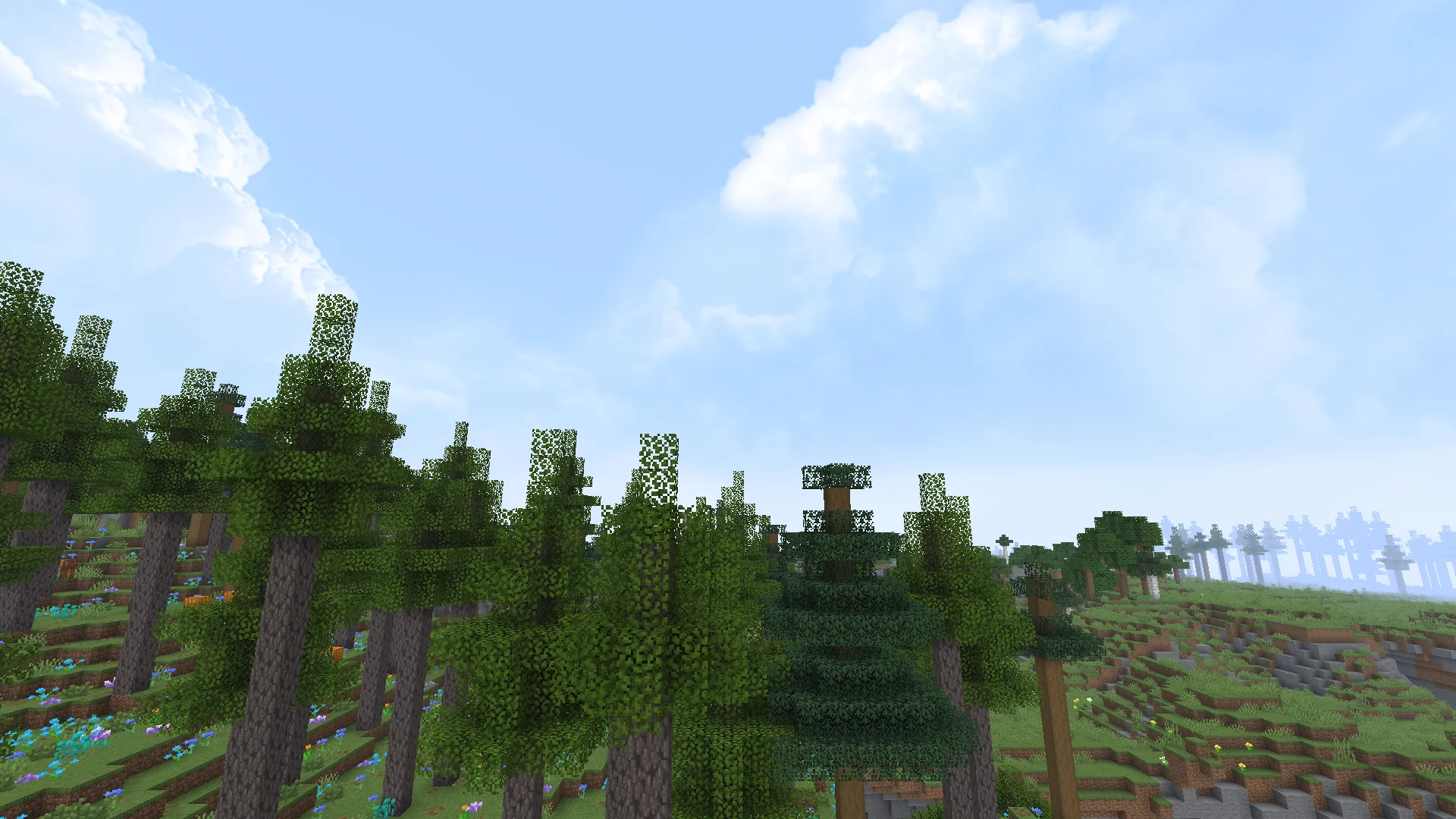
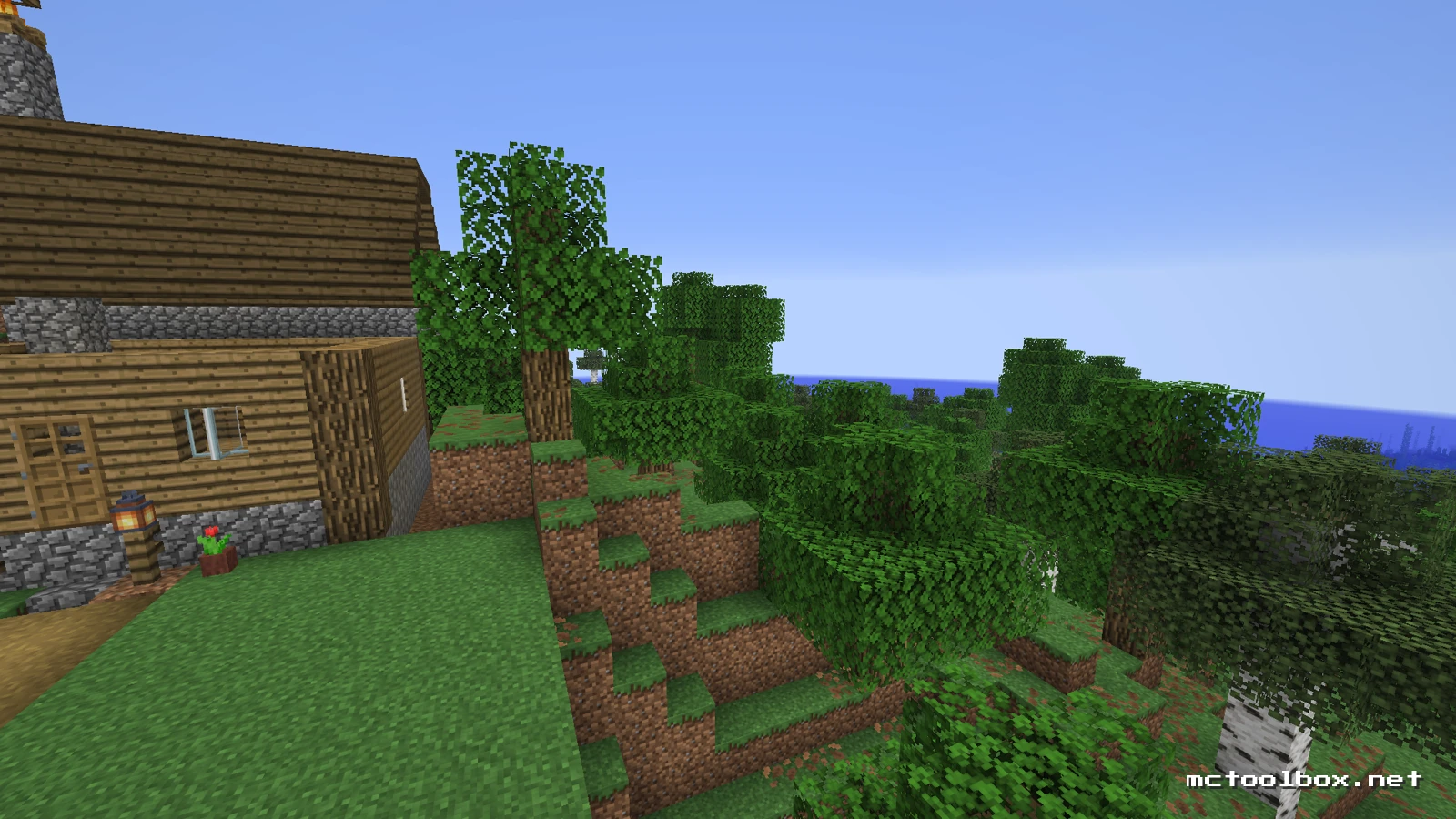
At game tick 6000 (noon), the visual contrast is immediate. Vanilla Minecraft renders an empty blue gradient that fades into a hazy fog band near the horizon. With Dramatic Skys enabled, the upper atmosphere fills with layered cumulus clouds illuminated by realistic daylight highlights.
Notice the cloud visibility: vanilla Minecraft normally renders blocky, rectangular clouds that float at Y=192. Dramatic Skys overrides assets/minecraft/textures/environment/clouds.png with a 1x1 transparent PNG. This intentionally disables the cubic vanilla clouds, preventing blocky white squares from clipping horizontally through the photorealistic skybox layer.
The 24-hour cycle: sunrise, sunset, and night
The Overworld skybox relies on nine configuration layers (sky1.properties through sky9.properties) that fade in and out based on Minecraft's time of day. The pack coordinates transitions between daytime cloud decks, twilight color shifts, and nighttime starfields.
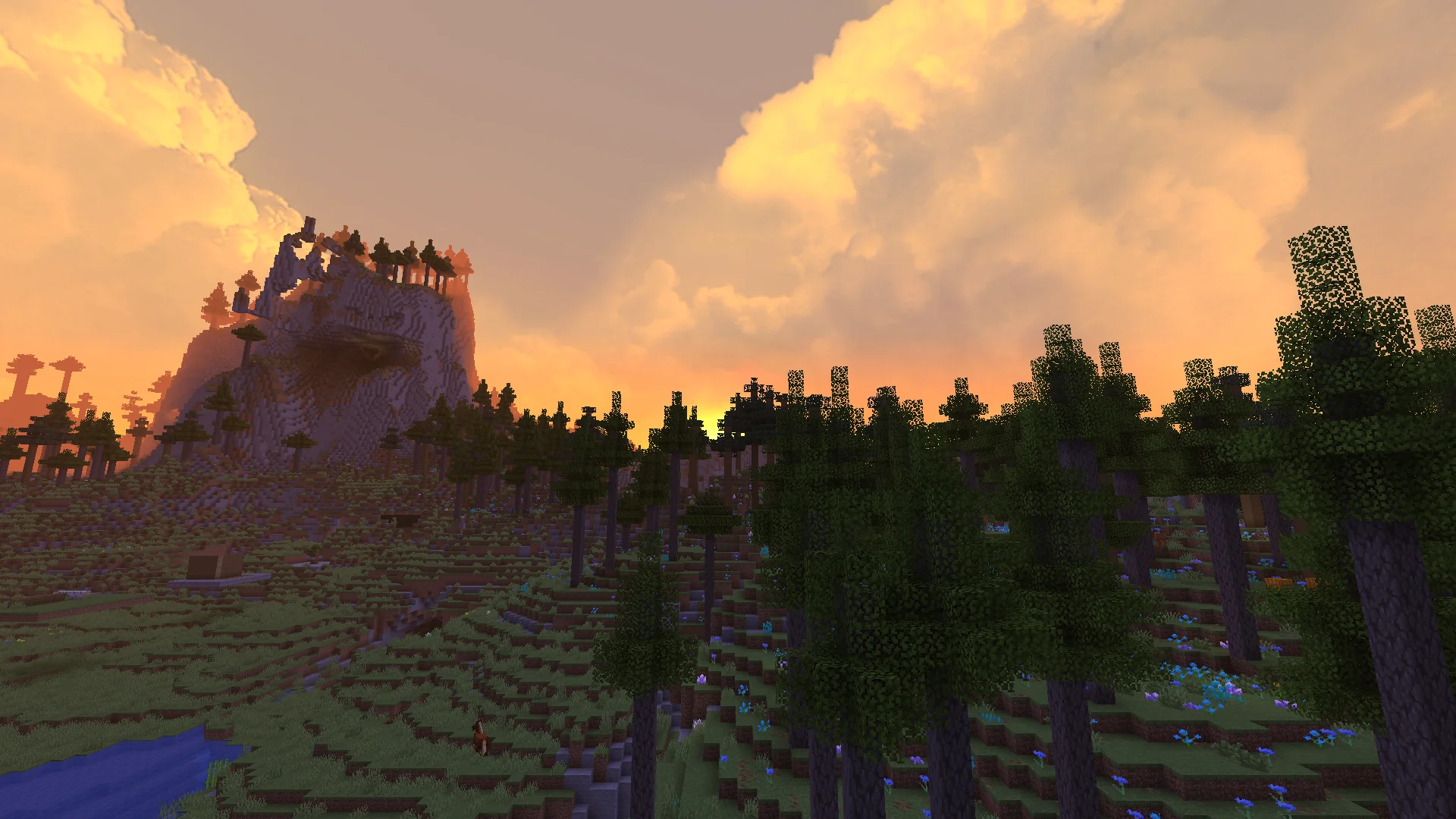
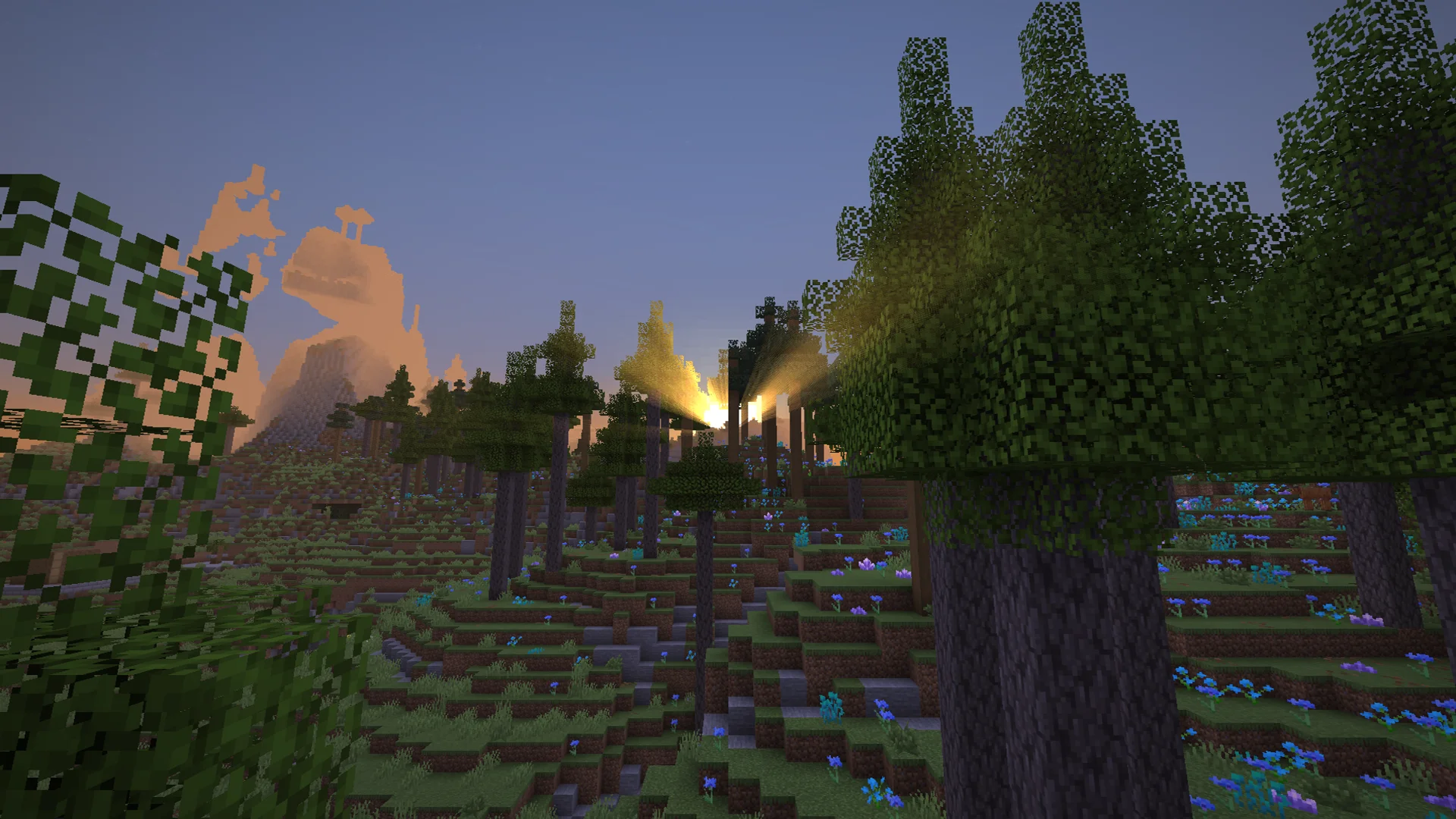
The fade times in the properties files use a 24-hour clock where 6:00 is tick 0. From about tick 22300 (4:20) the night layers fade out while sky7 and sky9 fade in: the sunrise glow (sun.png) and its flare (sunflare.png). From about tick 23700 (5:40) the day layer, sky4, takes over. In our tick 23200 shot, warm orange bands sit behind the mountain and the forest.
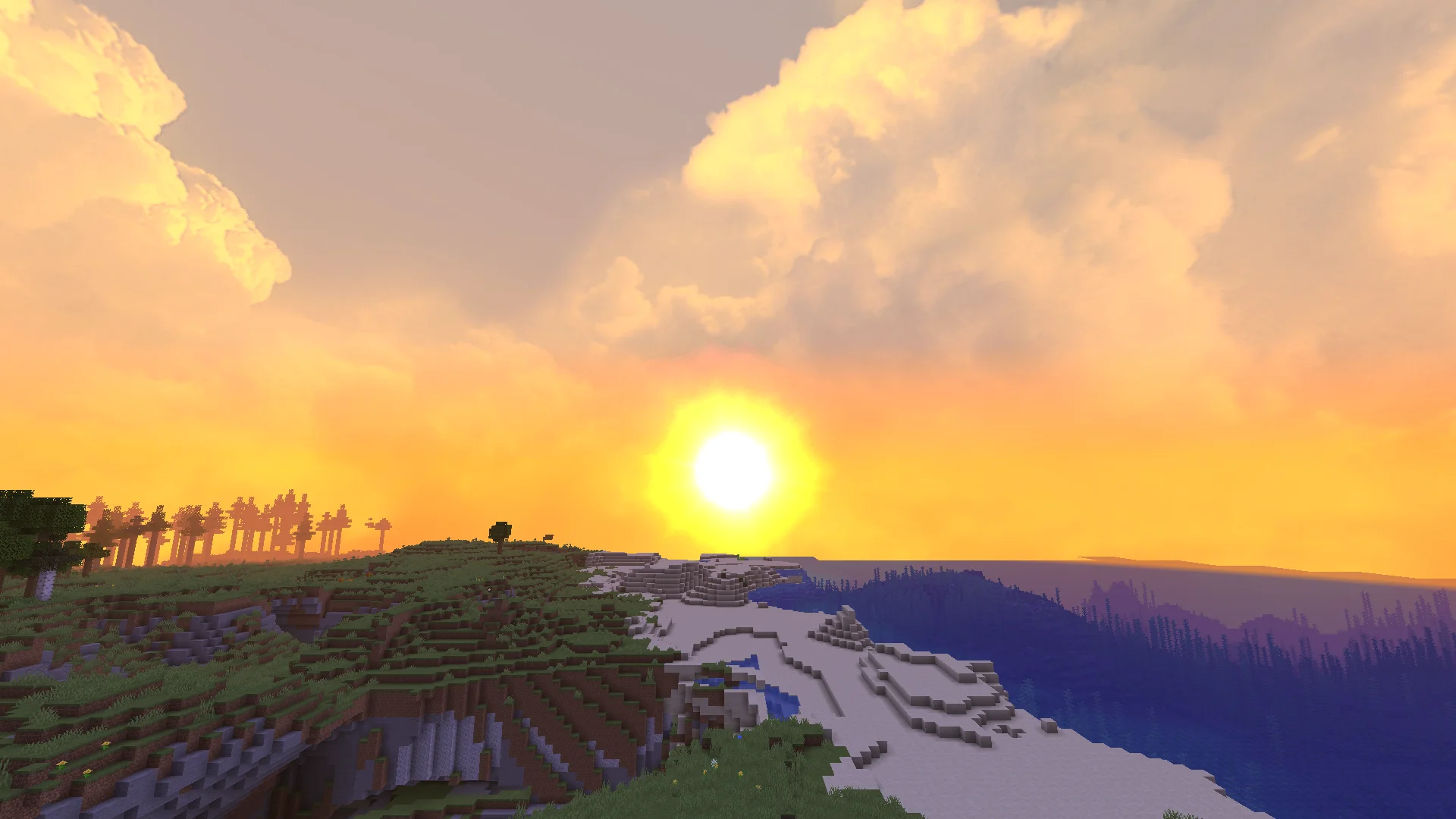
Sunset (captured at tick 12500) produces Dramatic Skys' most recognizable visual effect. As the sun sinks toward the western horizon, the pack activates its custom sunflare layer (assets/skybox/sunflare.png). Unlike vanilla's sharp square sun, Dramatic Skys renders a glowing radial flare that diffuses warm light into surrounding cloud banks and across open ocean horizons.
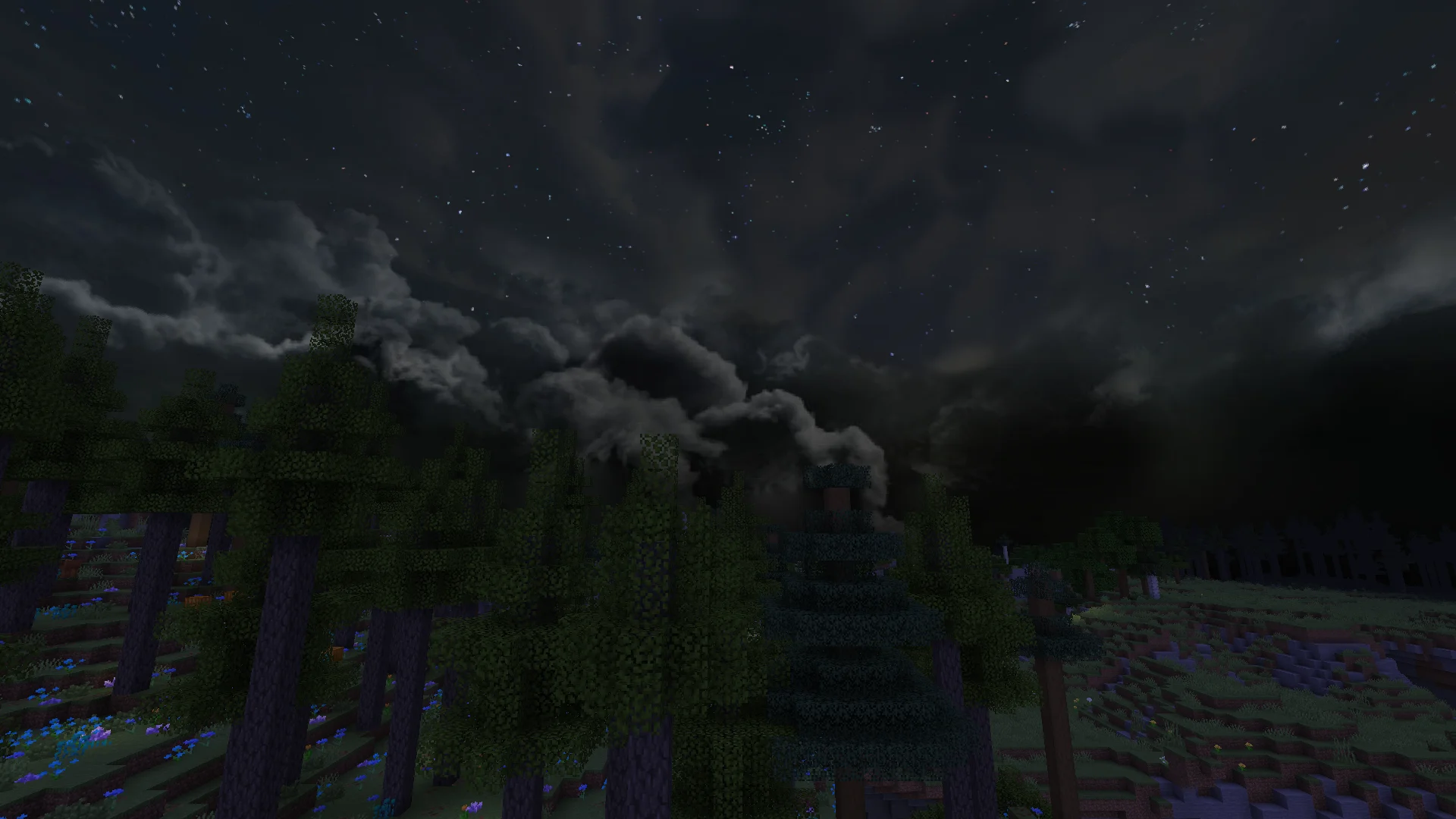
By midnight (tick 18000) the day layer is gone and the night layers are fully in: sky1 is the star field (assets/skybox/stars.png), sky5 adds the night clouds (night.png), and sky2 and sky3 are mask layers. The star layers are set to rotate, so the stars turn slowly across the sky during the night.
High-resolution sun and moon textures
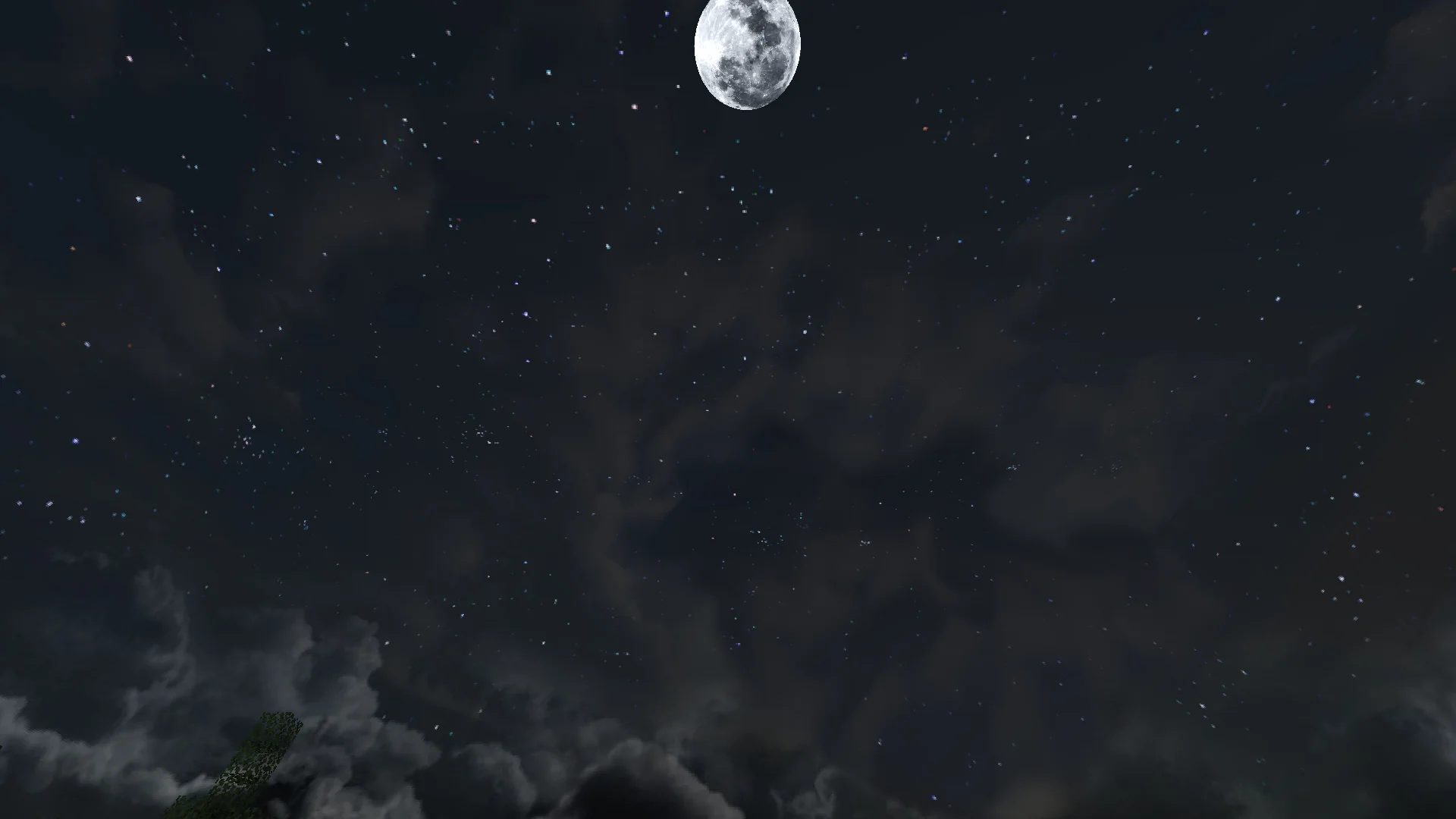
Beyond the sky dome, Dramatic Skys replaces the vanilla sun and moon textures. Vanilla draws a small pixelated square sun; the pack's sun.png is a 256×256 round disc with a soft glow.
The moon texture sheet (assets/minecraft/textures/environment/moon_phases.png) is 4000×2000 pixels: the usual grid of eight phases, each phase drawn at 1000×1000. Craters and dark maria are clearly visible on the full moon, with no pixelation.
Biome coverage in the free demo
The Modrinth project page states that Dramatic Skys features skies that vary by biome. To test this claim, we inspected all nine properties files in assets/minecraft/optifine/sky/world0/ and the JSON files in assets/fabricskyboxes/sky/.
None of the configuration files in the demo archive contain a biomes condition, a biome list, or per-biome sky folders. The archive defines only one set of sky layers for dimension 0 (the Overworld).
To verify in-game behavior, we teleported across distant biomes at the same game tick (tick 6000) under clear weather, checking the F3 biome indicator before each capture.
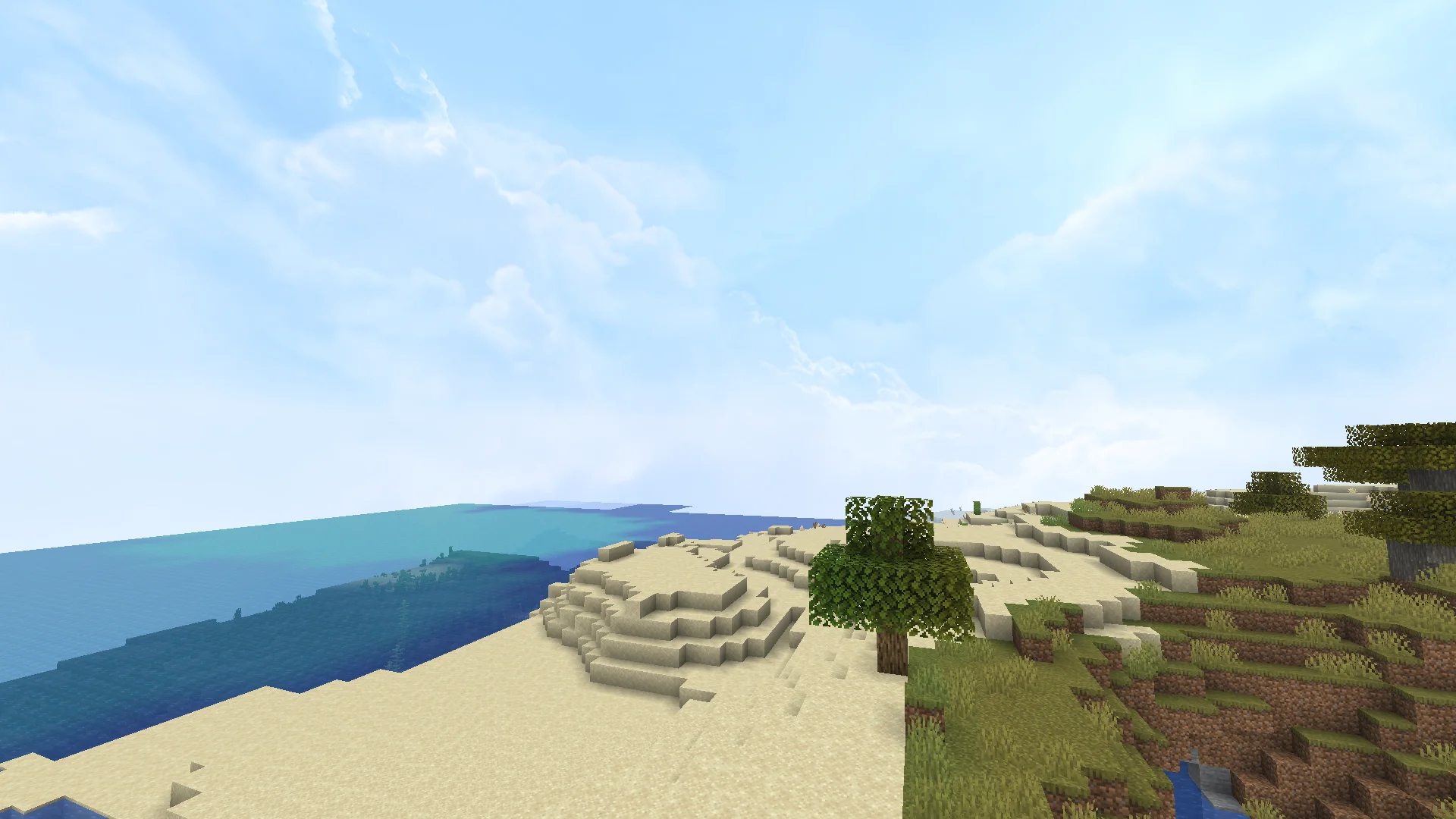
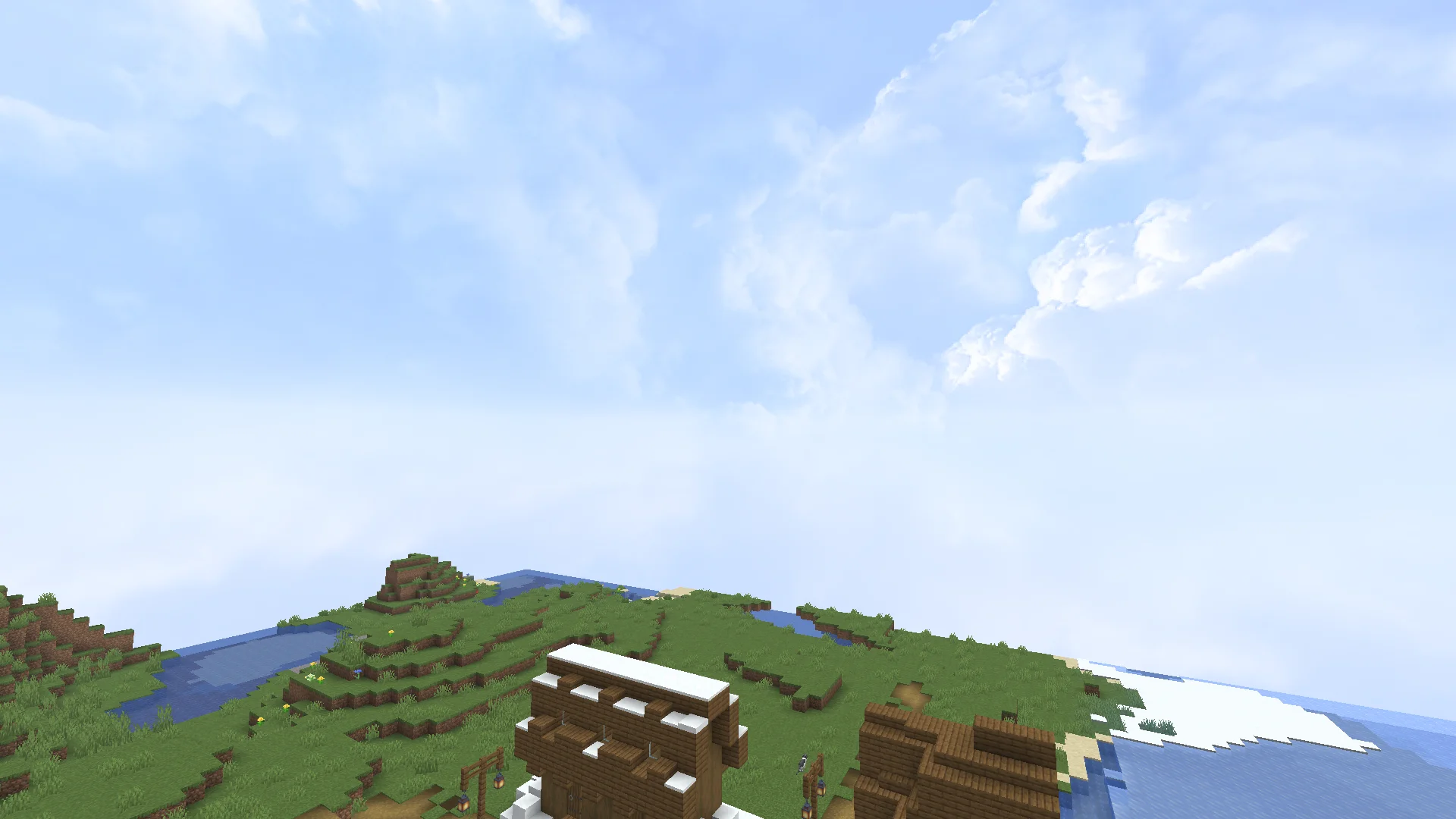
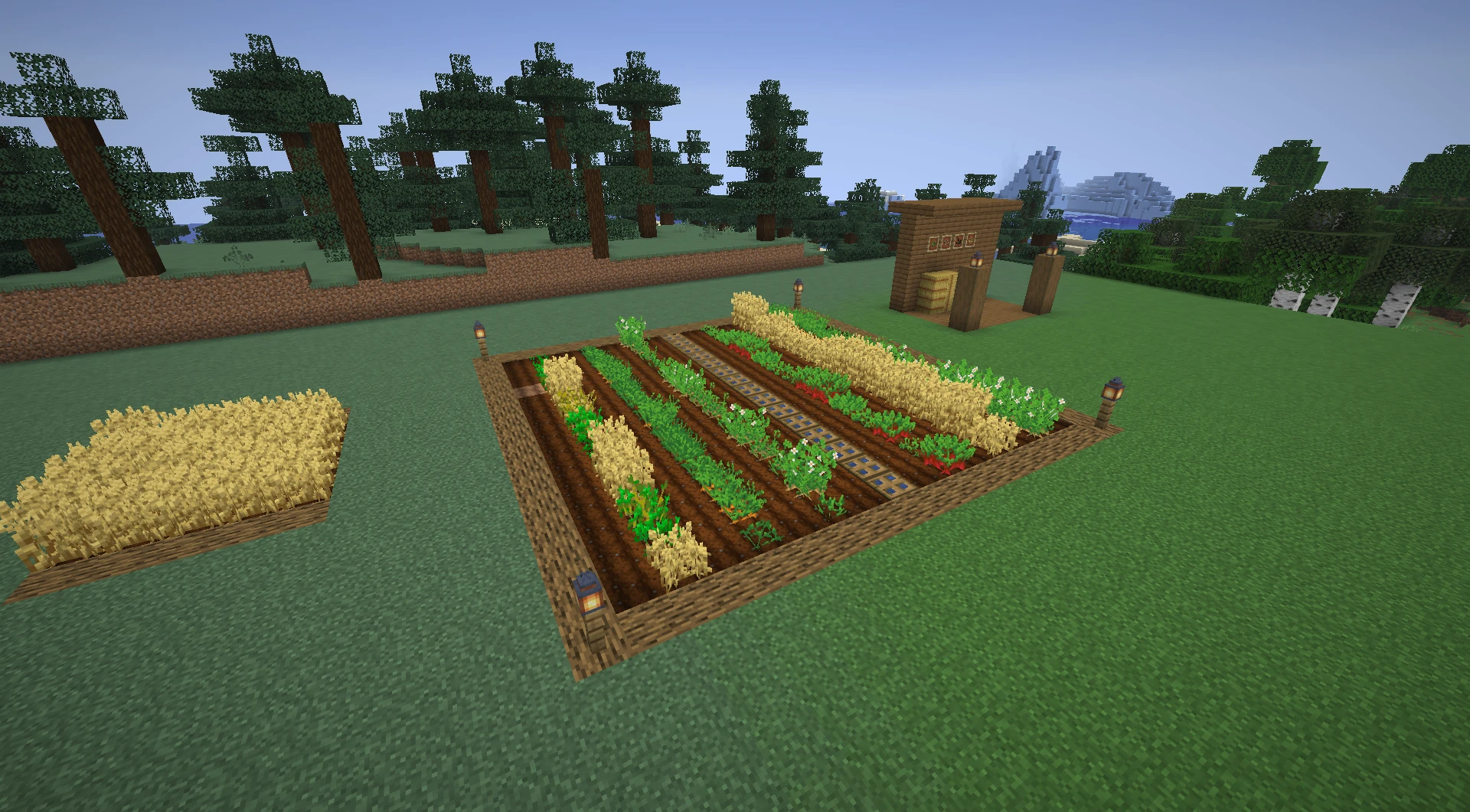
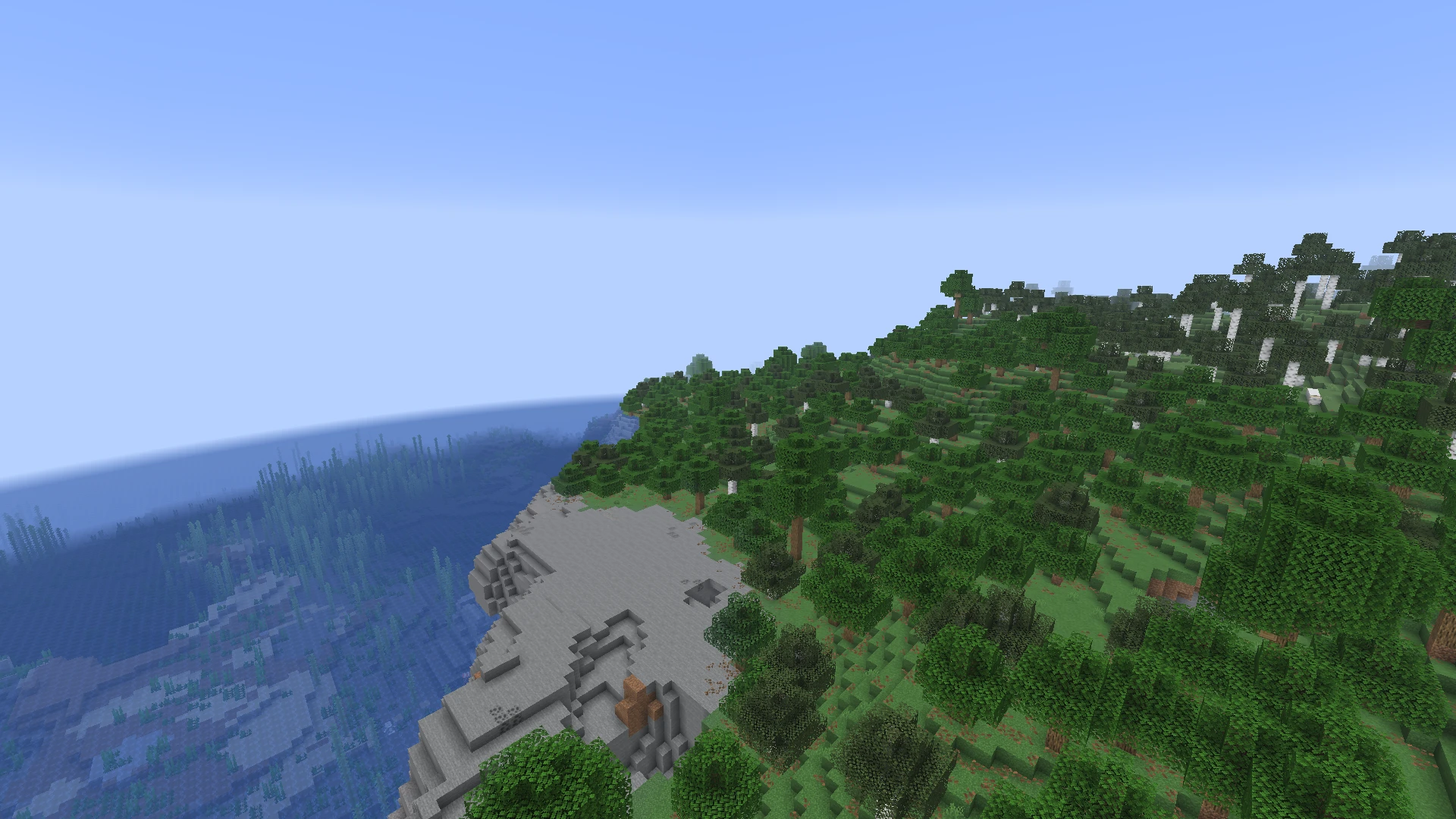
The captures confirm what the files show: in the spruce forest, on the desert coast and over the snowy plains, the clouds and sky layers are the same. The free demo has no biome-specific skies.
Rain and weather transitions
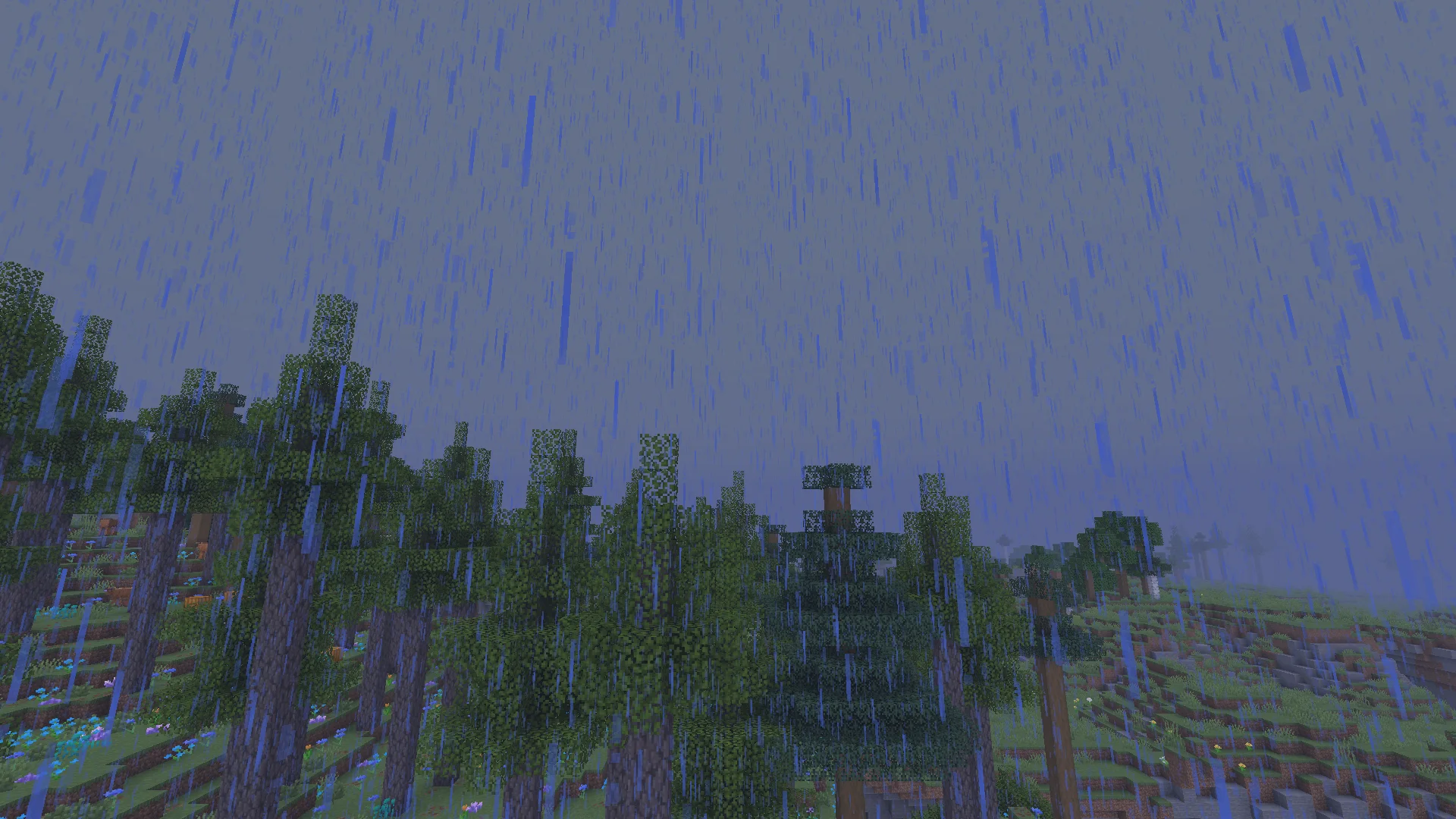
Every custom sky layer in the pack is configured for clear weather. Triggering rain hides the high-resolution layers and restores Minecraft's overcast stormy sky, while clear weather brings back the celestial textures. Bright daytime clouds do not linger unnaturally during rainstorms.
Demo contents compared to the project feature list
The Modrinth description lists several advanced visual effects including animated auroras, shooting stars, meteor showers, height-based skies, tornados, blood moons, and blue moons. Because the file is labelled Dramatic Skys Demo/Legacy, players often wonder which of these features are actually included in the free download.
A thorough audit of all 82 files in Dramatic-Skys-Demo-1.5.3.36.6.zip reveals the exact feature breakdown:
The project page's feature list compared with the files in Dramatic Skys Demo 1.5.3.36.6.
| Listed Feature | Status in Demo Zip | Archive Verification |
|---|---|---|
| Overworld HD Day Sky | Included | assets/skybox/day.png (sky4) |
| Overworld HD Night Sky | Included | assets/skybox/night.png (sky5) with the mask layers sky2 and sky3 |
| Sunrise and sunset glow | Included | assets/skybox/sun.png (sky6, sky7) and sunflare.png (sky8, sky9) |
| Star field | Included | assets/skybox/stars.png (sky1) |
| High-Res Sun Texture | Included | assets/minecraft/textures/environment/sun.png (256x256) |
| High-Res Moon Texture | Included | assets/minecraft/textures/environment/moon_phases.png (4000x2000) |
| Transparent Clouds Override | Included | assets/minecraft/textures/environment/clouds.png (1x1 transparent) |
| Biome-Specific Skies | Not in demo | No biomes parameter in any properties or JSON file |
| Animated Auroras | Not in demo | No aurora textures or animation properties in archive |
| Shooting Stars & Meteors | Not in demo | No meteor textures, particle scripts, or celestial triggers |
| Tornados & Extreme Weather | Not in demo | No tornado models or weather event definitions |
| Blood Moon & Blue Moon | Not in demo | No event-based lunar texture swaps or color variants |
| Height-Based Skies | Not in demo | No height/Y-level conditions in skybox properties |
| Custom Colormaps & Fog | Not in demo | No colormap folder or custom fog configuration files |
In practice, the free download is a focused Overworld sky pack: daytime clouds, sunrise and sunset glows, a detailed moon and clean rain behaviour. If you want nicer skies without a shader pack, it is an easy add-on, as long as you install a skybox mod such as Skyboxify alongside it.
Our test setup
| client | Fabric |
|---|---|
| minecraft Version | 26.2 |
| pack Version | 1.5.3.36.6 |
Download and install
Choose the Java Edition file for your exact game version on the creator’s page. In Minecraft, open Options → Resource Packs → Open Pack Folder, place the ZIP there, then move the pack into the selected column.
The download is hosted by the creator, not MC Toolbox. Check the file and version before installing.