Minecraft resource pack guide
Better Leaves Review: Fluffy 3D Foliage in Vanilla Minecraft
Transforming flat cubic tree canopies into lush, volumetric foliage while keeping authentic 16x vanilla textures.
Java Edition · 16×16 · by Motschen
+1 moreHide versions
All 5 listed versions (releases 1.20 to 1.21.4)
- 1.21
- 1.21.4 · 1.21
- 1.20
- 1.20.4 · 1.20.1 · 1.20
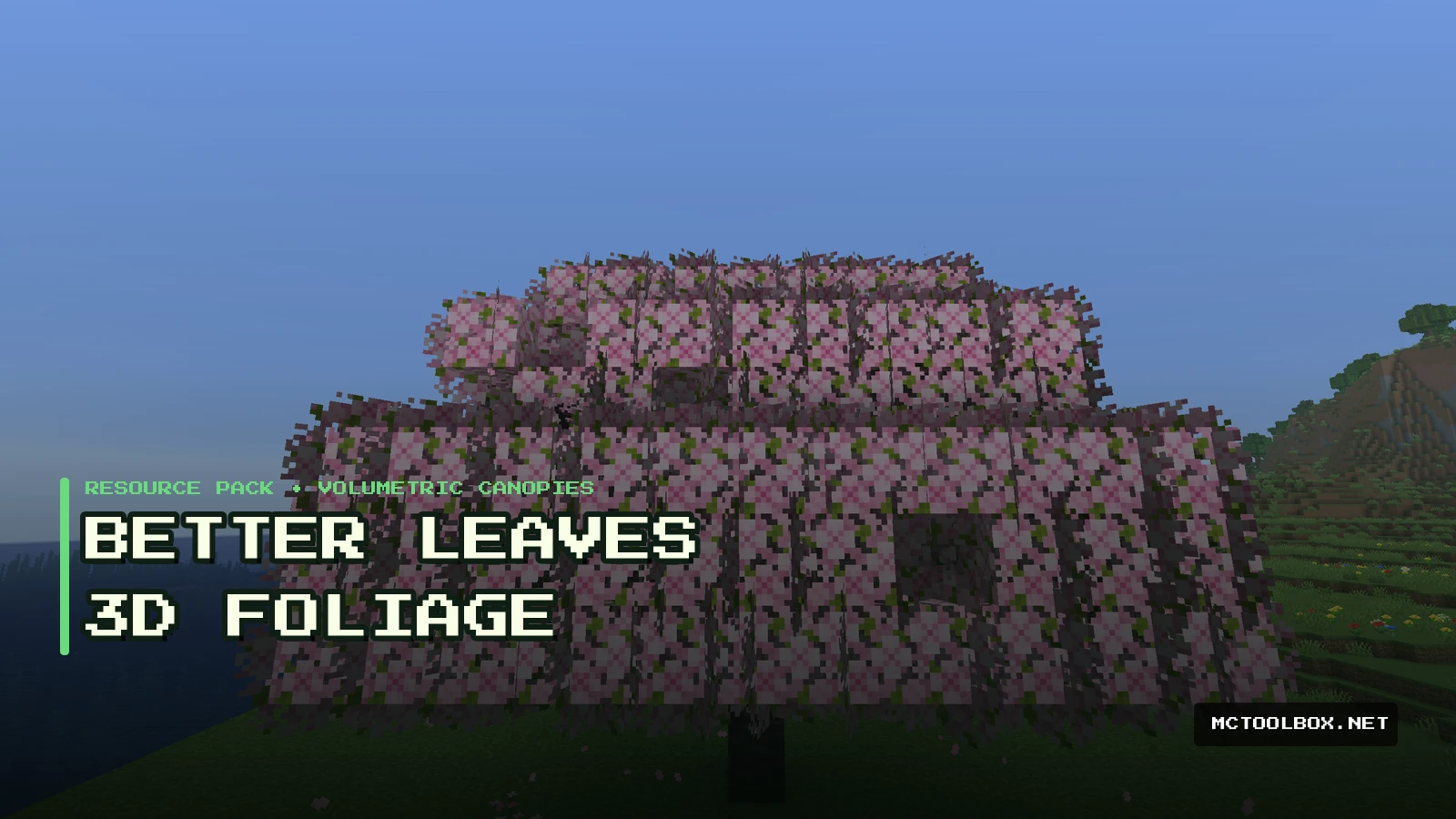
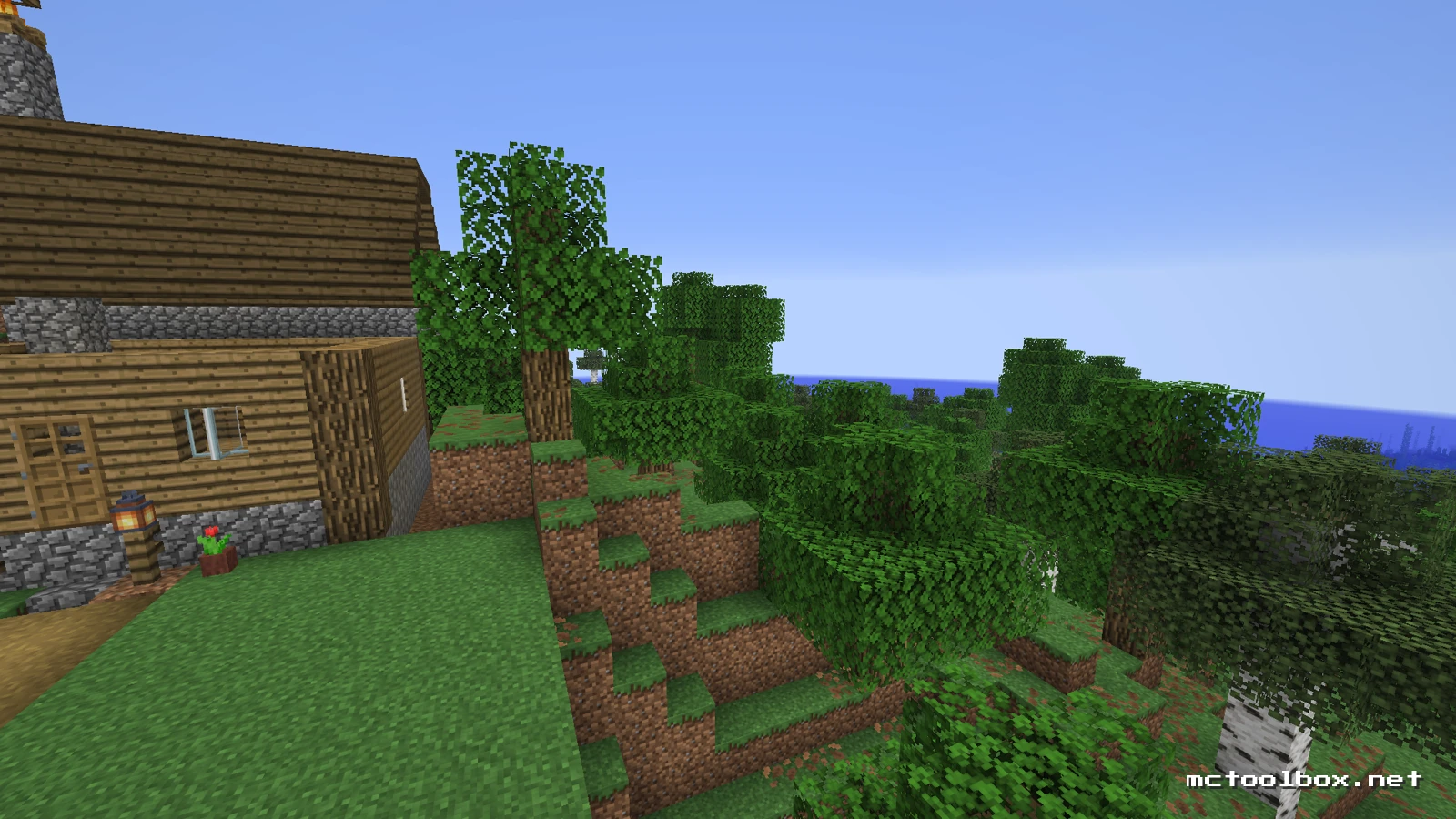
Better Leaves replaces the rigid cube shapes of Minecraft foliage with layered 3D models, giving oak, spruce, cherry, and jungle trees a softer, bushy appearance.
In this guide8 sections
Trees define the natural horizon of nearly every Minecraft biome. From dense dark oak forests to sprawling cherry blossom valleys, wood and foliage form the visual backbone of the overworld. Yet since the earliest versions of the game, leaf blocks have retained a rigid, cubic voxel geometry. While 16x pixel textures have received subtle color tweaks over the years, tree crowns still look like stacks of cardboard boxes with harsh 90-degree corners.
Better Leaves, created by Motschen, tackles this limitation with elegant architectural restraint. Instead of demanding heavy shader pipelines or replacing default textures with foreign art styles, it alters the underlying block models. By projecting additional angled quads outward from each leaf face, Better Leaves transforms cubic blocks into round, fluffy, volumetric canopies while preserving 100% of the authentic 16x vanilla aesthetic.
Volumetric Model Geometry Without Altering Vanilla Textures
Most visual overhauls attempt to improve trees by increasing texture resolution to 32x or 64x. However, higher resolution alone cannot fix the underlying issue: flat square faces still tile repetitively. Better Leaves takes a model-first approach. The pack leaves the default 16x16 pixel textures intact, ensuring full color palette harmony with vanilla grass, dirt, and bark.
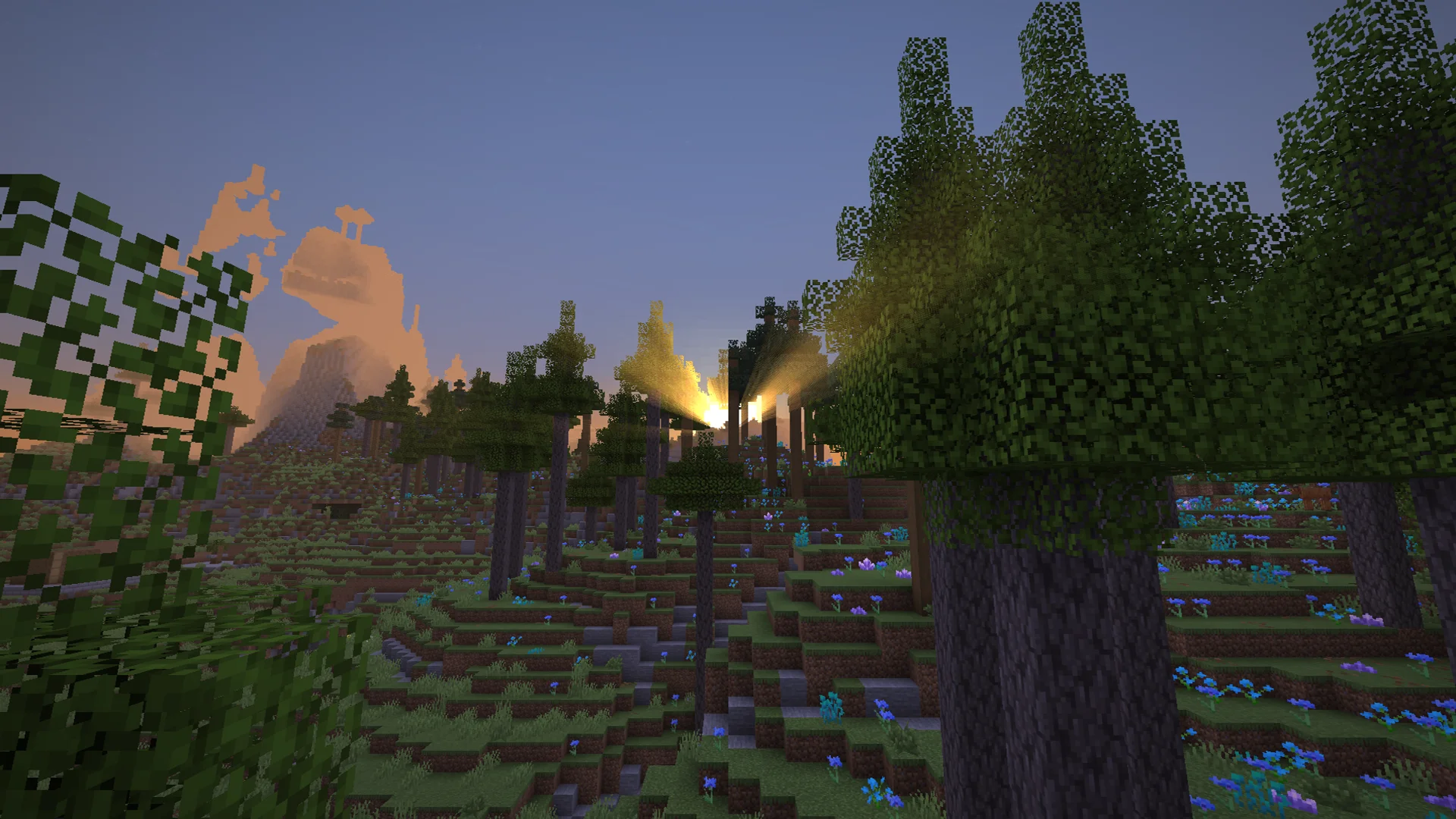
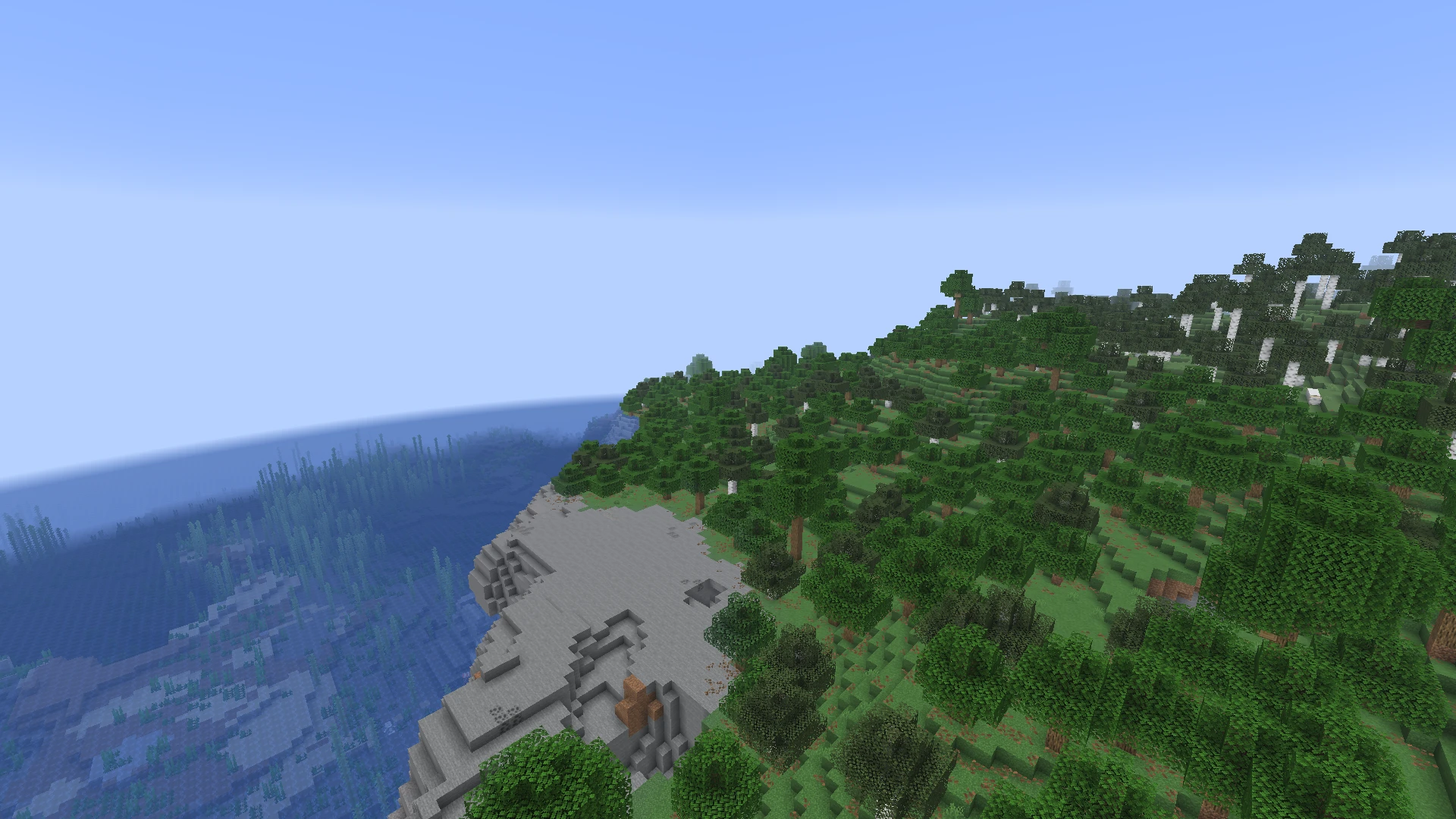
To achieve its signature bushy silhouette, the pack adds rotated, offset planes that extend slightly beyond the block collision box. These extra quads catch ambient light and soft shadows, blurring the sharp grid lines that divide adjacent leaf blocks. When walking through a forest, canopies look like continuous, living foliage rather than stacked cubes.
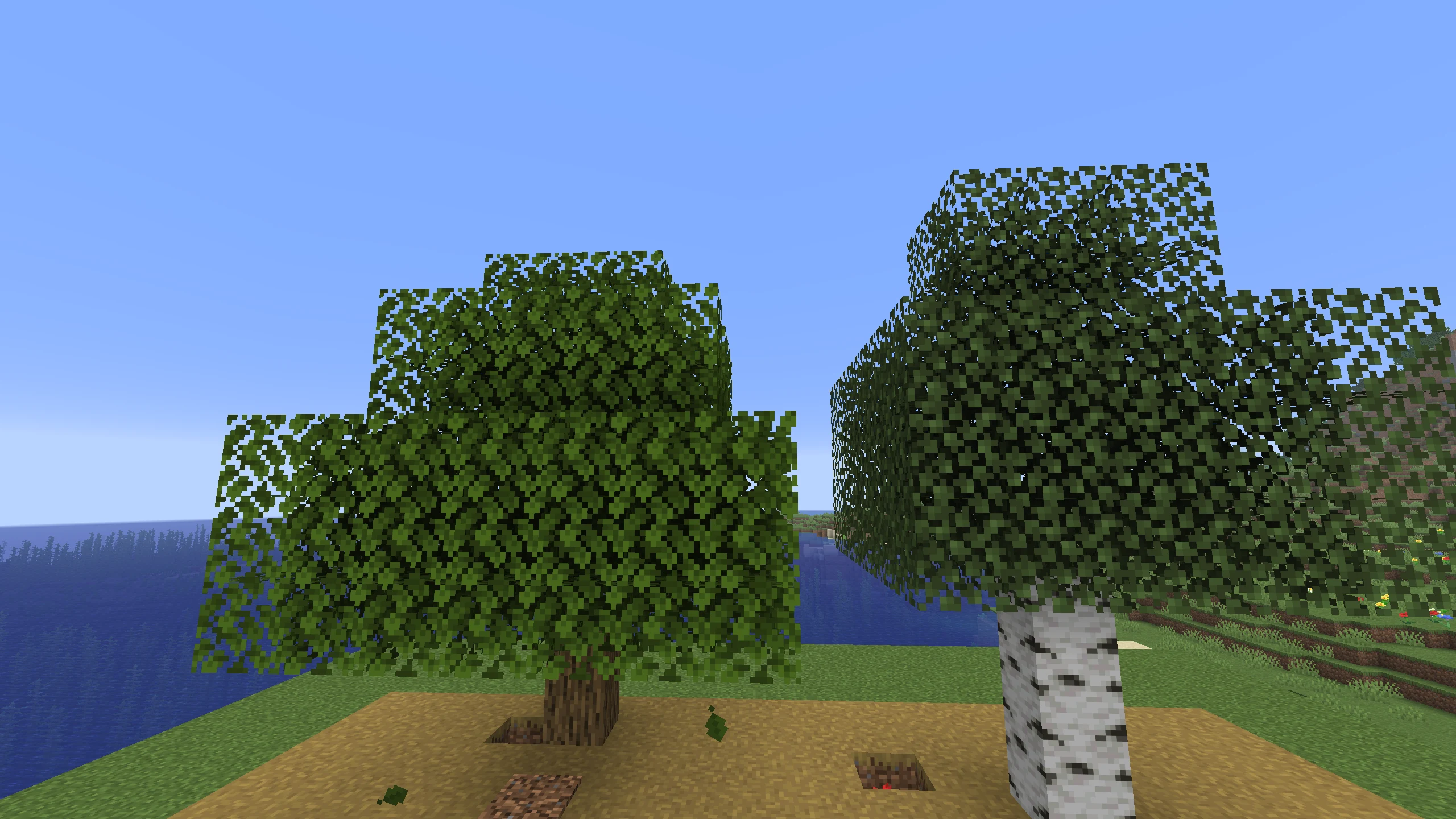

Conifer Needles: Spruce and Pine Layering
Spruce and taiga trees rely heavily on tiered conical shapes. In default Minecraft, these tiers consist of concentric square slabs that resemble stacked platforms. In mountainous landscapes or snowy taigas, the artificial stepping often clashes with the rugged terrain.
Better Leaves introduces specialized conifer modeling for spruce foliage. The extra quads slant downward, mimicking the natural drape of evergreen pine boughs weighted by needles. The transition between the upper conical crown and lower branches flows seamlessly, giving spruce groves the authentic appearance of alpine wilderness.
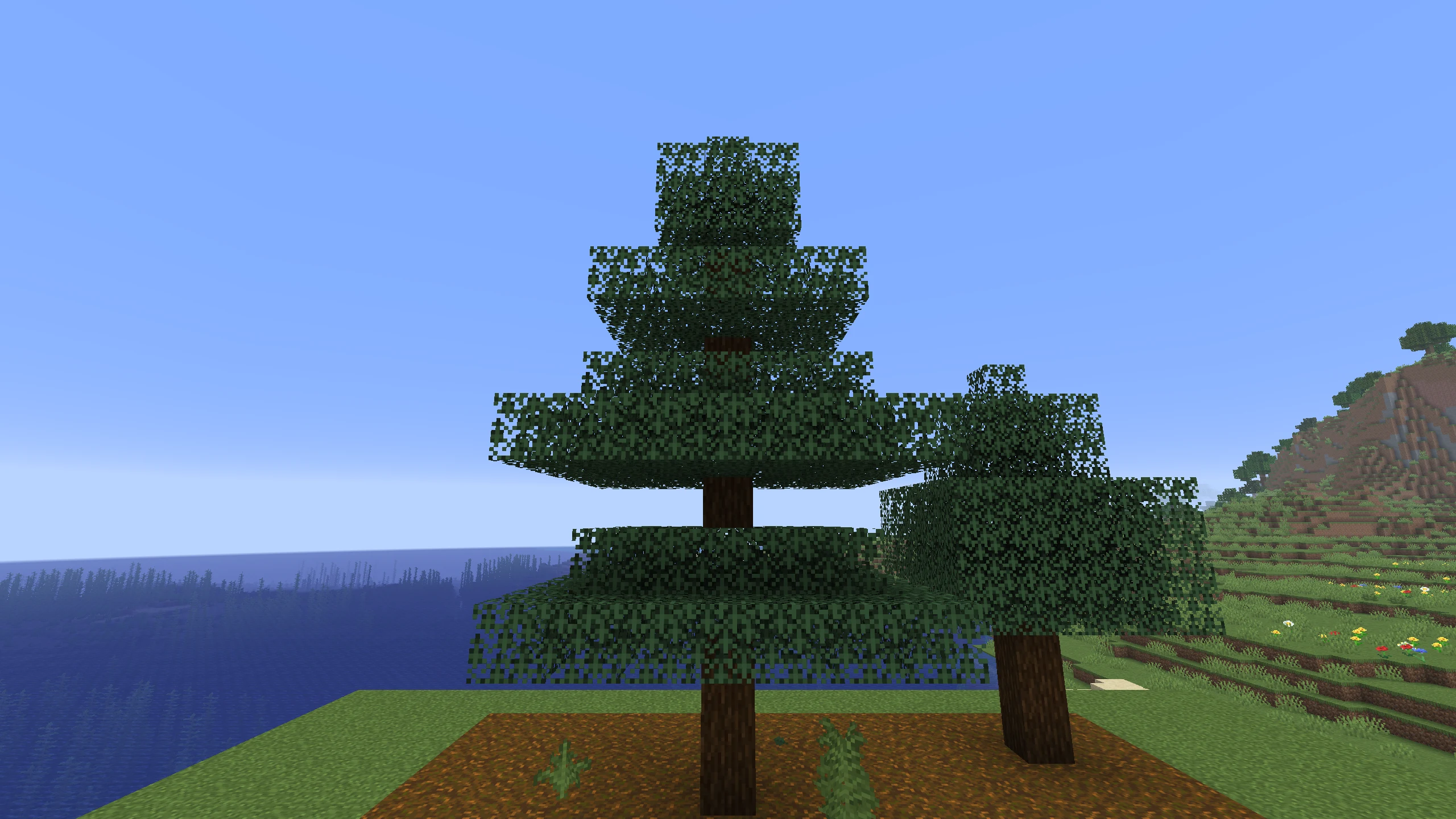
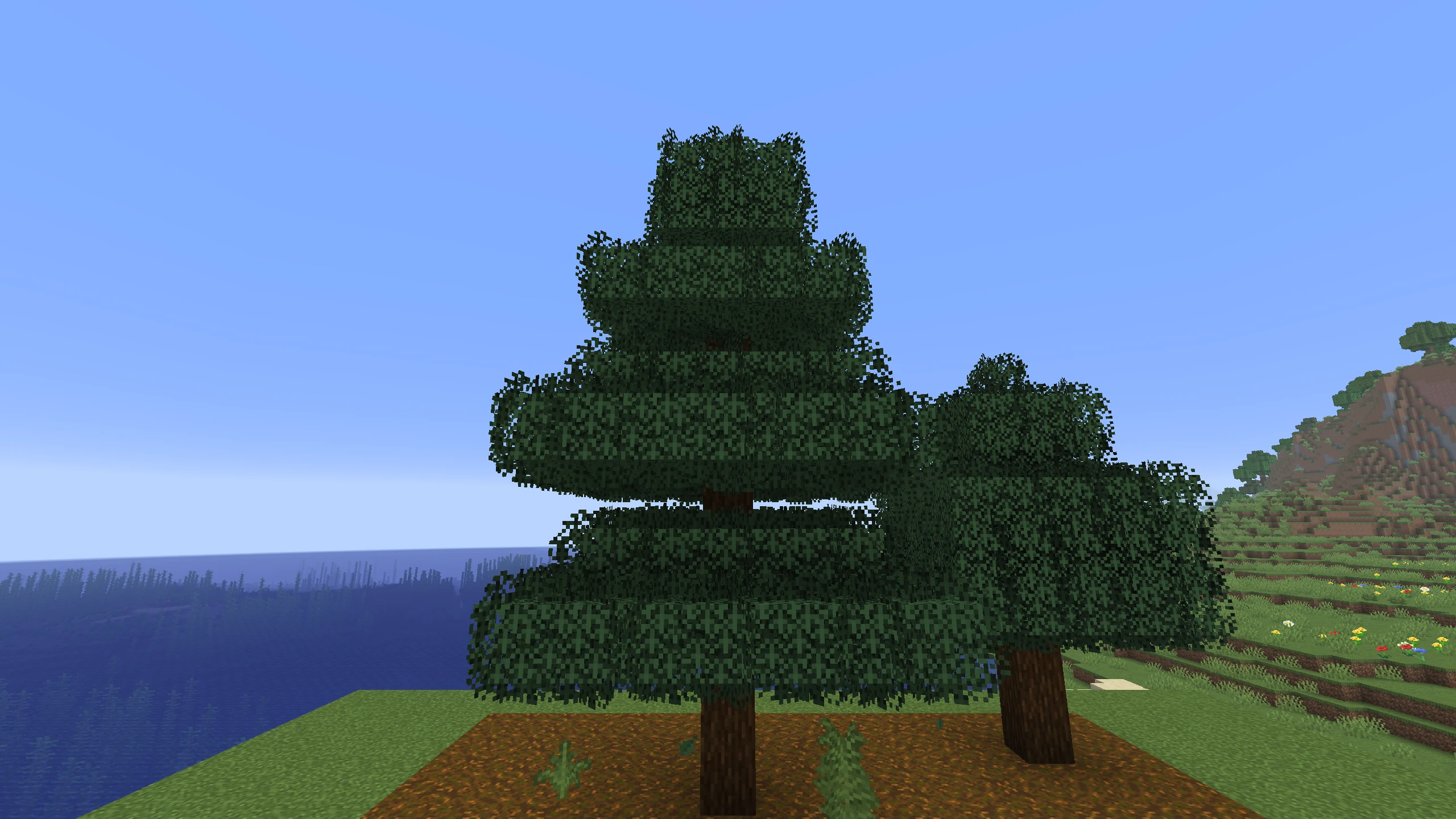
Cherry Blossom Canopies and Weeping Floral Blooms
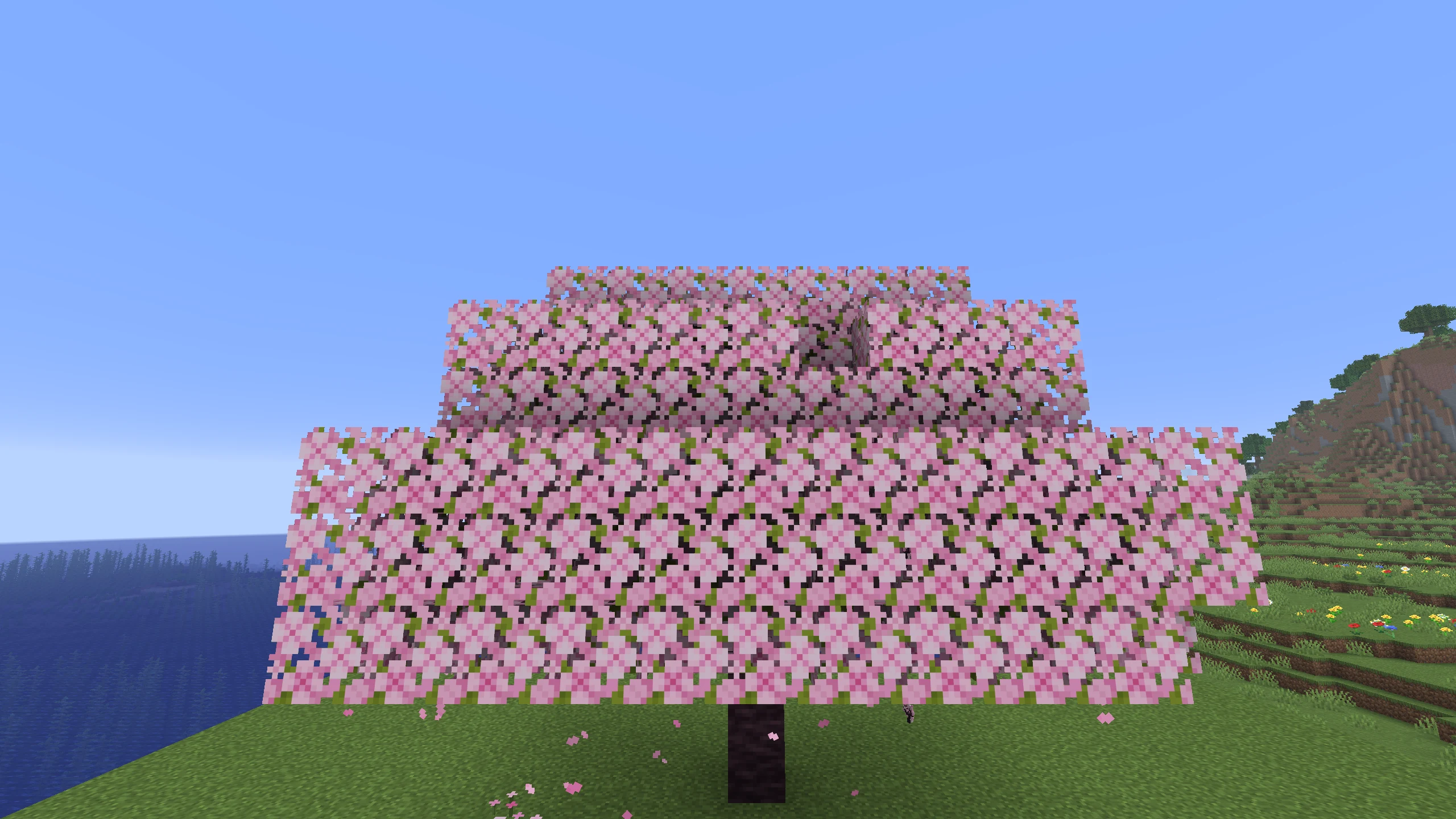
The 1.20 Trails & Tales update added cherry groves with distinctive pink canopies and drifting petal particles. While the pink palette brought welcome warmth, the foliage still adhered to rigid box boundaries.
With Better Leaves, cherry trees become a standout visual highlight. The pack adds weeping petal sprigs that drape downward from the underside of branches, catching the gentle breeze. The canopy resembles clouds of soft cotton candy, creating the idyllic Japanese blossom aesthetic that players expect from cherry groves without requiring external shaders.

Tropical Density: Jungle Crowns and Flowering Azalea Hedges
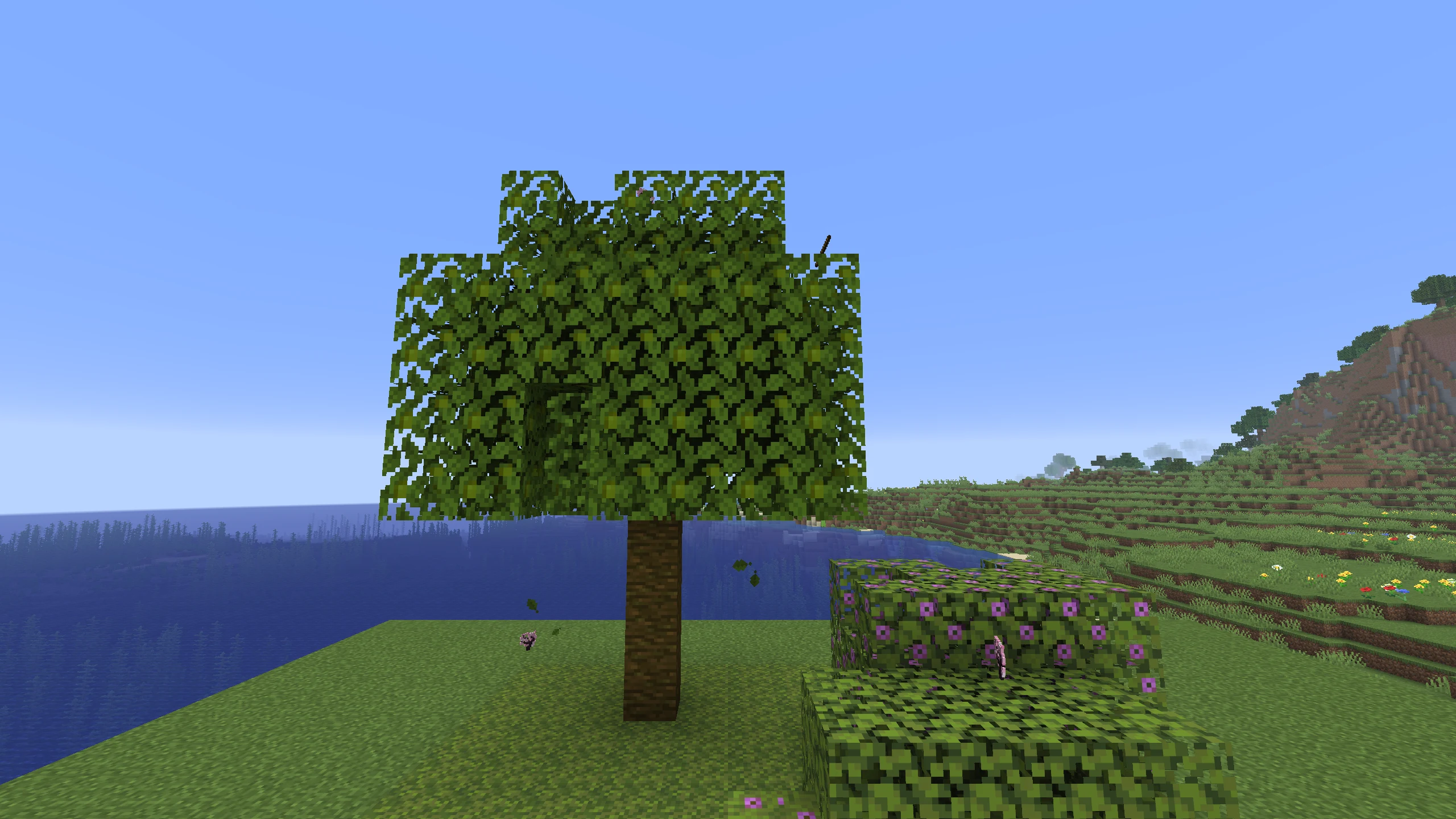
Jungle biomes feature massive 2x2 trunks and sprawling multi-layered canopies draped with vines. In vanilla, the shear volume of leaf blocks can look dense yet oddly hollow due to flat block tiling. Similarly, lush cave azalea bushes feature flat pixel textures where small purple flowers are painted directly onto green pixels.
Better Leaves adds deep volume to jungle trees, making dense canopies look impenetrable and wild. For both standard azalea and flowering azalea, the pack lifts the tiny floral buds off the surface, rendering them on distinct 3D quads. Whether used as garden hedges around a homestead or discovered underground in lush caves, azalea foliage pops with tactile texture.

Video Settings Requirement: Fancy Graphics vs Fast Graphics
A frequent question among first-time users is why leaf blocks occasionally remain cubic after loading the pack. Better Leaves relies strictly on Minecraft transparency rendering. In the game Video Settings, the Graphics option must be set to either Fancy or Fabulous.
When Graphics is set to Fast, Minecraft disables cutout transparency on leaf models to save rendering cycles, turning all leaves into solid opaque cubes. This engine optimization completely strips away the extra bushy quads. If you use Sodium or Embeddium, ensure that the Leaves Quality setting is configured to Fancy so the 3D geometry can display correctly.
Performance Impact and Hardware Benchmarks
Because Better Leaves adds extra quads to each leaf block model, it naturally increases the polygon count within loaded chunks. In open plains or sparse savannas, the performance impact is virtually undetectable. In dense old-growth spruce taigas or sprawling jungle canopies where thousands of leaf faces are visible simultaneously, low-tier graphics chips may register a minor framerate drop of 2% to 5%.
On modern systems running optimization mods such as Sodium or Embeddium, the modern chunk meshing pipeline easily handles the extra geometry. The pack maintains stable 144+ FPS at 1440p resolution across all standard forest biomes. For players who want richer visual immersion without the severe GPU overhead of real-time shadow shaders, Better Leaves offers the ideal compromise.
Modded Biome Support and Pack Load Order
One of the strongest advantages of Motschen's implementation is its extensive ecosystem support. Better Leaves features built-in model definitions for over 60 popular Minecraft mods, including Biomes O' Plenty, Autumnity, Pale Garden, The Aether, and Promenade. Modded trees like redwood, jacaranda, and fir automatically receive matching bushy models without requiring separate compatibility patches.
When combining Better Leaves with other texture packs, resource pack order in the Minecraft menu is essential:
- Top Priority: Better Leaves. Place Better Leaves near the top of your active pack list.
- Lower Priority: Base Texture Packs. Place packs like Stay True, Faithful 32x, or Bare Bones beneath Better Leaves.
This hierarchy allows your base texture pack to supply the custom color palettes and textures, while Better Leaves applies its 3D bushy model mesh over those textures.
Our test setup
| client | Fabric 0.19.3 on Minecraft 26.2 (1.21.4) |
|---|---|
| hardware | AMD Ryzen 7 5800X, 32GB RAM, NVIDIA GeForce RTX 3080 |
| resolution | 2560x1440 (2K native) |
| performance | 144+ FPS capped, negligible delta (<3% difference in dense forest biomes with Sodium) |
| compatibility Tested | Fabric API, Sodium / Embeddium, Iris shaders, Biomes O' Plenty |
Download and install
Choose the Java Edition file for your exact game version on the creator’s page. In Minecraft, open Options → Resource Packs → Open Pack Folder, place the ZIP there, then move the pack into the selected column.
The download is hosted by the creator, not MC Toolbox. Check the file and version before installing.