Minecraft resource pack guide
Bare Bones Review: The Official Trailer Aesthetic in Survival Minecraft
Stripping away pixel noise turns Minecraft into a vibrant cartoon world, but flat surfaces demand structural depth.
Java Edition · 16×16 · by RobotPantaloons
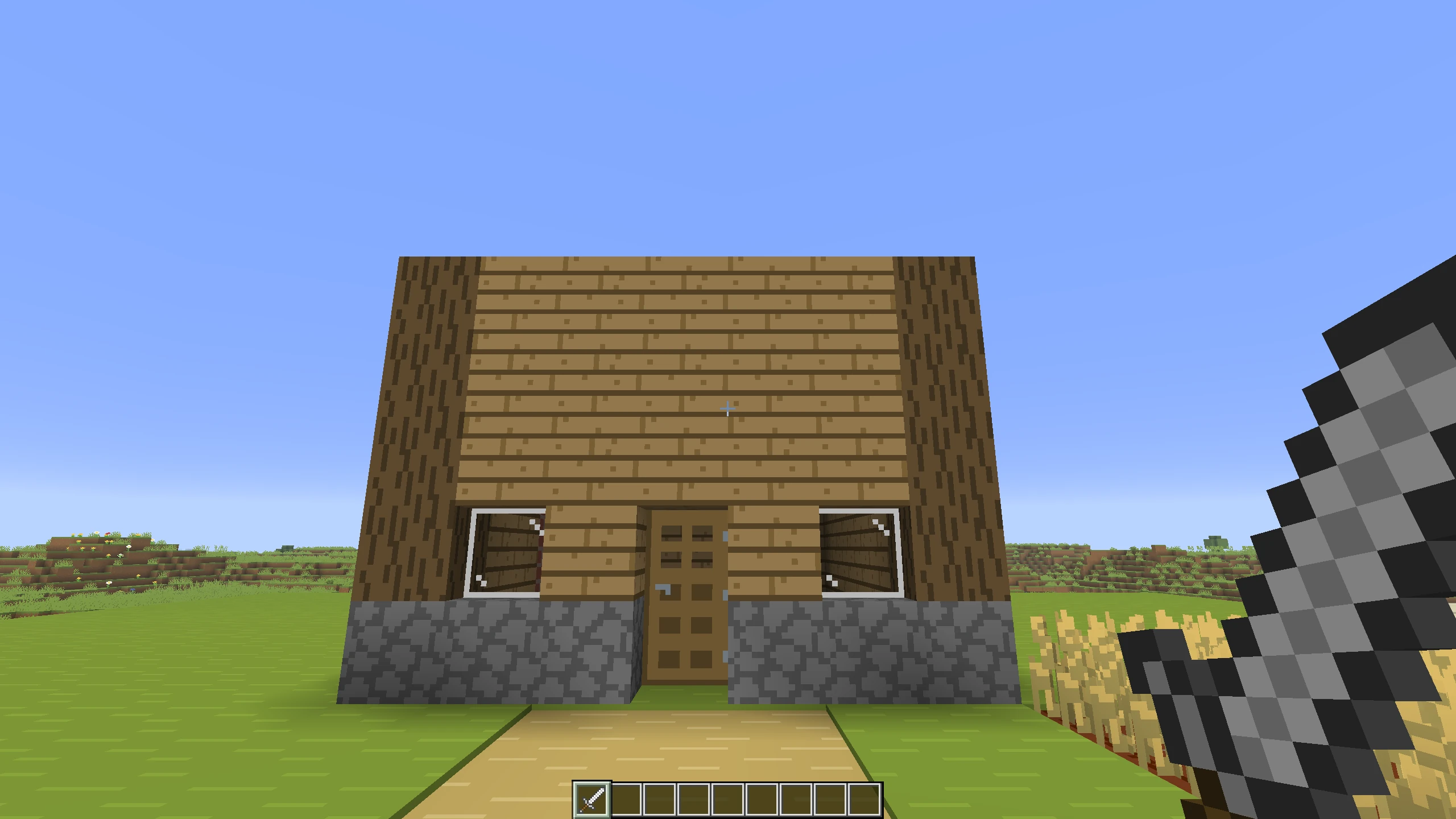
Bare Bones recreates the clean, graphic aesthetic of official Mojang update trailers directly within standard survival gameplay. By replacing pixel dithering with smooth color fields, it eliminates visual fatigue in noisy biomes while requiring builders to rely on block geometry rather than texture noise.
In this guide7 sections
Every official Minecraft update trailer shares a distinct visual language: bold color blocks, saturated greens and blues, smooth surfaces, and zero pixel clutter. Bare Bones, created by RobotPantaloons, is built specifically to recreate that promotional animation look directly inside the gameplay engine.
Rather than increasing resolution like Faithful or Compliance, Bare Bones works in reverse. It retains the standard 16x16 grid while aggressively stripping away high-frequency pixel noise, dithering, and grimy crevices. The result turns Minecraft into a clean, cartoonish world that feels immediately recognizable yet surprisingly different during extended survival sessions.
The trailer aesthetic and modern pack compatibility
Bare Bones achieves its look through deliberate texture reduction. Instead of shading individual pixels to suggest rough stone or grain in wood, each block face is simplified into two or three flat color zones with clean boundary lines. This mimics the hand-crafted vector art style Mojang uses for marketing key art and animated cinematics.
When loading the pack on modern releases like Minecraft Java 26.2, players should verify the pack_format metadata. Setting the format value to 88 ensures that the game engine loads the custom models, item overlays, and GUI assets directly without triggering format mismatch dialogues or falling back to default textures.
Village architecture and block surface cleanup
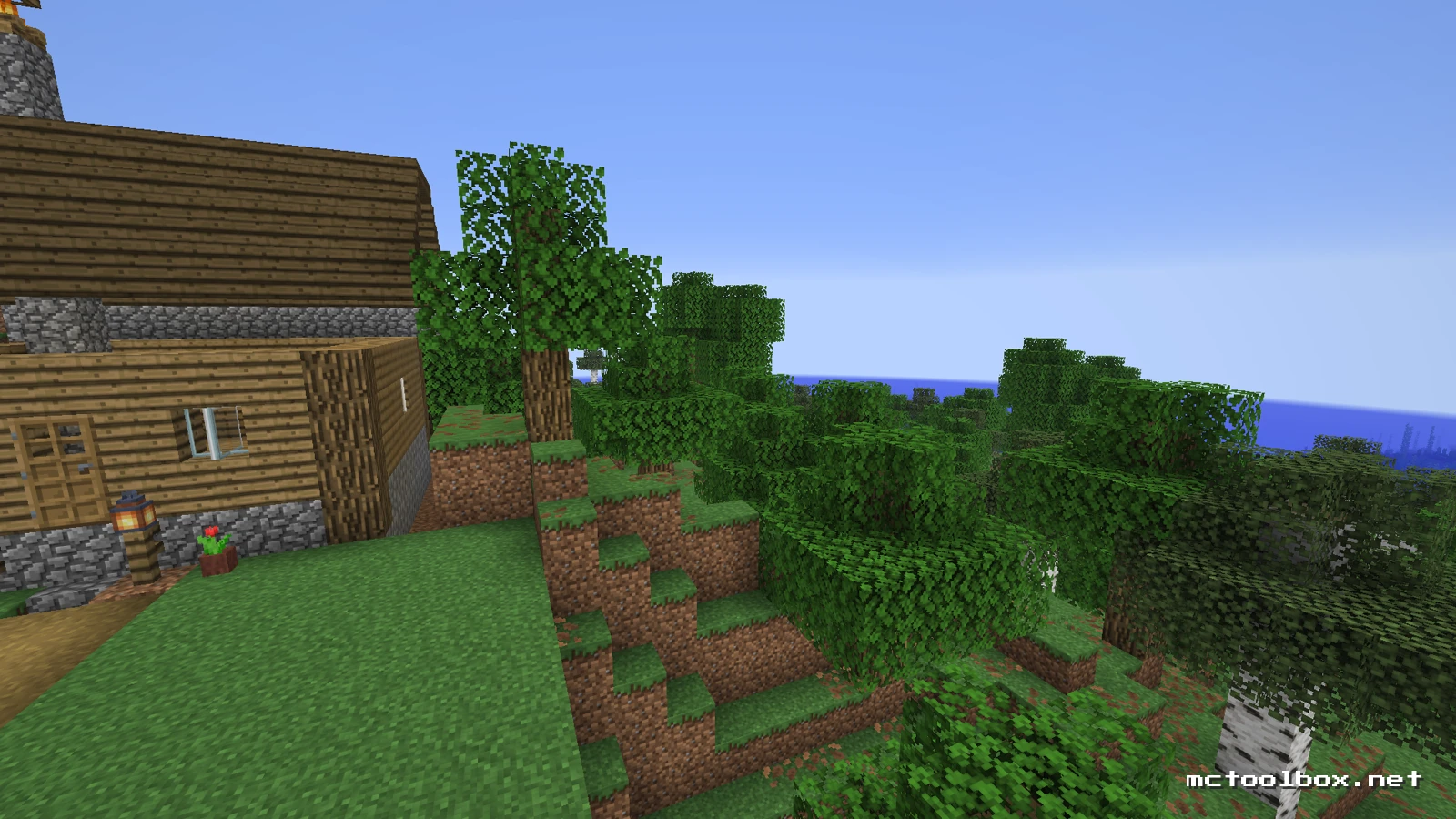
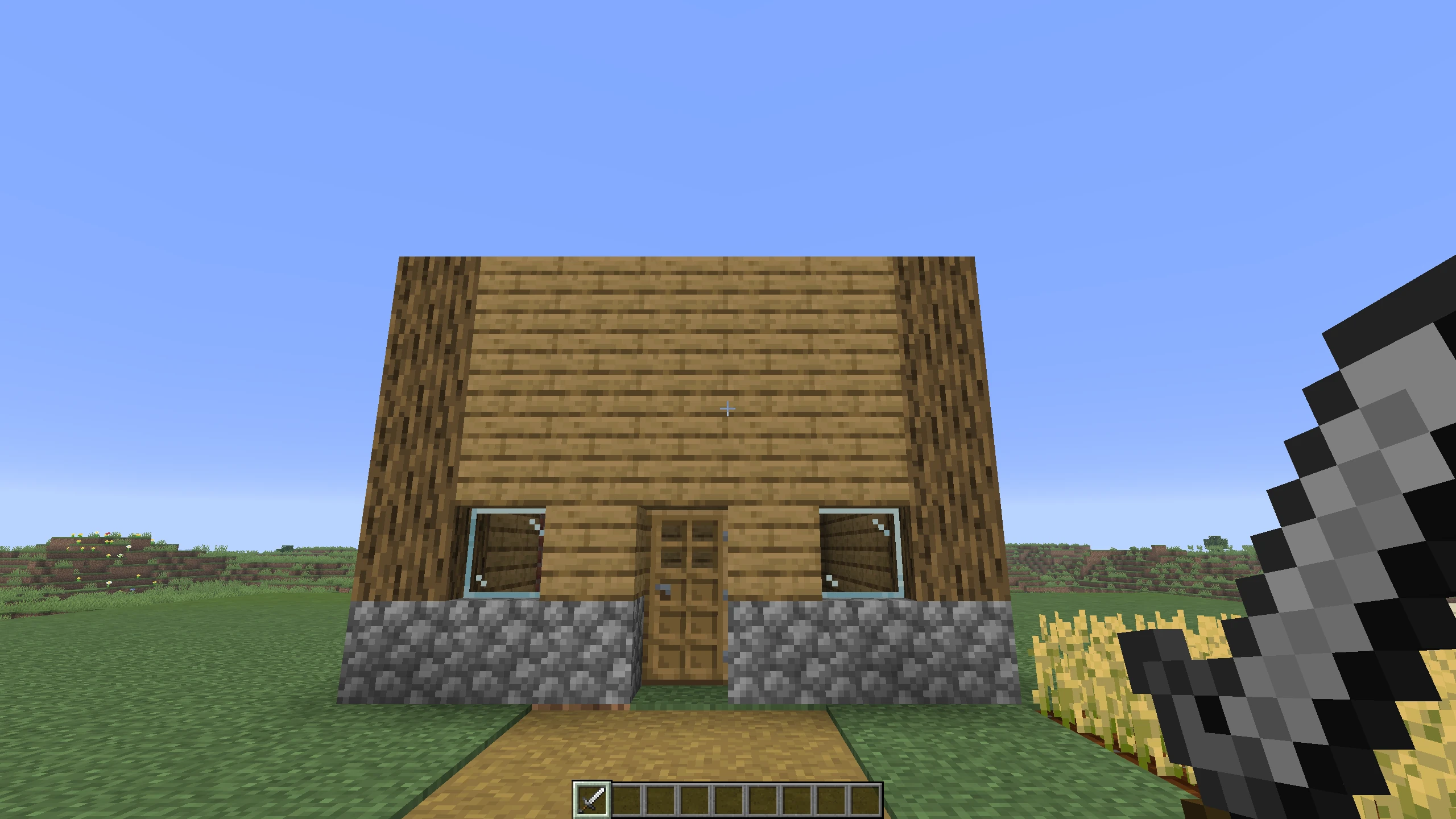
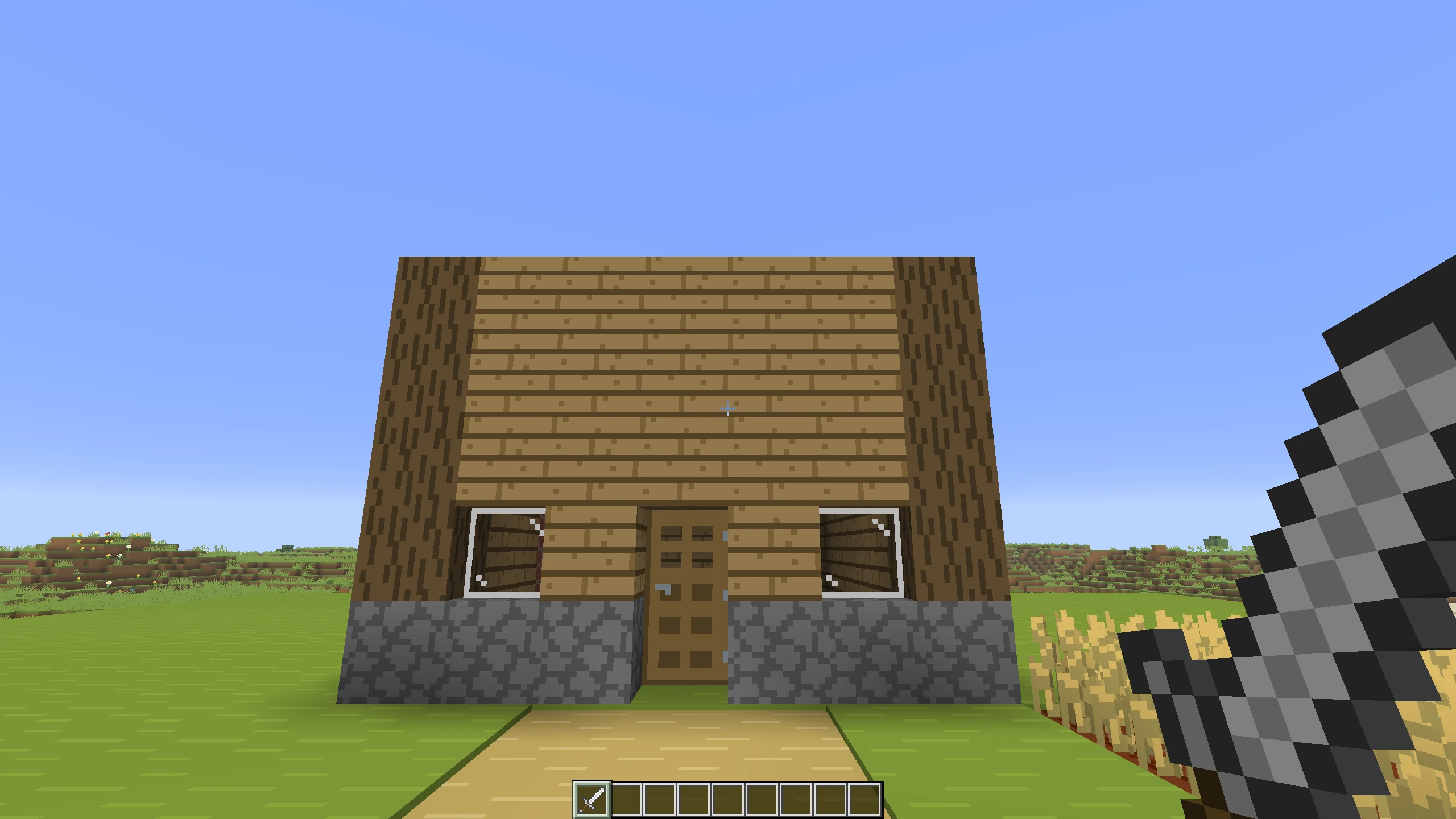
Plains villages and basic survival houses provide the clearest demonstration of how Bare Bones transforms common building materials. In default vanilla, cobblestone is a busy patchwork of gray mortar and pitted stones, while oak planks carry dark horizontal grain lines. Bare Bones replaces those complex surfaces with rounded gray cobbles and warm, smooth planks.
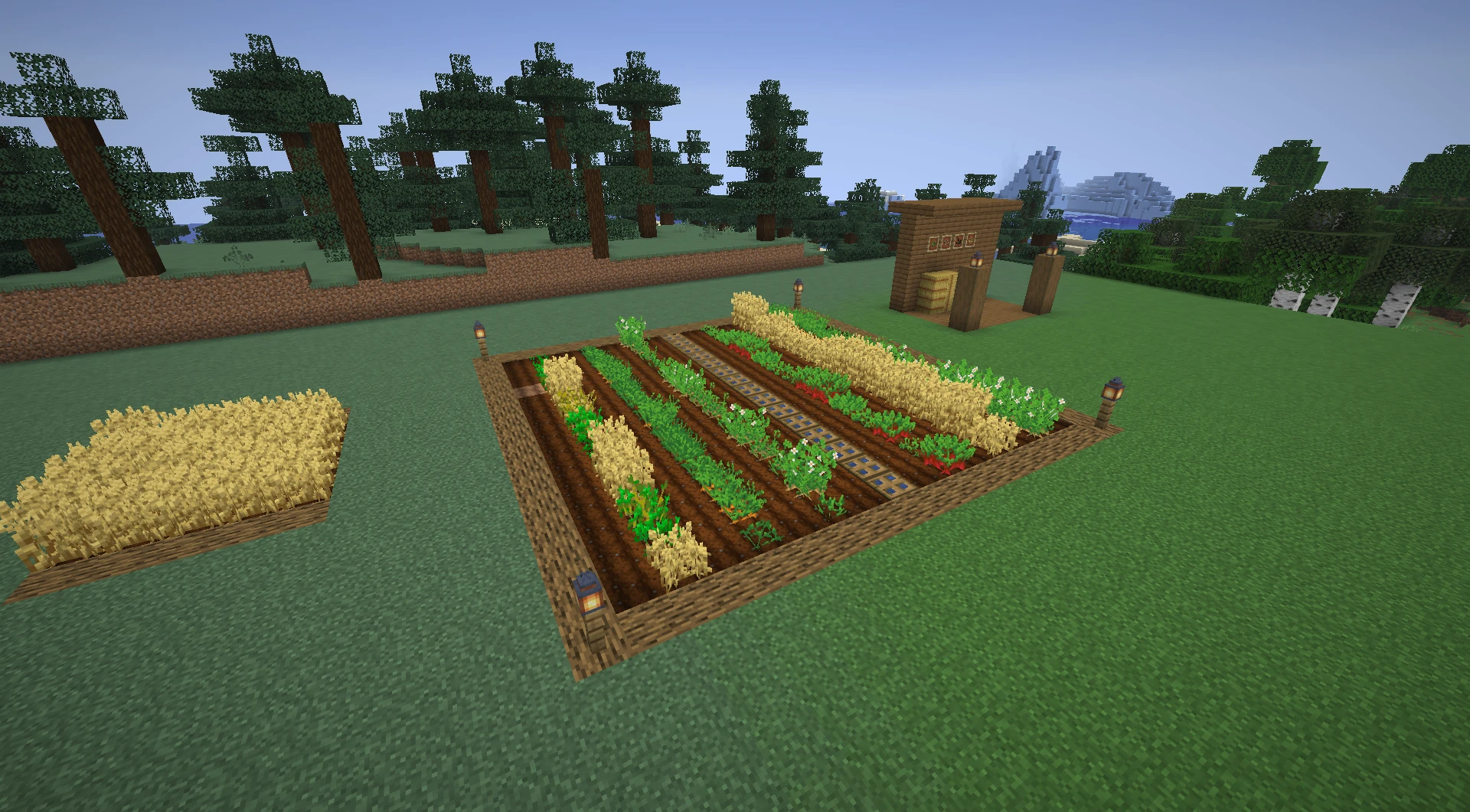
The visual benefit is immediate: man-made structures look tidy, deliberate, and graphic. Red bricks lose their gritty mortar lines and read as uniform masonry blocks, while dirt paths and farmland blend softly into the surrounding grass. However, this simplicity also means that large, unadorned walls can begin to look like colored plastic if you do not incorporate depth through stairs, slabs, and overhangs.
Dense foliage and solid canopy blocks
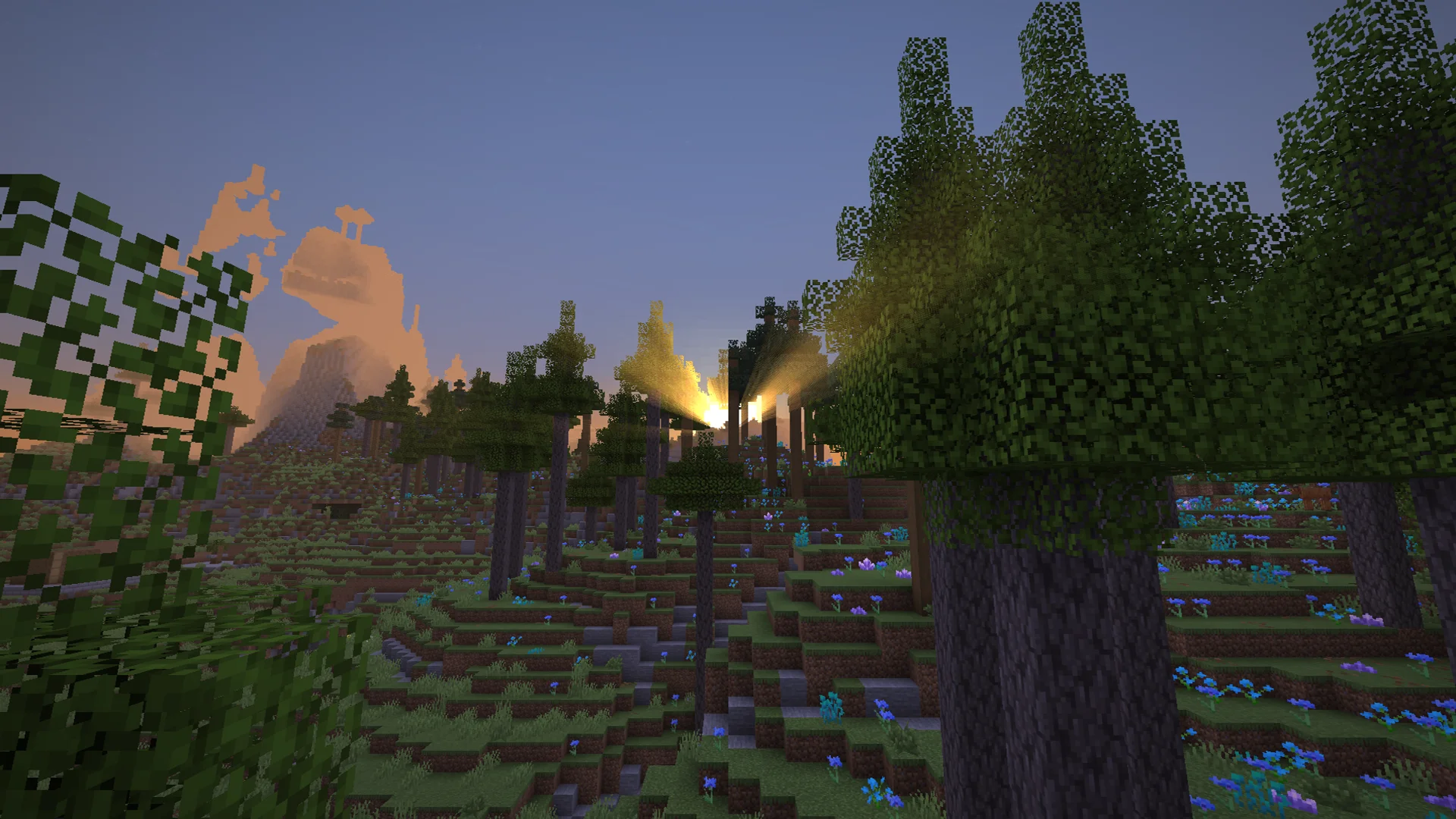
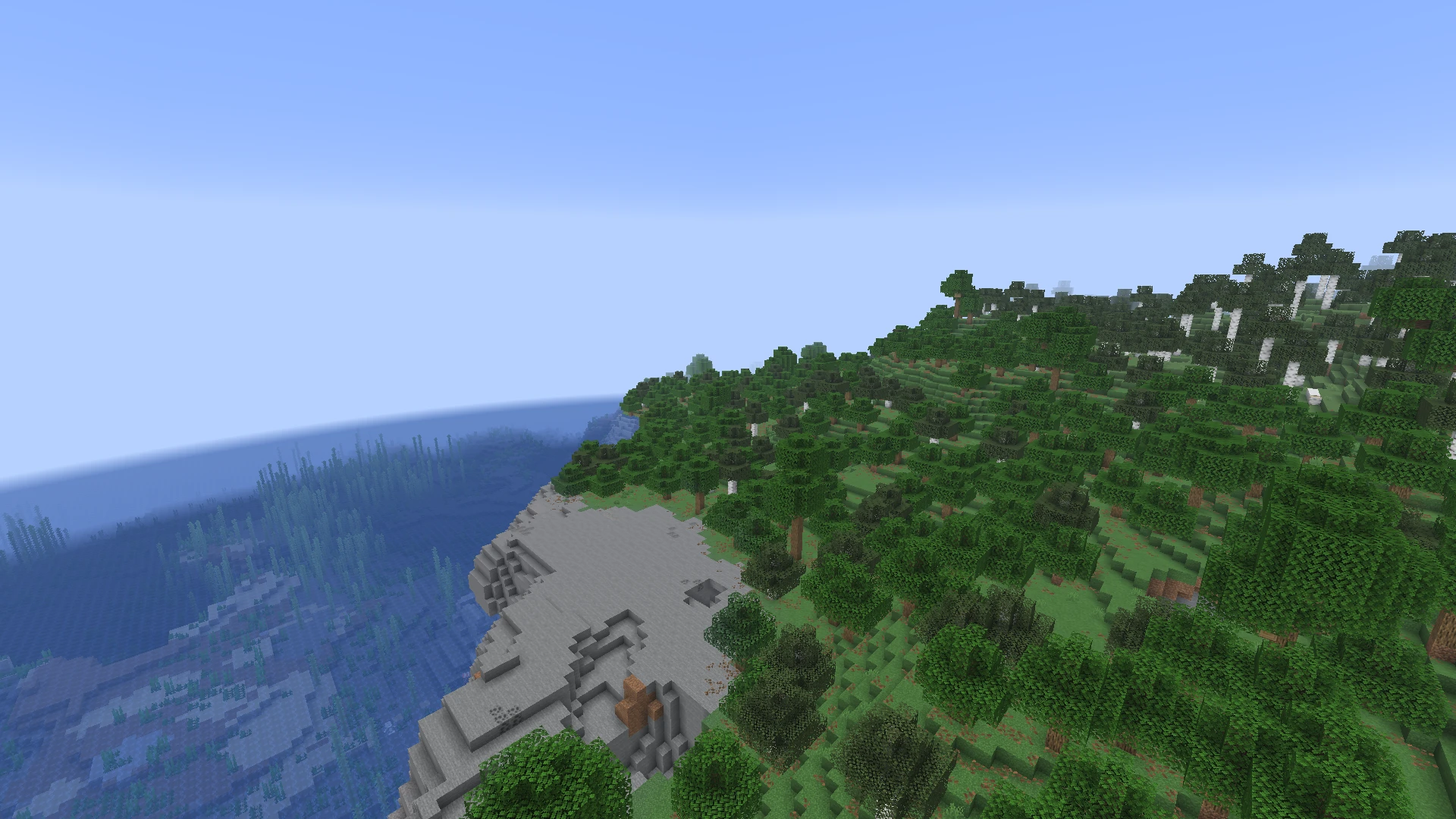
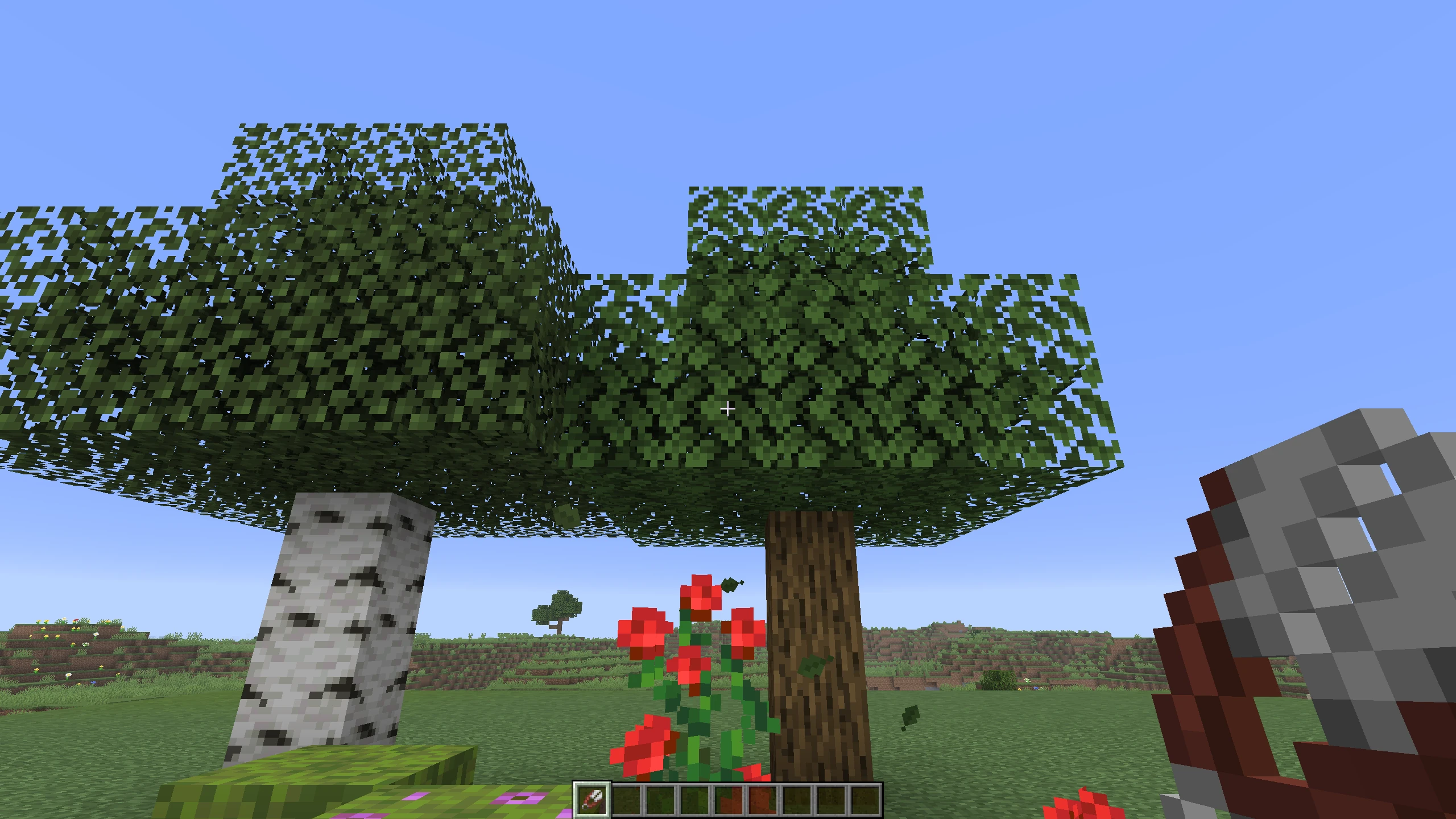
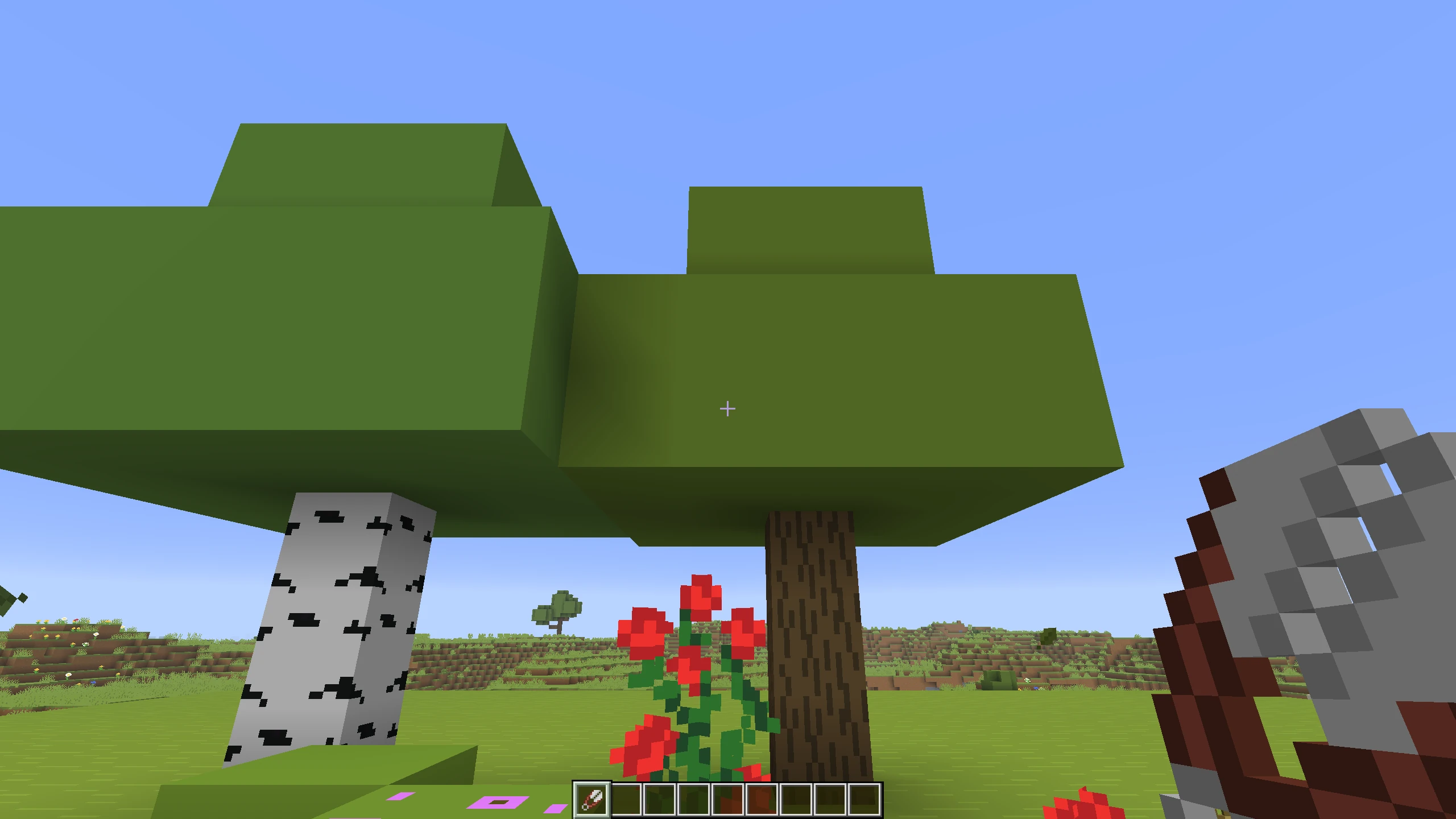
Forest biomes highlight one of the most polarizing artistic choices in Bare Bones: the complete redesign of leaf blocks. In standard vanilla, leaf blocks are semi-transparent meshes filled with dozens of tiny pinholes and dark speckled shading. Bare Bones fills these blocks almost entirely, turning tree canopies into solid geometric volumes of bright green.
This approach dramatically reduces visual noise when traveling through dense forests or jungle canopies. Instead of an overwhelming flurry of pixel edges passing across your screen, tree groves feel like stylized cartoon foliage. The trade-off is reduced visibility through tree crowns: tracking phantom flights or hostile mob movement above you requires looking around the edges of canopies rather than peering through the foliage mesh.
The Nether: Taming the noisiest dimension
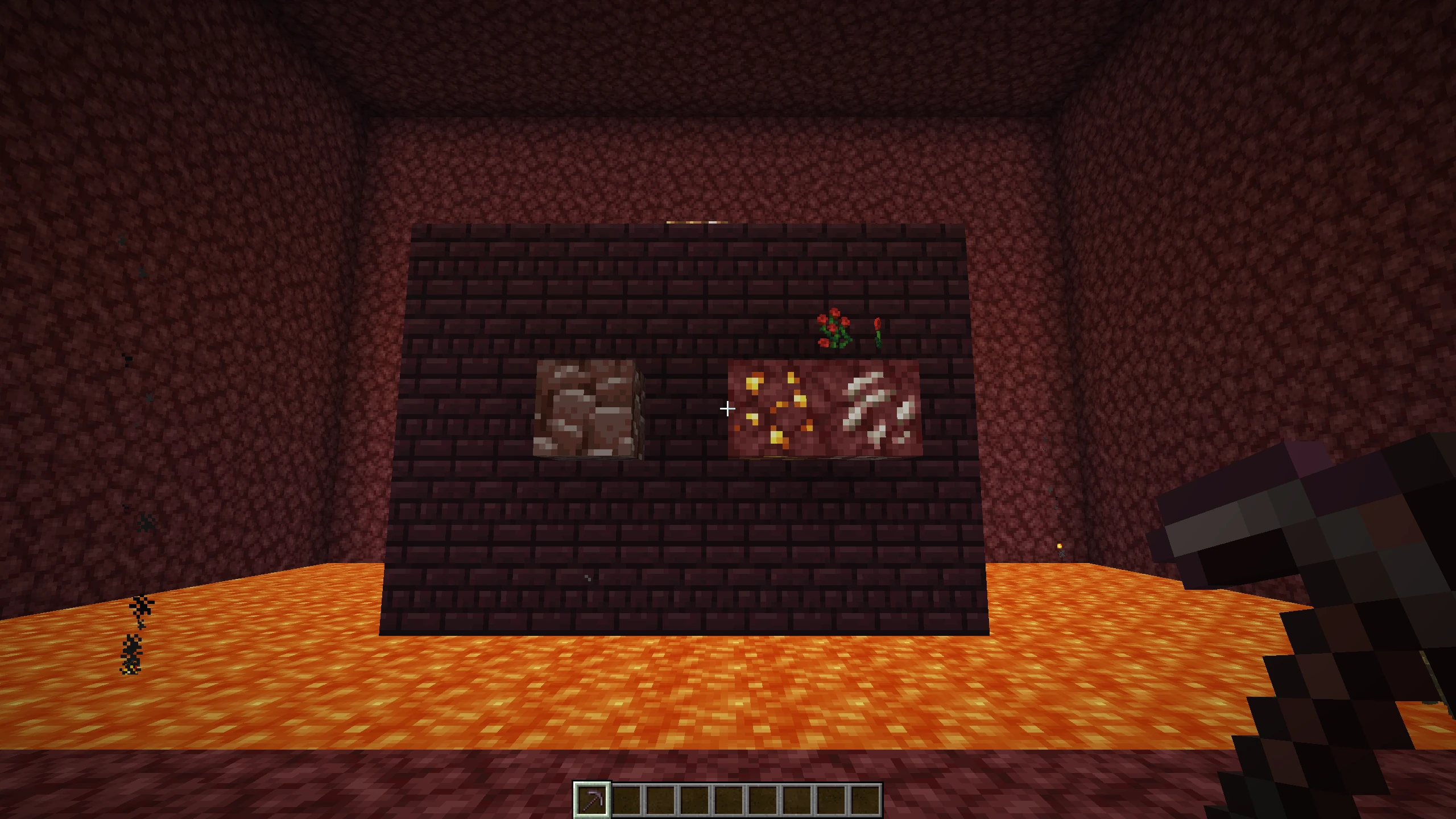
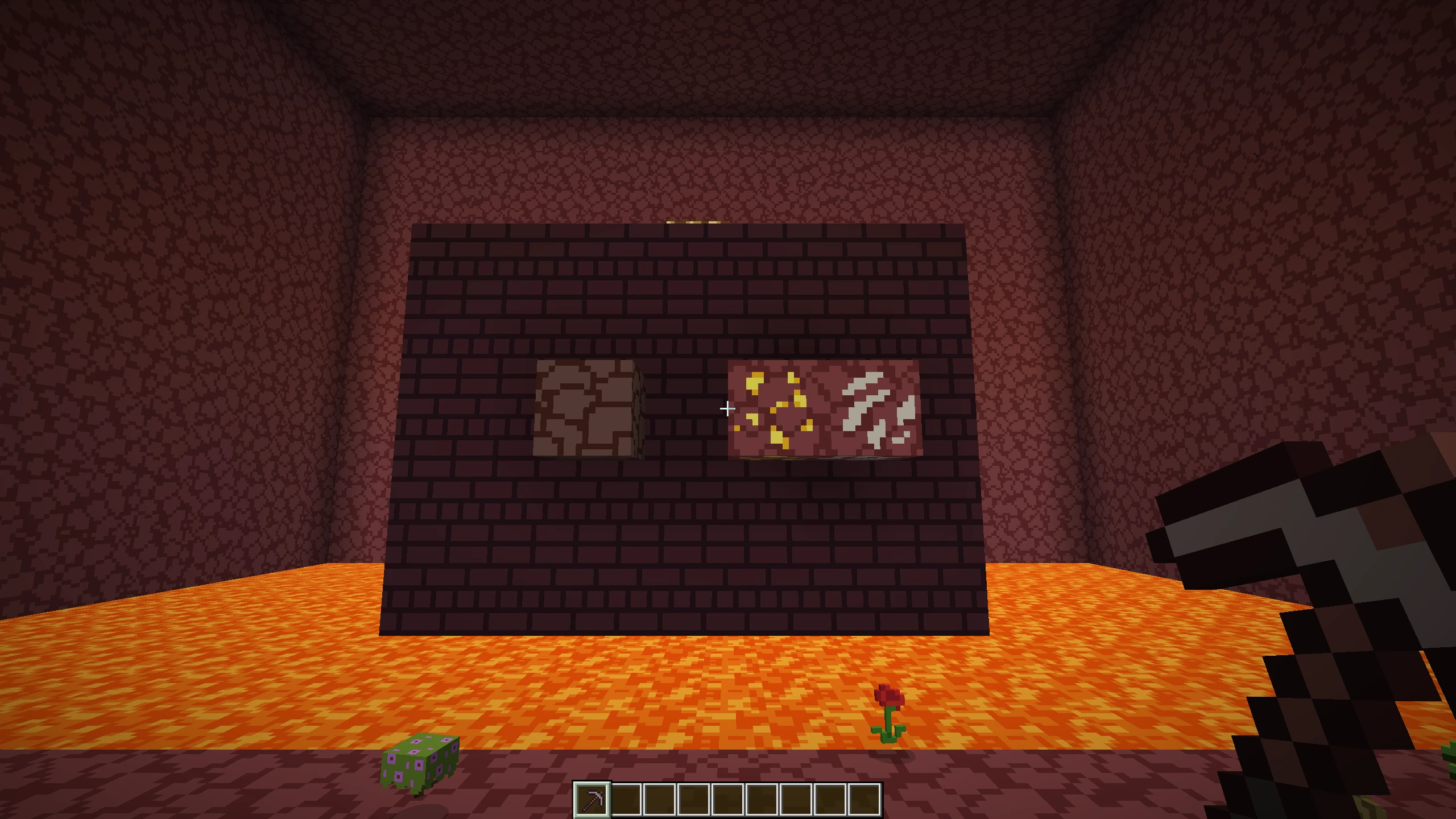
The Nether is notoriously demanding on player vision in default Minecraft. Standard netherrack is one of the most high-contrast, heavily dithered textures in the game, creating a chaotic sea of crimson speckles that quickly causes visual fatigue during long mining or exploration trips.
Bare Bones turns netherrack into a calm, reddish-clay stone with minimal surface markings. Nether quartz and nether gold ores stand out as distinct, geometric mineral chunks rather than messy pixel specks, making them instantly identifiable from across a cavern. Lava lakes shift into bright, glowing orange surfaces that look lifted straight from a comic book. For players who find the default Nether visually exhausting, Bare Bones provides the cleanest readability available in a 16x pack.
GUI, item sprites, and survival muscle memory
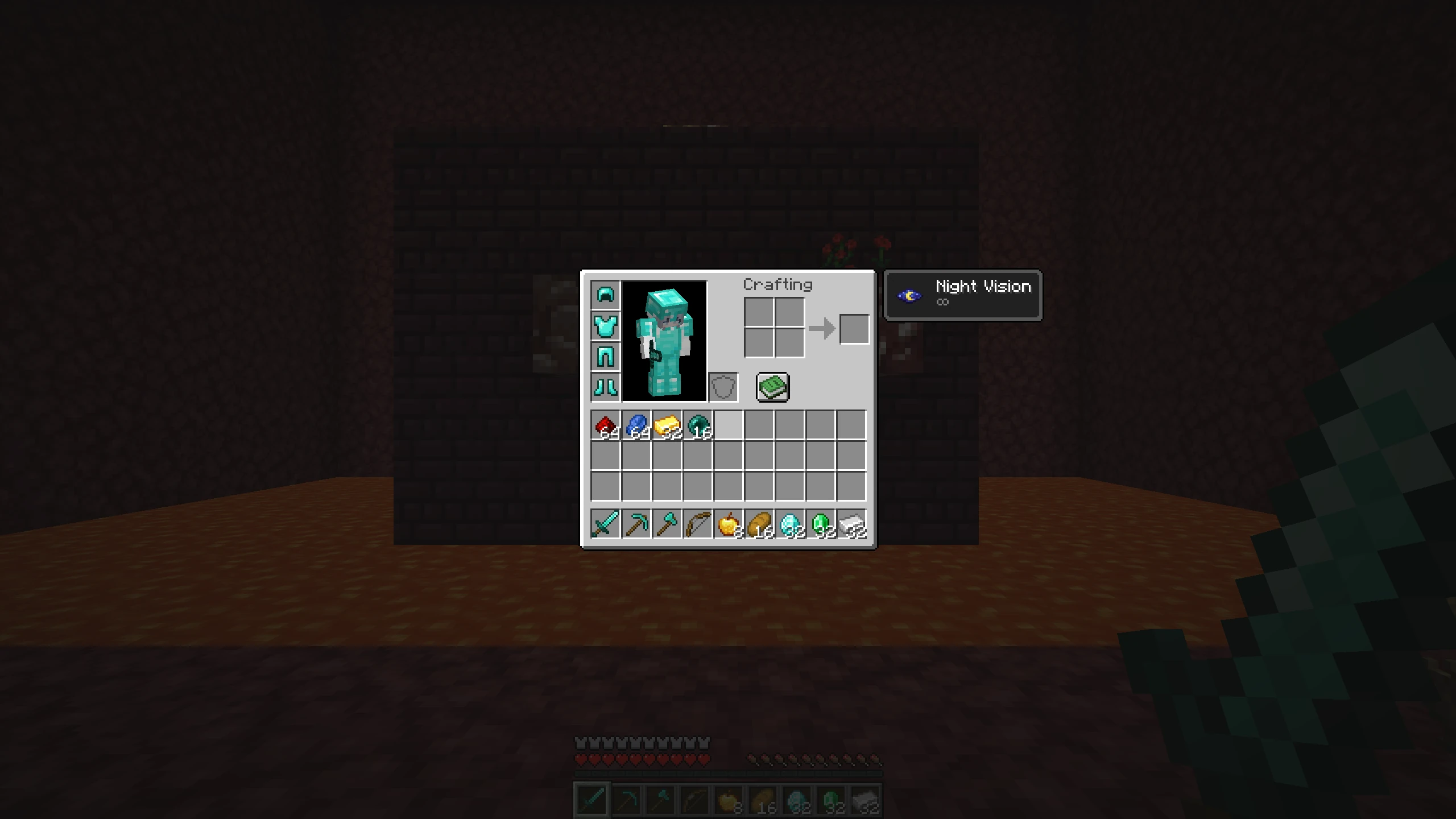
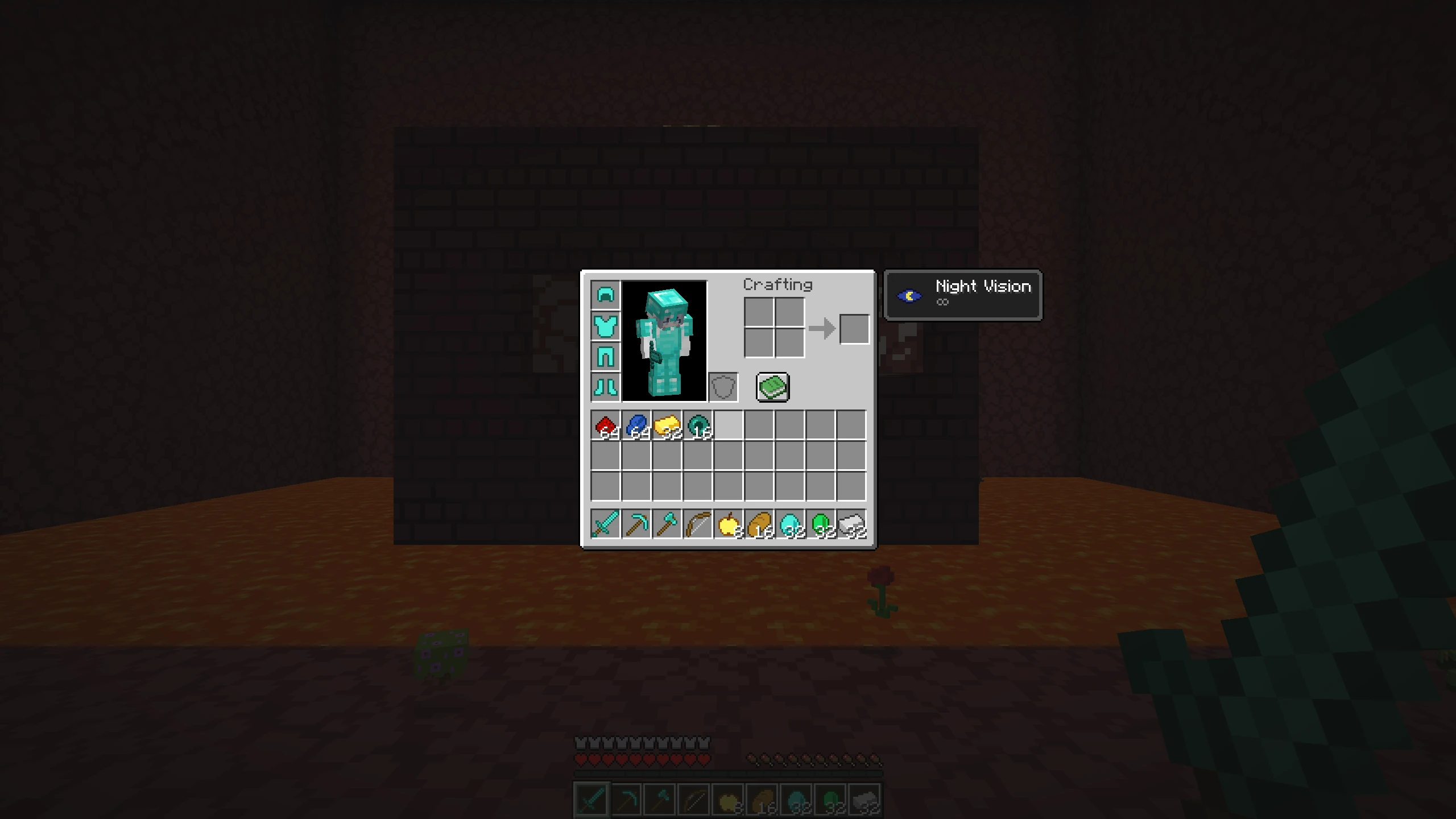
The pack extends its minimalist philosophy into the survival interface and item icons. The player inventory replaces metallic gray borders with crisp white and light-gray frames that keep container contents readable at a glance.
Item sprites undergo a complete graphical redraw: diamond weapons, pickaxes, and armor adopt thick silhouettes with high-contrast color fills. Food items like bread and golden apples look plump and cartoonish, while resource materials like redstone dust, lapis lazuli, and emeralds feature simple faceted geometry. Because the silhouettes and primary colors match their vanilla counterparts exactly, there is zero learning curve or inventory sorting confusion.
The architectural trade-off: Depth versus flatness
While Bare Bones excels at clarity and colorful charm, it forces builders to rethink their construction habits. In vanilla Minecraft, players frequently use texturing gradients, mixing cobblestone, andesite, stone bricks, and gravel to create artificial weathered depth on flat surfaces. In Bare Bones, those subtle shade differences disappear into flat color planes, which can make large fortifications or mountain terraforming look artificial.
To make builds look convincing under Bare Bones, architectural depth must come from physical block geometry rather than texture noise. Adding pillared corners, recessed windows, fence railings, and varied roof pitches becomes mandatory to prevent buildings from resembling flat prototype grayboxes. When paired with proper structural detailing, however, the pack delivers an unmistakable storybook aesthetic that runs at full vanilla framerates without demanding specialized hardware.
Our test setup
| Game | Minecraft Java Edition 26.2 |
|---|---|
| Pack release | Bare Bones 1.21.11 (pack_format: 88) |
| Rendering engine | Fabric Loader 0.19.3; Fabric API 0.158.0+26.2; Sodium 0.9.1; Iris 1.11.2 with shaders disabled |
| Resolution | 2560 × 1440 native capture, GUI scale 3 |
| Demonstration scenes | Plains village architecture, dense forest tree canopies, Nether terrain and ore clusters, survival inventory and equipment |
| Performance observation | Standard 16x resolution maintains full vanilla frame rates without requiring dedicated GPU acceleration |
| Visual distinction | Leaves render as solid geometric volumes rather than transparent cutout meshes, significantly reducing foliage screen flicker |
Download and install
Choose the Java Edition file for your exact game version on the creator’s page. In Minecraft, open Options → Resource Packs → Open Pack Folder, place the ZIP there, then move the pack into the selected column.
The download is hosted by the creator, not MC Toolbox. Check the file and version before installing.