Use /locate with commands enabled, buy explorer maps from cartographers, or follow Eyes of Ender to a stronghold. The commands below distinguish Java and Bedrock syntax.
Depending on whether you want instant operator cheat codes, a Survival method that keeps your achievements active, or a birds-eye preview using an online seed map, here is the complete guide on how to locate any structure in Minecraft.

Method 1: Using the /locate structure command (Instant Cheats & Autocomplete)
If you have cheats enabled, are playing in Creative Mode, or hold operator (OP) status on a multiplayer server, the /locate structure command finds the exact coordinates of the closest structure in seconds.
Command syntax for Java & Bedrock Edition
Modern Minecraft uses dedicated subcommands for locating structures, biomes, and points of interest:
- Java Edition:
/locate structure <structure_id>(or#minecraft:<structure_tag>) - Bedrock Edition:
/locate structure <structure: string> [useNewChunksOnly: Boolean]
For example, to find the closest Trial Chamber, press / or T to open the chat bar and enter:
/locate structure minecraft:trial_chambers
The Tab auto-complete shortcut
You never need to memorize every structure's exact technical spelling. Type /locate structure and press the Tab key. Minecraft's command engine will instantly display a scrollable list of all valid structures registered in your world. You can type the first few letters (such as ancient_ or trial_) and press Tab to autofill the full namespace.
Reading the coordinates & the one-click /tp trick (Java Edition)
Once executed, Minecraft scans your surrounding chunks and prints the result into the chat window:
"The nearest minecraft:trial_chambers is at [3448, ~, 624] (3500 blocks away)"
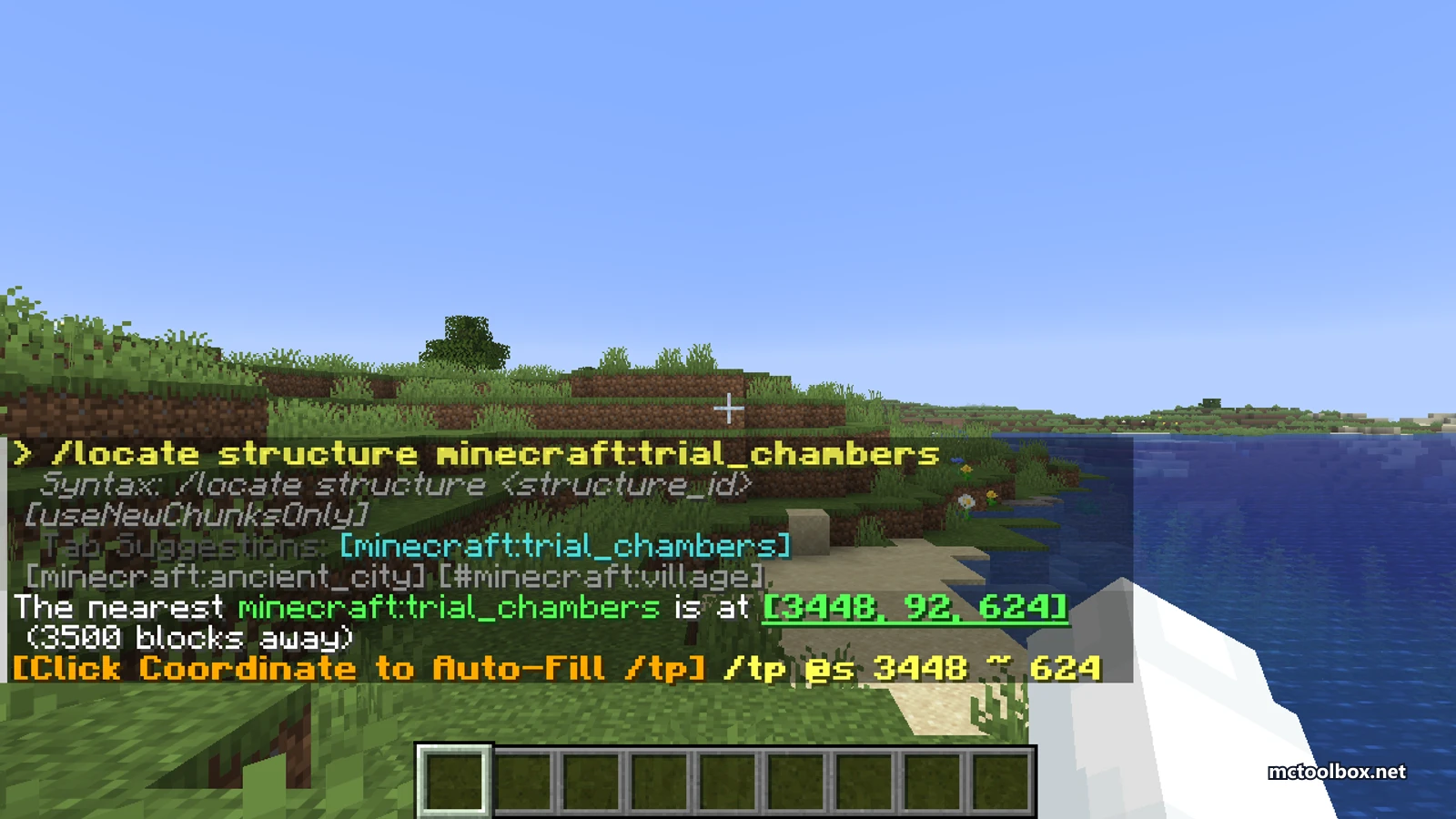
Pro-Tip (One-Click Teleport): On Minecraft Java Edition, the coordinate brackets [X, Y, Z] appear in green text. Hover your cursor over the green coordinates and left-click. The game will automatically type /tp @s 3448 ~ 624 directly into your chat bar! Check the destination height before pressing Enter: ~ keeps your current Y, which may place you underground or in midair.
The Bedrock 'useNewChunksOnly' parameter
On Minecraft Bedrock Edition (consoles, Windows Bedrock, mobile), the command accepts an optional boolean parameter at the end:
/locate structure trial_chambers trueSetting useNewChunksOnly to true forces Minecraft to ignore chunks you have already loaded or explored and only search in freshly generated territory. This is invaluable when you want to discover pristine structures with unlooted vaults, fresh trial spawners, or unopened chest loot.
The structure placement command: Spawning structures with /place structure
If you don't want to travel thousands of blocks across the map, Java Edition includes /place structure. It is not a Bedrock command. This instantly generates and constructs a complete vanilla structure right where you are standing:
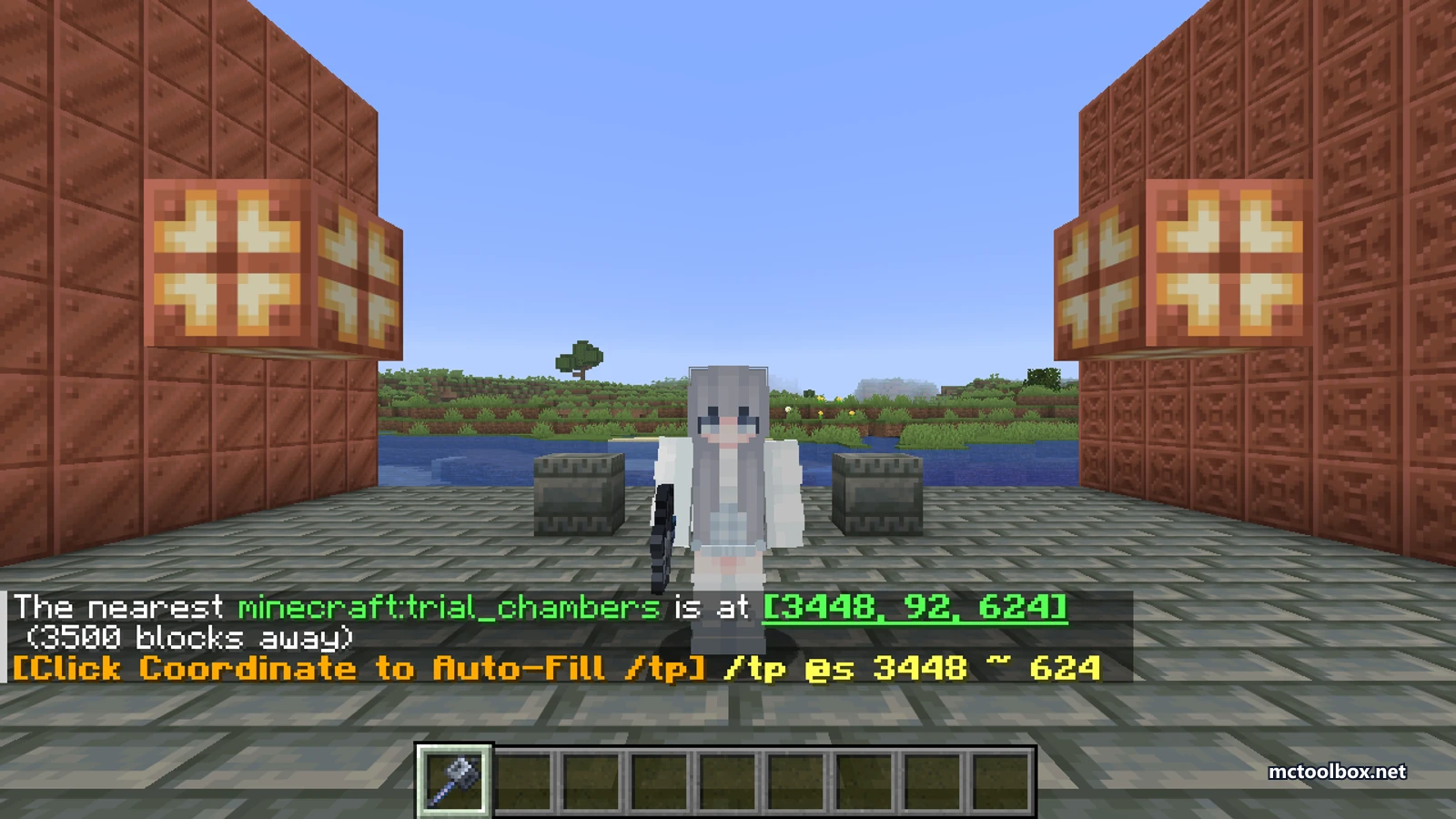
/place structure minecraft:trial_chambers ~ ~ ~You can also spawn an entire Woodland Mansion or Ancient City directly into your world:
/place structure minecraft:mansion ~ ~ ~
/place structure minecraft:ancient_city ~ ~ ~
Warning: Large structures like Woodland Mansions and Ancient Cities replace hundreds of surrounding blocks. Always test this in a creative world or backup your save first.
Locating Points of Interest (/locate poi) & Biomes (/locate biome)
Modern versions of Minecraft split the /locate engine into three specialized commands:
| Command Syntax | What It Locates | Practical Usage |
|---|---|---|
/locate poi minecraft:nether_portal |
Active Nether Portal | Finds the nearest linked or lost portal frame. |
/locate poi minecraft:cartographer |
Cartography Table | Locates a villager workstation to acquire Explorer Maps. |
/locate poi minecraft:home |
Villager bed POI, claimed or unclaimed | Pins down the heart of a village settlement. |
/locate poi minecraft:beehive |
Beehive or Bee Nest | Finds wild honey and bee colonies in forest biomes. |
/locate biome minecraft:deep_dark |
Deep Dark Biome | Locates underground skulk caves where Ancient Cities generate. |
/locate biome minecraft:cherry_grove |
Cherry Blossom Mountains | Finds pink cherry blossom groves and petal terrain. |
/locate biome minecraft:pale_garden |
Pale Garden Biome | Discovers pale oak trees, resin clumps, and Creaking mob habitats. |
Quick-copy master structure commands list
Here is a complete, copy-paste ready directory of every major structure ID in Minecraft Java and Bedrock Edition:
1. Overworld Structures
| Structure Name | Java Edition Command | Bedrock Edition Command |
|---|---|---|
| Trial Chambers (1.21+) | /locate structure minecraft:trial_chambers |
/locate structure trial_chambers |
| Village (Any Type) | /locate structure #minecraft:village |
/locate structure village |
| Ancient City (Deep Dark) | /locate structure minecraft:ancient_city |
/locate structure ancient_city |
| Woodland Mansion | /locate structure minecraft:mansion |
/locate structure mansion |
| Pillager Outpost | /locate structure minecraft:pillager_outpost |
/locate structure pillager_outpost |
| Stronghold (End Portal) | /locate structure minecraft:stronghold |
/locate structure stronghold |
| Ocean Monument | /locate structure minecraft:monument |
/locate structure monument |
| Desert Pyramid / Temple | /locate structure minecraft:desert_pyramid |
/locate structure desert_pyramid |
| Jungle Pyramid / Temple | /locate structure minecraft:jungle_pyramid |
/locate structure jungle_pyramid |
| Witch Hut (Swamp) | /locate structure minecraft:swamp_hut |
/locate structure swamp_hut |
| Buried Treasure | /locate structure minecraft:buried_treasure |
/locate structure buried_treasure |
| Shipwreck | /locate structure minecraft:shipwreck |
/locate structure shipwreck |
| Abandoned Mineshaft | /locate structure minecraft:mineshaft |
/locate structure mineshaft |
| Igloo | /locate structure minecraft:igloo |
/locate structure igloo |
2. Nether & The End Structures
| Structure Name | Dimension | Command Syntax |
|---|---|---|
| Nether Fortress | The Nether | /locate structure minecraft:fortress |
| Bastion Remnant | The Nether | /locate structure minecraft:bastion_remnant |
| Nether Fossil | The Nether | /locate structure minecraft:nether_fossil |
| End City | The End | /locate structure minecraft:end_city |
Common ID naming traps to avoid
Many players receive an "Unknown structure" error because Minecraft's internal registry IDs differ from their conversational community names:
- Woodland Mansion: Use
mansion(typingwoodland_mansionwill error). - Nether Fortress: Use
fortress(typingnether_fortresswill error). - Ocean Monument: Use
monument(typingocean_monumentwill error). - Witch Hut: Use
swamp_hut(typingwitch_hutwill error). - All Villages: Use
#minecraft:villagewith the hashtag to match any village variant. Typingvillage_plainswill only search for plains villages and ignore desert or taiga villages that might be closer.
Method 2: Finding structures legit in survival without cheats
If you are playing in a pure Survival world where cheats are turned off, or you want to keep your Xbox / PlayStation achievements enabled, Minecraft provides built-in in-game tracking mechanics:
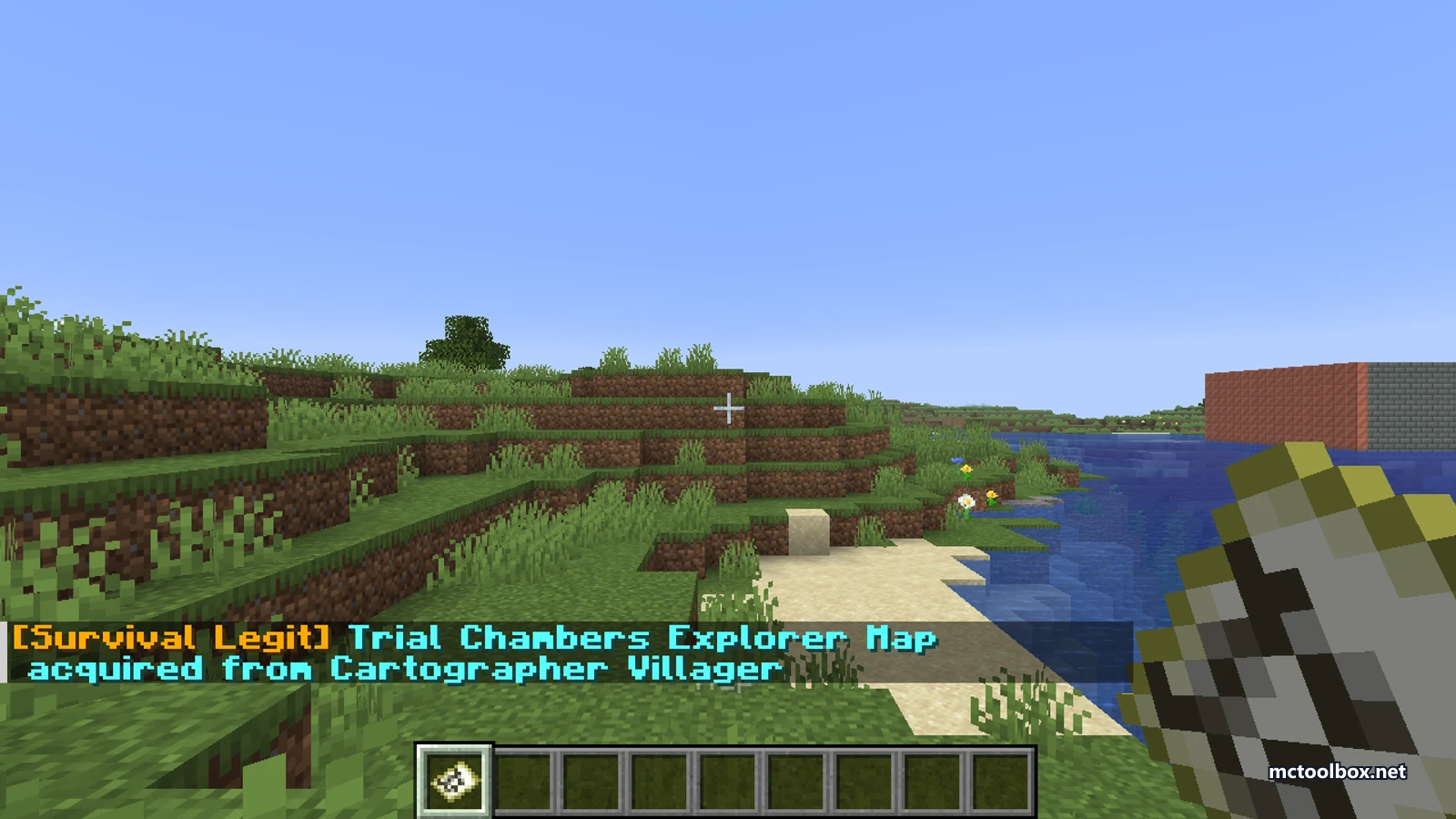
1. Cartographer Villager Explorer Maps
The Cartographer villager is the official vanilla way to track down rare structures:
- Place a Cartography Table next to an unemployed villager to turn them into a Cartographer.
- Trade paper and emeralds to level the Cartographer up to Apprentice (Level 2) and Journeyman (Level 3).
- At higher levels, the villager sells specialized Explorer Maps:
- Trial Chamber Map (1.21+): Points to an underground Trial Chamber marked with a copper spawner icon.
- Woodland Explorer Map: Points to the nearest Woodland Mansion marked with a house icon.
- Ocean Explorer Map: Leads directly to an Ocean Monument marked with a temple icon.
How to Read Explorer Maps: Your player is represented by a small circular dot. If the dot is on the edge of the map, you are outside the map's boundary. If your dot is on the bottom-left corner, you need to walk Northeast (toward the top-right) until your dot enters the mapped terrain.
2. Eyes of Ender for Strongholds
To find the Stronghold and the End Portal without cheats:
- Craft Eyes of Ender by combining Ender Pearls (from Endermen) with Blaze Powder (from Nether Blazes).
- Hold the eye and right-click to throw it into the air. The eye will float in the sky and travel in the direction of the closest Stronghold before falling back down (or shattering with a 20% chance).
- Follow the direction of flight. When the eye floats in place and dives straight down into the dirt, dig down carefully to reveal the Stronghold corridors.
3. Dolphins for Shipwrecks & Ocean Ruins
If you are looking for coastal structures and buried treasure:
- Find a wild dolphin in the ocean and feed it raw cod or raw salmon.
- The dolphin will emit heart particles and immediately swim in a straight line toward the closest Shipwreck or Ocean Ruin. Follow the dolphin by boat to find chests containing Buried Treasure Maps.
Method 3: Previewing structures with the MC Toolbox Seed Map Explorer
If you want to view where all structures generate without typing cheat commands in-game or disabling your achievement progress, you can inspect your world seed online:
- Check your world seed:
- Java Edition: Type
/seedin chat. - Bedrock Edition: Pause the game, click Settings, stay on the Game tab, and look at the Seed field.
- Java Edition: Type
- Open the free MC Toolbox Seed Map Explorer.
- Enter your seed number, select your Minecraft version, and toggle structure filters: Trial Chambers, Ancient Cities, Mansions, Fortresses, Bastions, and Villages.
- You can pan across infinite coordinates, view biome borders, and measure exact block distances from your spawn point.
To learn more advanced command techniques, gamerule overrides, and custom inventory cheats, explore the Minecraft Commands Master Guide, or generate custom give codes using the Minecraft Give Command Builder.