You can try Minecraft through the official Java demo or a supported Bedrock free trial. These do not grant a full game license.
If you want to test whether Minecraft runs smoothly on your computer before spending any money, or if you simply want to experience the core survival gameplay without paying upfront, here is everything you need to know about getting Minecraft for free safely and legally.
How to Start the Official Minecraft Free Trial
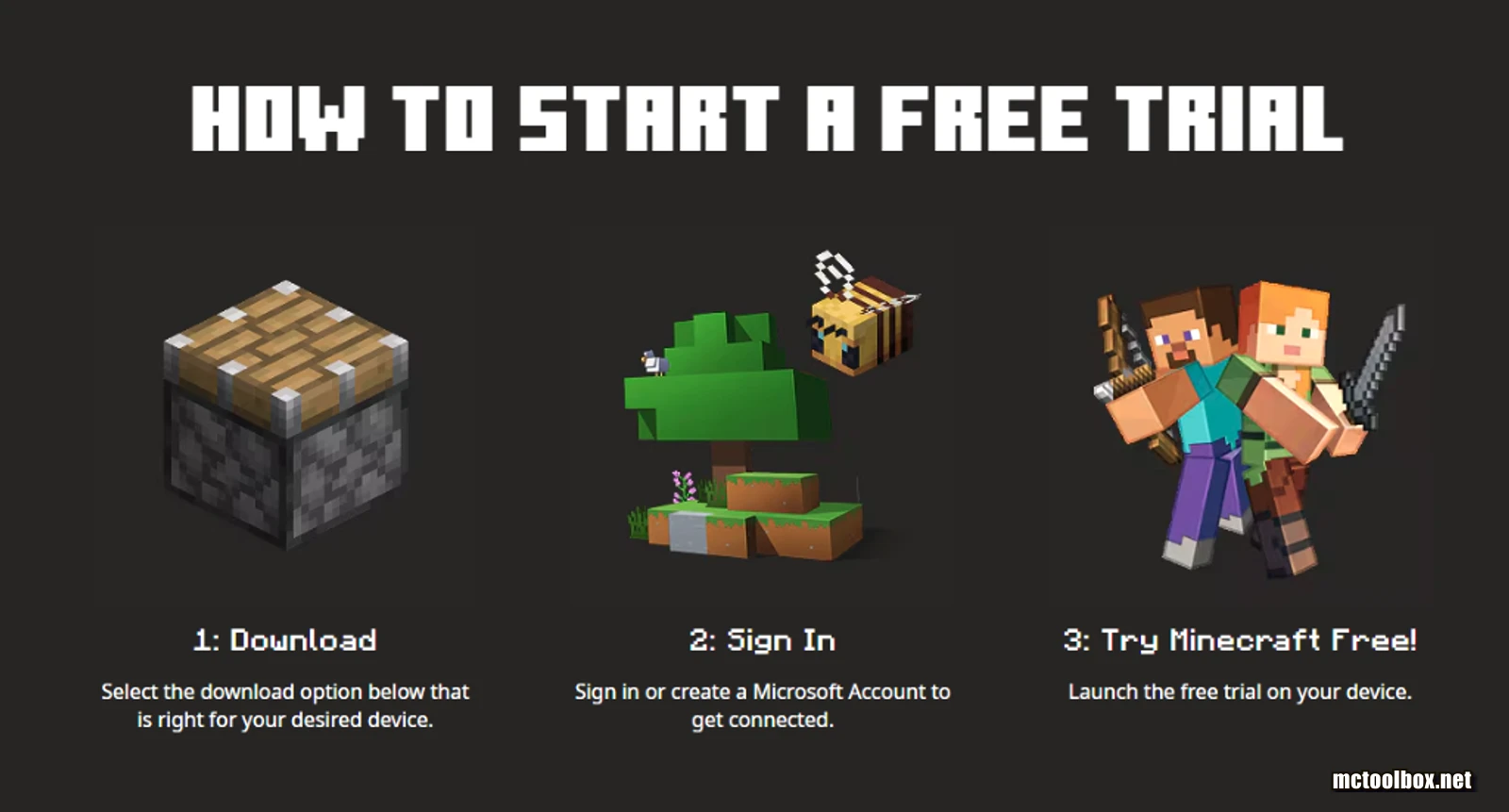
Mojang offers a dedicated Free Trial program for players on Windows PC and mobile devices. Getting started takes only three simple steps directly from the official Minecraft website:
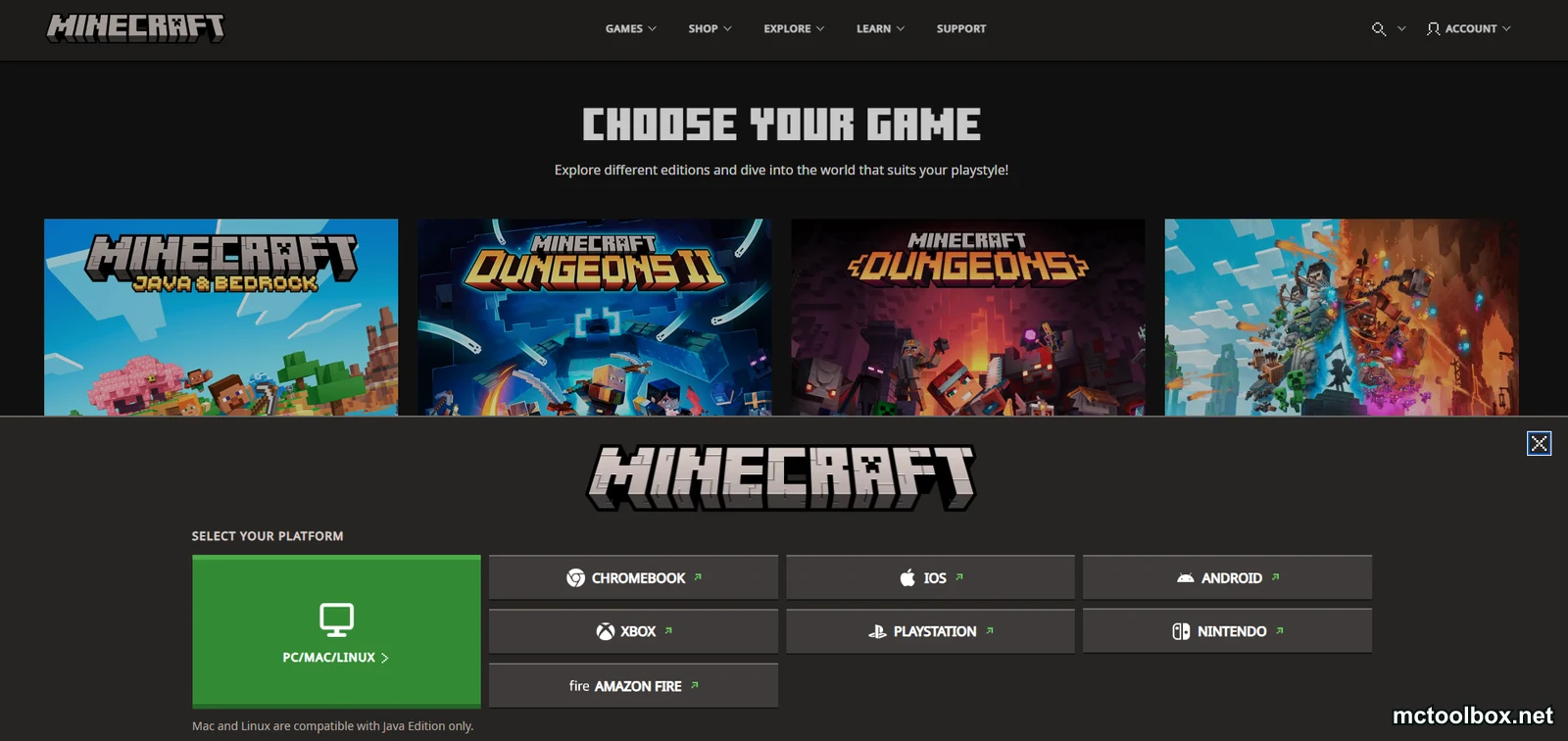
- Download: Visit the official trial portal at minecraft.net/en-us/free-trial and choose the version compatible with your device (Windows 10/11, Android, or PlayStation).
- Sign In: Open the downloaded launcher or app and log in with your free Microsoft account (or create one in under two minutes).
- Try Minecraft Free: Launch the game and start exploring your free trial world!
Method 1: Minecraft Java Edition Demo Mode (PC, Mac, Linux)
If you play on PC (Windows, macOS, or Linux), you can play the official Java Edition Demo without buying the full game:
- Go to the official Minecraft website and download the standard Minecraft Launcher.
- Install the launcher and log in using any free Microsoft account that does not own Minecraft.
- Instead of a green "Play" button, you will see a button labeled Play Demo World.
- Click Play Demo World to enter a pre-generated survival world.
The Java Edition Demo gives you 100 minutes of gameplay (equivalent to exactly 5 in-game Minecraft days). During this time, you can gather resources, craft tools, build shelters, fight mobs, and explore survival mechanics. Once the 100-minute timer expires, you can delete the demo world and generate a fresh one to test again.
Method 2: Minecraft Bedrock Edition Free Trial (Windows & Android)
For players using Windows 10/11 or Android mobile devices, the Bedrock Edition Free Trial offers another accessible entry point:
- Windows 10/11 PC: Open the Microsoft Store app, search for Minecraft: Java & Bedrock Edition for PC, and select Free Trial. This installs the Bedrock client with trial mode enabled.
- Android Devices: Open the Google Play Store on your Android phone or tablet, search for Minecraft Trial by Mojang, and tap Install. Trial length and restrictions vary by platform; the Bedrock trial is separate from the Java demo.
Method 3: Play Minecraft Classic for Free in Your Web Browser
Did you know you can play original Minecraft right inside your web browser without downloading any software? To celebrate the game's 10th anniversary, Mojang released Minecraft Classic as a free-to-play web game:
- Open any modern browser (Google Chrome, Microsoft Edge, Firefox, or Safari) and visit classic.minecraft.net.
- The game loads the 2009 Classic Creative mode, complete with 32 classic blocks, original sound effects, and simple block-placing controls.
- You can even generate a shareable web link to invite up to 9 friends into your browser session for free sandbox building.
Why You Should Avoid Pirated and "Cracked" Launchers
When searching for free Minecraft, you will likely encounter unofficial websites offering "cracked" launchers or free full game downloads. We strongly urge you to avoid these tools for several critical reasons:
- Malware and Spyware Risks: Many unofficial launchers bundle cryptominers, keystroke loggers, and trojans designed to steal passwords, browser cookies, and personal data.
- No Official Multiplayer: Cracked accounts cannot join legitimate Minecraft servers like Hypixel, Mineplex, or private realms because they fail Mojang authentication checks.
- Untrusted updates: Unofficial downloads may be outdated or modified; use the official Launcher and platform stores.
- Violates Terms of Service: Pirating the game breaks Mojang's End User License Agreement (EULA) and risks getting your Microsoft account suspended.
Free Trial vs. Full Game: What Are the Differences?
While the official trial is a great way to test the waters, it has noticeable limitations compared to the full game:
| Feature | Official Free Trial | Full Paid Version |
|---|---|---|
| Playtime Limit | 100 minutes (or ~90 min on Bedrock) | No demo timer |
| Multiplayer Servers | Disabled (Singleplayer only) | Access to compatible servers, subject to account permissions and server rules |
| World Customization | Locked to a set demo seed | Infinite random seeds, biomes, & structures |
| Mods & Shaders | Not supported in demo worlds | Java supports compatible community mods; Bedrock uses add-ons |
| Editions Included | Limited demo client | Both Java and Bedrock editions included on PC |
Why Buying the Full Game is Worth It (PC edition ownership)
The free trial is perfect for seeing if you enjoy Minecraft, but once the demo timer runs out and you want to embark on an endless survival journey with your friends, buying the full game is the an option.
Best of all, you only need to purchase Minecraft once. When you buy Minecraft on PC, Mojang includes both Java Edition and Bedrock Edition together in a single package. You do not need to purchase them separately!
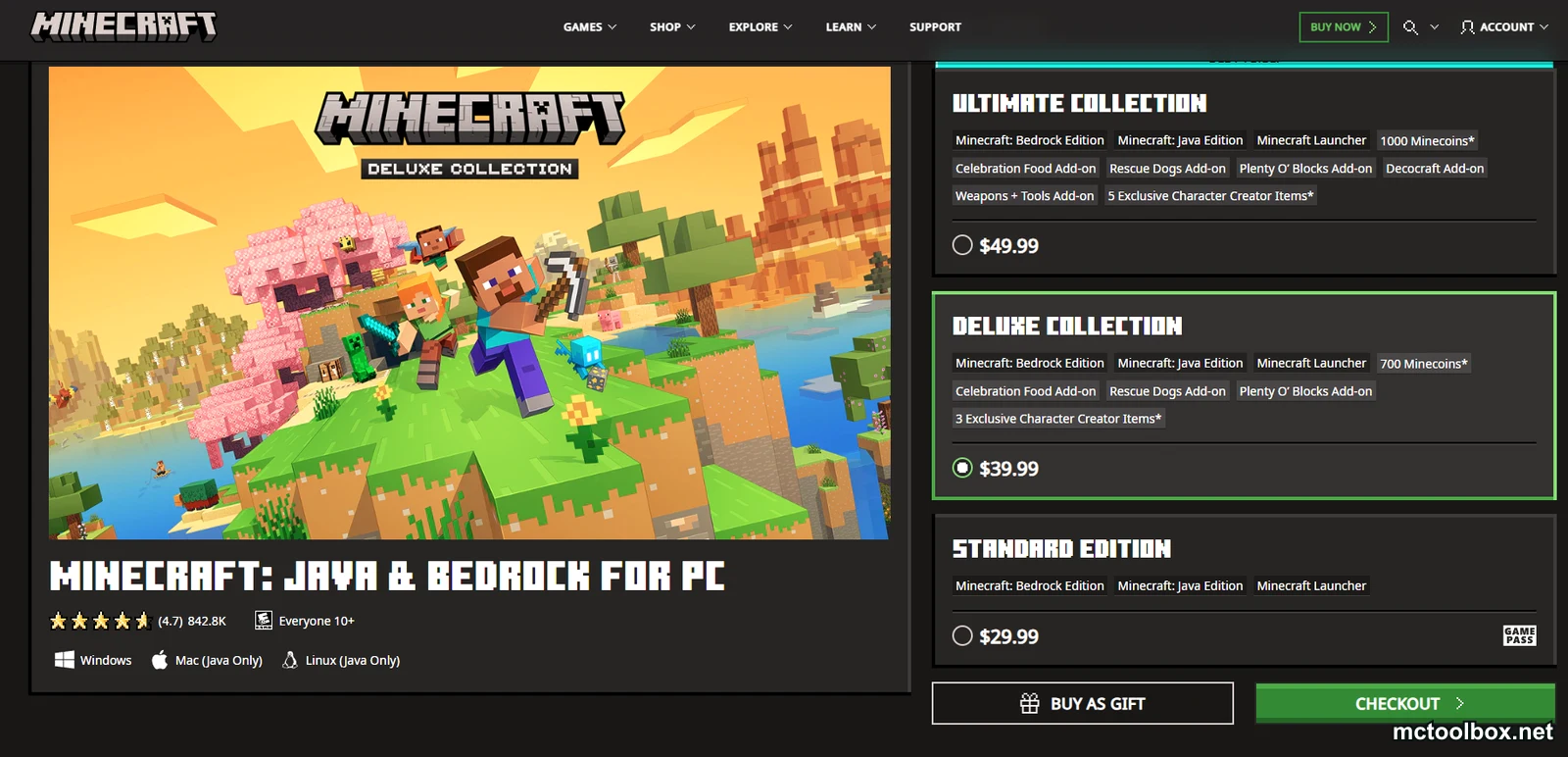
You can choose between the Standard Edition (which includes the full game on both Java and Bedrock) or the Deluxe Collection (which adds extra Minecoins, exclusive character creator items, and Marketplace maps):
Ready to Buy the full game?
Check out our step-by-step tutorial on How to Buy Minecraft. Learn how to create your Microsoft account, choose between Standard and Deluxe editions, avoid third-party reseller scams, and install the official launcher safely.
Read: How to Buy Minecraft Step-by-StepOnce you are ready to venture into multiplayer, read our companion guides on How to Play Minecraft With Friends and How to Make a Minecraft Server, or plan your next builds using our free Crafting Calculator and Interactive Seed Map.
Free Minecraft trials and demo questions answered
Can I play Minecraft for free on PC without buying it?
Yes. You can play the official Minecraft Java Edition Demo by downloading the official Minecraft Launcher and logging in with a free Microsoft account, or play the Classic creative building game for free in your browser at classic.minecraft.net.
Can I reset the Minecraft demo world when the 100-minute timer runs out?
Yes. When the 100-minute limit expires, block breaking and item use become restricted; the player is not switched to Spectator. However, you can delete that demo world from your singleplayer menu and create a brand-new demo world for another 100 minutes of survival play.
Does the Minecraft Free Trial have multiplayer?
No. Both the Java Demo and Bedrock Free Trial are restricted to singleplayer survival. To play on community servers, join Realm realms, or connect with friends across LAN and cross-play, you need the full version.
If I buy Minecraft on PC, do I get both Java and Bedrock editions?
Yes! Mojang unified PC versions into a single package called "Minecraft: Java & Bedrock Edition for PC". Purchasing this license grants you full access to both editions with no extra cost.