








Minecraft shader review
AstraLex Shaders 1.16.5 - 26.3
AstraLex gives Minecraft a dramatic sky, coloured light, and a deep settings menu that rewards a few careful choices.
Download FilesAstraLex is a highly configurable Minecraft shader pack with stylised skies, coloured lighting, reflections, aurora effects, and a strong cinematic night profile.
Shader Index9 sections
AstraLex is the shader pack to choose when vanilla's daylight is not the main attraction anymore. It gives grass, water, and buildings a more deliberate light, but its real personality appears when the sky changes. Clouds carry colour, evenings become theatrical, and a dark shoreline can sit beneath an aurora and a moon that would never fit into a restrained survival preset. The result is not photorealism. It is Minecraft with more atmosphere and more control over what that atmosphere costs.
That last part matters. AstraLex is full of options, and a default that looks wonderful from one angle can be too soft, too bright, or too expensive for an ordinary evening of building. The useful question is not whether it can produce a dramatic screenshot. It can. The useful question is which parts of that style still make sense once the world is yours to navigate, light, and come home to.
Sky, clouds, and daylight
AstraLex makes weather, cloud cover, and time of day matter to the whole scene
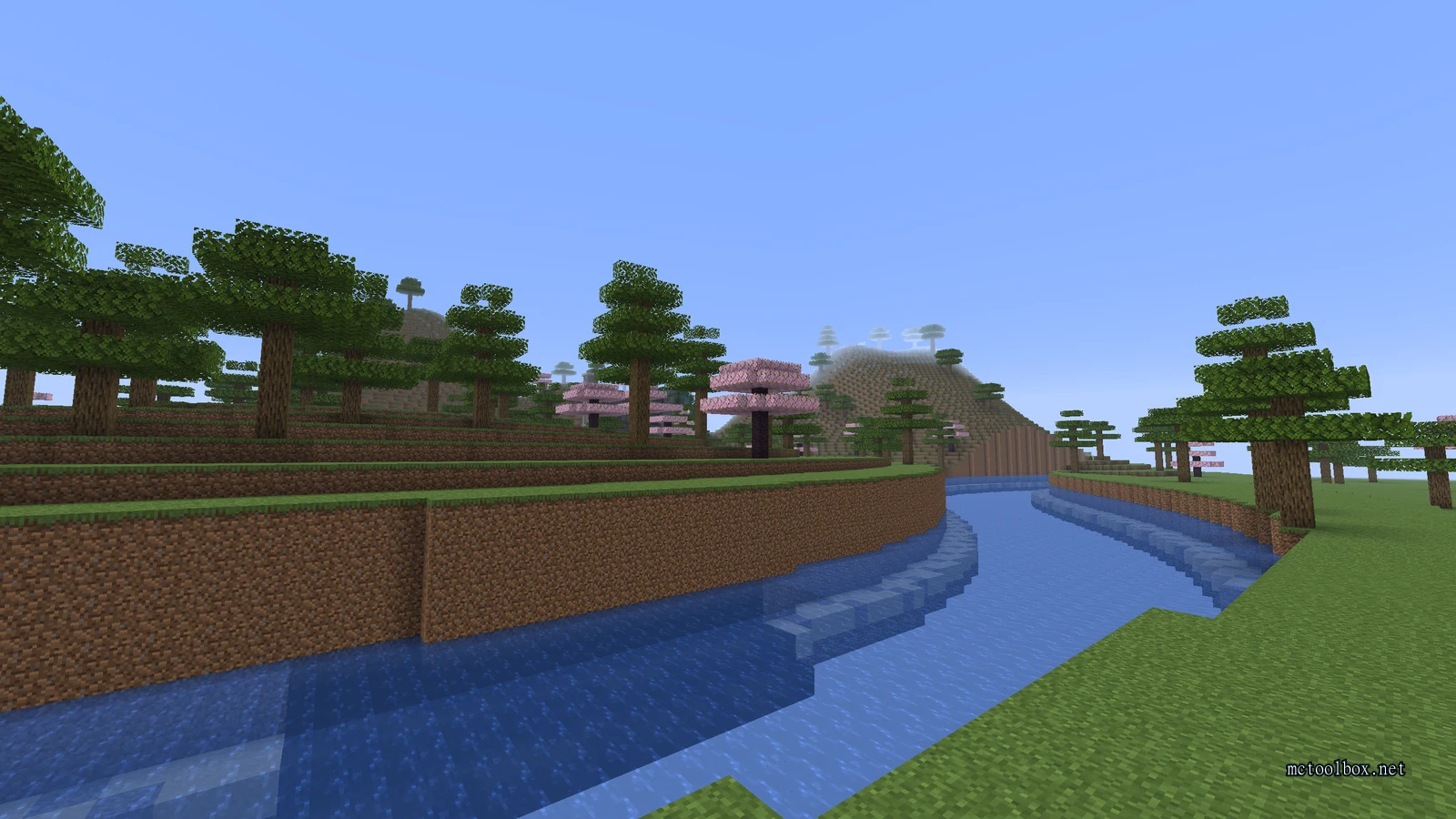
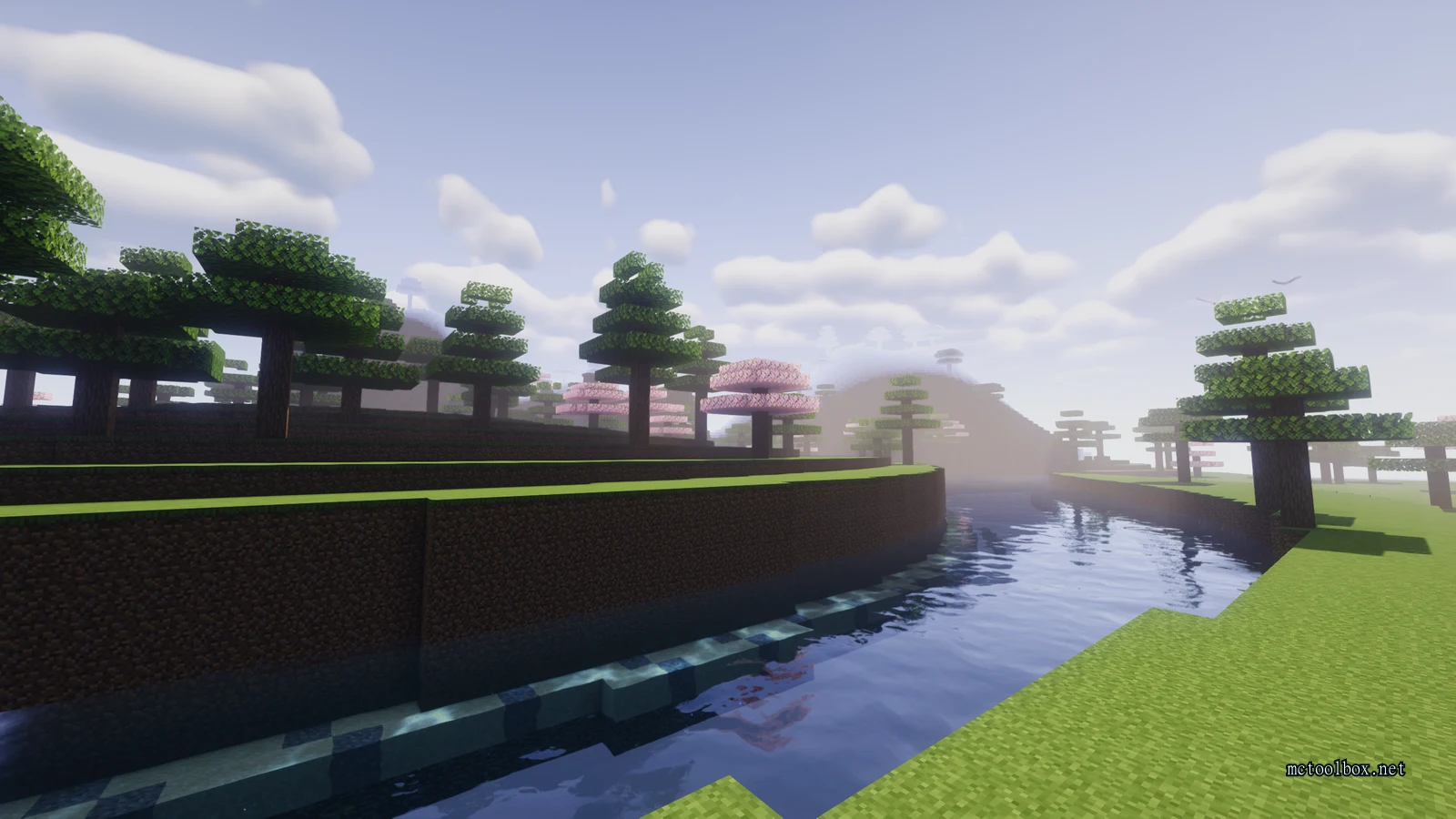
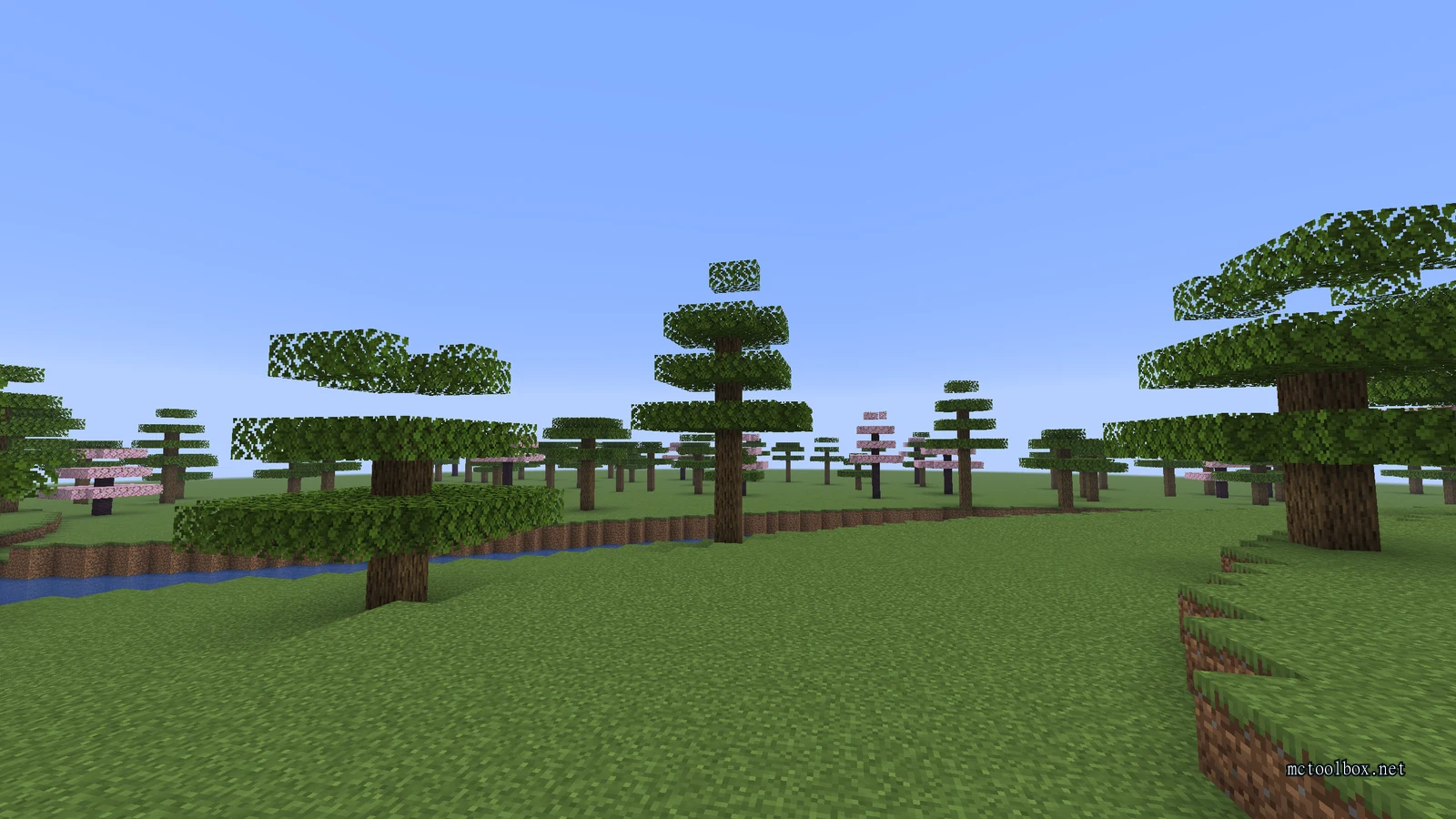
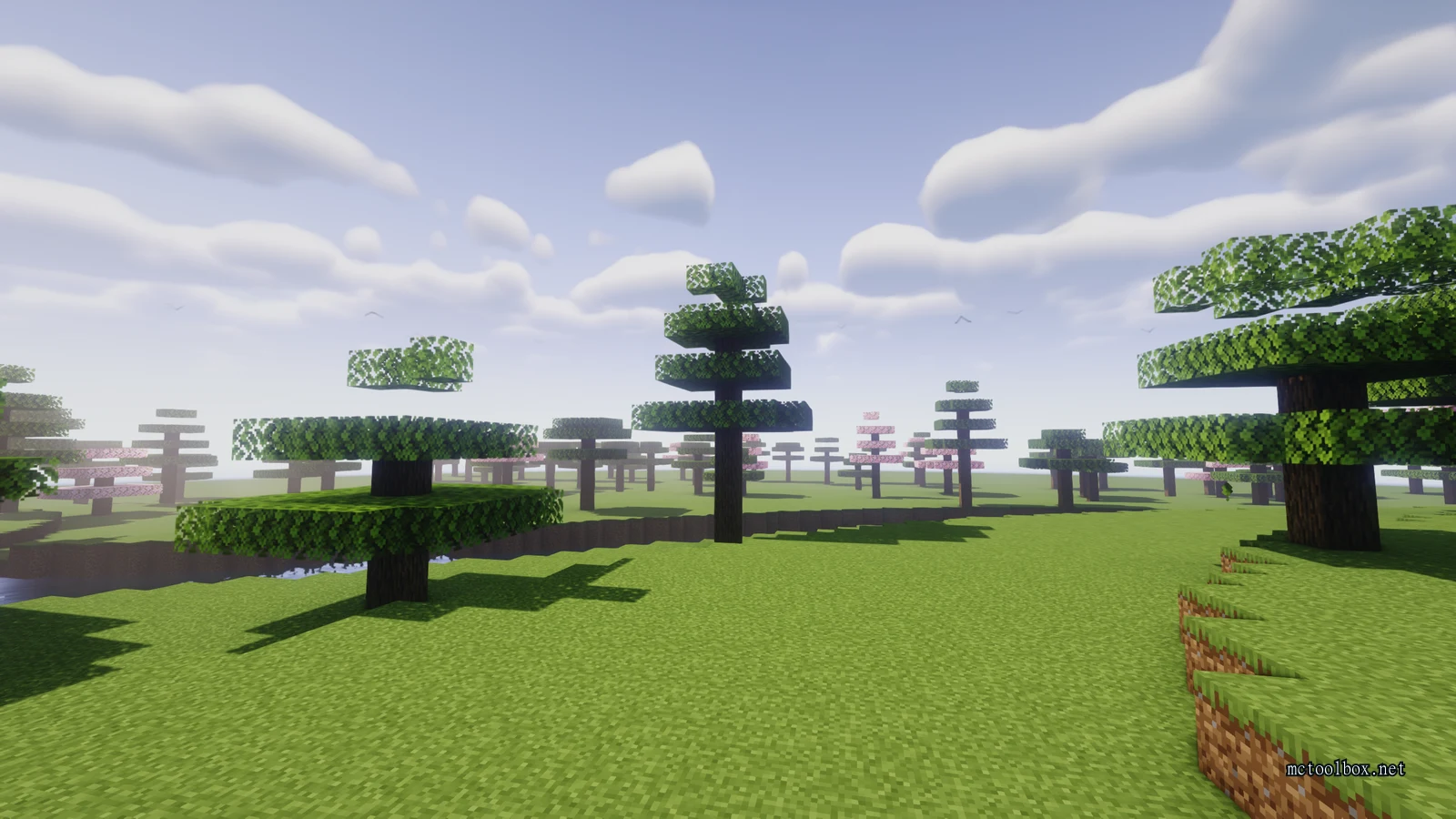
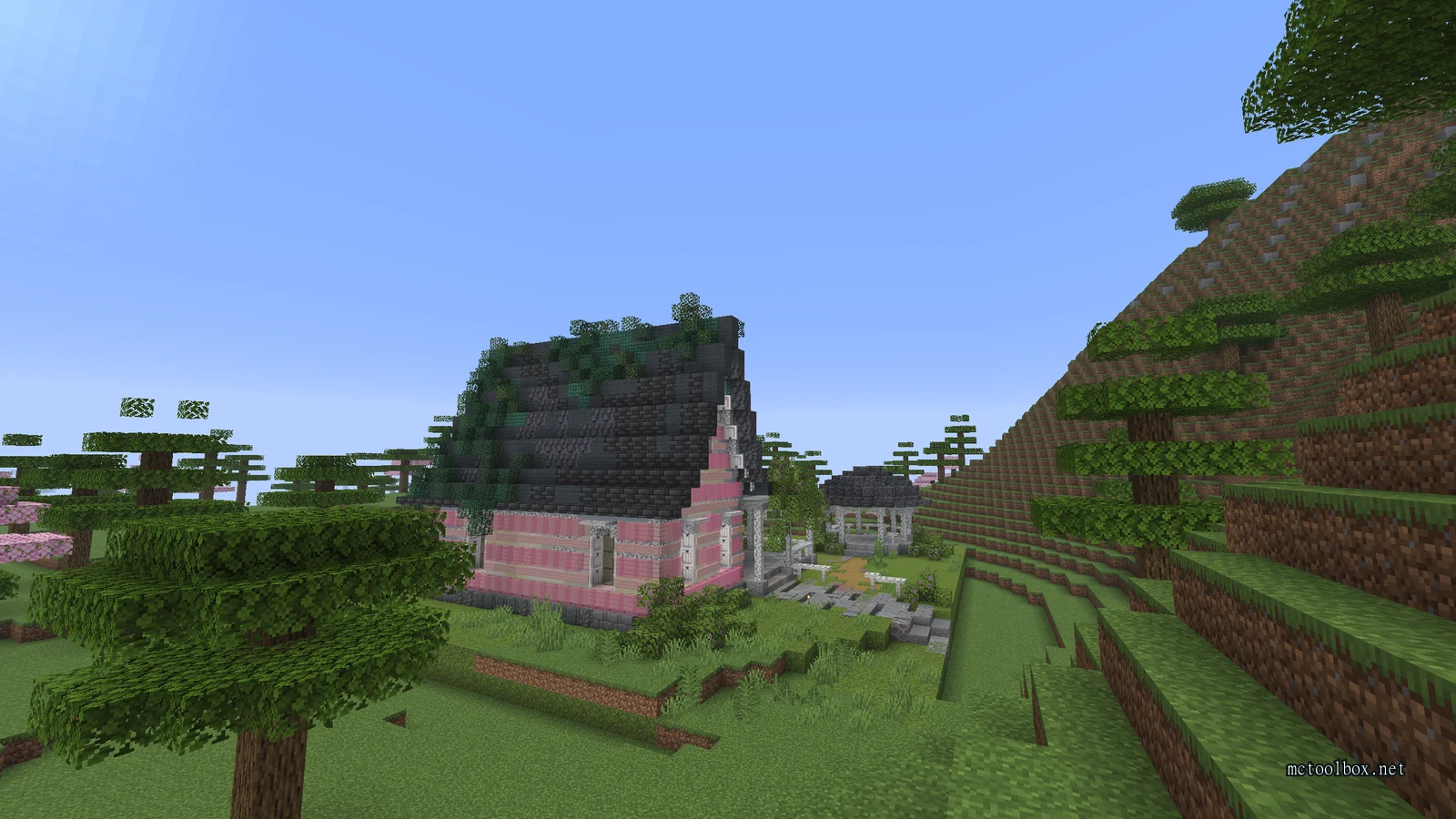
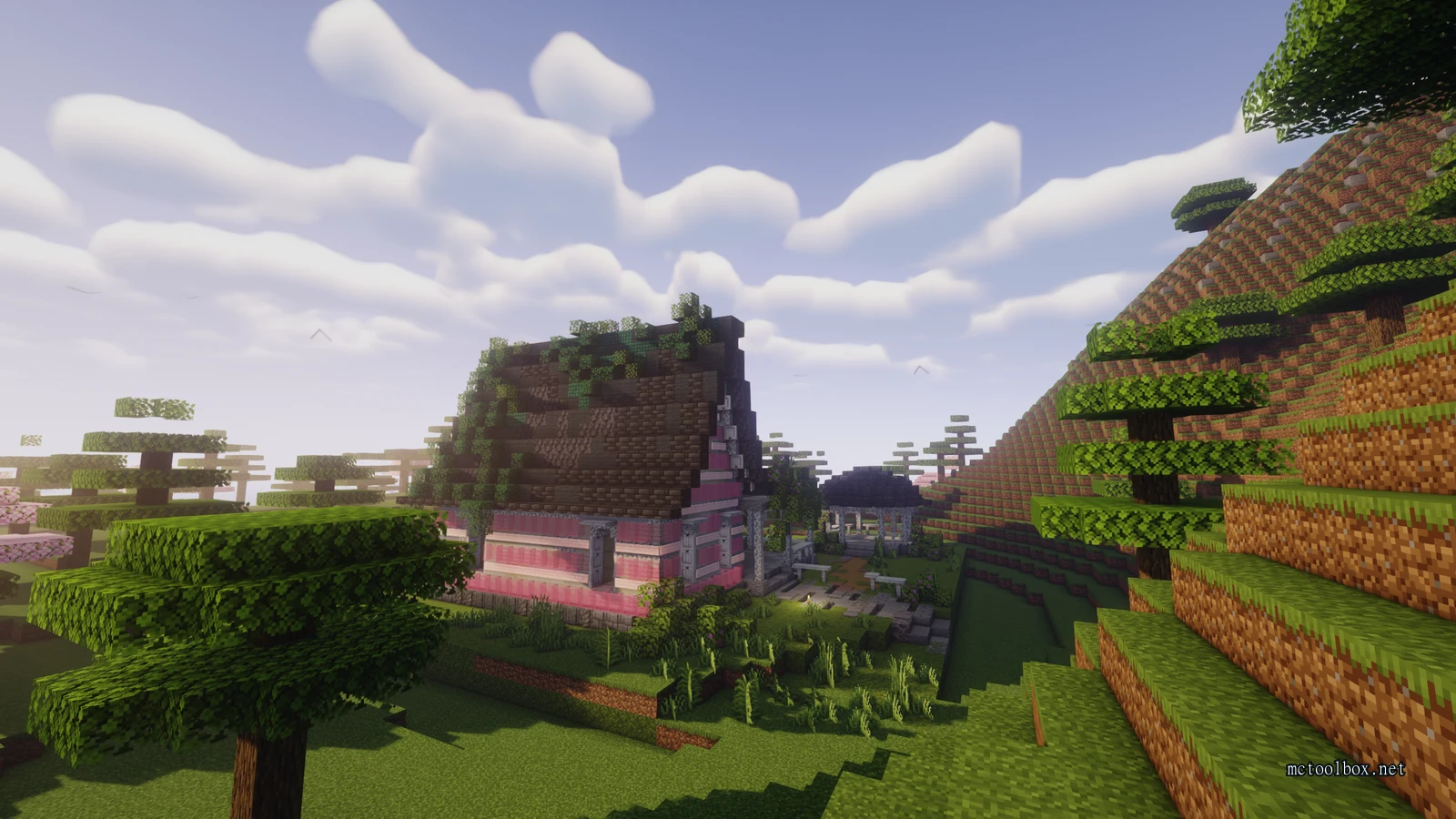
The first daylight scene makes the pack's direction clear. The clouds have volume rather than sitting like white tiles against a blue ceiling, and their light changes the mood of the grass and water below. A distant hill no longer has the same visual weight as the bank in front of it. Even a simple field gains layers because the bright sky, darker tree canopies, and long shadows stop competing for the same flat brightness.
This is where AstraLex feels different from a merely colourful shader. It is willing to let the image be moody. Passing cloud cover can make the ground quieter; a bright break in the sky can pull attention toward a river or a roof. That feels good in a world with paths, farms, and small landmarks because the scenery does not look frozen in one lighting condition. The trade-off is that a player who prefers a permanently clean, high-visibility image may need to reduce the more cinematic effects early.
Water and reflections
Reflections follow the sky, while the edge of the world stays readable
In vanilla, water often does its job as a colour boundary. It tells you where a river begins and where a shore ends. AstraLex keeps that clarity, then gives the surface a reason to belong to the weather above it. The water catches bright cloud, darker tree shapes, and the open sky without erasing the blocks below the bank. On a river beside a base or a bridge, that is enough to make travelling feel more connected to the terrain.
Reflection quality is also one of the settings worth treating honestly. It is attractive in open views and much less important in a storage room, mine, or compact redstone build. If a world spends most of its time indoors, lowering it is a sensible way to retain AstraLex's coloured light and sky without paying for detail that rarely appears on screen. A shader profile becomes more useful when it is adjusted around the places actually played, not around a single lakeside thumbnail.
AstraLex at night
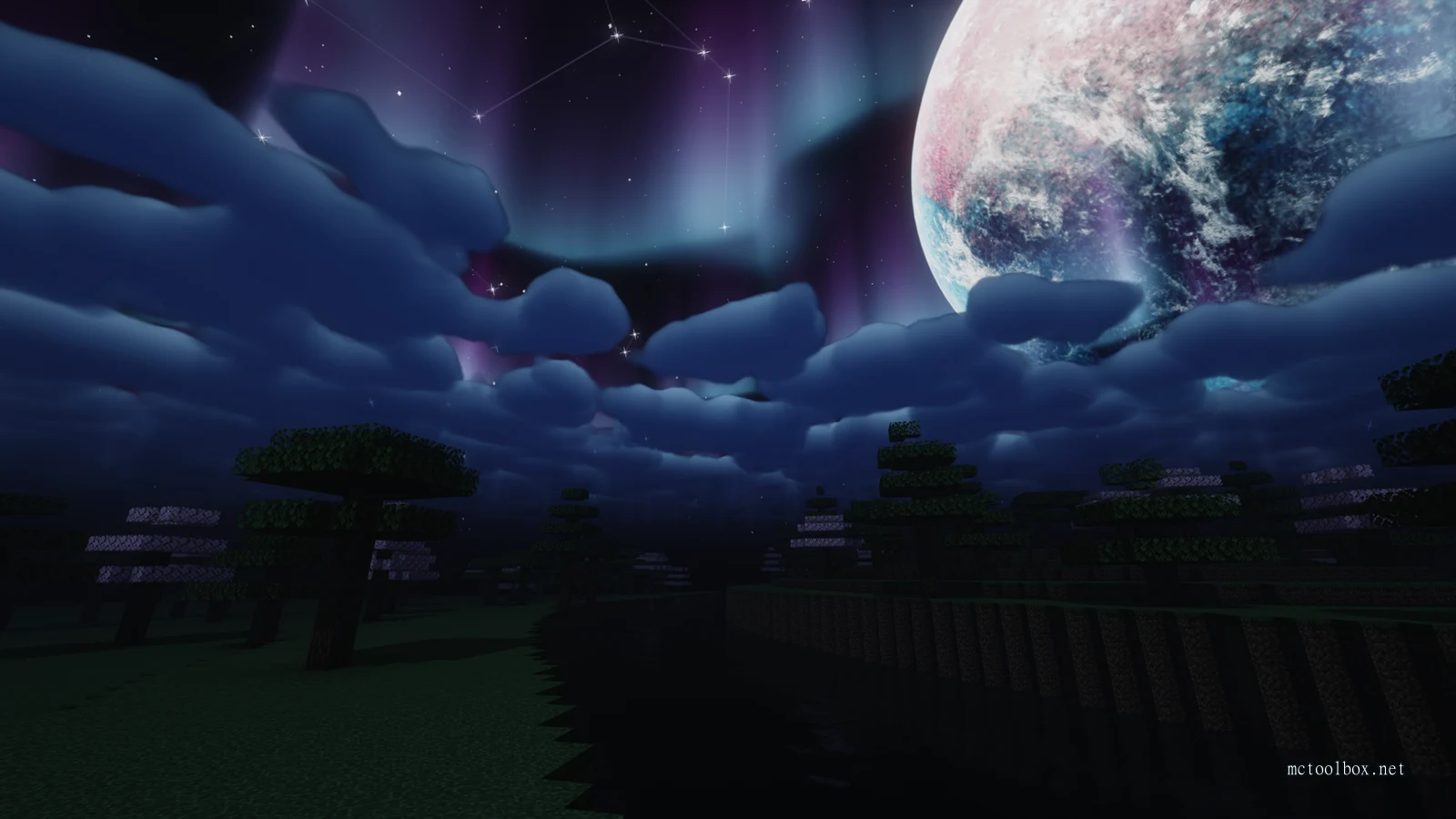
Aurora, layered clouds, and a strong moon give the pack its most recognisable look
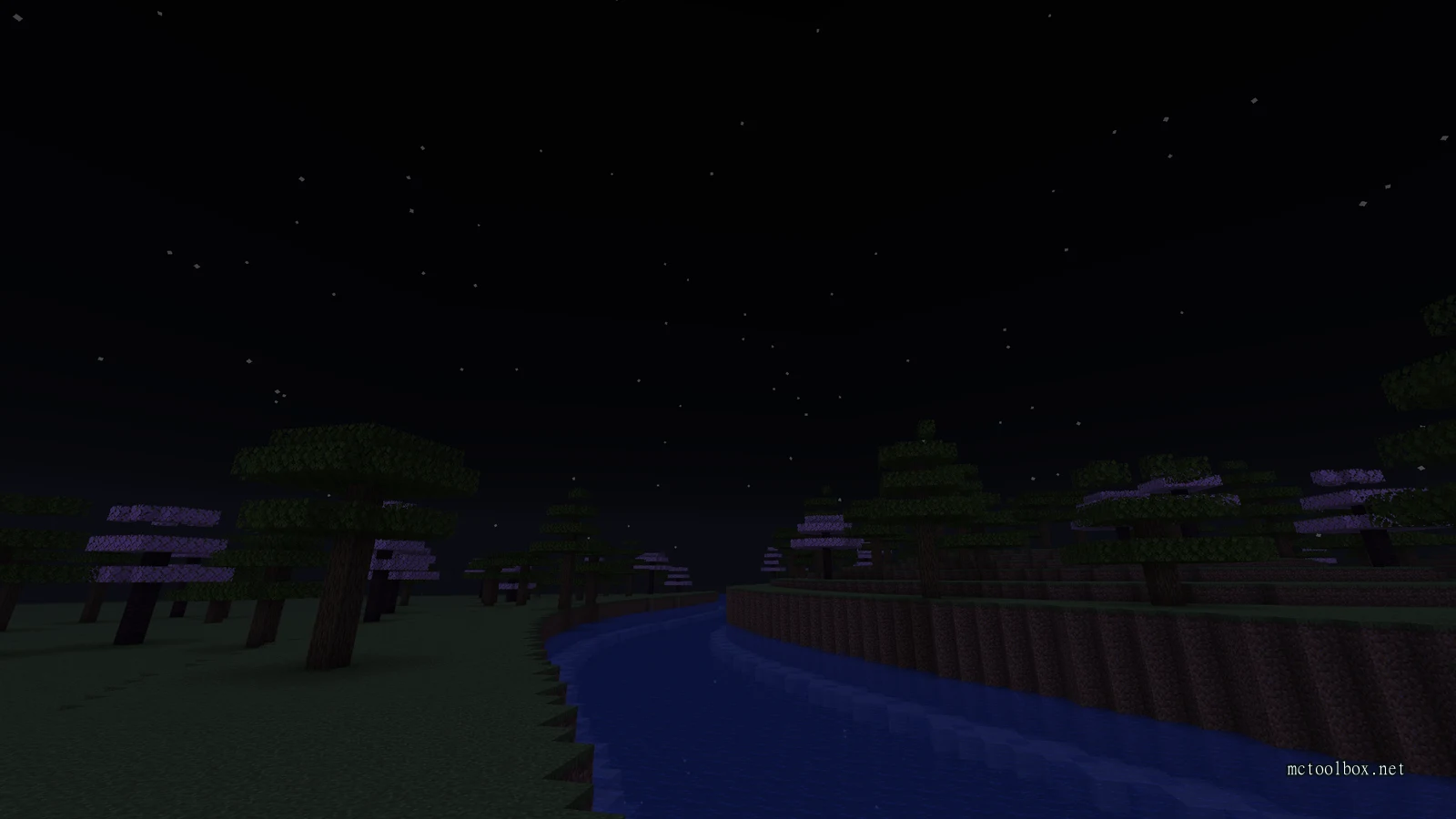
AstraLex at night is not trying to make every block equally visible. The dark ground stays dark, the water becomes a quieter part of the image, and the sky carries much of the scene. In the night view here, the moon and aurora are dramatic enough to make the horizon feel larger without turning the terrain into a featureless silhouette. It is the kind of image that makes a lit path, window, or boat dock worth building because local light has a clear job to do.
There is a practical limit. A world does not become more enjoyable when motion blur, depth of field, bloom, and a very dark night are all pushed at once. While walking through a forest or placing blocks, those effects can soften the information that matters. Start with the night brightness and bloom level, then remove motion blur if movement loses clarity. AstraLex rewards that restraint. The sky remains special, while a path, door, shoreline, and hostile-mob silhouette can still be read without guessing.
Settings worth changing first
A few switches matter much more than spending an hour in every menu
AstraLex exposes enough controls to invite endless tweaking. It is better to begin with a short list. Motion blur and depth of field are the first two choices because they change how normal movement feels immediately. They can add a film-like finish to a prepared view, but they are rarely helpful while mining, building a roof, reading signs, or travelling through new terrain. Turning them off does not remove what makes the pack AstraLex.
After that, look at bloom, shadow distance, and cloud quality. Bloom is about comfort rather than quality: too high and a bright sunset steals attention from the build; too low and lanterns and warm windows lose some appeal. Shadow distance has the clearest performance cost in open terrain, while cloud quality matters most when a wide sky occupies a large part of the view. Change one option, return to the same location, and let the scene settle. That is a much better path to a personal preset than changing every dramatic setting in one pass.
A practical starting point for an AstraLex survival profile
| If this happens | Change first | Why it helps |
|---|---|---|
| Walking looks blurred or unfocused | Disable Motion Blur, then Depth of Field | The scene stays dramatic, but terrain and block edges remain easier to read. |
| Sunsets feel too bright | Lower Bloom or exposure slightly | This preserves coloured light and shadow direction without washing out the build. |
| Open terrain stutters | Reduce Shadow Distance before removing all shadows | Distant shadows are costly and have less value than nearby depth. |
| The sky is beautiful but too expensive | Lower cloud quality | Cloud detail is most visible in wide exterior shots, not in a mine or workshop. |
| A river is not part of the current world | Reduce reflection quality | It frees headroom while preserving AstraLex's lighting and palette. |
Where AstraLex fits best
The pack has a distinct taste, and that is both its strength and its limit
The sunset scene shows AstraLex at its most inviting. Warm low-angle light reaches the cottage, the path, and the edge of the trees, while the rest of the landscape retreats into cooler shadow. It creates a clear time of day rather than a generic golden filter. A small base feels more lived in because the light suggests that the lanterns will matter soon.
That style will not suit everyone. Players looking for a very clean competitive image, muted colours, or a lightweight default may find AstraLex more present than they want. It asks the player to accept a little spectacle in ordinary moments. For a long-term survival world built around scenery, exploration, farms, and a home that looks different at noon and midnight, that presence is a feature. For a technical world where the view is usually an inventory, a machine room, or a dark cave, a quieter shader can be the more practical choice.
Installing AstraLex with Iris
Get the shader working at its default profile before importing old settings
AstraLex V93.0 supports Iris and OptiFine, with releases listed from Minecraft 1.16.5 through 26.2. For a Fabric world, install matching Fabric Loader, Iris, and Sodium builds for the game version in use. Place the AstraLex ZIP directly in the shaderpacks folder, then choose it through Options → Video Settings → Shader Packs. Do not extract the ZIP into an extra folder.
The first load can spend a little time compiling shader programs and settling the nearby world. Give it a moment before deciding that a brief hitch, a cloudy sky transition, or a dark flash is permanent. If the image is unexpectedly wrong after an update, return AstraLex to its default profile before importing an old settings file. Saved options from a different pack, version, or graphics stack can produce problems that look like a shader bug but are really a mismatched profile.
- 1
Install the loader stack
Use matching Fabric Loader, Iris, and Sodium versions for the Minecraft release you run.
- 2
Keep the shader ZIP intact
Download AstraLex from an official project page and place the ZIP itself in
.minecraft/shaderpacks. - 3
Select AstraLex in video settings
Open Options → Video Settings → Shader Packs, choose AstraLex, and wait for the first compilation pass to finish.
- 4
Tune one decision at a time
Begin with motion blur, depth of field, bloom, shadow distance, and cloud quality. Revisit the same outdoor area after each change.
AstraLex test setup
A configuration record is more useful than a universal FPS promise
The images use the same world, four camera positions, times of day, and weather for vanilla and AstraLex. The stack loaded AstraLex V93.0 on Minecraft Java Edition 26.2 with Fabric Loader 0.19.3, Iris 1.11.2, and Sodium 0.9.1. Render distance was 12 chunks with simulation distance at 6. This confirms that combination works for the scenes shown here. It is not a promise that every GPU, resolution, resource pack, or mod list will behave the same way.
For performance, judge consistency as well as the number in the FPS counter. A shader can show a decent average while hitching when a new forest, cloud-heavy horizon, or distant shadow enters the view. Keep resolution, render distance, other visual mods, and recording settings unchanged while comparing options. If the cost appears mainly in wide exterior terrain, shadow distance and cloud quality are better suspects than a blanket decision to remove everything that makes AstraLex distinctive.
Configuration used for the visual comparisons
| Component | Configuration |
|---|---|
| Minecraft | Java Edition 26.3 |
| Shader | AstraLex V93.0, default profile |
| Graphics stack | Fabric Loader 0.19.3, Iris 1.11.2, Sodium 0.9.1 |
| World settings | 12 chunks render distance; 6 chunks simulation distance |
| Comparison method | Matching cameras, world positions, weather, and time of day |
Is AstraLex worth using?
Choose it for atmosphere and control, not because every setting can be maximised
AstraLex earns its place when a Minecraft world has room for weather, views, water, a base at sunset, and a night sky that changes how the same familiar route feels. It is particularly strong for players who enjoy returning to a place they have built and seeing it change with the hour. The coloured light, dense clouds, reflection work, and aurora all contribute to that feeling.
The sensible approach is to keep the effects that give the pack its identity and remove the ones that make ordinary play less clear. Use the cinematic profile for a building reveal if that is enjoyable, but do not assume the same profile should be used for mining, travelling, or a busy modded base. AstraLex is not trying to be invisible. With a few deliberate settings choices, that is exactly why it can be memorable.
Test setup and performance
| minecraft Version | 26.3 |
|---|---|
| shader Version | V93.0 |
| loader | Fabric + Iris + Sodium |
| loader Version | Fabric Loader 0.19.3 / Iris 1.11.2 / Sodium 0.9.1 |
| render Distance | 12 chunks; simulation distance 6 chunks |
| preset | AstraLex V93.0 default profile |
Questions and compatibility
Does AstraLex work with Minecraft 26.3?
AstraLex V93.0 lists 26.3 support. The configuration used here loaded it on Minecraft 26.2 with Fabric Loader 0.19.3, Iris 1.11.2, and Sodium 0.9.1.
Does AstraLex use Iris or OptiFine?
The pack supports both. Iris with Sodium is the Fabric route used for the matched comparisons in this guide.
Which AstraLex settings should I change first?
Start with Motion Blur and Depth of Field for clarity, then bloom, Shadow Distance, and cloud quality for the visual-performance balance.
Why does AstraLex feel slow in open terrain?
Wide skies, distant shadows, reflections, and dense clouds are all more visible outdoors. Lower Shadow Distance first, then cloud or reflection quality if needed.
Should I unzip AstraLex?
No. Keep the shader ZIP intact and place it directly in the shaderpacks folder.
Is AstraLex a low-end shader?
It is configurable, but its atmospheric sky, shadows, reflections, and post-processing make it a medium-tier starting point rather than a low-end default.
Download links
We do not host Minecraft shader files directly. Download links go to the creator's official project pages.

SEUS Renewed 1.14 - 26.3
SEUS Renewed by Sonic Ether delivers cinematic sunlight scattering, physical water wave refraction, and natural ambient shadowing.
Kappa Shader 1.16.5 - 26.3
Kappa Shader by RRe36 delivers scientifically grounded optical lighting, physically based atmospheric scattering, and multi-layer volumetric clouds.
Nostalgia Shader 1.16.5 - 26.3
Nostalgia Shader by RRe36 recreates the beloved golden era look of early 2012-2015 shaders while utilizing modern Iris rendering optimizations.