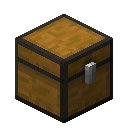
A hopper is an essential automation block in Minecraft that collects loose items from the world, pulls items from containers above it, and pushes items into containers attached to its output nozzle. Crafting one requires 5 iron ingots and 1 wooden chest, representing an initial investment of 5 raw iron and 8 wooden planks (2 wood logs).


Hopper Crafting Recipe and Total Material Cost
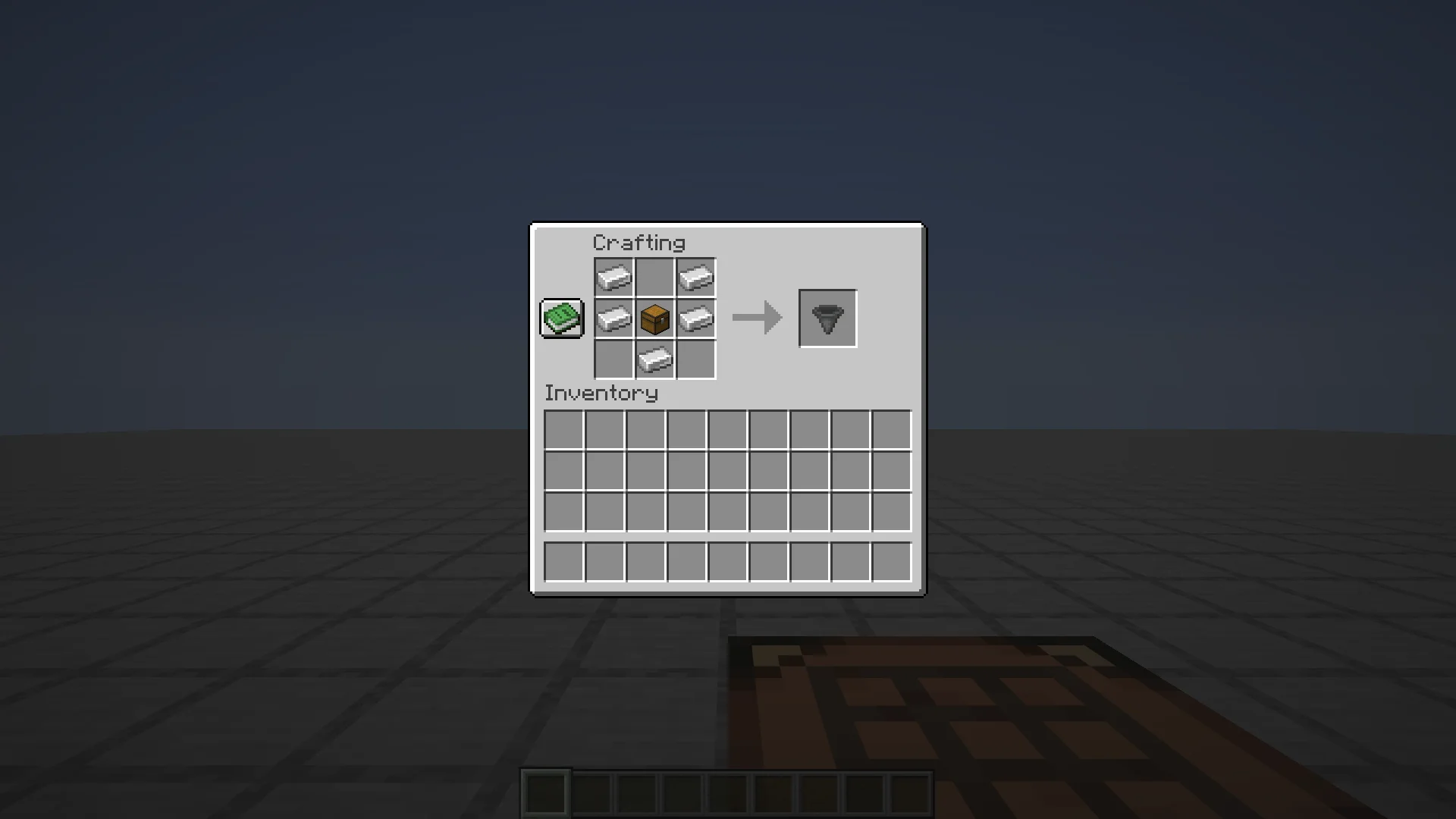
Open a standard 3x3 crafting table grid to assemble a hopper. Position five iron ingots in a V-shape across the grid: place ingots in the top-left, top-right, middle-left, middle-right, and bottom-center slots. Place a single wooden chest directly in the center slot.
| Ingredient | Quantity | Raw Material Cost |
|---|---|---|
| Iron Ingot | 5 | 5 Raw Iron (smelted in a furnace) |
| Chest | 1 | 8 Wooden Planks (2 Wood Logs) |
| Total | 6 items | 5 Raw Iron + 2 Wood Logs |
Any wood type works for the chest, including oak, spruce, birch, jungle, acacia, dark oak, mangrove, cherry, bamboo, or nether stems. To calculate total materials for large automation projects, visit the MC Toolbox Crafting Calculator.
How to Place and Point a Hopper
A hopper features two distinct sections: an open collection bowl on top and a narrow output nozzle at the bottom. Where you click while placing the hopper decides where the output nozzle points. If you place a hopper against the top face of a block, its nozzle points straight down. If you place it against the side of a block, the nozzle turns horizontally toward that block face.
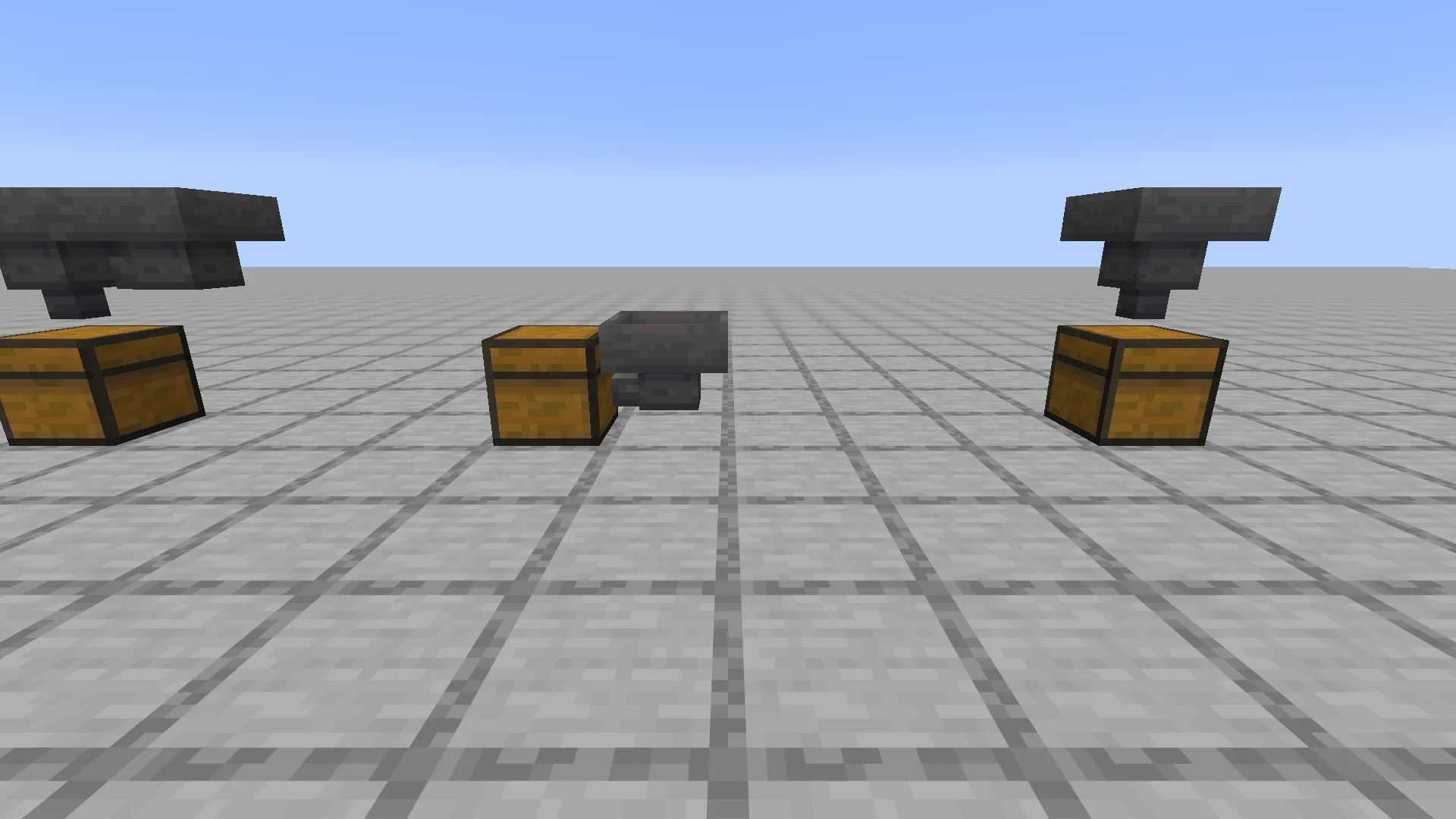
To attach a hopper directly to an interactive container like a chest, furnace, or dispenser without opening its interface, hold sneak (Shift by default) and right-click the target surface. Hoppers can also point into other hoppers, creating horizontal or downward transport lines known as hopper chains. Hoppers cannot point up or diagonally.
Hopper Transfer Rate and Tick Timings
Minecraft processes container transfers on a strict internal clock. A hopper moves items at a fixed speed of 1 item every 8 game ticks, which corresponds to 4 redstone ticks or exactly 0.40 seconds. This produces a steady transfer rate of 2.50 items per second.
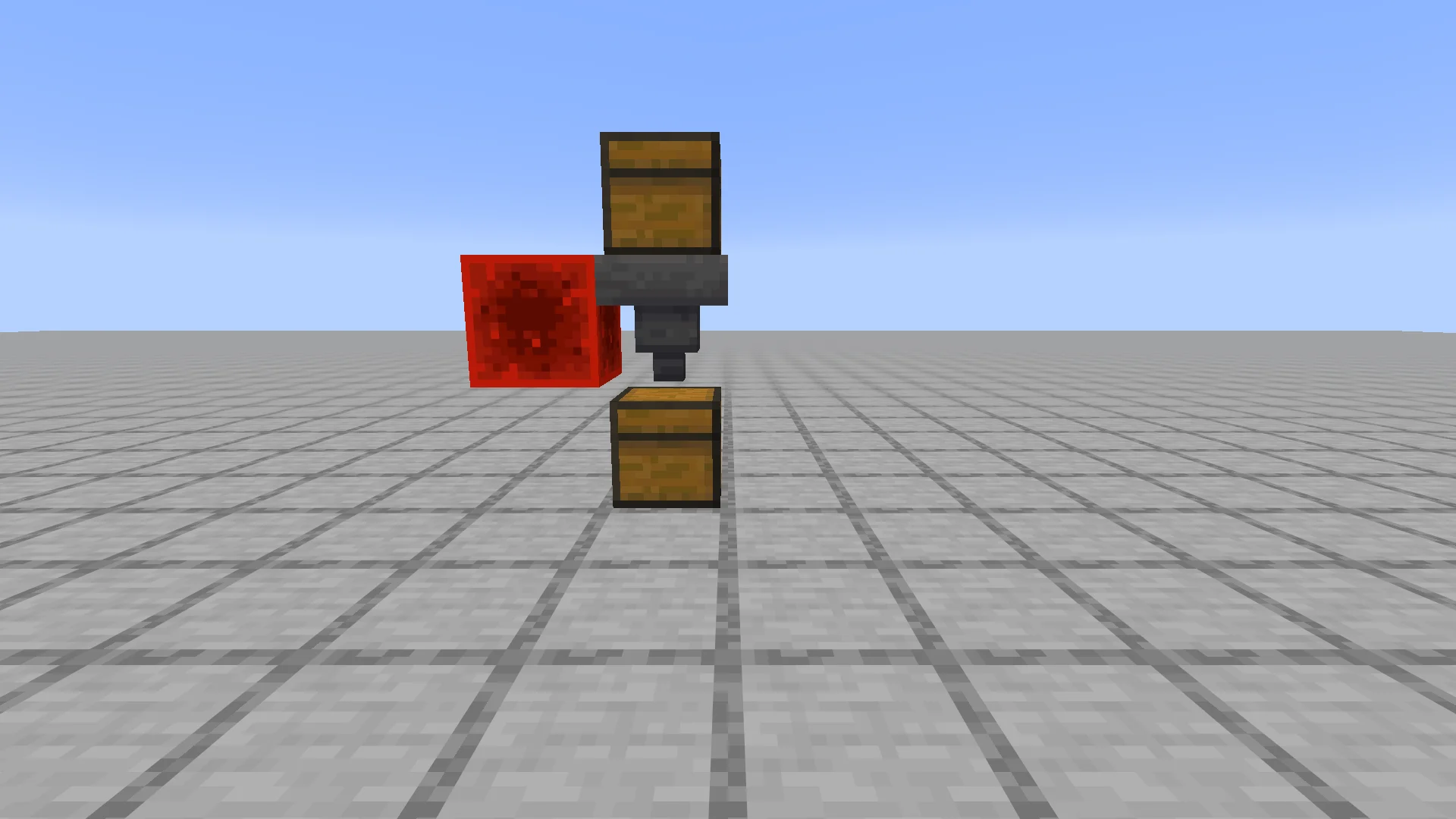
In-game timing tests verify this transfer speed. Loading 64 raw iron items into an upper chest and unpowering the intermediary hopper initiates item flow: the first item transfers into the lower chest at tick 8, and the final 64th item arrives at tick 512 (25.60 seconds total duration). For more details on game ticks and component delays, consult the Redstone Delay Guide.
| Item Quantity | Game Ticks | Redstone Ticks | Real-Time Duration |
|---|---|---|---|
| 1 item | 8 ticks | 4 ticks | 0.40 seconds |
| 16 items | 128 ticks | 64 ticks | 6.40 seconds |
| 64 items (1 stack) | 512 ticks | 256 ticks | 25.60 seconds |
| 320 items (5 slots) | 2,560 ticks | 1,280 ticks | 128.00 seconds (2 min 8 s) |
Locking Hoppers with Redstone
A hopper responds directly to redstone signals. When powered by any redstone source with a signal strength between 1 and 15, the hopper enters a locked state (internal block state enabled=false). While locked, the hopper performs neither of its active functions: it will not pull items from containers above it, and it will not push items through its output nozzle.
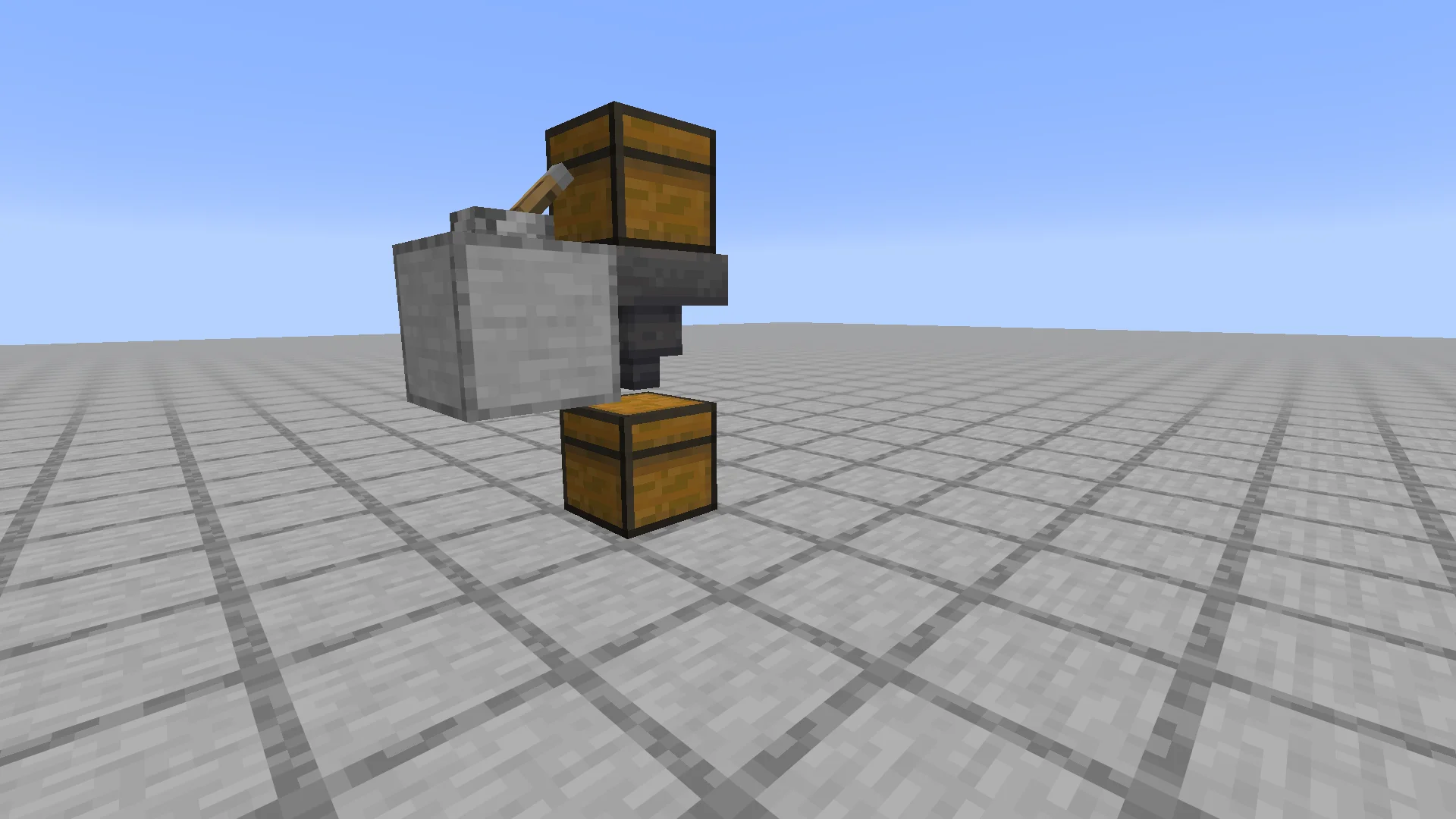
A critical redstone interaction to remember is that locking a hopper does not prevent external hoppers from pulling items out of it. If an unlocked hopper sits directly beneath a locked hopper, the lower hopper can still draw items downward from the locked hopper inventory at the normal 2.50 items per second rate.
Connecting Hoppers to Furnaces, Chests, and Minecarts
Hoppers route items differently depending on which side of a container they connect to. Standard storage blocks such as single chests, double chests, and barrels accept inputs from any side. Specialized processing blocks, however, enforce strict side-based slot routing.
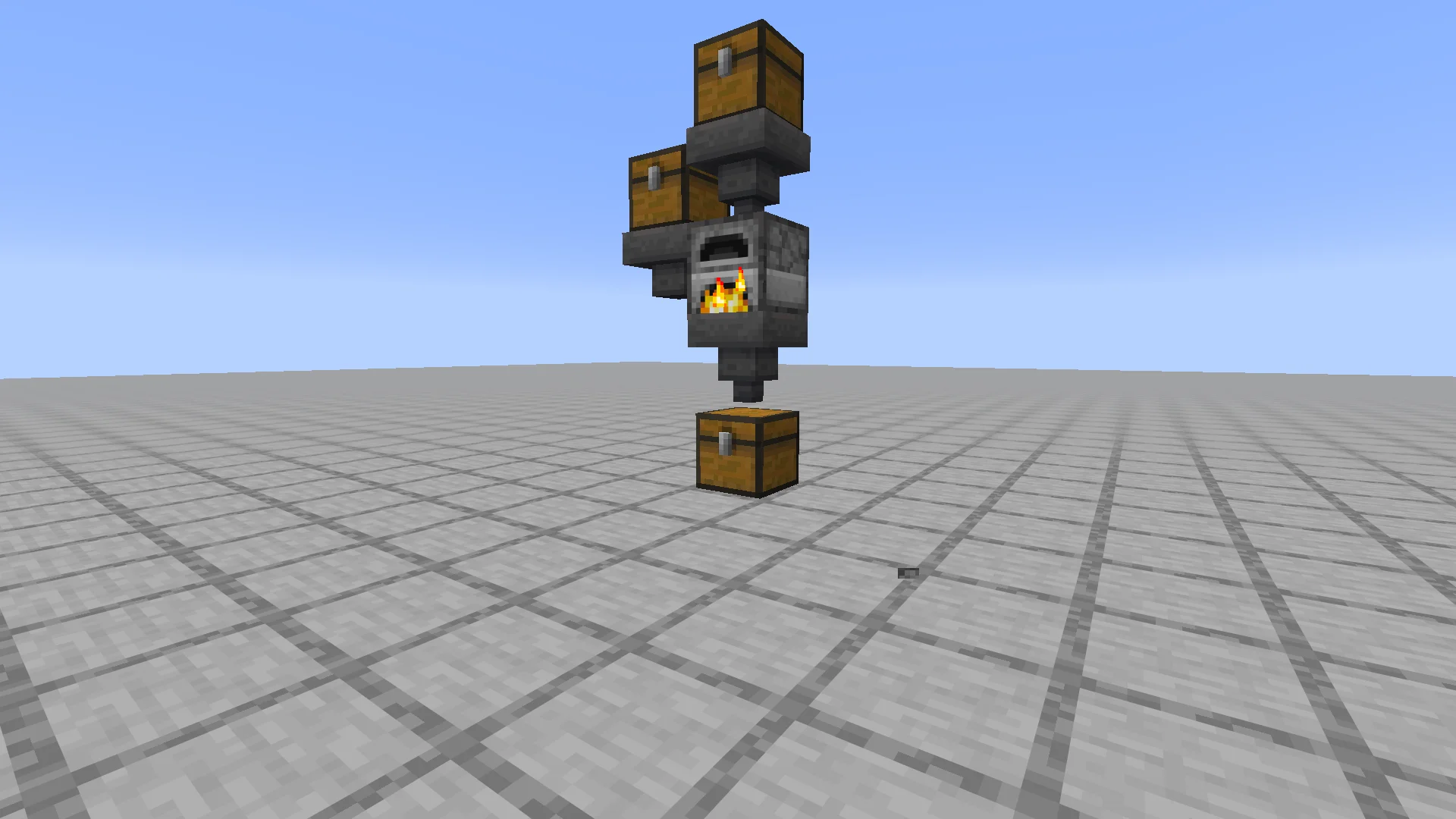
Furnaces, blast furnaces, and smokers require specific hopper alignments to automate cooking and smelting:
- Top Hopper: Feeds into the top input slot (raw ore, raw food, cobblestone, clay).
- Side Hopper: Feeds into the fuel slot on the bottom-left (coal, charcoal, wood, blaze rods, lava buckets).
- Bottom Hopper: Extracts from the finished output slot on the right (iron ingots, cooked food, smooth stone, glass) and returns empty buckets from burned lava.
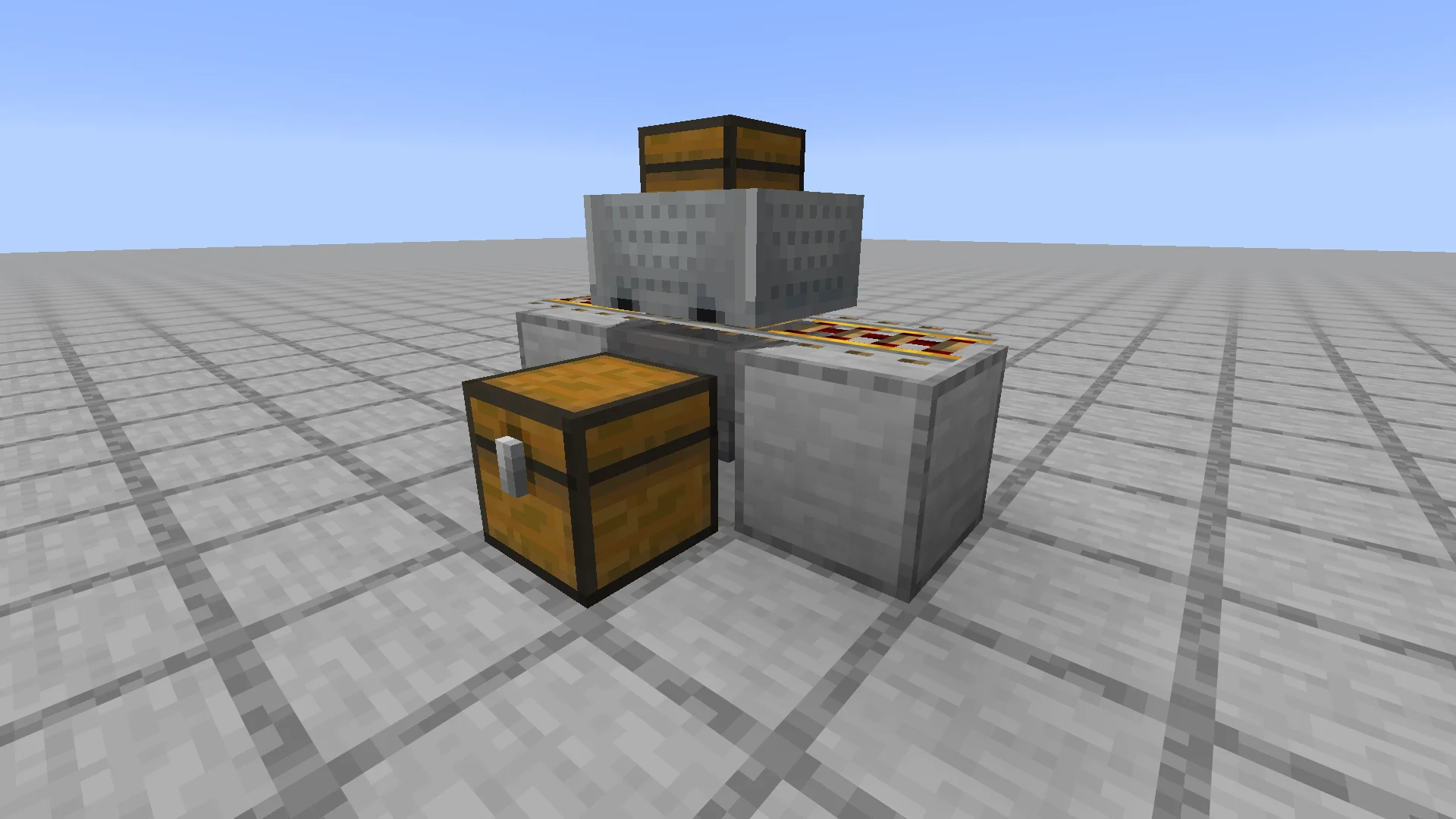
Hoppers also interact with minecart storage systems. Placing a rail directly on top of a hopper allows it to extract items from a chest minecart sitting on the track. While a standard hopper moves items at 2.50 items per second, a hopper minecart pulls items faster and can pull items through a solid full block directly above it.
Simple Item Sorter Overview
Hoppers form the core mechanism of item filtering systems. The standard ImpulseSV item sorter uses a 1-wide tileable slice to sort specific stackable items while rejecting all others.
The system relies on five calibrated hopper slots:
- The upper filter hopper points horizontally toward the comparator (not downward) and holds 41 target items in the first slot, followed by 1 custom renamed item in each of the remaining four slots (45 total items).
- At 45 items, the comparator reads signal strength 2. We measured this on a 26.3 server: 41 items plus 4 single items gives 2, and one more matching item gives 3. The wire is laid out so a signal of 2 fades out before it reaches the repeater.
- When a matching item passes through the overhead conveyor hopper, the filter hopper accepts it, raising the count to 46 items.
- At 46 items, the comparator emits signal strength 3, which still reaches the repeater. The repeater powers the block in front of it, extinguishing the redstone wall torch below.
- Extinguishing the torch unlocks the lower hopper for 8 game ticks, allowing exactly 1 sorted item to drain into the collection chest before the signal drops back to 2 and re-locks the lower hopper.
FAQ
Can a hopper push items upward?
No. A hopper can only output items downward or horizontally into adjacent blocks. To transport items upward, players use dropper columns, bubble columns with soul sand, or water elevators.
Why is my hopper not picking up items?
A hopper stops moving items if it receives redstone power from an adjacent lever, torch, or wire. It will also fail to collect floating items if a full solid block sits between the item and the hopper bowl, or if all five internal inventory slots are full.
How fast does a hopper transfer items?
A hopper moves exactly 1 item every 8 game ticks, which equals 0.40 seconds or 2.50 items per second. Transferring an entire stack of 64 items takes 512 game ticks (25.60 seconds).
Does a locked hopper block other hoppers from pulling from it?
No. Redstone power stops the locked hopper from pushing items out or pulling items from above. However, another unlocked hopper placed directly underneath can still pull items down from the locked hopper.