A compass is a core navigation tool in Minecraft that directs players toward the original world spawn point, anchors custom waypoints when linked to a Lodestone, and tracks previous death coordinates when crafted into a Recovery Compass. Crafting a standard compass requires 4 iron ingots and 1 redstone dust arranged on a 3x3 crafting grid.


Compass Crafting Recipe and Material Costs
Open a standard 3x3 crafting table to make a compass. Place one redstone dust in the center slot (slot 5). Then place four iron ingots directly adjacent to the redstone: one in the top-middle slot (slot 2), one in the middle-left slot (slot 4), one in the middle-right slot (slot 6), and one in the bottom-middle slot (slot 8). This plus pattern produces 1 compass in the result slot.

| Ingredient | Quantity | Source and Mining Depth |
|---|---|---|
| Iron Ingot | 4 | Smelted from Raw Iron (common around Y=16 and in mountains) |
| Redstone Dust | 1 | Mined from Redstone Ore (below Y=16, most common near the bottom of the world) |
| Crafting Table | 1 (reusable) | 4 Wooden Planks (1 Wood Log) |
The compass recipe cannot fit inside the player's 2x2 survival inventory because the cross formation spans three rows and three columns. To plan metal requirements for equipment and storage systems, consult our MC Toolbox Crafting Guide.
How the Compass Tracks World Spawn
When held in the Overworld, a standard compass needle points directly toward the world spawn point. World spawn is the initial coordinate where players first appear upon generating a new world.

A standard compass exhibits specific behavioral rules:
- Ignores Bed Spawns: Sleeping in a bed or using a respawn anchor resets your personal respawn coordinate, but it does not change the compass heading. The needle continues pointing to the original world spawn point.
- Item Frames and Dropped Items: A compass placed inside an item frame or glowing item frame actively points toward world spawn. Dropped compass entities on the ground also align their needle toward world spawn.
- Direct Proximity: When a player stands directly above or below the world spawn block, the needle spins rapidly because there is no horizontal offset to vector toward.
- Inventory Stacking: Unlinked standard compasses stack up to 64 items per inventory slot.
Compass Behavior in the Nether and The End
Neither the Nether nor The End possesses a world spawn coordinate. When a player holds a standard compass in these dimensions, the needle cannot establish a directional lock.
Instead of pointing toward a coordinate, the needle rotates continuously through all 360 degrees in random increments. Dropping the compass or placing it in an item frame in these dimensions exhibits the same erratic spinning behavior. To navigate effectively in the Nether or The End, players must link their compass to a Lodestone block.
How to Make and Use a Lodestone Compass
A Lodestone is a utility block that creates permanent custom navigation anchors. In Minecraft 26.3, crafting a Lodestone requires 8 chiseled stone bricks and 1 iron ingot.

To craft and link a Lodestone Compass:
- Craft the Lodestone: Open a 3x3 crafting table. Place 1 iron ingot in the center slot (slot 5) and fill the surrounding eight slots with 8 chiseled stone bricks. Retrieve the Lodestone block from the output slot.
- Place the Lodestone: Position the Lodestone block at your base, portal room, or outpost in any dimension.
- Bind the Compass: Hold a standard compass in your main hand and right-click on the Lodestone block. The compass emits a chime sound and gains a purple enchantment glint.
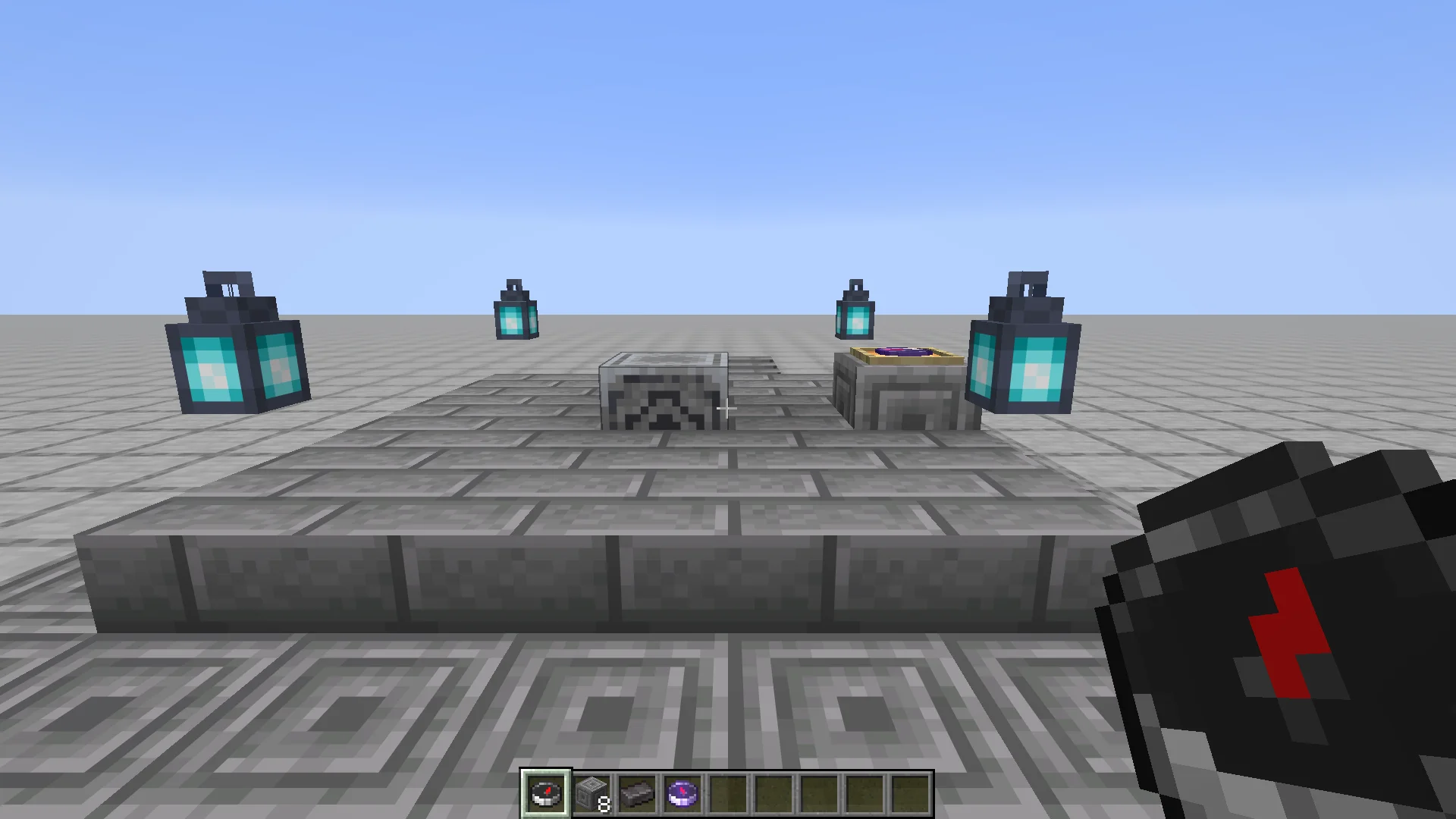
Binding a compass attaches a specialized data component named minecraft:lodestone_tracker. This component records the exact X, Y, and Z coordinates and the dimension of the target block. Compasses linked to different Lodestones do not stack together, because each one stores its own target.
If the linked Lodestone block is mined or destroyed, the Lodestone Compass loses its target and the needle begins spinning erratically. You can re-bind the compass by right-clicking another Lodestone block.
Crafting and Using the Recovery Compass
A Recovery Compass is a specialized navigation device that directs players back to their most recent death location. Crafting one requires 1 standard compass and 8 Echo Shards.
| Component | Quantity | Crafting Position | Acquisition Method |
|---|---|---|---|
| Echo Shard | 8 | Slots 1, 2, 3, 4, 6, 7, 8, 9 | Found inside Ancient City chests in the Deep Dark (29.8% chance per chest) |
| Standard Compass | 1 | Center slot (Slot 5) | Crafted from 4 Iron Ingots + 1 Redstone Dust |
| Recovery Compass | 1 | Result slot (Slot 0) | Produced upon arranging ingredients |

Recovery Compass mechanics follow specific conditions:
- Death Tracking: The needle reads the player entity's
LastDeathLocationtag and points directly toward where the player died last in that dimension. - Dimension Restriction: The Recovery Compass only functions when the player is currently standing in the same dimension where the death occurred. If you died in the Nether and respawn in the Overworld, the needle spins erratically until you pass through a Nether portal.
- Pre-Death State: If a player has not yet died in the current world, the Recovery Compass needle spins continuously without locking onto a direction.
- Stack Size: Recovery Compasses stack up to 64 items per inventory slot.
Crafting Maps with a Compass
Compasses are essential components in cartography, allowing players to craft empty maps that display player position pointers.

In Minecraft Java Edition, crafting an Empty Map requires 8 paper sheets and 1 compass in a 3x3 crafting table. Place the compass in the center slot (slot 5) and surround it with 8 paper sheets in all eight border slots. When you hold and right-click the empty map, it generates a mapped canvas with a white indicator icon marking your exact location and facing direction.
Adding paper to a mapped canvas in a Cartography Table expands the map through five zoom tiers:
- Zoom Level 0: 128x128 blocks (1:1 scale)
- Zoom Level 1: 256x256 blocks (1:2 scale)
- Zoom Level 2: 512x512 blocks (1:4 scale)
- Zoom Level 3: 1024x1024 blocks (1:8 scale)
- Zoom Level 4: 2048x2048 blocks (1:16 scale)
FAQ
Can you craft a compass in the 2x2 survival inventory grid?
No. The compass recipe requires items across three separate rows and columns: top, center, bottom, left, and right. You must use a standard 3x3 crafting table.
Does a standard compass point to your bed or base?
No. A standard compass points exclusively to the original world spawn point of the Overworld dimension. It ignores personal beds and respawn anchors. To point toward your base, you must link the compass to a Lodestone block placed at that location.
Can you use a regular compass in the Nether or The End?
No. The Nether and The End have no world spawn coordinates. Without a coordinate target, a regular compass needle spins continuously in random directions. You must bind the compass to a Lodestone block placed inside that dimension to navigate.
What happens to a Lodestone Compass if the Lodestone block is destroyed?
If the linked Lodestone block is mined or broken, the Lodestone Compass loses its coordinate anchor. The needle begins spinning randomly, exactly like an unlinked compass in the Nether.