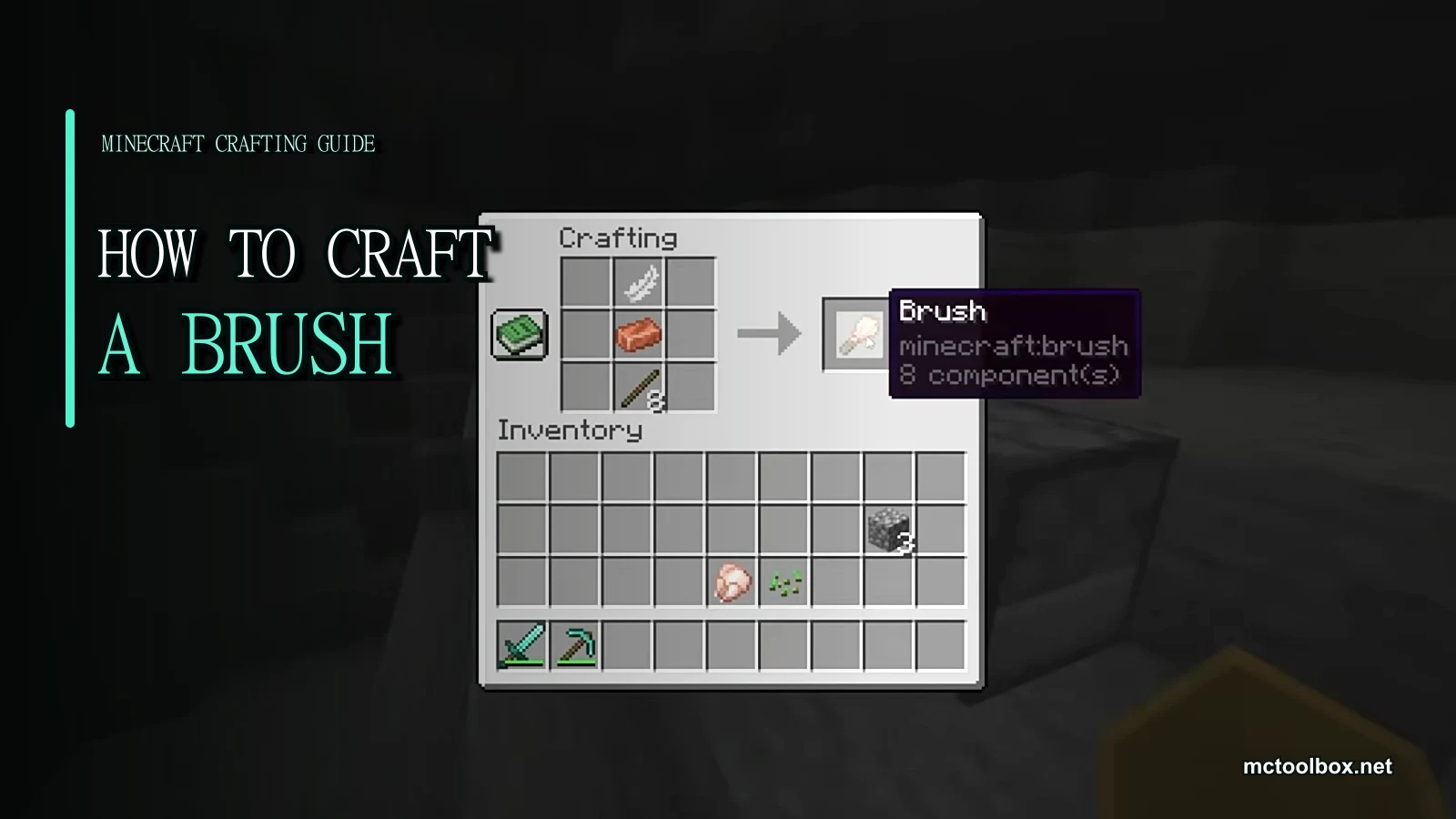
Archaeology in Minecraft begins with a tool delicate enough to dust ancient gravel without shattering fragile pottery sherds beneath. Crafting a Brush requires three basic components: a Feather, a Copper Ingot, and a Stick arranged in a straight vertical column. Aligning them in any column of a 3x3 crafting grid produces one Brush in both Java and Bedrock Edition.
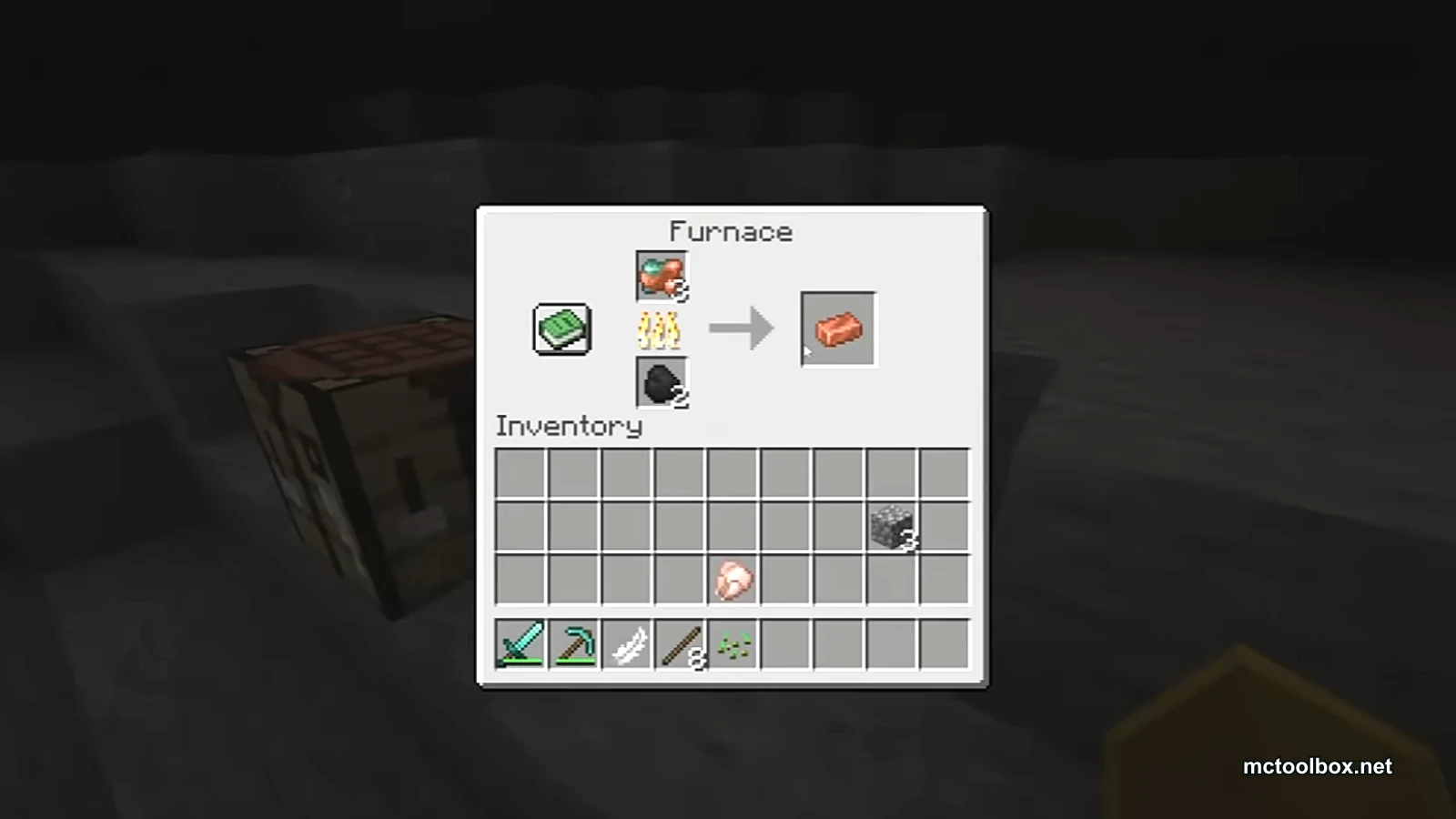
The recipe is simple, but the order is the part that causes most failed attempts. A diagonal arrangement will not work, and Raw Copper cannot replace the Copper Ingot. Smelt the raw material first, then return to the Crafting Table.
Gathering feathers and sticks
Chickens are the most direct early-game source of feathers. You may also find feathers in a few loot sources, but a nearby chicken is normally faster than searching structures. Only one Feather is needed for each Brush.
Craft sticks from planks or bamboo. If you are already carrying a pickaxe and torches, you probably have spare sticks, but it is worth checking before travelling to a desert or ocean ruin. The Brush cannot be assembled with a wooden plank directly.
Smelting raw copper into ingots
Mine Copper Ore or Deepslate Copper Ore with a stone pickaxe or better, collect the Raw Copper, and smelt it in a Furnace or Blast Furnace. The Brush recipe accepts the finished Copper Ingot, not Raw Copper and not a Copper Block.


Assembling the brush on the crafting grid


Place the Feather, Copper Ingot, and Stick in a vertical line. You can use any column of the 3×3 grid as long as the Feather stays above the Copper Ingot and the Stick stays below it. Move the finished Brush into your inventory.
Excavating suspicious sand and suspicious gravel
Hold the Brush, aim at Suspicious Sand or Suspicious Gravel, and hold the use button. A hidden item gradually becomes visible while brushing. Keep the crosshair on the block until the item drops and the suspicious block turns into ordinary sand or gravel.
A complete brushing action takes about 4.8 seconds. Moving away or releasing the button early interrupts the process, so clear nearby threats before starting. Breaking a suspicious block with a shovel or letting it fall destroys the archaeology loot. The Brush is not a faster shovel and ordinary sand or gravel does not contain an archaeology item.
Where the Brush is actually useful
| Place | Block to inspect | What to watch for |
|---|---|---|
| Trail Ruins | Suspicious Gravel | Mixed gravel is easy to overlook among the buried structure blocks. |
| Desert Pyramid | Suspicious Sand | Search the archaeology room carefully and support blocks before digging. |
| Desert Well | Suspicious Sand | The site is small, so inspect the sand around the well instead of excavating wildly. |
| Warm Ocean Ruins | Suspicious Sand | Water makes careful positioning and air management important. |
| Cold Ocean Ruins | Suspicious Gravel | Bring Water Breathing potions or another safe air supply. Doors provide an air pocket in Java, but not in Bedrock. |
The Brush can also be used on an armadillo to obtain an armadillo scute. That action consumes considerably more durability than one archaeology extraction, so a spare Brush or Mending is useful if you plan to collect many scutes.
Repair a damaged Brush
A new Brush has 64 durability. You can combine two damaged Brushes to merge their remaining durability and receive a small repair bonus. A crafting grid is the inexpensive choice when neither Brush carries an enchantment you care about. An anvil is more appropriate when preserving a named or enchanted tool matters.
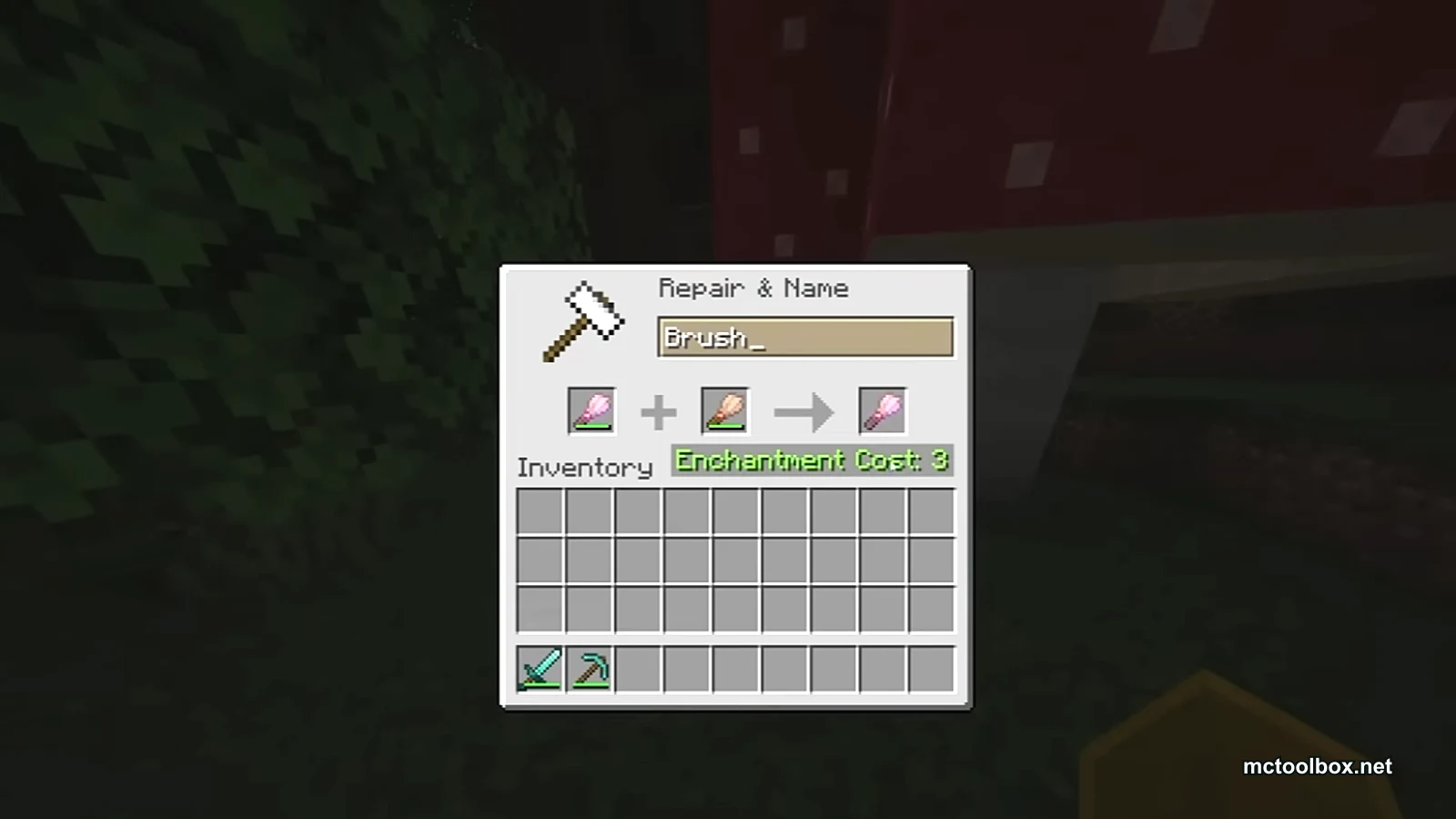
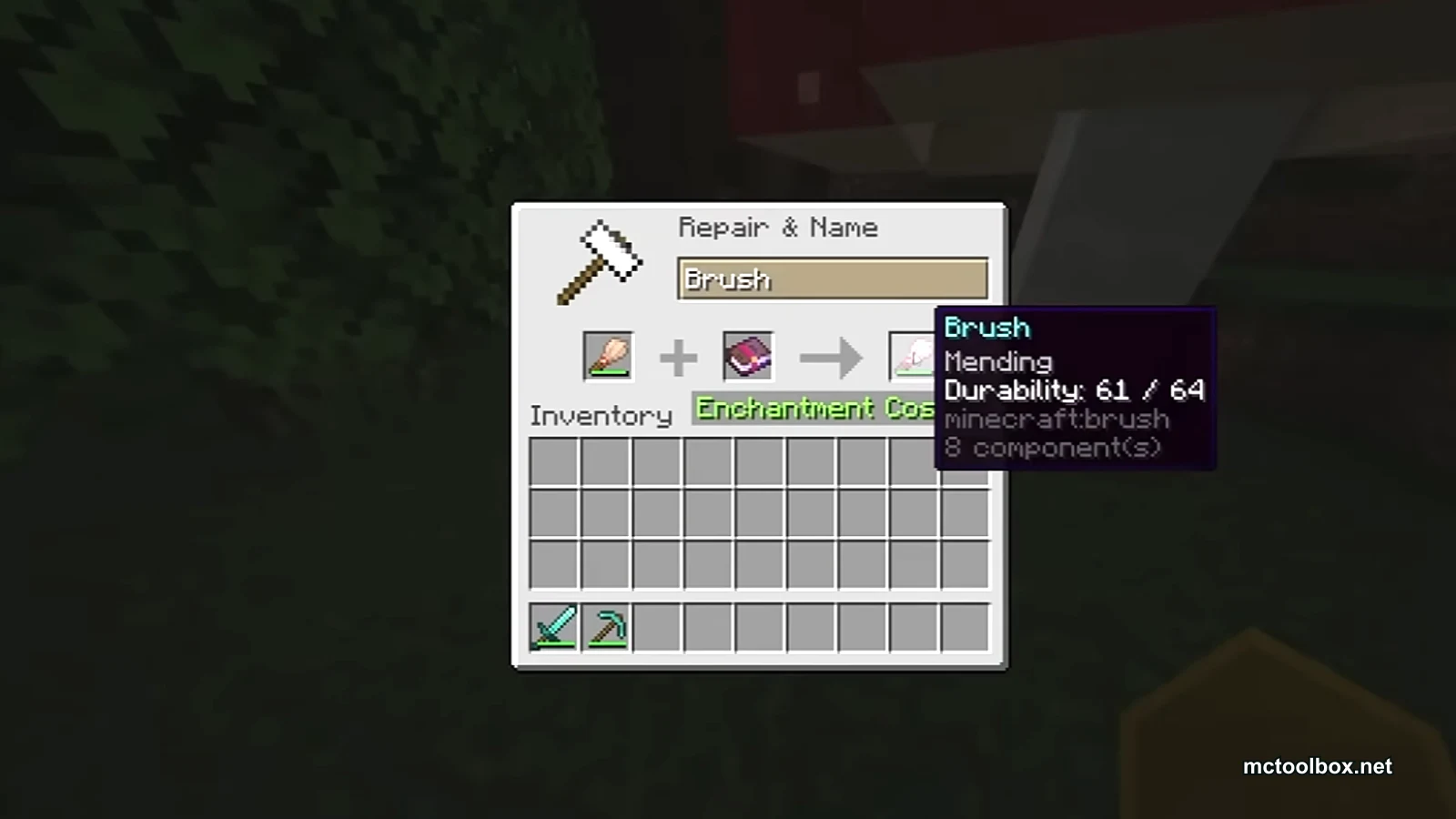
For repeated archaeology trips, Unbreaking reduces how often durability is consumed, while Mending repairs the Brush with experience orbs. These enchantments are applied through an anvil rather than an Enchanting Table. Curse of Vanishing can also appear on a Brush, but it is a drawback in most survival worlds.
Brush ID and command
| Entry | Value | Use |
|---|---|---|
| Java Edition ID | minecraft:brush | Commands, loot tables, and data packs |
| Current Java command | /give @p minecraft:brush 1 | Gives the nearest player one Brush |
If you need a longer command or want to change the target and count, use the MC Toolbox /give generator. The Crafting Guide also shows the Brush recipe and can calculate the raw materials for larger batches.
Common recipe and brushing mistakes
| Problem | Fix |
|---|---|
| The recipe produces nothing | Use a Feather, Copper Ingot, and Stick in that top-to-bottom order. |
| Raw Copper is in the middle slot | Smelt it into a Copper Ingot first. |
| The suspicious block disappears without loot | Do not mine it or let it fall. Hold the use button with the Brush until the item emerges. |
| Nothing happens on normal sand | Only Suspicious Sand and Suspicious Gravel contain archaeology loot. |
| The Brush breaks too quickly | Carry a spare, combine damaged Brushes, or apply Unbreaking and Mending. |
Brush crafting and archaeology troubleshooting
What is the Brush recipe in Minecraft?
Place one Feather above one Copper Ingot, then place one Stick below the ingot. The three ingredients must form a vertical line.
Can I make a Brush with Raw Copper?
No. Smelt Raw Copper into a Copper Ingot before crafting the Brush.
What blocks can I brush?
Use the Brush on Suspicious Sand and Suspicious Gravel to extract archaeology loot. Ordinary sand and gravel do not reveal items.
How long does brushing take?
A full archaeology brushing action takes 96 game ticks, or about 4.8 seconds.
Can a Brush have Mending?
Yes. Apply a Mending book to the Brush with an anvil. Unbreaking is also useful for extending its life.