Prominence II: Hasturian Era (Fabric 1.20.1): First Look
What the opening tavern, the talent screen and the inventory show in v4.1.2, and what the official feature list promises for later.
Modpack by ElocinDev
- Minecraft versions
- 1.20.1
- Loader
- Fabric
- Recommended allocated RAM
- 8 GB
- Mods in reviewed version
- 440
- Multiplayer
- Supported
A first look at Prominence II: Hasturian Era v4.1.2 on Fabric 1.20.1, based on its opening in Vaaz and the official feature list.
In this guide7 sections
Day 1 in the Kingdom of Vaaz
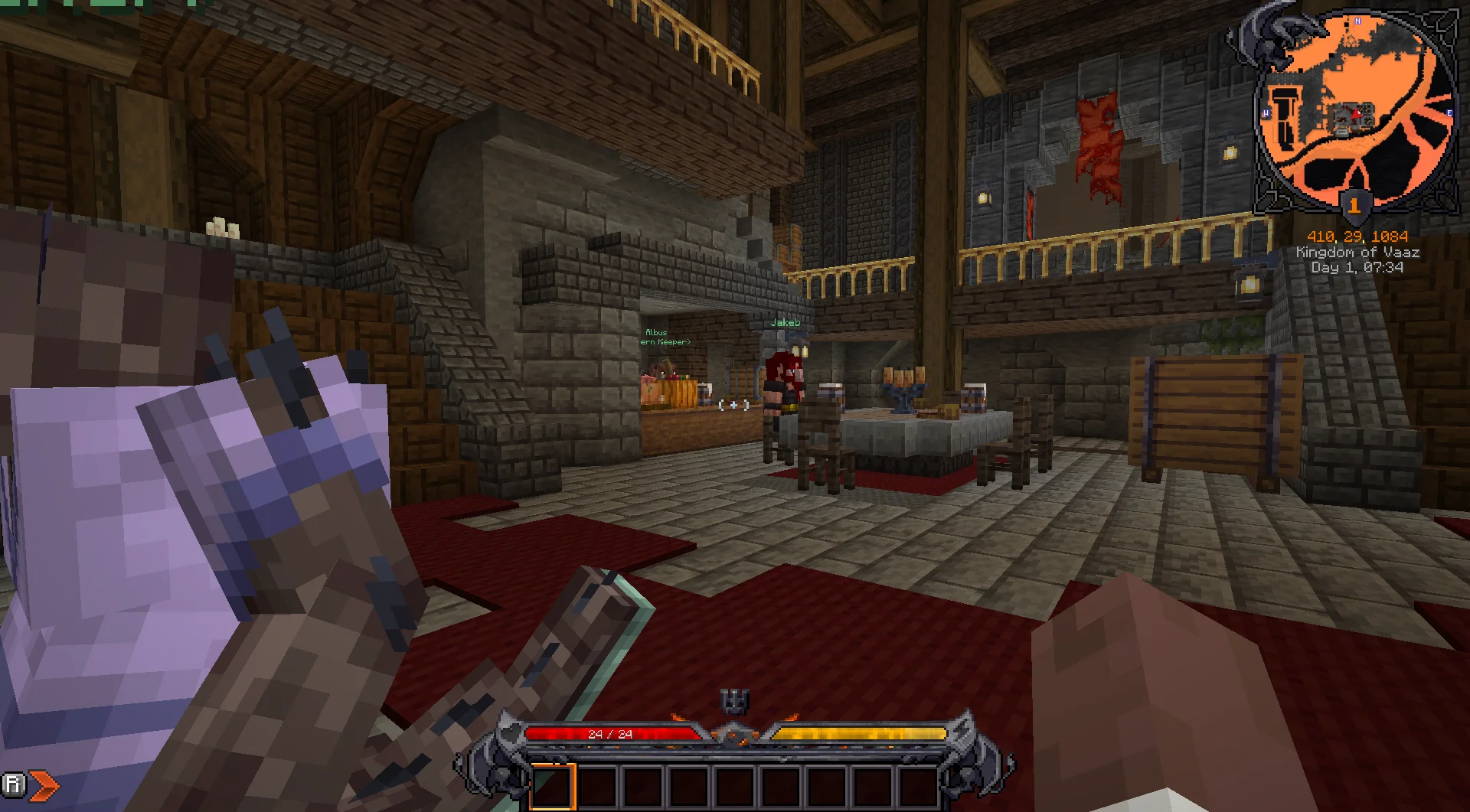
A new Prominence II world does not open on an empty plain. Our test world started inside a tavern in the Kingdom of Vaaz on Day 1, with NPCs labelled Albus (the tavern keeper) and Jakeb, a round minimap showing coordinates, region and time, and a first objective already on screen: "An Important Meeting", with the step "Leave the Tavern". The first progress message in chat named the goal "A Quest from S'kellak".
This first look covers that opening and the menus available from the start, tested on version 4.1.2. We did not reach combat, the artifact weapon or the bosses in this session, so those parts are described from the official feature list further down, not from our own play.
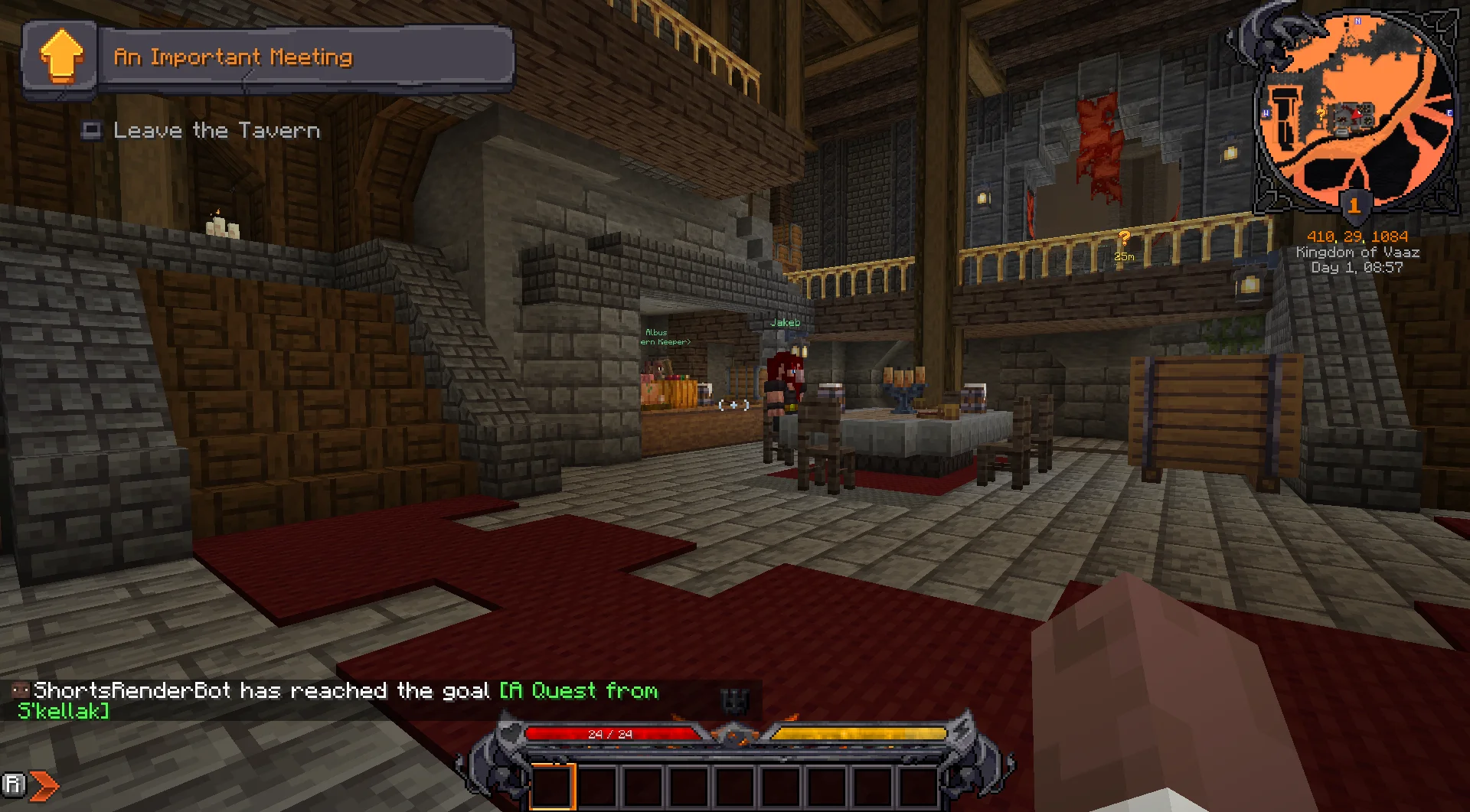
What the starting interface shows
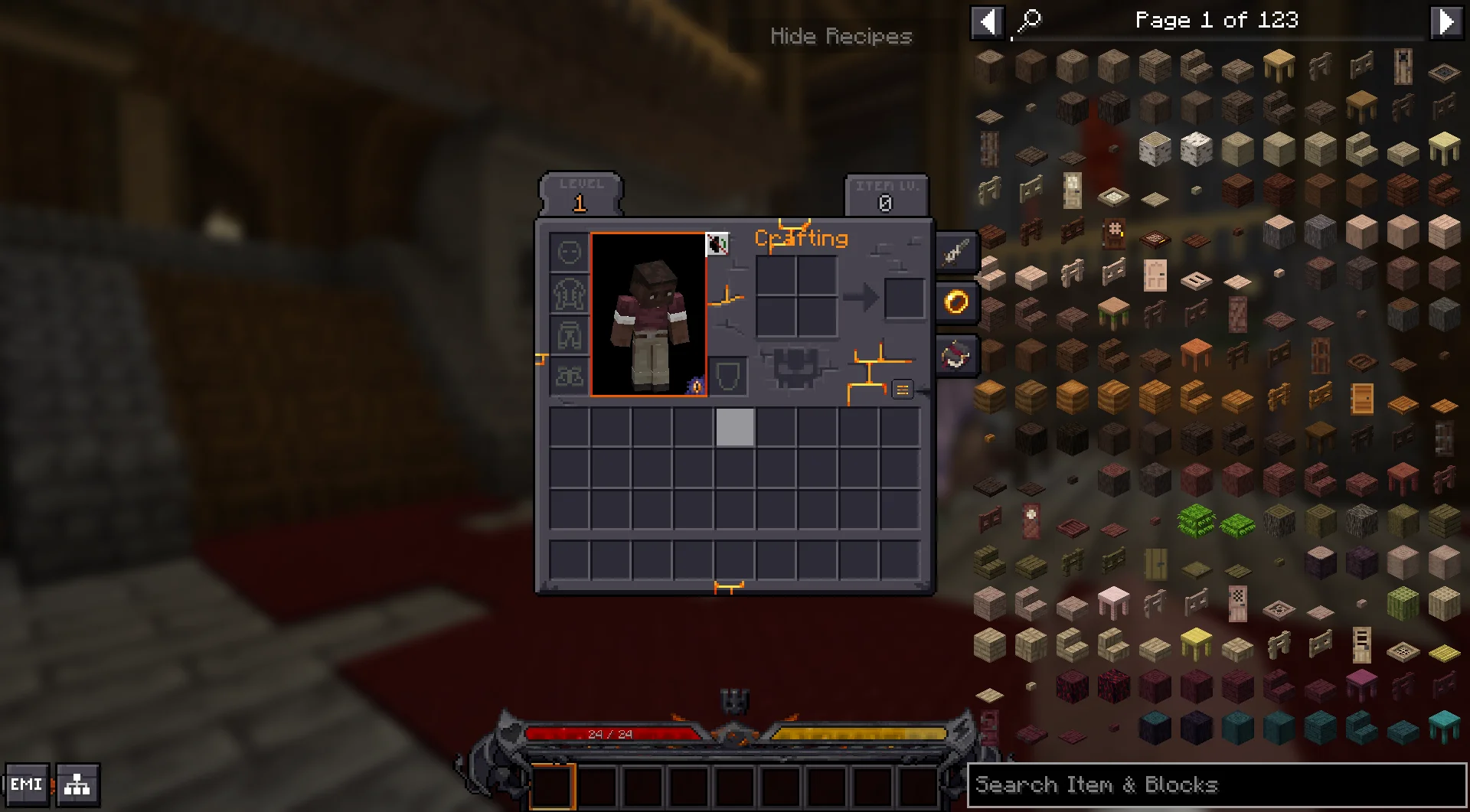
The pack draws its own hotbar (the official page calls it a custom hotbar): health shows as a red bar reading 24 / 24, with a yellow bar beside it. The inventory sits in a volcanic-style frame with "LEVEL 1" and "ITEM LV. 0" above it, three accessory slots on the right, and EMI's item list, which opened on "Page 1 of 123" in our world.
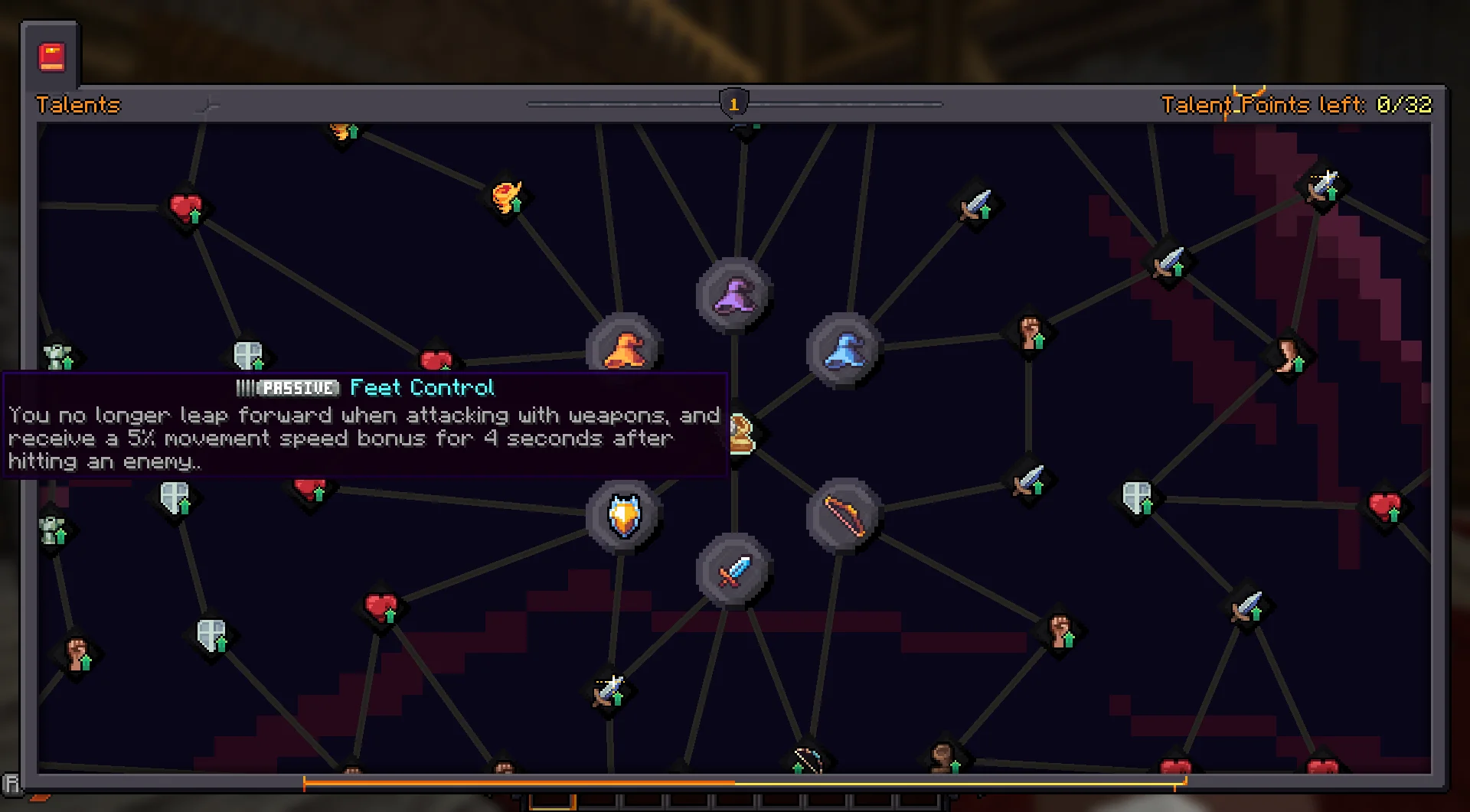
Talents come from Puffish Skills. At level 1 the screen read "Talent Points left: 0/32", so there is nothing to spend yet. Hovering a node shows exact numbers: Feet Control, for example, stops you leaping forward when you attack with a weapon and gives 5% movement speed for 4 seconds after you hit an enemy.
What the official page promises later
The official Modrinth page describes the rest of the game. You level up and spend points in a talent tree with 10 fates, more than 16 passive talents, more than 5 active abilities and over 100 stat talents. Mobs scale with your level, and the levelling works in multiplayer. Two story campaigns unlock as you progress, the capital city of Vaaz stays reachable at any time, and NPC dialogue is voice-acted.
You forge and upgrade your own artifact weapon. The endgame adds Primordial Forge armor sets, Mythic Challenge boss fights with infinite scaling and a timer (unlocked after Chapter II of the Hasturian Era), and transmogrification, so gear can keep its stats under a different look.
What is in the mods folder
Version 4.1.2 ships about 440 JAR files in its mods folder, libraries included. Performance mods include Sodium 0.5.13, Lithium and FerriteCore. Combat uses Better Combat 1.9.0 with Simply Swords 1.70.2 and Zenith Renewed 2.0.2, and the RPG-series class mods (Wizards, Paladins, Rogues and Archers) are installed. The pack also carries Create 6.0.8, Tech Reborn 5.8.14, Ad Astra 1.15.20 and Botania, so tech and magic sit beside the RPG layer.
Recent changes in 4.1.2
Version 4.1.2, released on 2 October 2026, is a small fix release. Its changelog says Bumblezone and Deeper and Darker will be removed in about three to four updates, and that bundles are disabled in favour of backpacks. If you build in either of those dimensions, expect that content to go.
Installing it
Download version 4.1.2 from the official Modrinth page as a single 405 MB .mrpack and import it into the Modrinth App or Prism Launcher; both fetch the mods and the Fabric loader for Minecraft 1.20.1 for you. The pack also has an official CurseForge listing. If your launcher cannot import .mrpack files, /mrpack-to-zip unpacks one into a regular ZIP with the mods, configs and overrides. It does not create a CurseForge export, so you set up that profile by hand.
For memory, we launched our test with a 6 GB heap (-Xmx6G) and the pack loaded and ran through our session. Allocating 6-8 GB is a sensible range for a pack of this size, and more if you add your own mods or shaders.
Test setup
- game Version
- 1.20.1
- loader
- Fabric Loader 0.19.3
- pack Version
- 4.1.2
- memory Allocated
- 6 GB (-Xmx6G)
- java Version
- Java 17
- mod Count
- 440 JAR files, libraries included
Official downloads
Open the creator’s page to get the modpack and its version-specific installation instructions.