COBBLEVERSE: Pokemon Adventure [Cobblemon]
A curated Fabric 1.21.1 Cobblemon pack: what changes, who it is for, and how to get started.
Modpack by LUMYVERSE
- Minecraft versions
- 1.21.1
- Loader
- Fabric
- Recommended allocated RAM
- 6 GB
- Mods in reviewed version
- 137
- Multiplayer
- Supported
COBBLEVERSE wraps Cobblemon 1.7.3 into a 137-mod Fabric 1.21.1 experience. This hands-on review examines what changes compared to plain Cobblemon, starter selection, PC storage, survival rules, and unverified project claims.
In this guide9 sections
What COBBLEVERSE changes compared with plain Cobblemon
COBBLEVERSE 1.7.42 bundles the Cobblemon 1.7.3 creature engine onto Minecraft 1.21.1 Fabric with 137 mods installed. Rather than requiring players to compile their own list of interface add-ons, minimaps, and quality-of-life adjustments, this modpack packages a turnkey creature-collecting adventure into a single installer.
The central question for any prospective player is straightforward: who is COBBLEVERSE designed for, and what actually changes compared with installing plain Cobblemon on a clean Minecraft profile?
Plain Cobblemon installs only the core monster-catching framework. In a bare Cobblemon setup, players drop into standard survival Minecraft where hunger drains and hostile mobs spawn at night, and any minimap or interface mods are yours to add.
COBBLEVERSE transforms that sandbox by building a protective RPG wrapper around the creature engine. The pack adds a welcome screen, its own loading screen, Xaero's Minimap and World Map, and turns off hunger and Minecraft's hostile mobs by default. It is built specifically for players who want a dedicated Pokémon adventure where survival upkeep takes a backseat to exploration, creature collection, and team management.
Loading screens and world arrival
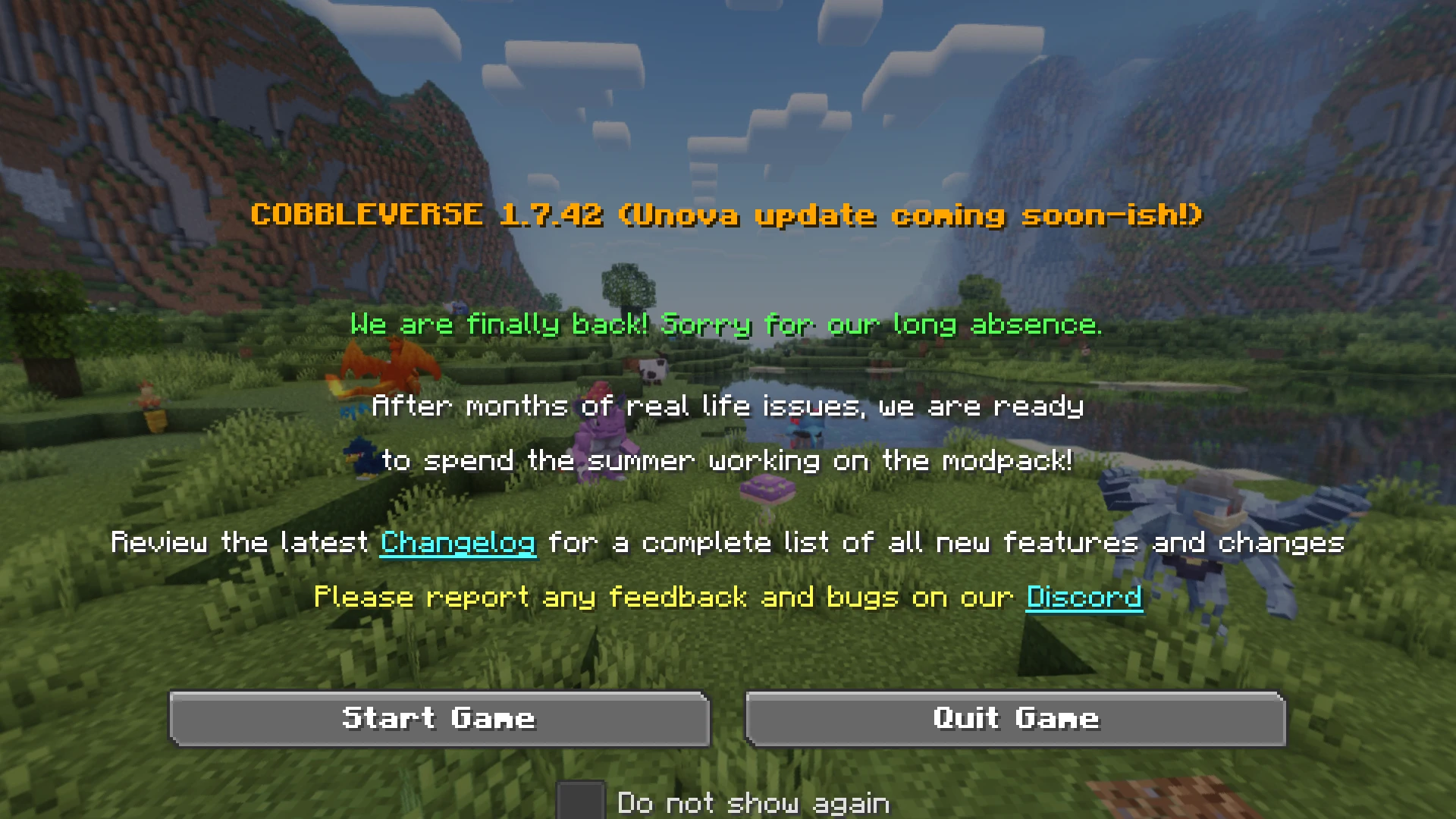
When launching COBBLEVERSE 1.7.42, players encounter a custom welcome screen overlay before reaching standard menus. This interface communicates current pack status, notes upcoming updates, and offers direct links to project documentation and community discussion boards.
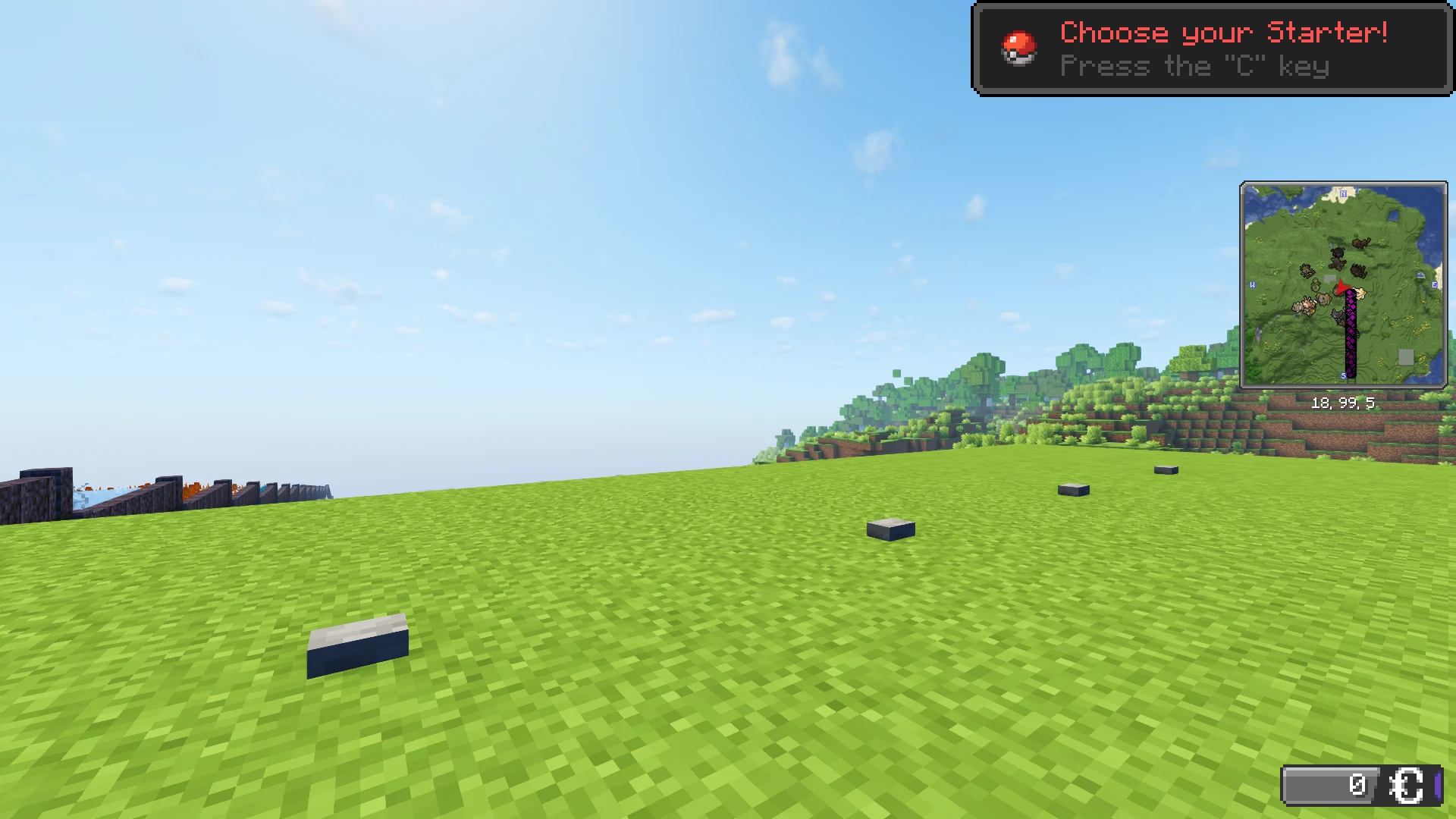
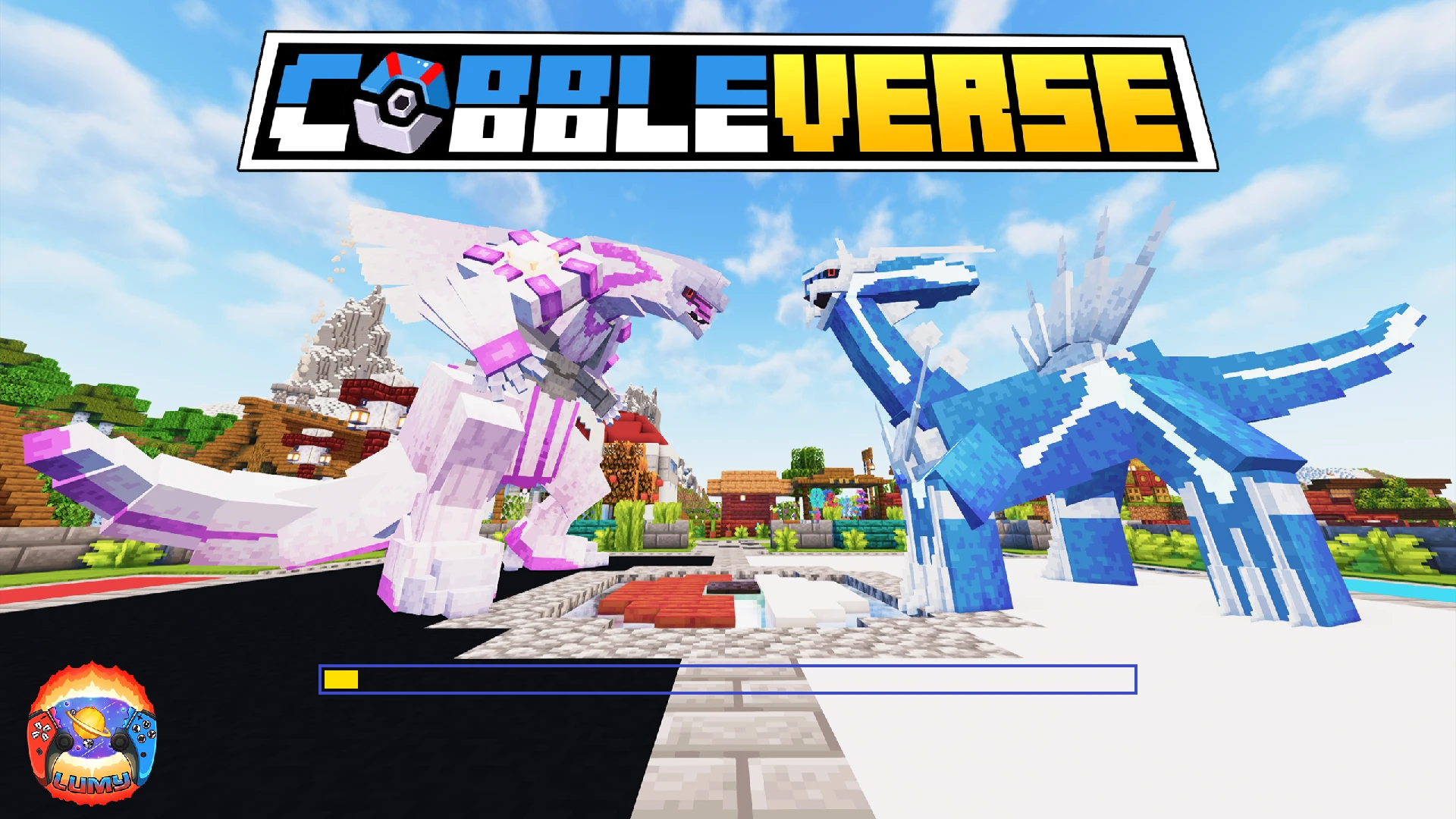
The pack also replaces the loading screen with Dialga and Palkia artwork, the COBBLEVERSE logo and the LUMYVERSE emblem. Once the player arrives in a new world, a Cobblemon toast in the top-right corner says to press the C key to choose a starter.
Selecting your starter partner
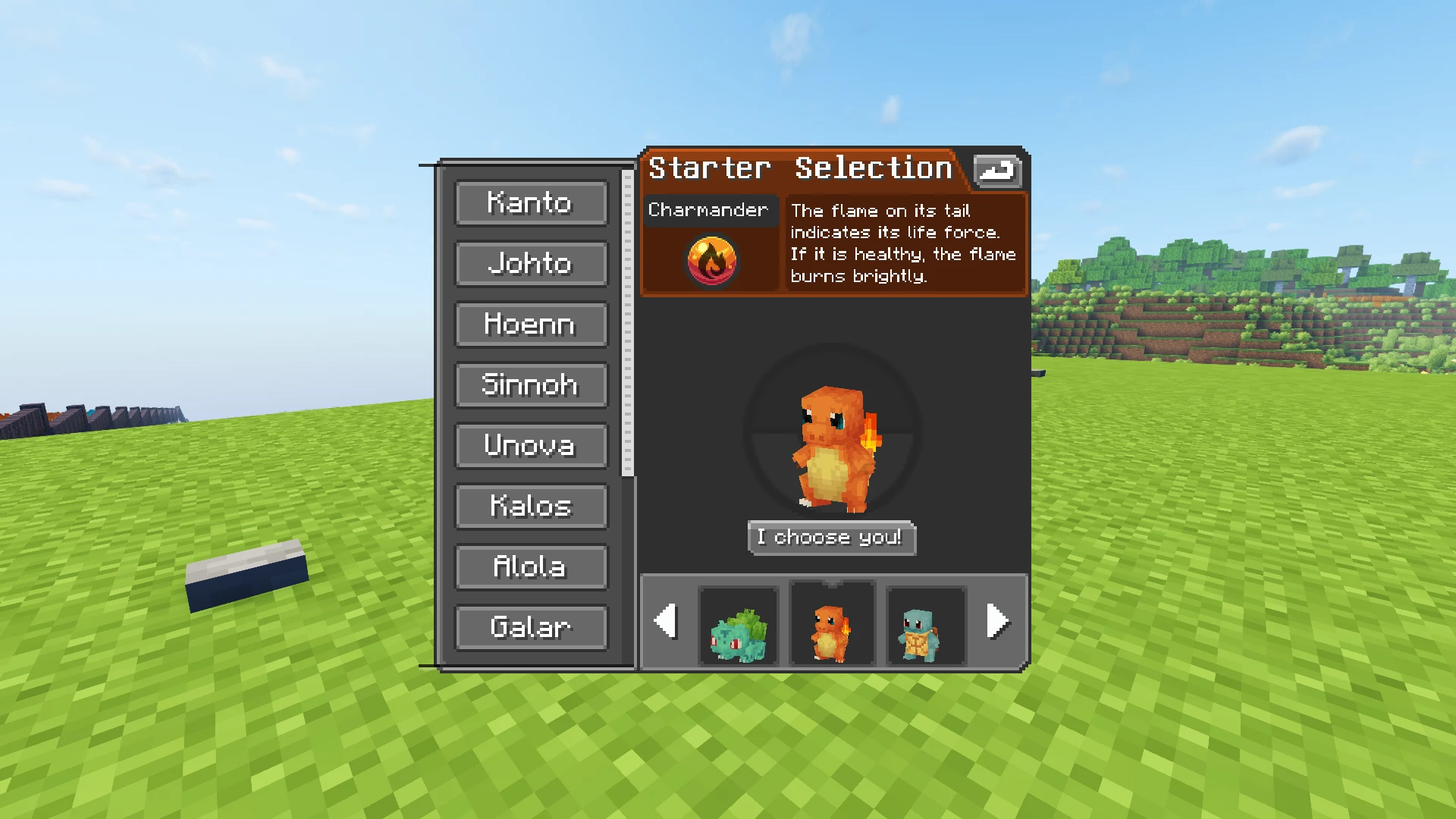
Pressing the C key opens the Cobblemon Starter Selection menu, which organizes the starters by region, with tabs from Kanto, Johto and Hoenn through Sinnoh, Unova, Kalos, Alola and Galar.
Each regional tab shows its three starters. Selecting one shows its 3D model, its type icon and a short description. For our initial playthrough, we selected the Kanto Fire-type starter Charmander. Clicking the confirmation button immediately binds the partner creature to the player, placing it into the primary slot of the newly initialized party HUD on the left edge of the screen.
Party management and summary sheets
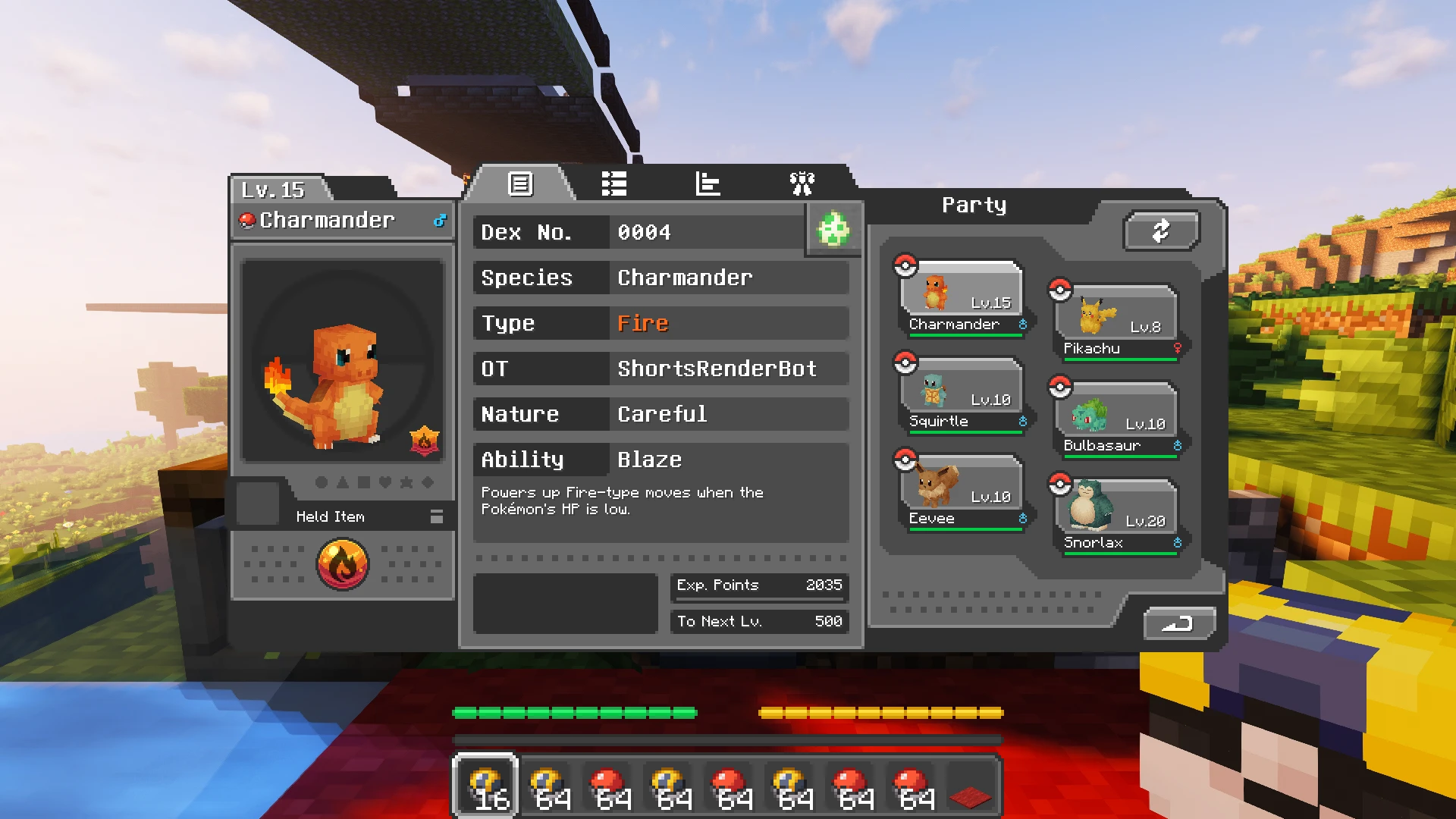
With a starter assigned, Cobblemon adds an interactive party sidebar to the left side of the display. Opening the full party summary interface reveals an in-depth character sheet for each team member.
For our starter Charmander at level 15, the summary panel displays its National Pokédex number (0004), Fire typing, Careful nature, and Blaze ability, alongside current experience points (2035) and the remaining points required to reach the next level (500). The other tabs hold its moves and stats.
To verify how the interface handles a full roster and to inspect storage behavior, we added five additional companions to the active party using /pokegive commands: Pikachu at level 8, Squirtle at level 10, Bulbasaur at level 10, Eevee at level 10, and Snorlax at level 20. These creatures were generated directly via administrative commands for interface testing rather than captured through field encounters, ensuring our hands-on evaluation accurately reflects how the roster displays multi-member teams.
PC storage and team expansion
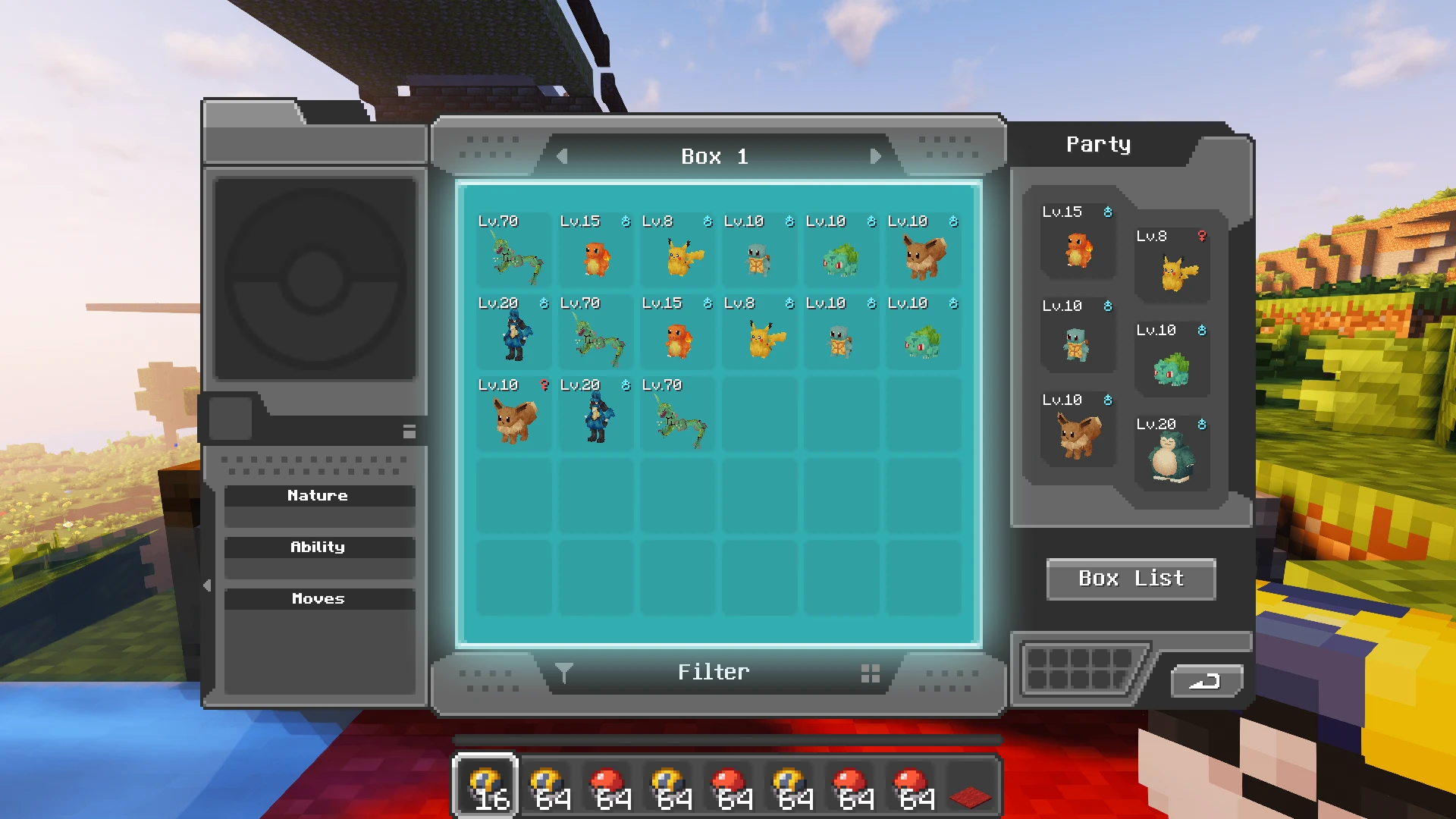
A trainer party holds a maximum of six active creatures. Any additional Pokémon obtained while the party is full transfers automatically into digital storage.
Opening the PC interface accesses Box 1, a multi-slot storage grid capable of organizing large collections. Capturing or receiving any creature beyond the sixth party slot deposits it directly into digital PC storage. The PC interface provides sorting filters, quick party swap slots, and multi-box browsing tabs, giving trainers a clean way to organize reserves as their collection expands.
Survival rules: hunger and hostile mobs
One of the most defining gameplay differences between COBBLEVERSE and a bare Cobblemon installation is how the modpack handles core survival mechanics. In a typical Minecraft world, players must balance creature exploration with basic survival tasks like foraging for food, establishing wheat farms, and avoiding dark caves infested with hostile mobs.
COBBLEVERSE removes standard survival pressures by default. Throughout exploration, sprinting, and nocturnal combat, the player hunger bar remains locked at full food and saturation points.
Inspecting the pack directory reveals the exact mechanism: COBBLEVERSE bundles a specialized datapack (COBBLEVERSE - No Hunger.zip) that grants continuous saturation to all players. Furthermore, the pack includes MobsBeGone-0.0.7.jar, which suppresses standard hostile vanilla monster generation. The page says Minecraft mobs are off by default, with villagers kept for trading, and that both mobs and hunger can be turned back on.
Evaluating project claims against hands-on testing
The Modrinth project page for COBBLEVERSE lists an extensive collection of ambitious adventure features. To ensure reader clarity, it is essential to distinguish between the core interfaces we verified hands-on and features that remain project page claims.
The project page claims the following features:
Inclusion of all 1025 Pokémon across all generations.
Regional Gyms and collectible Badges spanning Kanto, Johto, Hoenn, and Sinnoh.
Pokémon Centers, Poké Marts, and Department Stores that take PokéDollars.
Legendary encounters, including a Shiny Rayquaza in the End dimension.
1800 digital PC storage slots, breeding systems with boosted shiny probabilities, and custom decorative furniture.
Enhanced battle HUD displays showing catch percentages and type matchups.
Advanced battle gimmicks, including Mega Evolution, Z-Moves, Terastallization, and Dynamax.
Over 200 rideable Pokémon mounts and structured 1 to 7-star Raid encounters.
During our testing session, we did not encounter naturally generated Gyms, active Raids, rideable mount behaviors, automated Poké Mart vendors, or wild battle encounters. Readers should treat these points as creator claims described on the project page rather than verified out-of-the-box guarantees.
System requirements, memory advice, and next steps
COBBLEVERSE 1.7.42 is built on Fabric Loader 0.19.3 for Minecraft 1.21.1, utilizing Java 21. Our instance installation registered 137 distinct mod JAR files.
For memory, the project page says the pack needs at least 4 GB of RAM in single player, with 6 GB or more recommended, and suggests 6 GB or more for a multiplayer server.
The modpack distributes officially as a Modrinth .mrpack archive. Players who prefer using custom launchers or who need to extract mod JARs and configuration files for dedicated server deployment can use our internal MRPACK to ZIP Converter to unpack the archive into a standard directory layout.
For players entering COBBLEVERSE for the first time, the recommended path is simple: spawn into your world, press C to select your regional starter, open the controls menu to review Cobblemon keybinds, and use the minimap to track nearby wild spawns while establishing your initial home base.
Test setup
- pack Version
- 1.7.42
- minecraft Version
- 1.21.1
- loader
- Fabric 0.19.3
- mod Count
- 137
- java Version
- Java 21.0.7
- cobblemon Version
- 1.7.3+1.21.1
Official downloads
Open the creator’s page to get the modpack and its version-specific installation instructions.