
July 21, 2026
How to Fix "Too Expensive!" Anvil Error in Minecraft (26.x Guide)
Learn step-by-step how to bypass the 40-level anvil limit, understand prior work penalties, and use the binary tree method to combine god-tier gear.
If you have ever spent hours at an XP farm, traded with dozens of librarian villagers for perfect enchanted books, and then placed your Netherite Sword into an anvil only to see the red text "Too Expensive!", you know the frustration. Minecraft blocks any anvil operation that costs 40 levels or more. This comprehensive guide explains the exact math behind the Prior Work Penalty and shows you how to combine 7+ enchantments onto a single piece of gear without ever hitting the 40-level limit.
Understanding the Prior Work Penalty Math
Every item and enchanted book in Minecraft carries an invisible integer tag called the Prior Work Penalty (NBT/Component data). Every single time an item or book passes through an anvil—whether you are combining books, renaming an item, or applying an enchantment—its prior work penalty increases exponentially.
| Anvil Uses (Work Count) | Prior Work Penalty Added | Status |
|---|---|---|
| 0 Uses | +0 Levels | Fresh Item |
| 1 Use | +1 Level | Safe |
| 2 Uses | +3 Levels | Safe |
| 3 Uses | +7 Levels | Safe |
| 4 Uses | +15 Levels | Warning |
| 5 Uses | +31 Levels | High Risk |
| 6 Uses | +63 Levels | Too Expensive! (>39) |
If you add books one by one directly onto your sword (Sword + Book 1, then Sword + Book 2, then Sword + Book 3...), the sword's work penalty count reaches 6 very quickly. Once the prior work penalty hits 31 levels, adding even a 1-level enchantment pushes the total cost over 39 levels, triggering the Too Expensive! error.
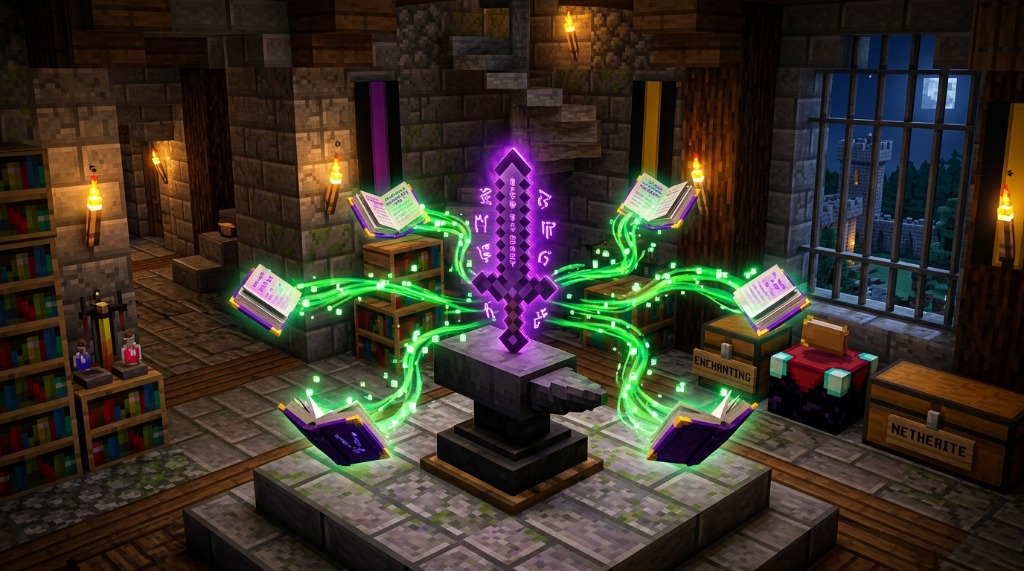
The Solution: The Binary Tree Combining Method
To keep the prior work penalty as low as possible, you must combine your books in a balanced **Binary Tree structure** before applying them to your target item. Instead of working sequentially on the item, you combine books with other books first!
Example: Creating a God-Tier Netherite Sword (6 Enchantments)
Suppose you want to apply Sharpness V, Unbreaking III, Looting III, Sweeping Edge III, Fire Aspect II, and Mending onto a Netherite Sword.
- Step 1 (Combine Books into Pairs):
- Combine Book 1 (Sharpness V) + Book 2 (Unbreaking III) → Master Book A (Work Count: 1)
- Combine Book 3 (Looting III) + Book 4 (Sweeping Edge III) → Master Book B (Work Count: 1)
- Combine Book 5 (Fire Aspect II) + Book 6 (Mending) → Master Book C (Work Count: 1)
- Step 2 (Combine Master Books):
- Combine Master Book B + Master Book C → Super Book BC (Work Count: 2)
- Step 3 (Combine Master Books with Sword):
- Combine Sword + Master Book A → Enhanced Sword (Work Count: 1)
- Combine Enhanced Sword + Super Book BC → Perfect God Sword (Final Work Count: 3!)
Because the sword only underwent 2 direct anvil operations, its final prior work penalty is only +3 levels instead of +31 levels! The entire combining process costs under 22 XP levels total.
3 Golden Rules of Anvil Optimization
- Always put the higher-cost item in the LEFT anvil slot: The left slot determines the base item. Placing the heavier book/item on the left reduces total level tax.
- Use an Enchanting Table for your initial enchantment: An enchantment received directly from an Enchanting Table counts as Work Count 0. This saves 1 free anvil operation.
- Rename your item during the FIRST anvil operation: Renaming adds a flat +1 level cost. Doing it during an early step avoids paying extra penalty taxes later.
Calculate your exact step-by-step anvil tree before spending XP with our MC Toolbox Enchant Calculator!

More Guides
Minecraft Effect Lab: Mastering Invisible Potions and Particles in 26.x
Stop letting messy swirl circles ruin your cinematic builds and boss fights. Lea...
How to Read Spark Profiler Reports to Fix Minecraft Server Lag (26.x)
A deep technical guide to diagnosing MSPT spikes, entity tick bottlenecks, chunk...
How to Repair Corrupted Chunks & Crash Loops Without Wiping Your World
Learn how to isolate corrupted anvil region files (.mca), locate crash coordinat...
How to Convert .mrpack to ZIP Modpacks for Prism & CurseForge
A complete step-by-step guide to converting Modrinth .mrpack index files into st...