
April 10, 2026
Geometry in a Square World: Building Perfect Circles and Spheres
Voxel building is hard, but my sphere and circle generators make it perfect every time.
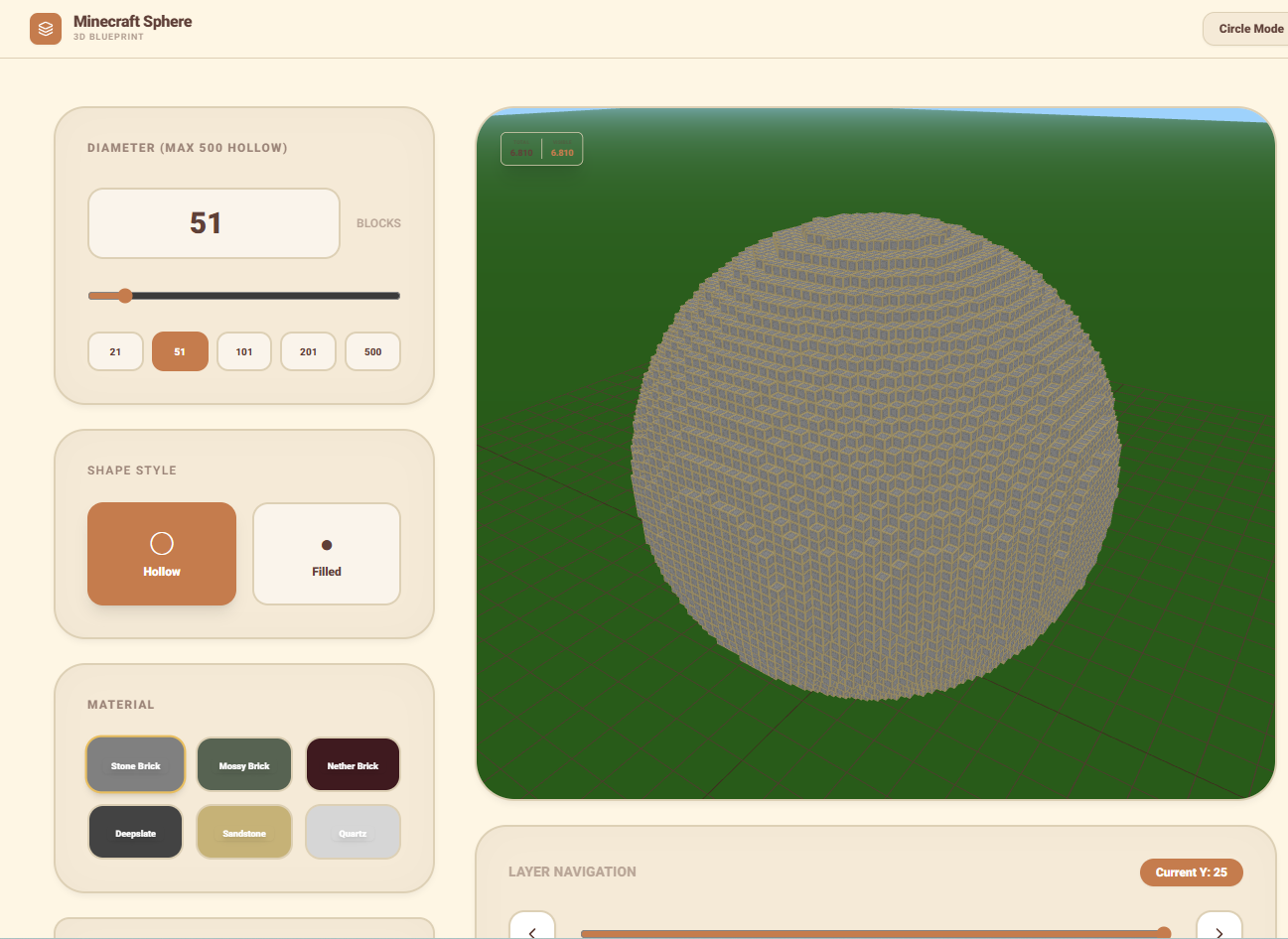
Somebody reached out to me on Discord asking if I had a cheat sheet for building spheres. They were trying to build a giant glass dome for their underwater base and kept getting the corners "pointy" or the sides too flat. It is a classic Minecraft struggle because, in a world made of cubes, circles are technically impossible. We have all spent hours placing blocks and then stepping back only to realize our "circle" looks more like a weirdly shaped diamond. That is the exact reason I built the Circle and Sphere generators. I wanted a way to see a 2D layer-by-layer blueprint that would tell me exactly where every block needs to go.
The Layers of Perfection
The secret to building a perfect sphere is understanding the layers. A sphere is just a stack of circles of varying sizes. My generator handles all the heavy calculations and provides you with a slice-by-slice view. You start at the bottom, follow the pattern, and as you move up, the circles get wider until you hit the middle, and then they shrink back down. I remember the first giant dome I built using this method, it was for a celestial observatory, and the feeling of those final blocks clicking into place to form a perfect curve was incredibly satisfying. I have optimized the tool to let you adjust the diameter in real time, so whether you are building a small 5-block planter or a massive 100-block planetarium, the math is always perfect. I even added a 3D preview so you can spin the model around and see how it will look in the game environment before you start mining those thousands of stacks of concrete.
Building Circles for Every Occasion
Not everything needs to be 3D though. Sometimes you just need a perfect circle for a decorative fountain or a tower base. My Circle tool provides a clear, high contrast grid that you can follow like a guide. I’ve added options for hollow circles vs. filled ones, and even "thick" walls if you want your buildings to look more heavy and structural. I personally use this tool every time I start a new base project because I always want my towers to be symmetrical. If you are a fan of megabuilds, having these blueprints open on a second monitor is the only way to stay sane. It saves you from the "place and break" cycle that wastes so much time. Go ahead, challenge the square nature of the game and start building blueprints that look impossible!

More Guides
Minecraft Effect Lab: Mastering Invisible Potions and Particles
Stop letting messy circles ruin your cinematic builds with my custom effect gene...
Minecraft 26.1 Tiny Takeover: New Features and Command Guide
Master the Golden Dandelion and everything new in the Tiny Takeover update with ...
Minecraft Enchant Guide: The Best Way to Max Your Gear
Avoid the "Too Expensive!" nightmare with my Mathematical Enchanting Lab for 1.2...
Minecraft World Navigation: Mastering Seeds and Portal Coordinates
Never get lost again with my guide to world seeds, structure finding, and Nether...