
April 9, 2026
Minecraft Seed Map: Find Biomes and Structures Instantly
A smart exploration guide for 1.21 Trial Chambers, villages, and mushroom islands.
A common question I get in the community is whether checking a seed map is considered cheating. I’ve seen some pretty intense debates on Twitter and Reddit about this. Some "purists" believe that you should explore every block manually, while others think that if you only have an hour or two to play after getting back from school or work, you shouldn't waste it wandering through a boring savanna for the tenth time. Personally, I fall somewhere in the middle. I love the surprise of discovery, but I also hate starting a new world and realizing there is not a single village within 2,000 blocks of my spawn point. That is exactly why I built the Seed Map tool here on MC Toolbox. I wanted something that was as fast as a sparkling modern app but had the deep data needed for the 1.21.1 update.
Maximizing Your Time in the 1.21 Trials
With the release of 1.21, the big draw is the Trial Chambers. These are massive, underground structures filled with spawners, loot, and some of the coolest combat challenges we have seen in years. The problem is that they are buried deep underground and can be hard to find without some help. I used the seed map on a recent survival series and it saved me so much time. Instead of digging random tunnels and hoping to hear a Breeze, I could see exactly where the closest chamber was located. This let me focus on the fun part, gearing up and actually fighting, rather than the boring part of aimlessly wandering. Our map supports all the new structure types, and you can toggle them on and off with ease. Whether you are looking for a rare Mushroom Island for a safe base or a Mansion for some late game loot, having a high resolution preview of your world is just smart play.
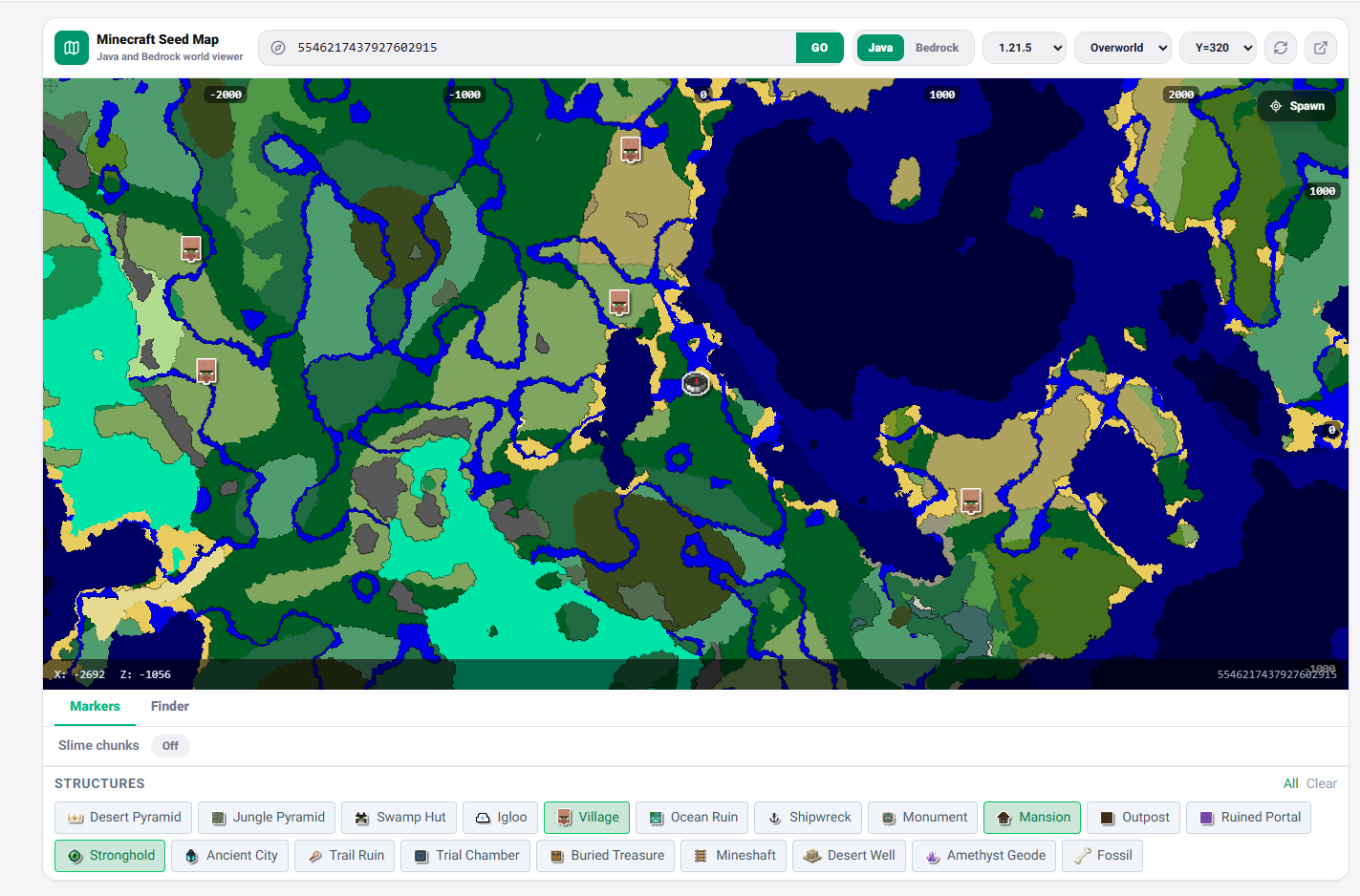
I also made sure the map works for both Java and Bedrock. I know a lot of people like to play on their phones or tablets, and some of those maps can be really laggy on mobile browsers. I optimized the loading speed so it feels snappy even on older devices. In the pro community, we use these maps to find "God Seeds", worlds where you have multiple rare biomes and structures all converging on one spot. It makes for incredible bases and great content if you are a streamer or YouTuber. Don't be afraid to use the information available to you. Minecraft is a huge game, and having a map in your pocket makes it feel just a little more manageable. Explore efficiently, build bigger, and enjoy your world without the stress of being lost!

More Guides
Minecraft Effect Lab: Mastering Invisible Potions and Particles
Stop letting messy circles ruin your cinematic builds with my custom effect gene...
Minecraft 26.1 Tiny Takeover: New Features and Command Guide
Master the Golden Dandelion and everything new in the Tiny Takeover update with ...
Minecraft Enchant Guide: The Best Way to Max Your Gear
Avoid the "Too Expensive!" nightmare with my Mathematical Enchanting Lab for 1.2...
Minecraft World Navigation: Mastering Seeds and Portal Coordinates
Never get lost again with my guide to world seeds, structure finding, and Nether...