April 6, 2026
Minecraft Coordinate Calculator: Never Get Lost Again
A practical guide to understanding Minecraft coordinates, nether portal ratios, and how to use a coordinate calculator to link portals accurately.
Coordinates are one of those things in Minecraft that feel optional until they are not. Then suddenly you are standing at the mouth of a nether portal you just built and have no idea if it will link to your base or to a random hillside three thousand blocks away. Understanding the coordinate system and the nether ratio is not complicated, but it does require actually knowing the rules rather than guessing at them.
How the Coordinate System Works
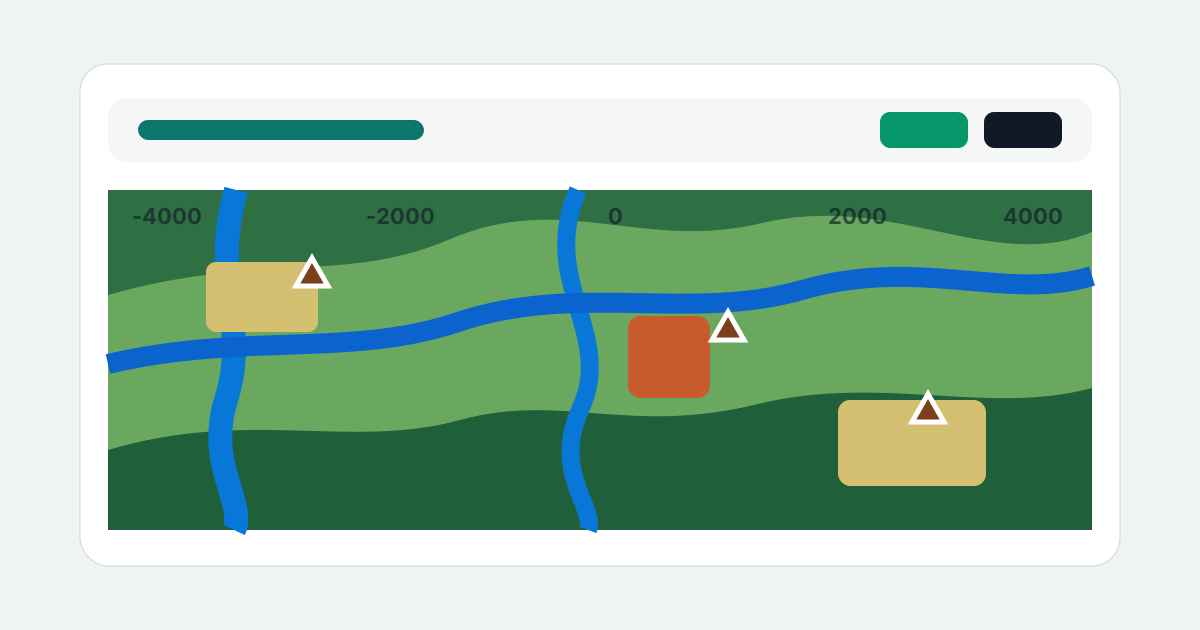
Minecraft uses a three-axis coordinate system. X is your position east or west from the world origin, Z is your position north or south, and Y is your height above bedrock. Positive X goes east, negative X goes west, positive Z goes south, and negative Z goes north. The world origin is the point where all three values are zero, which is usually near spawn but rarely exactly at spawn.
The debug screen, opened with F3 on Java Edition, shows your exact coordinates in real time. The XYZ line shows your current position, and the Facing line tells you which direction you are heading. Getting comfortable with the debug screen is one of the most useful habits you can build early in a survival world. It turns navigation from intuition-based wandering into something you can plan and execute precisely.
Coordinates are used throughout the game's command system as well. Teleport commands, structure placement, fill commands, and region-based operations all reference the coordinate grid. If you are doing any kind of technical Minecraft work beyond basic survival, understanding coordinates well enough to use them without thinking is a prerequisite for most of what you will need to do.
The Nether Portal Ratio
The nether operates at one eighth the scale of the overworld in the horizontal dimensions. One block of travel in the nether equals eight blocks in the overworld. This ratio applies to both X and Z, but not to Y, which scales normally. The practical consequence is that the nether is one of the most powerful fast-travel tools in the game if you use it correctly.
To find the nether coordinates that correspond to an overworld location, divide the overworld X and Z by eight. If your base is at overworld coordinates 800, 64, -1200, the nether portal you build at home needs a corresponding portal at nether coordinates 100, Y, -150. The Y coordinate in the nether needs to be wherever the terrain allows you to build, but the X and Z need to match the formula precisely for the portals to link correctly.
The Coordinate Calculator at mctoolbox.net does this division automatically. Enter the overworld coordinates and it shows you the exact nether position, or enter nether coordinates and it shows you the overworld equivalent. This removes the mental arithmetic from portal planning and prevents the common mistake of off-by-one errors that link your portal to an unexpected location.
Why Portals Link to the Wrong Place
Portal linking in Minecraft works by finding the closest portal in the destination dimension within a search radius. When you step into an overworld portal, the game looks for an existing nether portal near the nether coordinates that correspond to your overworld position. If it finds one, it links to it. If it does not, it creates a new one at the nearest valid location.
The linking goes wrong most often because of rounding and search radius behavior. If you have two nether portals relatively close together in nether coordinates, a third overworld portal might link to the wrong nether portal because the search finds the closer wrong one rather than the intended one. This is why careful coordinate planning matters on servers with established portal networks. Building nether portals too close to each other in nether space creates ambiguity that leads to incorrect linking.
Checking coordinates before building is much easier than fixing a mislinked portal after the fact. The Coordinate Calculator tells you exactly where your nether portal needs to be before you build anything. Five seconds of calculation prevents hours of troubleshooting portal networks that behave unexpectedly.
Building an Efficient Nether Hub
A nether hub is a central structure in the nether that serves as the connection point for multiple destinations. Instead of each base having its own isolated portal, all portals connect to a central hub in the nether with clearly labeled tunnels or pathways leading to each destination. This makes navigating a large server or a world with multiple builds significantly more manageable.
The design of a hub depends on how many destinations you are connecting. For a small personal world with two or three locations, a simple crossroads with labeled signs is enough. For a larger server, a hub with dedicated connection points organized by direction, distance, or purpose saves players time and keeps the nether organized rather than being a tangled mess of portals pointing in random directions.
Every destination in a hub should have its nether coordinates calculated from its overworld position and built at exactly the right spot. If you build a portal where it is convenient rather than where the math says it should be, you create exactly the linking confusion described earlier. The calculation takes a moment and makes everything work correctly, so there is no good reason to skip it.
Coordinates in Commands
Understanding coordinates becomes even more useful once you start working with commands. Teleport commands reference absolute coordinates like 800 64 -1200, or relative coordinates like tilde notation which offsets from the current position. Fill commands take a start and end corner of a rectangular region. Clone commands copy a region from one set of coordinates to another. All of these operations are much easier to plan when you can visualize the coordinate grid and work with it intuitively.
Relative coordinates with tilde notation are worth learning early because they let you write commands that work regardless of where you are. A command that teleports a player two blocks east using relative coordinates works the same whether you run it at spawn or ten thousand blocks away. Absolute coordinates work when you need a specific fixed destination, and relative coordinates work when you need position-independent behavior.
Ready to master Minecraft?
Free tools and technical guides for builders, command makers, and survivalists.
Open MC Toolbox →More Guides
Minecraft Effect Lab: Mastering Invisible Potions and Particles
Explore the creative side of status effects, including how to hide particles and...
Minecraft 26.1 Tiny Takeover: New Features and Command Guide
A complete breakdown of the Minecraft 26.1 update, exploring new items, mob chan...
Minecraft Enchant Guide: The Best Way to Max Your Gear
A practical guide to optimizing your enchanting order, avoiding the Too Expensiv...
Minecraft World Navigation: Mastering Seeds and Portal Coordinates
Learn how to use world seeds and coordinate math to link nether portals perfectl...